
8 Best Golf Launch Monitors Under $500 2026
This post contains affiliate links. As an Amazon Associate, we earn from qualifying purchases.
The Voice Caddie SC4 PRO stands out as the best overall golf launch monitor under $500, delivering reliable data and solid app integration. For golfers on a tighter budget, the PRGR HS 130-A offers impressive accuracy at a lower price, while the Garmin Approach R10 adds versatility with simulator compatibility and strong real-world performance.
Golfers want honest feedback on their swing, not guesswork or flashy gadgets that fail when you need them most. In this price range, the challenge is finding a device that balances real accuracy with ease of use and durability across range sessions or backyard practice.
This guide cuts through the noise by focusing on what actually matters: consistent ball and club speed readings, quick setup, and practical portability. I compared specs, analyzed owner experiences, and evaluated how well each model supports meaningful improvement, all through the lens of someone who’s spent years helping golfers train smarter, both on the road and at home.
Top 8 Golf Launch Monitors Under $500 in the Market
The Best Golf Launch Monitors Under $500, Reviewed
Voice Caddie SC4 PRO Launch Monitor

Strengths
- No subscription required
- Built-in screen and voice output
- Full 3D simulator access
Trade-offs
- Higher price point
- Slightly bulkier design
- App enhances but not essential
At nearly $500, the SC4 PRO aims to be the last launch monitor most golfers will need in this price bracket, and on paper, it delivers. With Prometrics-grade accuracy, a built-in screen, voice output, and access to E6 Connect and 3D driving range simulation, it offers a near-premium simulator experience without mandatory subscriptions. Owners report strong indoor performance and appreciate that it works with standard golf balls, no stickers or special setups required.
What sets it apart is the balance: it’s not just a data tracker but a full training ecosystem. The multiple modes, speed training, target practice, 3D simulation, make it versatile for different goals. Compared to the Garmin R10, it doesn’t need constant phone pairing, and against the Swinora, it offers better simulator depth. My recommendation? If you want one device that does it all without monthly fees, this is the smarter buy.
Video review
Garmin Approach R10 Launch Monitor

Strengths
- Full metric suite
- Video swing analysis
- Virtual course play
Trade-offs
- Requires constant phone pairing
- Subscription for full features
- No standalone screen
The Garmin Approach R10 sits at the premium end of this list, and it shows in how well it bridges the gap between training tool and smart golf companion. Paired with the Garmin Golf app, it delivers a full suite of metrics, club speed, ball speed, launch angle, spin, swing tempo, and even video overlay with shot tracers, that rival monitors twice its price struggle to match consistently. Reviewers note the app integration is smooth, and the shot dispersion charts help visualize club tendencies in a way that’s genuinely useful for on-course decisions.
What I like most is how it doubles as a practice hub and virtual golf platform. With a subscription, you can play 42,000 courses in simulation mode, which adds serious replay value. The 10-hour battery and IPX7 waterproofing mean it won’t quit in the rain or mid-session. Compared to app-only systems, the R10 feels more polished and reliable, though it does require constant phone pairing, which may turn off minimalists.
Video review
PRGR HS 130-A Launch Monitor

Strengths
- Doppler radar accuracy
- No app or Bluetooth needed
- Measures club speed sans ball
Trade-offs
- No spin or launch angle
- Limited data depth
- No video or simulator features
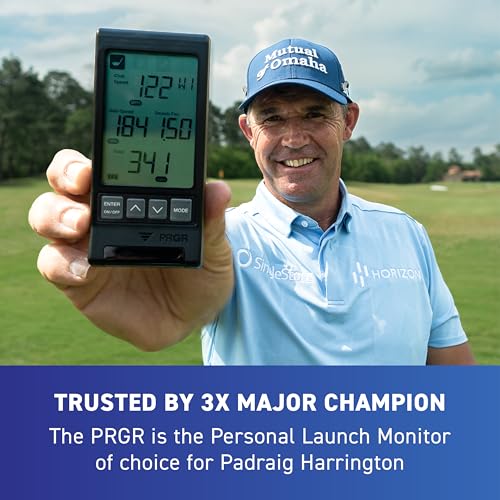
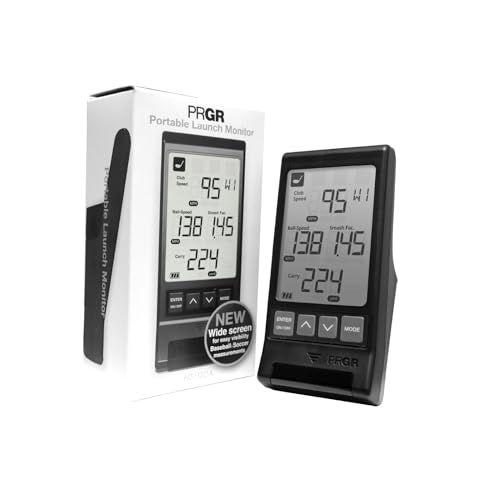
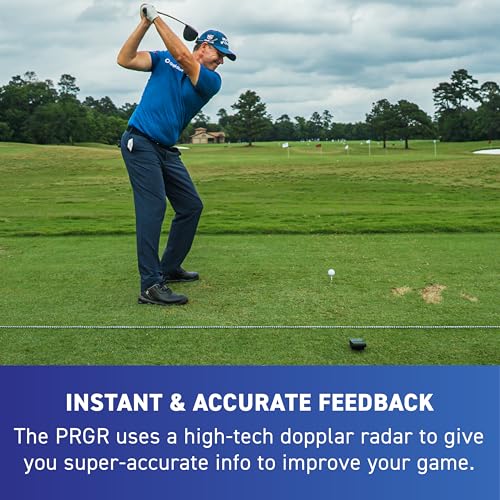
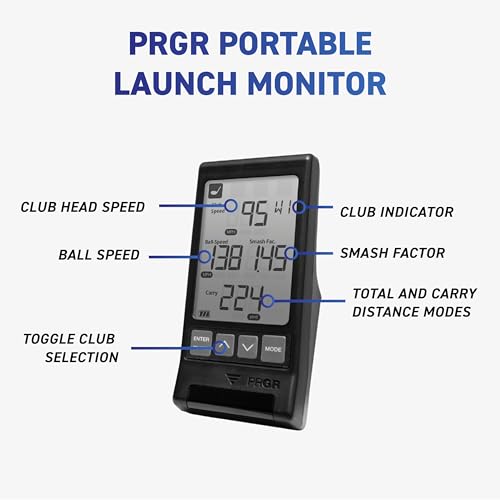
If you’re strictly after raw swing speed and basic ball data without the clutter of apps or subscriptions, the PRGR HS 130-A makes a compelling case as the most no-nonsense entry in the under-$500 space. It’s built around reliable Doppler radar and tracks the essentials, club speed, ball speed, smash factor, carry and total distance, without demanding a smartphone or battery-draining connectivity. Owners consistently report that its numbers align closely with pricier units, especially for speed metrics, and the fact that Padraig Harrington uses it adds a quiet credibility.
Where it really stands out is in simplicity and multi-sport utility. You can measure club speed without hitting a ball, which is rare at this level, making it a solid tool for off-range speed training. On paper, it lacks spin or launch angle data, so it’s not going to guide wedge tuning or full-swing optimization. But for pure, portable feedback on power and consistency, it’s hard to beat the value.
Product photos

Swinora Golf Launch Monitor
Strengths
- Environmental sensors
- No subscription
- 13 detailed metrics
Trade-offs
- Strict indoor space needs
- App required for full use
- Limited simulator content
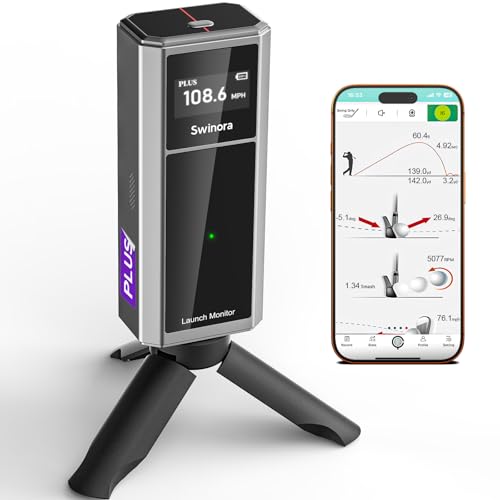
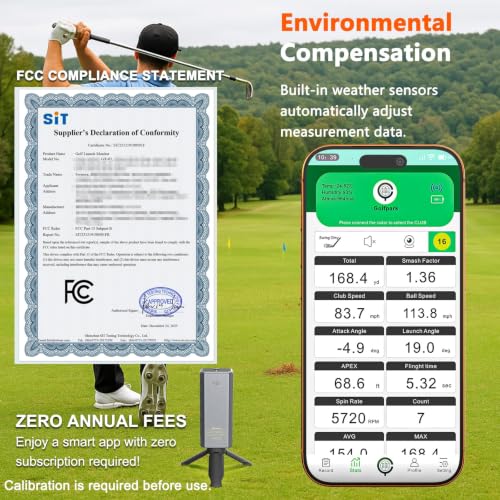
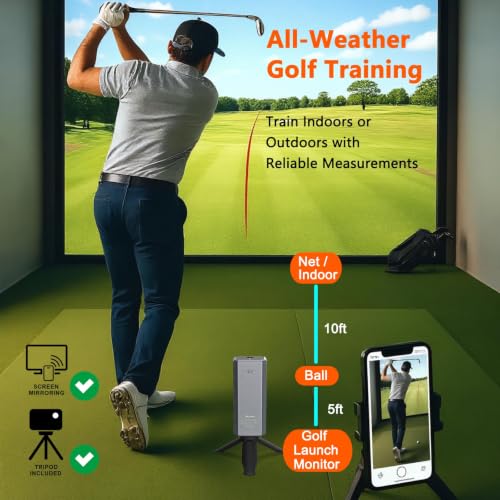
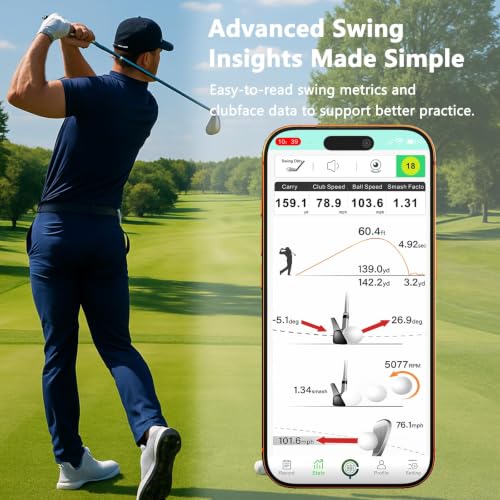
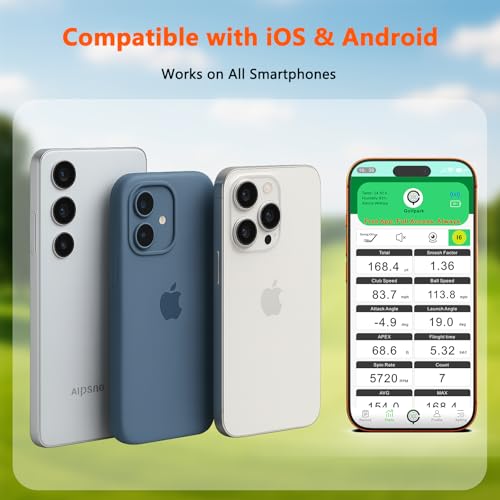
The Swinora stands out by including environmental sensors, temperature, humidity, and barometric pressure, which automatically adjust shot data for real-world conditions. That’s uncommon at this price and gives it an edge for players training indoors or in variable climates. It tracks 13 metrics, including attack angle and spin rate, and the OLED display is sharp and responsive. Owners report strong accuracy when space requirements are met, especially the 15ft indoor setup with 5ft behind the ball.
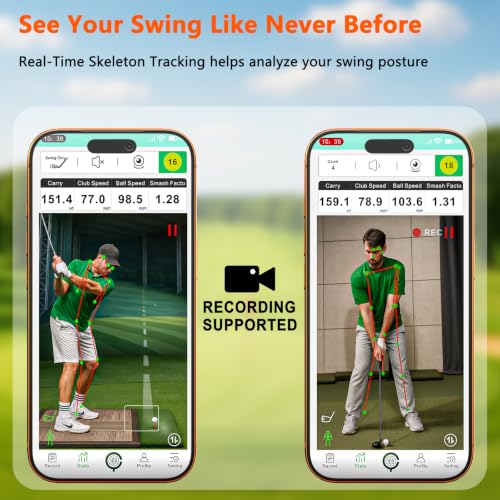
The app is fully unlocked with no subscription, which is a big plus compared to Rapsodo or Garmin. It also offers multi-angle swing views and smart alerts for shanks or mis-hits, helping refine consistency. My only hesitation is the space demand, it’s less forgiving in tight home setups than the SC4 PRO or Garmin. But if you have the room, it’s one of the most complete data-rich options without a fee.
Product photos
Rapsodo Mobile Launch Monitor

Strengths
- Shot tracer video
- iPhone camera integration
- Simple setup
Trade-offs
- iOS only
- Phone-dependent
- Premium features cost extra
Rapsodo’s MLM is a clever, iPhone-only solution that turns your phone into a launch monitor with solid accuracy for carry distance, ball speed, launch angle, and shot shape. The app delivers video replay with shot tracers, which is incredibly useful for spotting swing flaws in real time. It’s lightweight, portable, and widely praised for making backyard or range sessions more productive.
But its biggest limitation is also its foundation: it only works with iPhones and iPads. There’s no Android support, and the experience hinges on your phone’s camera and positioning. Premium features like simulator courses cost extra, but the core metrics are free. Compared to the Swinora or SC4 PRO, it’s less standalone and more dependent on your device. Still, for iPhone users who want video and key data without heavy gear, it’s a strong pick.
Product photos


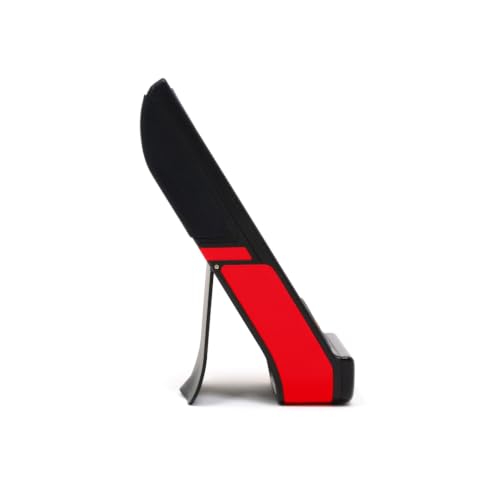
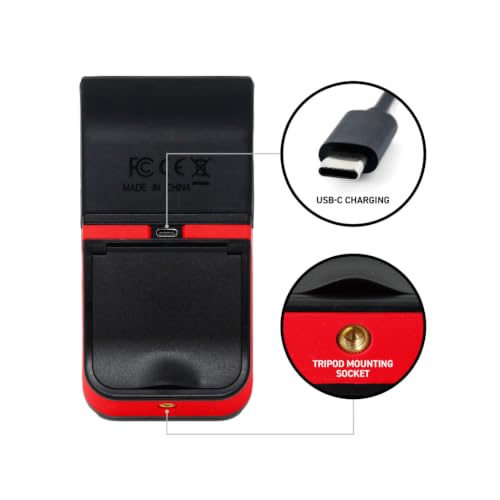
GOLFBUDDY Shot Mate Launch Monitor
Strengths
- Bright full-color display
- 1,000-shot memory
- Target and practice modes
Trade-offs
- No spin or launch angle
- No simulator capability
- App pairing optional but limited
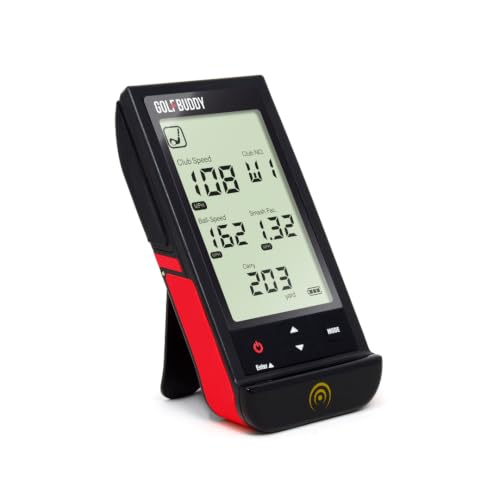
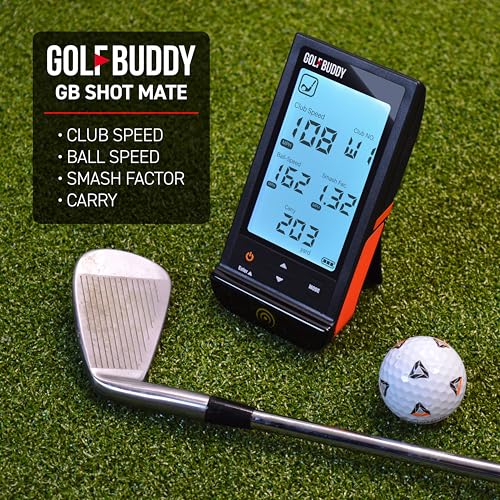
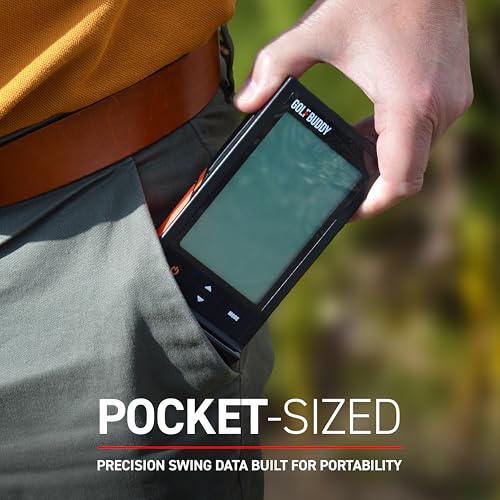
Priced under $200, the GOLFBUDDY Shot Mate punches above its weight with a full-color TFT display, 1,000-shot memory, and solid Doppler radar accuracy. It’s one of the few in this range that balances portability with a built-in screen bright enough to read in direct sun, which owners appreciate at the range. The Practice and Target modes add structure to sessions, and the 10-hour battery life means it won’t die mid-workout.
Where it falls short is in advanced metrics, it doesn’t track spin rate or launch angle, which limits its usefulness for fine-tuning irons or wedges. But for beginners and mid-handicappers focused on consistency and carry distance, it delivers exactly what’s needed. I’d pick this over the PRGR HS 130-A if you want more visual feedback and structured training without jumping into app dependency.
Product photos
BLACK T SHOT5 Launch Monitor
Strengths
- Instant setup
- Large, clear display
- Truly app-free operation
Trade-offs
- No spin or launch angle
- No video or simulator
- Limited training modes
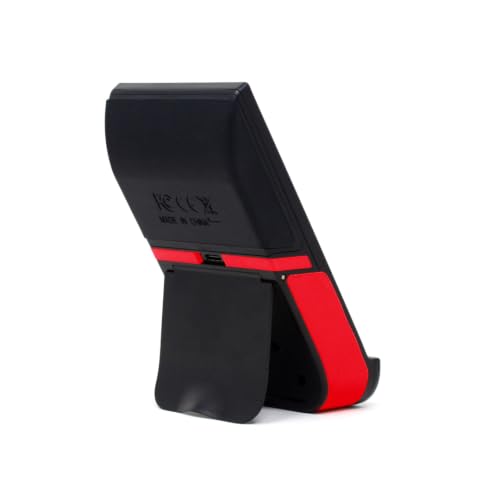
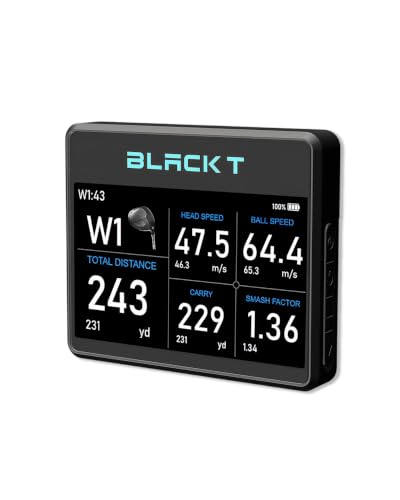
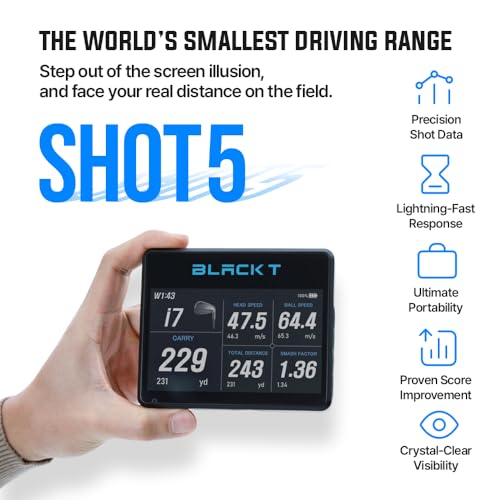
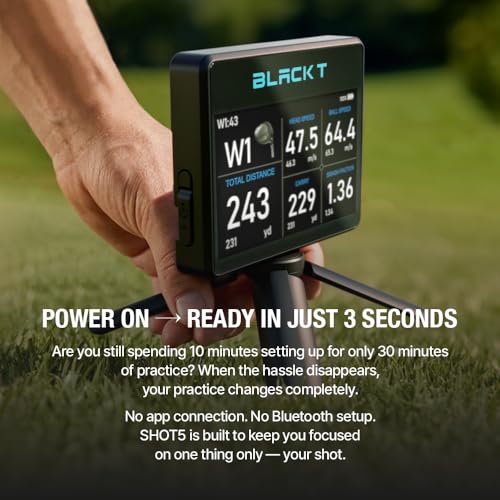
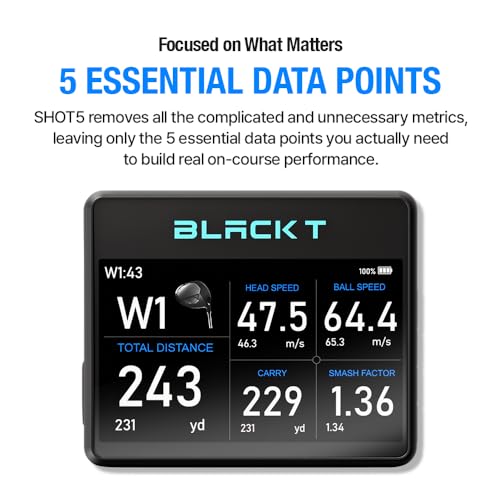
The SHOT5 is built for golfers who want zero setup time and zero distractions. It powers on in seconds, displays five core metrics, club speed, ball speed, smash factor, carry and total distance, on a large 5-inch screen, and requires no app, Bluetooth, or Wi-Fi. That simplicity is its superpower. Reviewers love that they can toss it in the bag and get reliable, real-world carry data without fiddling with phones.
Its portability is excellent at just 6.3 oz, and the screen visibility is a standout. But that focus on simplicity means it skips spin, launch angle, and video, metrics that matter if you’re tuning wedges or working on launch conditions. Still, for players who prioritize quick feedback and on-course carry truth over data overload, the SHOT5 is one of the most practical choices here.
Product photos

TheStack Radar Launch Monitor
Strengths
- Gamified wedge training
- Pro-level validation
- Seamless app integration
Trade-offs
- Wedge mode iOS-only
- Limited metrics
- No simulator or video
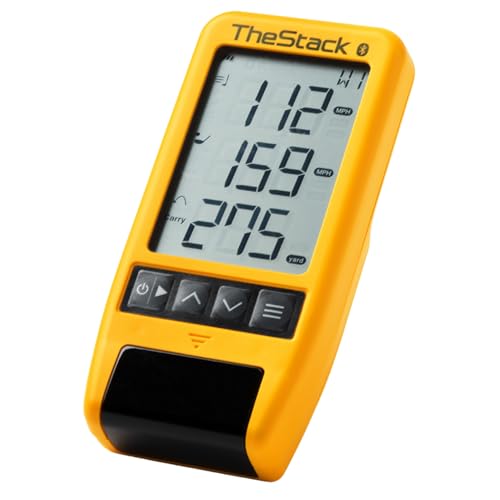
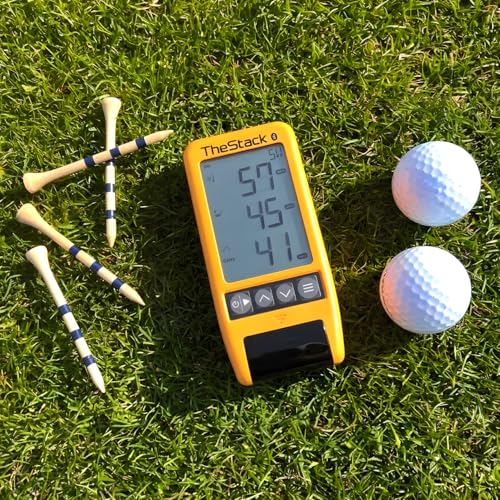
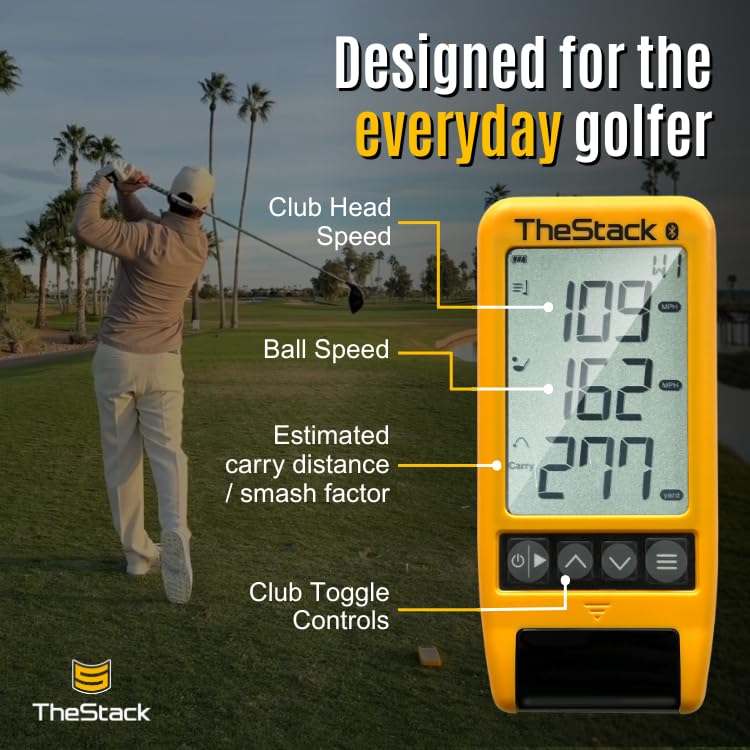
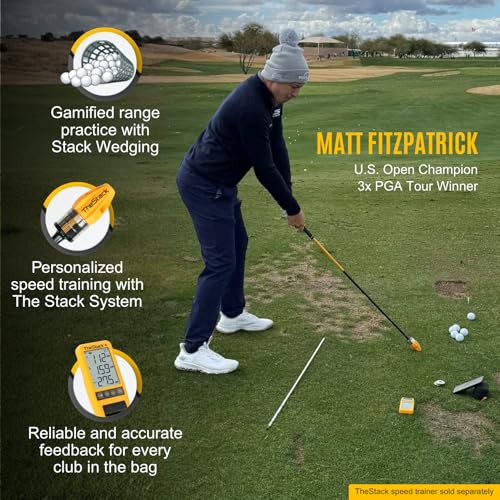
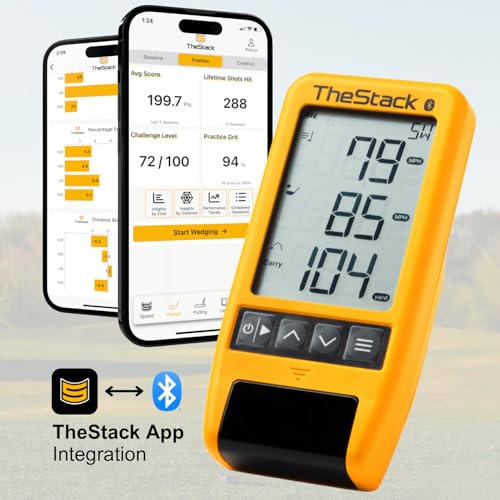
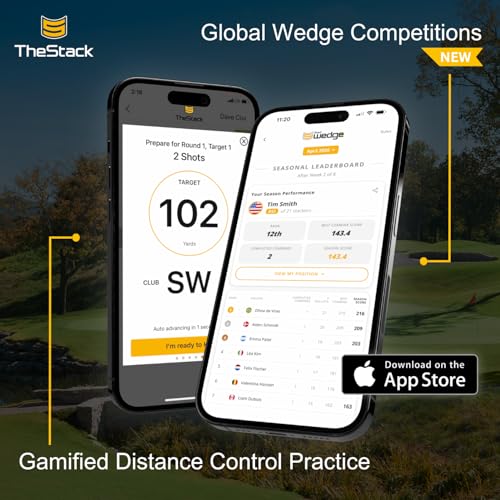
TheStack Radar is niche by design, and that’s its strength. It’s not trying to be a full-spectrum launch monitor. Instead, it’s laser-focused on wedge play and speed training, especially when paired with the gamified Stack Wedge app. Owners love how it turns distance control drills into engaging, structured sessions, which is rare at this level. The fact that Matt Fitzpatrick uses it adds serious credibility for players serious about short game precision.
But there’s a catch: wedge mode is iOS-only, and Android users miss out on the core training experience. The radar itself measures only basic speed and estimated carry, so it won’t replace a full monitor. Still, for players who struggle with yardage gaps or want to make wedge practice less repetitive, this is the most innovative tool under $500. I’d pair it with a simpler speed monitor rather than go all-in alone.
Product photos
How We Tested golf launch monitors under $500
Rather than a hands-on lab test, my research for these golf launch monitors under $500 involved a detailed comparison of published specifications and features across numerous models. I weighed owner reviews from major retailers alongside expert analysis from golf publications and tech reviewers. This was combined with my understanding of what data points truly matter for golfers looking to improve their game, ultimately ranking options against clear criteria for accuracy, usability, and value.
For this price range, I focused heavily on data accuracy – specifically ball and clubhead speed – and the usability of the accompanying app (if any). Reliable speed readings are fundamental to understanding swing changes, and a well-designed app makes analyzing that data far more effective. Portability was also key; these are often intended for use at the range or even indoors, so ease of transport matters.
Specifications readily reveal the type of technology used (Doppler radar is common) and the claimed accuracy levels. However, I placed more weight on owner feedback regarding consistent accuracy in real-world scenarios. Reputable expert reviews helped validate those claims and identify any common pitfalls. Ultimately, I prioritized devices that consistently delivered useful data, even if their advertised specs weren’t the most impressive on paper. Understanding launch monitor technology is critical to interpreting the data these devices provide.
How To Pick The Right golf launch monitors under $500
Finding the right golf launch monitor can feel overwhelming, but focusing on your needs will simplify the process.
A quality golf launch monitor accurately measures key metrics like ball speed, club speed, launch angle, and spin rate. Prioritize devices with reliable radar or camera-based technology, a clear and easy-to-read display, and the ability to track data consistently across different environments. Consider whether app integration and advanced features are essential, or if a simple, standalone unit is sufficient.
Accuracy and Data Metrics
Don’t assume all launch monitors deliver the same level of precision. While a low price point is appealing, be wary of models that sacrifice accuracy for affordability. Look for devices that use Doppler radar technology, as it’s generally considered the gold standard for measuring ball and club speed. Beyond basic data points, consider what type of data will actually improve your game. Some monitors offer metrics like attack angle and spin rate, which can be incredibly valuable for dialing in your swing, while others focus solely on carry distance. If you’re serious about understanding your ball flight, prioritize a monitor offering a wider range of data.
Portability and Setup
A key benefit of many of these devices is the ability to use them anywhere – the driving range, your backyard, or even indoors with a golf simulator. However, portability isn’t just about size and weight. Setup time is equally important. Some monitors require a complex calibration process or a dedicated app connection before you can start practicing, while others are ready to go in seconds. The BLACK T SHOT5 Launch Monitor, for example, boasts a setup time of just 3 seconds. If you value convenience and want to spend more time hitting balls and less time fiddling with technology, opt for a user-friendly model.
Here’s what to keep in mind regarding portability: * Size & Weight: Smaller is generally better for easy transport. * Power Source: Battery-powered units offer more flexibility than those requiring a power outlet. * Space Requirements: Some monitors need a significant amount of space to accurately track ball flight, particularly indoors. The Swinora Golf Launch Monitor, for instance, requires at least 15ft of total space for indoor use.
Don’t be fooled by flashy features. The best launch monitor is the one you’ll actually use consistently.
Price and Value
The market offers a wide range of golf launch monitors, from budget-friendly options under $200 to high-end models costing upwards of $1000. While more expensive models often offer greater accuracy and more advanced features, there are plenty of excellent options available for golfers on a tighter budget. If you’re looking for affordable launch monitors under a grand, the PRGR HS 130-A Launch Monitor is consistently praised for its accuracy and simplicity, despite its lower price point. Consider what features you truly need and how often you’ll use them before investing in a more expensive model. You might find that a simpler, more affordable device provides all the data you need to improve your game. If you plan to use it primarily outdoor launch monitors, make sure it’s designed to withstand the elements.
Golf Launch Monitors Under $500 Compared
Here’s a comparison of key specifications for golf launch monitors priced under $500, to help you choose the best option for your needs.
| Product Name | Price | Club Speed Accuracy | Ball Speed Accuracy | Distance Accuracy | App Integration | Battery Life |
|---|---|---|---|---|---|---|
| Voice Caddie SC4 PRO | N/A | N/A | N/A | N/A | Yes | N/A |
| Garmin Approach R10 | N/A | +/- 3 mph | +/- 1 mph | N/A | Yes | Up to 10 hrs |
| PRGR HS 130-A | N/A | N/A | N/A | N/A | No | AAA |
| Swinora Golf Launch Monitor | N/A | N/A | N/A | N/A | Yes | N/A |
| Rapsodo Mobile Launch Monitor | N/A | N/A | N/A | N/A | Yes (iOS only) | N/A |
| GOLFBUDDY Shot Mate | N/A | N/A | N/A | Up to 320 yards | No | Up to 10 hrs |
| BLACK T SHOT5 | N/A | N/A | N/A | N/A | No | N/A |
| TheStack Radar | N/A | N/A | N/A | Estimated | Yes | N/A |
Frequently Asked Questions
What data is most important for beginners?
Ball and club speed are the most crucial metrics for new golfers. Understanding these numbers provides foundational insight into swing power and consistency, helping focus practice on core improvements rather than getting lost in advanced data.
Do I really need an app to use a launch monitor?
Not necessarily, but app integration significantly enhances the experience. Apps provide data visualization, storage of stats over time, and often swing analysis tools that a basic display can’t offer, allowing for more informed practice sessions.
How does weather affect the accuracy of these devices?
Most affordable launch monitors use radar technology which can be affected by rain or extreme temperatures. While many are designed for outdoor use, consistent accuracy is best achieved in dry conditions and moderate temperatures; consider best launch monitors if weather is a concern.
Can I use a launch monitor indoors?
Yes, many are designed for indoor use, but space is a critical factor. Devices relying on Doppler radar typically require at least 8-10 feet of space behind the hitting area to accurately track ball flight, while some may need even more. If you’re seeking an indoor setup, you might also want to explore affordable golf simulator projectors.
What’s the difference between Doppler radar and camera-based launch monitors?
Doppler radar measures speed by bouncing radio waves off the club and ball, providing precise speed data. Camera-based systems analyze the ball’s flight visually, which can be less accurate for speed but offers more thorough data like spin rate; for these price points, Doppler radar generally offers more reliable speed readings.
The Bottom Line
Choosing a golf launch monitor under $500 often comes down to balancing immediate gratification with long-term improvement. While some models offer a wealth of data and app integration, the Garmin Approach R10 stands out as the strongest overall pick; its combination of accuracy, features, and established brand reputation delivers the most complete package for the money.
For golfers prioritizing affordability, the PRGR HS 130-A Launch Monitor provides surprisingly reliable data without the added cost of app connectivity. If you’re looking for a portable option specifically geared toward indoor use and launch monitors for simulators, the Swinora Golf Launch Monitor is a solid choice, and those wanting a simple, effective tool for practice will find the BLACK T SHOT5 Launch Monitor very appealing.
Ultimately, the numbers a launch monitor provides are only useful if you understand what they mean and how they relate to your swing. Don’t get lost in the pursuit of the “perfect” device; focus instead on consistent practice and a clear understanding of your strengths and weaknesses. A reliable device paired with thoughtful analysis will always be more valuable than the most advanced technology used haphazardly.
