
How Do Golf Simulators Work? Exploring the Core Technology
This post contains affiliate links. As an Amazon Associate, we earn from qualifying purchases.
This post contains affiliate links. As an Amazon Associate, we earn from qualifying purchases.
Golf simulators work by using a launch monitor, a sensor using radar, high-speed cameras, or photometric technology, to capture ball and club data at impact. This data is fed into a physics engine within simulation software, which calculates a realistic ball flight. The result is displayed on an impact screen via a projector, creating an immersive indoor golf experience.
That’s the twenty-second answer. The real question is what happens inside each of those three black boxes. The difference between a convincing round and a glorified video game lives in the sensor’s precision, the software’s physics model, and a dozen setup details most guides treat as an afterthought.
What follows is a breakdown of the three core systems, sensor, software, screen, and the specific choices that determine whether your simulator feels like practice or just play.
Key Takeaways
- The launch monitor is the brain. Its sensor type (radar, camera, photometric) dictates setup, space needs, and the kind of data you get.
- Simulation software does the heavy math. A robust physics engine accounts for air density, ground firmness, and spin decay, not just launch angle and speed.
- The impact screen and projector are the body. Screen tension and projector lumens matter more than resolution for a realistic, durable experience.
- Environmental calibration is non-negotiable. Infrared sunlight can blind camera systems, and certain club finishes fool photometric sensors.
- No system is a perfect outdoor replica. Consistency in readings matters more for improvement than chasing absolute, real-world accuracy.
The Core Technology: Sensors, Software, Screen
Every simulator, from a $500 mobile app to a $50,000 commercial bay, is built on three pillars. If one fails, the experience collapses.
The launch monitor captures the physical event. The software’s physics engine translates numbers into virtual reality. The screen and projector sell the illusion. A weak link in this chain is instantly obvious.
The launch monitor is the only piece that touches reality. It’s a sensor array that measures what the ball and club do in the first few milliseconds after impact. Everything you see on screen is a prediction based on these initial conditions.
Software is the translator. It takes raw numbers, ball speed of 150 mph, launch angle of 12 degrees, 2,500 rpm of backspin, and runs them through a mathematical model of the world. This model adds gravity, air resistance, wind, and ground interaction. Good software uses validated aerodynamic models, not guesswork.
The visual system is the interface. An impact screen must withstand repeated strikes from a ball traveling over 100 mph without kicking back violently or tearing. A short-throw projector must be bright enough to overcome ambient light and render the software’s output without lag. This is where the simulation becomes something you can look at and interact with.
How the Launch Monitor “Sees” Your Shot
The sensor type is the single biggest differentiator between systems. It determines where you put the unit, how much space you need, and what data you can trust.
Radar vs. Camera vs. Photometric
These are the three dominant technologies. Each has a different way of gathering evidence.
| Sensor Type | How It Works | Best For | Critical Limitation |
|---|---|---|---|
| Doppler Radar | Sends radio waves, measures frequency shift as ball/club move. Tracks full flight path. | Outdoor use, large indoor spaces, portability. Needs room behind golfer for flight tracking. | Struggles in very confined spaces; can be less precise on spin axis indoors. |
| High-Speed Camera | Uses multiple infrared cameras (thousands of frames/sec) to triangulate ball position and spin. | Compact indoor setups, precise impact data (club face angle, impact location). | Requires controlled lighting; direct sunlight with infrared spectrum blinds the cameras. |
| Photometric | Uses a ceiling-mounted array of cameras and sensors to capture ball and club data without marked balls. | Permanent indoor installations, clean setup (no floor unit), combined club and ball data. | Some custom club finishes may require a reflective sticker for accurate club face data. |
Doppler radar units, like the Trackman 4, sit behind the golfer. They track the ball’s entire flight, which is why they excel outdoors. Indoors, they need enough ball flight before the screen to get reliable spin readings. They’re the go-to for portability.
Camera-based systems, like many from Foresight Sports, surround the hitting area. They capture the moment of impact with extreme precision. This is why they’re favored for club fitting, they can measure face angle and impact location to the millimeter. Their weakness is light. The Red Stakes Golf (RSG) PRO manual explicitly states its red LED lights are sufficient, but natural sunlight containing infrared will interfere with camera tracking. You must block windows.
Photometric systems, like the ceiling-mounted TruGolf APOGEE or Trackman iO, blend technologies. The APOGEE uses photometric sensors to measure spin without special balls and records club data without stickers. Usually. Its manual includes a crucial asterisk: “Some lighting environments and some custom club finishes may require a metallic sticker for accurate Club Face Angle data.” This is a specific edge case that breaks the standard claim.
The Physics Engine: From Numbers to Virtual Fairway
Once the launch monitor spits out its data, the real work begins. The software’s physics engine is what separates a basic trajectory calculator from a believable simulation.
The engine applies a ball flight model. This is a set of equations that account for lift, drag, and the Magnus effect (how spin curves the ball). It doesn’t just draw a parabola. It calculates how backspin creates lift, how sidespin tilts that lift axis to cause a draw or fade, and how spin decays over distance.
Then it adds environmental variables. You can set wind speed and direction, air temperature, humidity, and altitude. These aren’t cosmetic. Humid, dense air at sea level creates more drag than thin, dry mountain air. The engine adjusts the ball’s aerodynamic coefficients accordingly.
Finally, it simulates ground interaction. This is where many systems show their depth. The engine models landing angle, ground firmness (fairway vs. Green vs. Rough), and surface friction. A shot landing on a hard fairway will release and roll. The same shot landing in thick rough will dig in and stop. Advanced software uses laser-scanned terrain data from real courses to model exact slopes and contours.
Where this goes sideways: Assuming all software is equal. A cheap system might use a basic “range ball” model for every shot. Premium software uses multiple, validated models for different ball types and club categories. A wedge shot spins and descends differently than a driver.
Building the Illusion: Screens, Projectors & Space
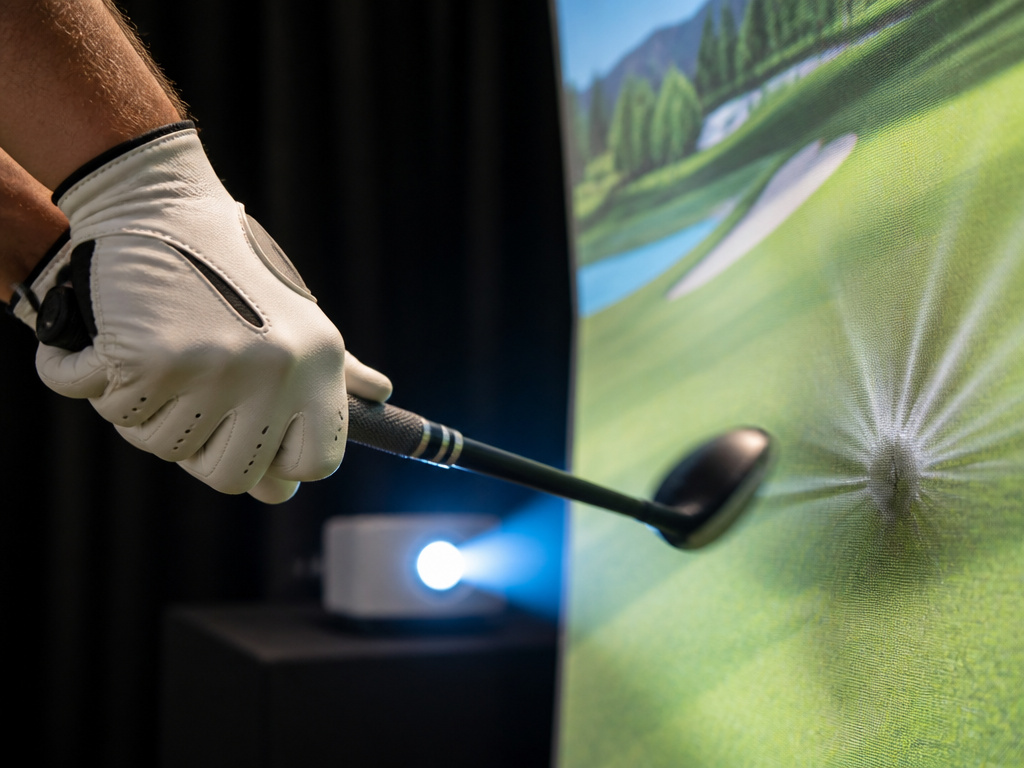 The hardware you hit into and look at needs to be as engineered as the sensor that starts it all.
The impact screen is a specialized piece of fabric. It’s not a tarp or a projector screen. It’s designed to absorb the kinetic energy of a golf ball and deaden it, not rebound it back at you. The tension of the screen is critical. A loose screen will “cup” the ball, causing inconsistent bounce-back and potentially affecting the launch monitor’s view if it’s camera-based. A properly tensioned screen produces a dull thud.
The projector must be bright enough. Lumens trump resolution here. A 4k projector is nice, but if it’s not bright enough to overcome the light in your room (or the light reflected off the white screen), the image will look washed out. A short-throw projector is almost mandatory to avoid casting a shadow and to fit in limited space.
Room dimensions are the final constraint. You need enough width for your swing, enough height for your driver arc, and enough depth for ball flight and screen clearance. While compact home golf simulators exist, a comfortable setup typically needs a room at least 10 feet wide, 9 feet high, and 15 feet deep. The TruGolf APOGEE manual specifies an installation height of 9-10 feet from the tee box. The RSG PRO guide recommends 8-10 feet from tee to screen.
Calibration and Environmental Gotchas
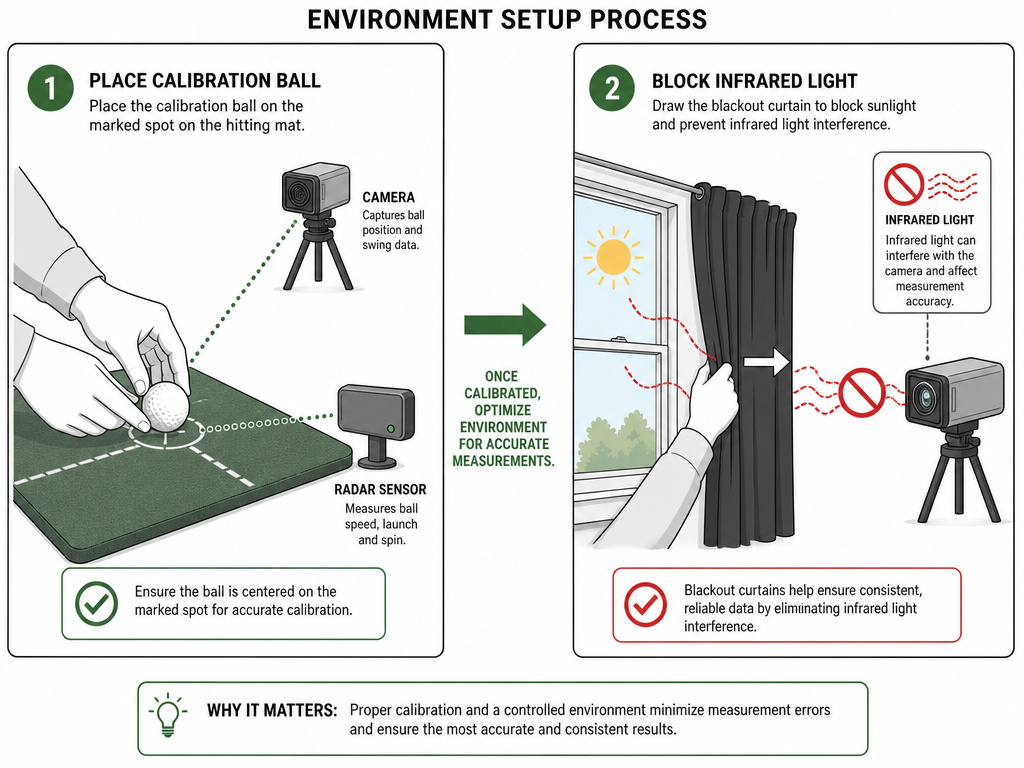 You can buy the best components and still get garbage data. Calibration aligns the virtual world with your real room.
Alignment calibration tells the software where “straight” is. You place a calibration stick or ball in a known position, and the system maps its cameras or radar to that reference point. Skip this, and your perfectly straight shot will start 20 yards left in the simulation.
Light calibration is for camera systems. The APOGEE’s Automated Calibration Wizard “adjusts apertures for ambient light in the area.” This ensures the cameras aren’t over- or under-exposed, which would corrupt ball tracking.
The two most common environmental failures are light and surface.
As noted, sunlight is poison for camera-based launch monitors. Even if the room looks fine to your eyes, the infrared spectrum in sunlight saturates the cameras’ sensors. The fix is blackout curtains or shades.
The hitting surface matters. Hitting off a perfectly flat, forgiving mat every time masks fat shots. It quietly trains you to hit down less, a habit that fails on real turf. Higher-end setups use a swing plate that tilts to simulate uneven lies, forcing the same adjustments you’d make on course.
Frequently Asked Questions
How accurate are golf simulators?
For ball speed, launch angle, and carry distance, high-end systems are within 1-2% of reality under optimal conditions. Total distance (including roll) and extreme short-game shots (high-lofted wedges, chips) are harder to model perfectly. The goal for practice is consistent accuracy, the same swing producing the same numbers, so you can track real changes.
Do I need to mark my golf balls or clubs?
It depends on the system. Radar units like Trackman do not require any markings. Many photometric systems, like the APOGEE, also do not require marked balls. However, some camera-based systems for club data use reflective stickers on the clubface. Always check your specific launch monitor’s requirements.
Can I use a golf simulator for putting?
Yes, but it’s the least accurate part of the simulation. Putting relies heavily on green reading and feel, which is hard to replicate indoors. Some software offers an “auto-putt” feature based on distance and slope to keep pace of play. For serious putting practice, a dedicated indoor putting green is a better investment.
What’s the difference between a launch monitor and a golf simulator?
Launch monitor is the sensor that captures data. A golf simulator is a complete system that includes a launch monitor, plus software, an impact screen or net, a projector or display, and a hitting mat. You can use a launch monitor alone with just a net and an iPad. Adding the screen and projector turns it into an immersive simulator.
How much does a home golf simulator cost?
You can start with a basic launch monitor and net for under $1,000. A good-quality, immersive home golf simulator with a reliable launch monitor, impact screen, projector, and enclosure typically ranges from $7,500 to $20,000. High-end, commercial-grade installations with products like the Trackman iO can exceed $30,000.
Before You Go
Understanding the technology demystifies the magic. It turns a black box into a set of tools you can evaluate. The launch monitor’s job is to capture truth. The software’s job is to simulate consequence. The screen’s job is to make that consequence visible.
When researching, ask not just about specs, but about the failure modes. What happens in a sunny room? What if my driver has a matte black finish? The answers will tell you more about real-world performance than any marketing claim. The right system is the one whose technology aligns with your space, your lighting, and the specific parts of your game you need to measure.
