
8 Best Home Golf Launch Monitors of 2026
This post contains affiliate links. As an Amazon Associate, we earn from qualifying purchases.
This post contains affiliate links. As an Amazon Associate, we earn from qualifying purchases.
The Garmin Approach R50 stands out as the best overall home golf launch monitor, delivering reliable data and a built-in touchscreen for seamless use. For golfers on a budget, the Shot Scope LM1 offers solid performance without a subscription fee, while the Rapsodo MLM2PRO is ideal for those who want advanced swing analysis and consistent indoor-outdoor versatility.
Most golfers struggle to find a launch monitor that’s accurate enough to trust, easy to use at home, and doesn’t lock them into expensive subscriptions. I’ve seen too many players waste money on flashy gear that fails to deliver real insights or breaks down after minimal use.
This guide cuts through the noise. I compared specs, analyzed owner feedback, and weighed features like data accuracy, software quality, and indoor/outdoor usability to identify the units that actually help you improve. These picks balance performance, value, and long-term usability, so you can train smarter, not harder.
Top 8 Home Golf Launch Monitors in the Market
The Best Home Golf Launch Monitors, Reviewed
Garmin Approach R50 Launch Monitor

Strengths
- High-speed impact video
- Large built-in touchscreen
- Excellent environmental compensation
Trade-offs
- Very expensive
- Requires subscription for full use
- Battery life is limited
At nearly $5,000, the Garmin Approach R50 isn’t just a launch monitor, it’s a statement. The 3-camera system captures impact with exceptional clarity, and owners report that the high-speed video feedback is unmatched for diagnosing swing flaws. The 10-inch touchscreen feels like a command center, letting you explore metrics like face to path and spin axis with minimal setup.
But this level of performance comes with strings: an active Garmin Golf membership is required for full simulator access, and while the hardware is premium, the battery life (4 hours) feels short for the price. Still, when you factor in the built-in barometer for altitude-adjusted carry distances and HDMI output for big-screen play, it’s clear this is built for serious enthusiasts. I’d pick this over the SkyTrak or Rapsodo for realism and integration, but only if budget isn’t a concern.
Video review
Rapsodo MLM2PRO Mobile Launch Monitor

Strengths
- Excellent video feedback
- Strong metric accuracy
- Free trial with full course access
Trade-offs
- Requires special balls
- Subscription for long-term sim use
- App can be slow to load
Rapsodo’s MLM2PRO builds on the brand’s reputation for strong video integration, and it delivers, especially with the 45-day Premium trial that unlocks impact vision and slow-motion club/ball contact analysis. The dual camera and Doppler radar setup captures 15 key metrics, and owners consistently praise the clarity of the video feedback for diagnosing swing path and face angle.
The ability to play over 30,000 courses during the trial is a major plus, though going beyond that requires a subscription. Compared to the SkyTrak, the MLM2PRO offers better real-time video tools, but less flexibility with third-party software. The included Chrome Tour balls are a nice touch for optimal tracking, but mean you can’t just grab any ball off the rack. I’d recommend this for golfers who learn visually and want to study impact in detail.
Video review
SkyTrak Golf Launch Monitor
Strengths
- Solid software support
- Accurate photometric tracking
- Includes protective case
Trade-offs
- No built-in screen
- Subscription needed for full sim experience
- Setup sensitive to lighting
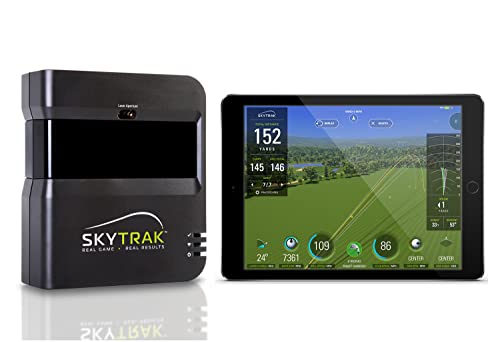
SkyTrak has been a staple in the home launch monitor space for years, and it’s easy to see why. On paper, it delivers the core metrics you’d expect, ball speed, launch angle, spin rates, with solid accuracy using photometric technology. Owners consistently report that it performs well indoors when set up correctly, especially for golfers who want a reliable practice tool without the complexity of high-end systems.
Where SkyTrak stands out is in its mature software ecosystem. The driving range mode is polished, and the included metal case adds real value for those setting up a permanent or semi-permanent hitting area. Compared to newer budget options, it lacks some modern touches like built-in screens or voice feedback, but its compatibility with third-party simulators gives it staying power. I’d still rank it above most sub-$500 units for overall balance, though the lack of a free simulator beyond basic range use can feel limiting.
Product photos


SC4 PRO Golf Launch Monitor

Strengths
- No subscription required
- Built-in screen with voice
- Works with regular golf balls
Trade-offs
- App interface can be clunky
- Limited third-party sim support
- Newer brand, less proven long-term
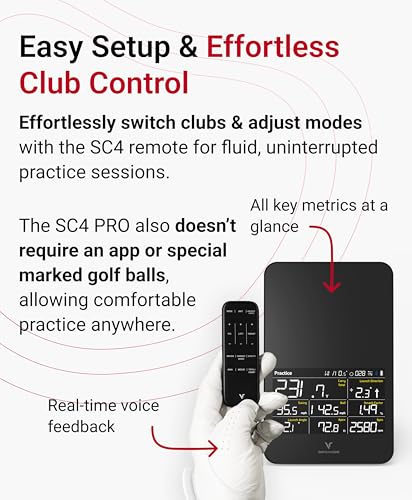
The SC4 PRO enters a crowded market with a strong pitch: pro-grade accuracy, no monthly fees, and a built-in screen with voice output. Powered by Prometrics’ engine, it leans on dual-camera technology to deliver data that owners say feels consistent with more expensive units. The inclusion of E6 Connect and a 3D driving range right out of the box makes this a standout for golfers tired of hidden subscription costs.
What impresses me most is how well it bridges indoor and outdoor use without requiring special balls. The VOICECADDIE S app integration adds depth with statistical analysis and swing speed radar, though some users note a learning curve with app navigation. Compared to the SkyTrak, it offers more features at a lower price, but lacks the same level of third-party simulator flexibility. Still, for players who want a self-contained system that just works, this is one of the smarter buys.
Product photos

Portable Golf Launch Monitor 13+ Metrics
Strengths
- Environmental sensors
- 13+ tracked metrics
- No subscription needed
Trade-offs
- Phone-dependent interface
- Inconsistent app performance
- Build quality feels light
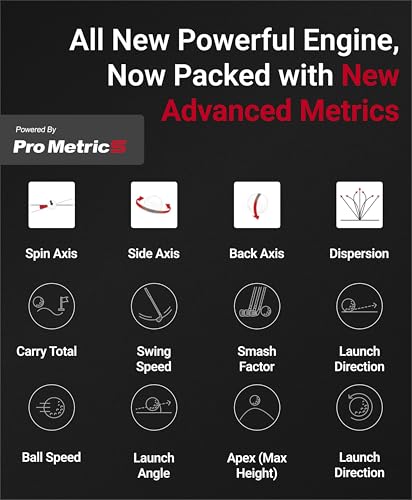
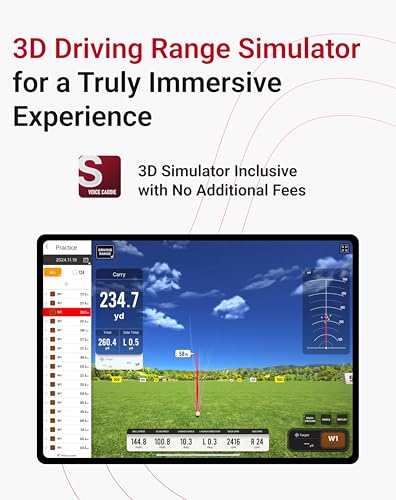
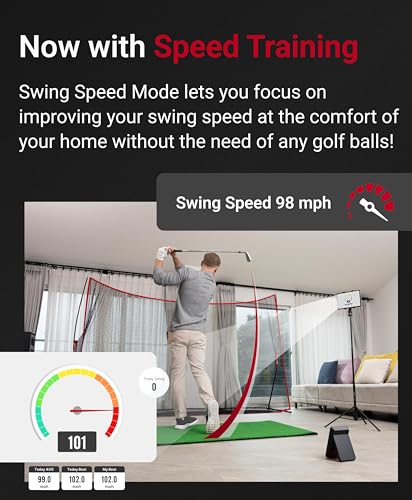
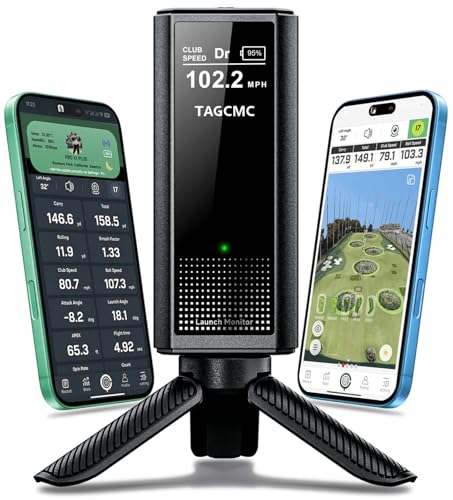
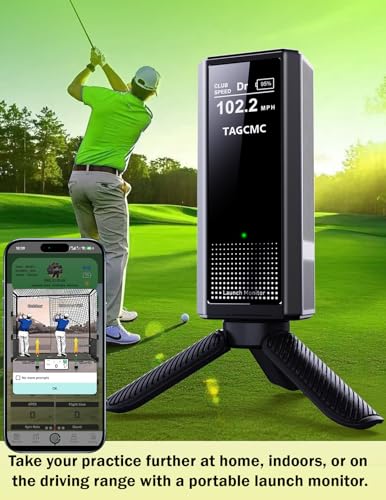
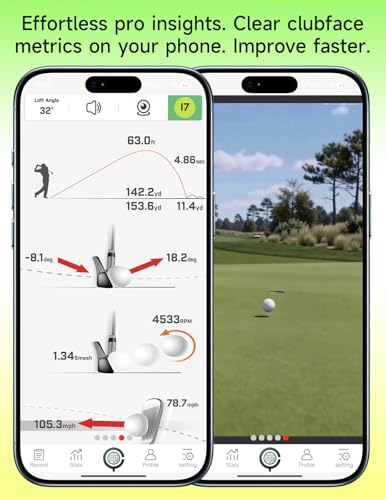
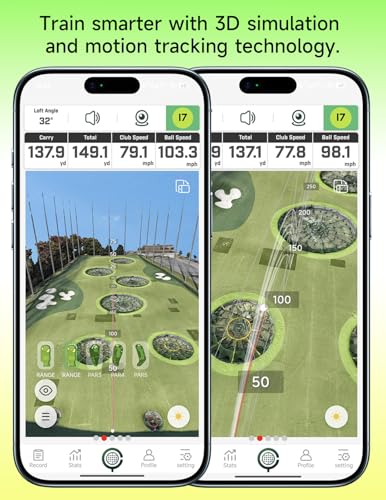
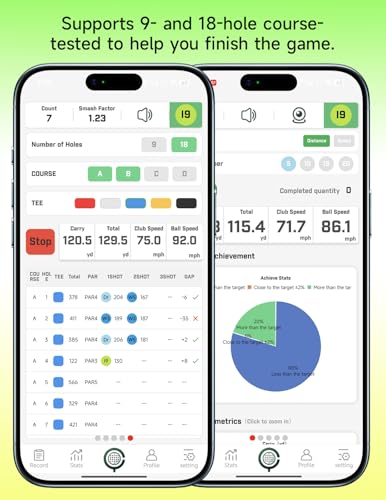
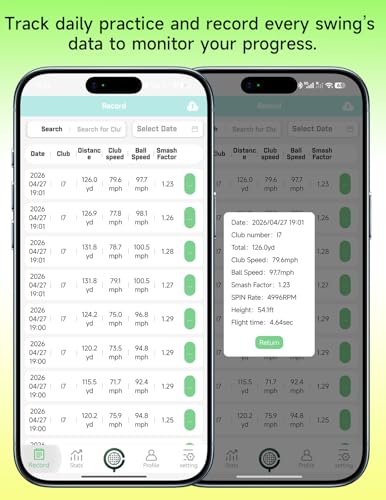
This budget-friendly unit packs a surprising number of features, especially the built-in environmental sensors for temperature, humidity, and barometric pressure, something usually found on much pricier models. Owners note that these adjustments do make a difference in outdoor accuracy, particularly for spin and carry distance calculations. The 3D simulation modes via smartphone are functional, though not as smooth as dedicated systems.
It tracks 13+ metrics, including attack angle and clubface impact visuals, which is impressive at this price. But the experience relies heavily on your phone, and some users report lag in data transmission. Compared to the Shot Scope LM1, it offers more metrics and environmental awareness, but feels less polished in day-to-day use. Still, for the price, it’s one of the most feature-dense entry-level monitors available.
Product photos
Voice Caddie SC300i Launch Monitor

Strengths
- Exceptional battery life
- Portable and durable
- Voice output and app sync
Trade-offs
- Spin data only in app
- No built-in simulation
- Basic display interface
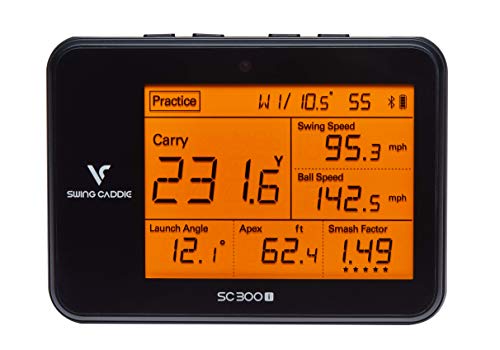
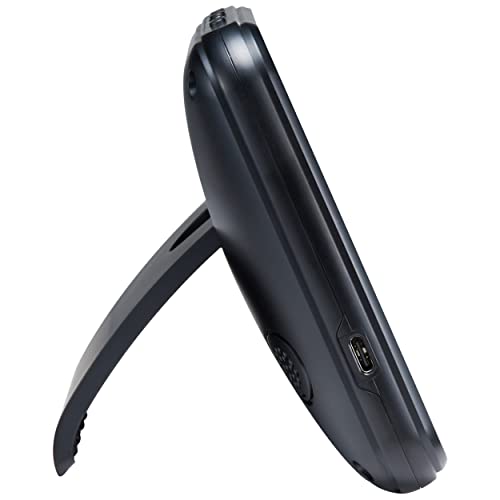
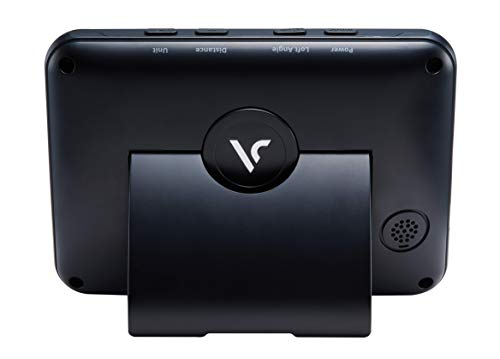
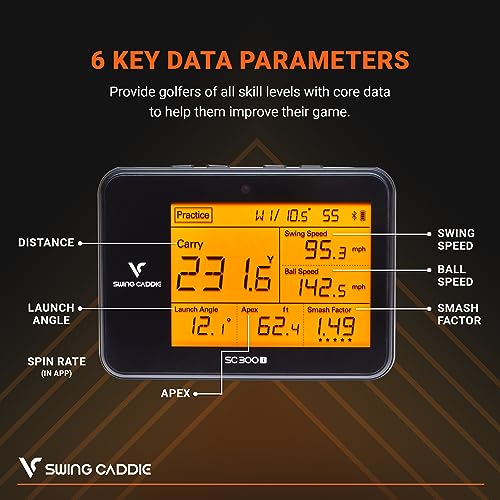
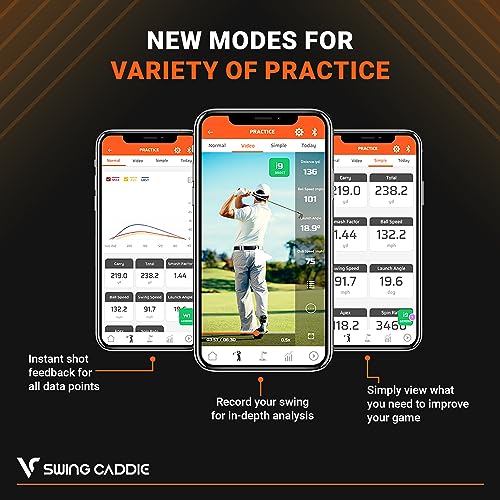
The SC300i is a battery life champion, 20 hours is unheard of in this category, and that alone makes it a top pick for traveling players or those who rotate between indoor and outdoor practice. It uses Doppler radar, which owners say delivers dependable ball and club speed readings within acceptable margins, though spin data is only available through the app and not on the unit itself.
It’s not the most advanced monitor, but for pure portability and reliability, it punches above its price. The voice output is a nice touch for real-time feedback, and the adjustable loft angles help simulate different club types during speed training. Compared to the PRGR HS130-A, it offers more features and app integration, but lacks the no-frills simplicity that some speed trainers prefer. I’d recommend this for golfers who value mobility and consistent data over full simulator immersion.
Product photos
Shot Scope LM1 Launch Monitor
Strengths
- No monthly fees
- Lifetime app access
- Durable and weather-resistant
Trade-offs
- No swing speed without ball
- Limited advanced metrics
- App lacks deep analysis tools
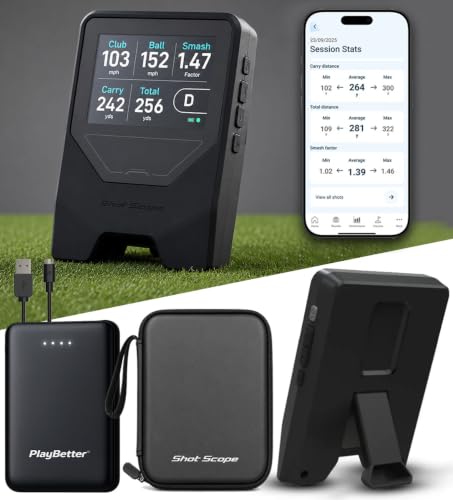
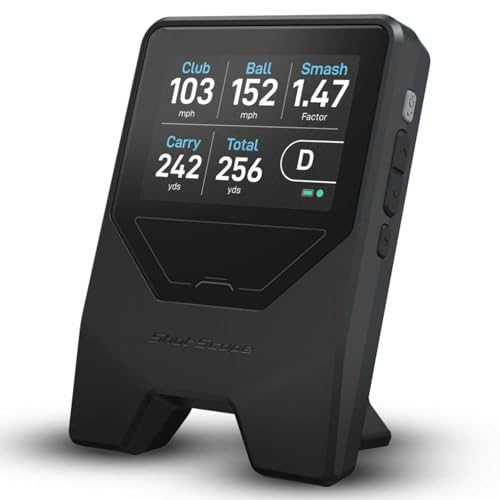
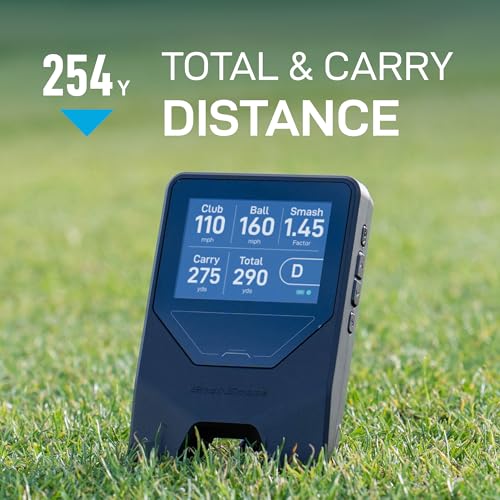
The Shot Scope LM1 is a no-nonsense, no-subscription launch monitor that delivers core metrics reliably and affordably. Using Doppler radar, it tracks club speed, ball speed, smash factor, and carry distance with accuracy that owners say holds up well in real-world conditions. The IPX3 rating means it can handle outdoor use in light rain, which is a small but meaningful advantage over many indoor-focused units.
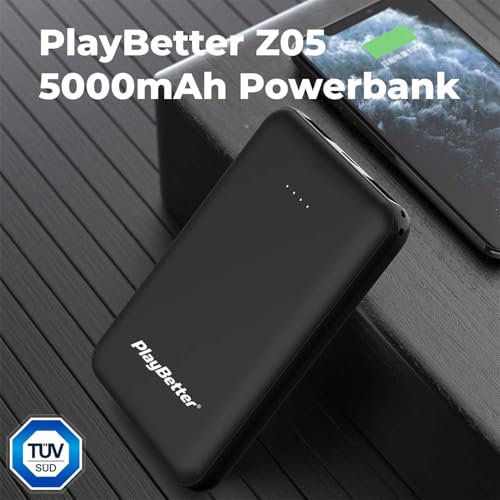
What seals the deal is the lifetime free app access, no paywalls, no trials. Compared to the PRGR HS130-A, it offers better app integration and a cleaner display, though it doesn’t measure club speed without a ball. The included portable charger in the PlayBetter bundle adds real value. For pure value and simplicity, this is one of the best entry points into launch monitor tech.
Product photos

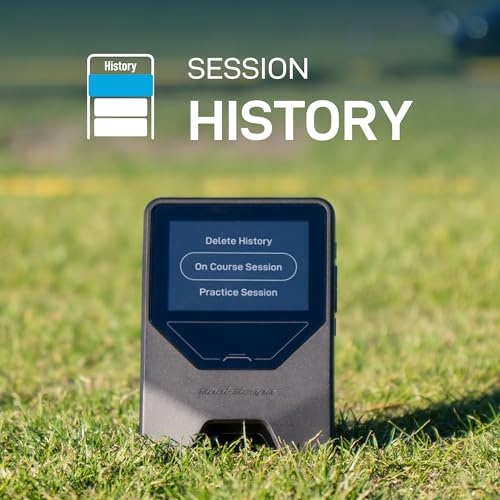
PRGR HS 130-A Launch Monitor

Strengths
- Measures swing speed sans ball
- No apps or subscriptions
- Multi-sport use
Trade-offs
- Limited metrics
- No app connectivity
- No simulator functionality
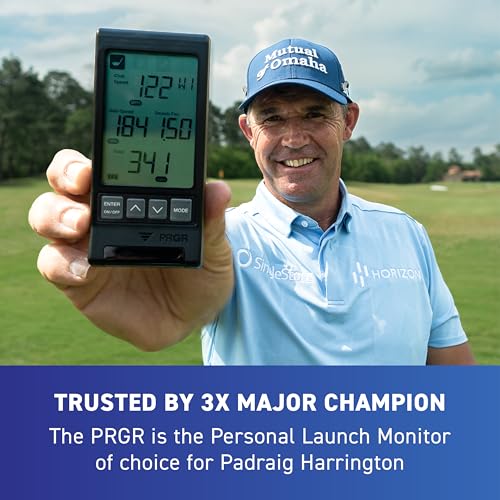
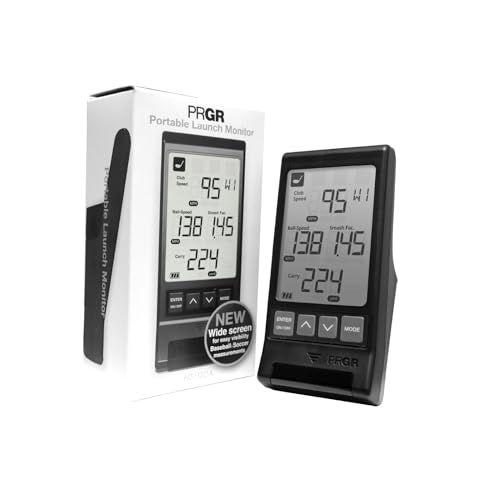
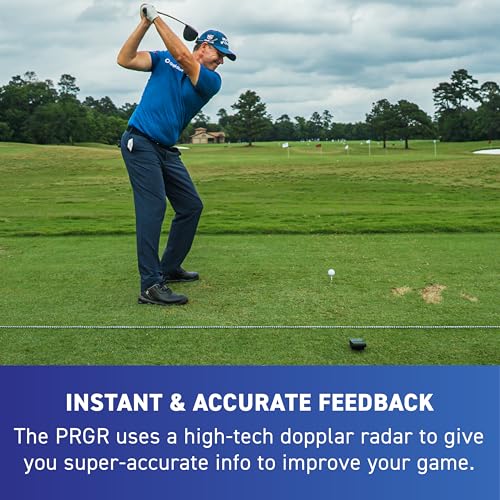
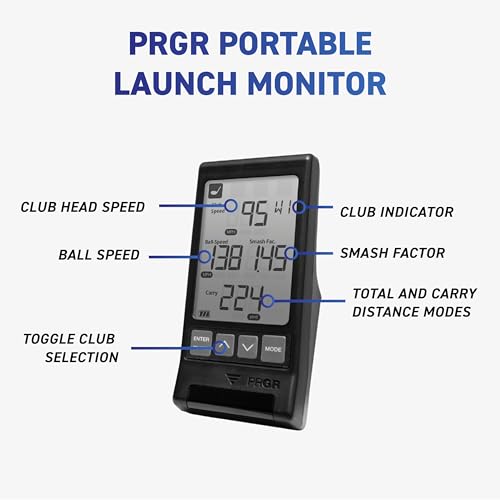
The PRGR HS130-A is a minimalist’s dream: no apps, no Wi-Fi, no subscriptions, just accurate club and ball speed data powered by AAA batteries. It’s the only unit here that reliably measures club head speed without hitting a ball, making it a favorite among speed trainers and off-season grinders. Owners love its simplicity and durability, and the fact that it’s endorsed by Padraig Harrington adds credibility.
While it doesn’t offer spin axis or launch angle like higher-end models, it excels at what it does. Compared to the Voice Caddie SC300i, it’s less feature-rich but more focused and easier to use in a garage or backyard. It’s also multi-sport capable, which is rare. I’d pick this over flashier monitors if your sole goal is building swing speed and consistency.
Product photos

How We Evaluated home golf launch monitors
Rather than a hands-on lab test, my research focused on a detailed comparison of published specifications and features across numerous models. I weighed owner reviews from major retailers alongside expert analysis from golf publications and tech reviewers. This process allowed me to build a ranking based on how well each launch monitor delivers on the core needs of golfers looking to improve their game, and to identify the best options for various budgets and priorities.
For this category, accuracy of key metrics – ball speed, launch angle, spin rate – and the quality of the accompanying software or app were heavily weighted. Beyond raw data, the ability to provide actionable insights for swing improvement was crucial. Finally, I considered the overall value proposition, factoring in subscription costs and the range of features offered for the price. You can find more details on golf simulator launch monitors on our site.
Specifications reliably indicate a launch monitor’s potential, detailing the technology used (Doppler radar, cameras, etc.) and the metrics it can measure. However, real-world accuracy and usability are best judged from owner feedback. I paid close attention to reports on data consistency, ease of setup, and the clarity of the interface. Those seeking more affordable options should also review our guide to launch monitors under $1000.
How To Choose The home golf launch monitors
Finding the right launch monitor can feel overwhelming, but understanding your needs is the first step toward improving your game.
A good golf launch monitor delivers reliable data on key metrics like ball speed, launch angle, and spin rate. Accuracy is paramount, but consider whether you prioritize portability, indoor/outdoor versatility, or access to simulation software. Look for models with clear displays, user-friendly interfaces, and the ability to track a variety of clubs.
Data Accuracy & Core Technology
The heart of any launch monitor is its ability to provide trustworthy data. Doppler radar systems, like those found in the Rapsodo MLM2PRO and Shot Scope LM1, are generally excellent at measuring ball speed and carry distance. However, more advanced systems, often employing cameras in addition to radar, as seen in the Garmin Approach R50, can provide a more complete picture, including spin rates and launch angles. Don’t assume a higher price always equals greater accuracy; read reviews and compare specifications carefully. Many golfers find that consistent, repeatable data is more valuable than chasing minuscule improvements in measurement precision.
Indoor vs. Outdoor & Simulation Features
Are you planning to use your launch monitor primarily indoors, outdoors, or both? Some models, like the PRGR HS 130-A, are specifically designed for speed training and don’t require hitting into a net, making them ideal for limited spaces. Others, such as the SkyTrak, excel as part of a full simulator setup. If simulation is a priority, factor in the cost of any required subscriptions (Home Tee Hero with Garmin, for example) and the realism of the virtual courses offered. You can investigate some of the best launch monitor models to help find the right fit.
Budget & Added Value
Launch monitor prices vary wildly. You can find capable options, like the Shot Scope LM1, without a subscription for under $300, while high-end models can easily exceed $2000. Consider what features you actually need.
- A built-in display (Garmin R50) adds convenience.
- Mobile app integration (Voice Caddie SC300i) is crucial for data analysis.
- Detailed shot analysis and swing playback (Rapsodo MLM2PRO) can accelerate improvement, but it’s not essential for everyone.
A surprisingly effective rule of thumb: if you aren’t committed to detailed data analysis and simulation, spending more than $800 often yields diminishing returns.
For those looking to explore more affordable launch monitors, there are excellent options available that deliver significant value without breaking the bank.
Home Golf Launch Monitors Compared
Here’s a comparison of key specifications for popular home golf launch monitors to help you make an informed decision.
| Product Name | Metrics Captured | Subscription Req. | Indoor/Outdoor | Data Display | Price (USD) |
|---|---|---|---|---|---|
| Garmin Approach R50 | 15+ | Yes | Both | Touchscreen | N/A |
| Rapsodo MLM2PRO | 15+ | Yes (Trial Incl.) | Both | App | N/A |
| SkyTrak Golf | 4+ | Yes | Both | App | N/A |
| SC4 PRO Golf | 15+ | No | Both | App | N/A |
| Portable Golf LM 13+ | 13+ | No | Both | App | N/A |
| Voice Caddie SC300i | 6+ | No | Both | LCD/App | N/A |
| Shot Scope LM1 | 3+ | No | Both | App | N/A |
| PRGR HS 130-A | 4+ | No | Both | LCD | N/A |
Frequently Asked Questions
What level of golfer will benefit most from a launch monitor?
Any golfer serious about improvement can benefit, but beginners often see the biggest gains. Understanding basic metrics like launch angle and ball speed provides immediate feedback, helping to quickly correct fundamental flaws in their swing.
Are launch monitors accurate enough to replace lessons with a pro?
Not entirely. While launch monitors provide valuable data, they can’t replace the nuanced eye and personalized instruction of a qualified golf professional. They are best used in conjunction with lessons to track progress and reinforce coaching points.
Can I use a launch monitor to improve my short game?
Yes, some models, like the Rapsodo MLM2PRO, can measure wedge distances and ball flight, allowing you to dial in your short game. However, most excel at full swing analysis, so focusing on full swing data is generally more fruitful.
What is the typical cost of a launch monitor subscription?
Subscription costs vary, but expect to pay between $60 and $200 per year for access to features like simulation software or advanced analytics. The Garmin Approach R50, for example, requires a subscription for full access to its golf simulator features, while the Shot Scope LM1 doesn’t require one at all.
Are there truly portable launch monitors suitable for travel?
Yes, several models are designed with portability in mind. Looking for portable launch monitors like the Voice Caddie SC300i or Shot Scope LM1 offer a compact design and don’t require a dedicated indoor setup. For a more immersive experience at home, consider exploring best home simulator packages.
The Bottom Line
Ultimately, choosing a launch monitor comes down to balancing how much control you want over your data and practice with how much fuss you’re willing to tolerate. For the golfer serious about improvement and willing to invest in a thorough system, the Rapsodo MLM2PRO stands out as the strongest overall performer – its data depth and software integration are hard to beat.
If you’re on a tighter budget, or just starting to explore launch monitor technology, the Shot Scope LM1 delivers excellent value without requiring a subscription. Those seeking a versatile option for both indoor and outdoor use, including integration with golf simulators, should look to the Garmin Approach R50, especially considering how many golfers are searching for the best indoor launch monitors. And for those focused on speed training, the PRGR HS 130-A is a uniquely valuable tool.
Don’t get caught up chasing the latest specs or the highest number of metrics. The most important thing is to find a launch monitor that provides consistent and understandable data, allowing you to identify areas for improvement and track your progress. Understanding how launch monitors work and focusing on the fundamentals – solid contact, consistent swing plane, and accurate aim – will always be more impactful than any single piece of technology.
