
9 Best Golf Launch Monitors Under $2000 2026
This post contains affiliate links. As an Amazon Associate, we earn from qualifying purchases.
This post contains affiliate links. As an Amazon Associate, we earn from qualifying purchases.
The FlightScope Mevo Gen2 stands out as the best overall golf launch monitor under $2000, delivering reliable radar-based accuracy and full-swing data both indoors and out. For golfers watching their budget, the Garmin Approach R10 offers strong app integration and solid performance at a lower price, while the Rapsodo MLM2PRO brings pro-level metrics into this range with excellent shot analysis for serious players.
Golfers today want real data to improve their game, but not all launch monitors deliver accurate, usable feedback, especially in this price range where specs can look good on paper but fall short in practice. As someone who’s evaluated gear for countless golf trips and training setups, I know how important it is to separate hype from performance.
This guide cuts through the noise by focusing on what matters: accuracy, ease of use, and value. We compared top models based on specs, owner experiences, and how well they serve real golfers looking to train effectively indoors or on the range.
Top 9 Golf Launch Monitors Under $2000 in the Market
The Best Golf Launch Monitors Under $2000, Reviewed
FlightScope Mevo Gen2 Launch Monitor

Strengths
- Full ball flight simulation
- No subscription fees
- Front-facing camera
- E6 Connect courses included
Trade-offs
- Pricey for beginners
- App can be complex
- Requires decent space
If you’re serious about indoor practice and want a single device that does it all, the FlightScope Mevo Gen2 is, in my opinion, the best overall option under $2,000. It combines 3D Doppler radar with a front-facing camera and patented Fusion Tracking, delivering 18 data parameters, including spin axis, attack angle, and club path, with impressive consistency. The built-in Shot Tracer renders full ball flight in 3D, overlaid on your swing video, and the FS Golf app captures everything automatically. It works indoors with as little as 8ft of height and 12ft of depth, which is more forgiving than many competitors.
What seals the deal is the included E6 Connect simulation bundle, eight full courses, no subscription required. That’s a huge value play. While it’s the most expensive option here, it’s also the only one that truly bridges the gap between training tool and full home simulator. Compared to the Rapsodo MLM2PRO, it offers better camera integration and no need for a phone stand. For golfers building a serious home setup, this is the one to beat.
Video review
Rapsodo MLM Mobile Launch Monitor

Strengths
- Shot Tracer video
- iPhone/iPad compatible
- Portable design
- No subscription needed
Trade-offs
- iOS only
- No spin rate
- Camera-dependent
The original Rapsodo MLM is still one of the best budget-friendly entry points into launch monitor tech, if you’re an iPhone or iPad user. It uses your device’s camera and radar to deliver carry distance, club speed, launch angle, and shot shape, plus video replay with an on-screen Shot Tracer. That tracer is surprisingly effective for spotting swing flaws in real time, and owners love how intuitive the app is. The fact that it works in the backyard or at the range makes it incredibly versatile for casual practice.
But the catch is iOS-only compatibility and reliance on your phone’s camera. Android users are out of luck, and low-light performance can be spotty. It also lacks advanced metrics like spin rate. Still, for under $200, it delivers a compelling mix of portability and visual feedback. Compared to the PRGR or GOLFBUDDY units, it offers better shot visualization. I’d pick it as the best starter for iPhone users who want video analysis without breaking the bank.
Video review
PRGR HS 130-A Launch Monitor

Strengths
- True plug-and-play
- Measures dry swings
- Excellent value
- Multi-sport capable
Trade-offs
- No app connectivity
- No spin or launch axis
- Basic display
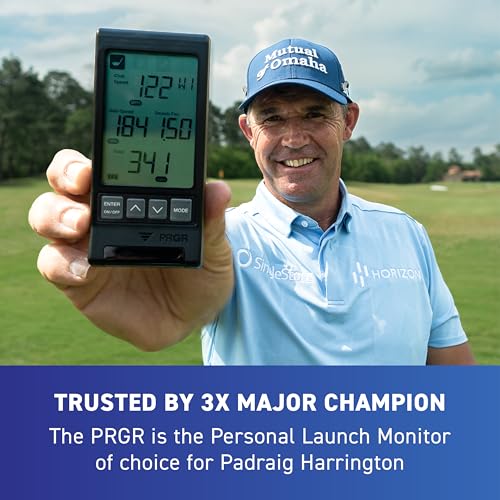
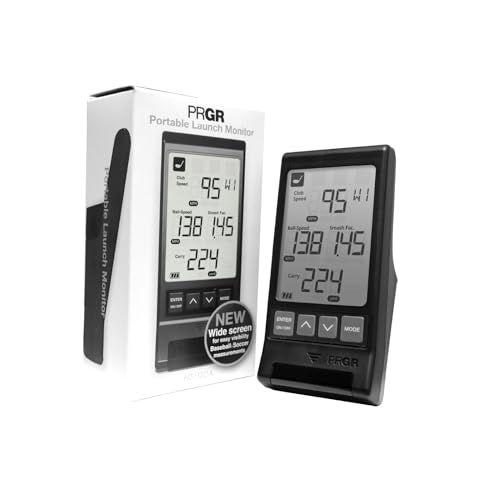
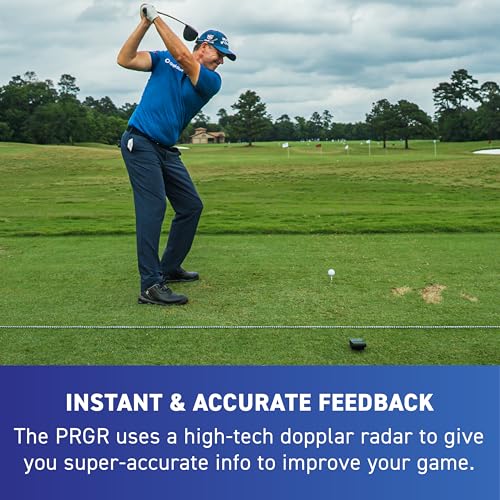
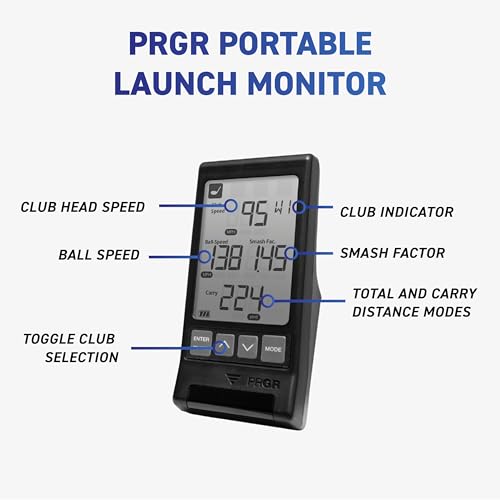
At under $200, the PRGR HS 130-A is a standout value, not because it does everything, but because it does what matters most: club and ball speed, smash factor, and carry distance, all with solid Doppler radar accuracy. It requires zero apps, no Bluetooth, no Wi-Fi. Just insert AAA batteries, turn it on, and go. That simplicity is a feature, not a flaw. It’s why even Padraig Harrington uses it for speed training. Owners consistently report it holds up well against more expensive units in speed tracking, especially for dry swings, something few monitors handle well.
It’s not a simulator, and it doesn’t track spin or launch angle in detail. But if your goal is speed development, consistency, or multi-sport training (it works for tennis, baseball, etc.), this is the most cost-effective tool available. Compared to the Izzo Swami, it offers better data stability. For the price-conscious golfer who wants reliable, no-nonsense feedback, this is the smarter buy.
Product photos

GOLFBUDDY Shot Mate Launch Monitor
Strengths
- Color LCD display
- Long battery life
- 1,000-shot memory
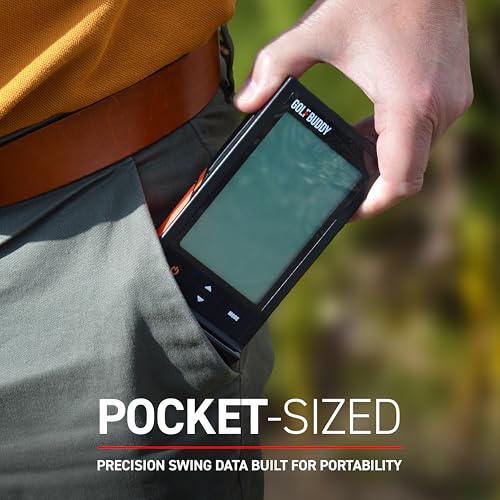
- Compact design
Trade-offs
- No spin data
- No app analytics
- Limited metrics
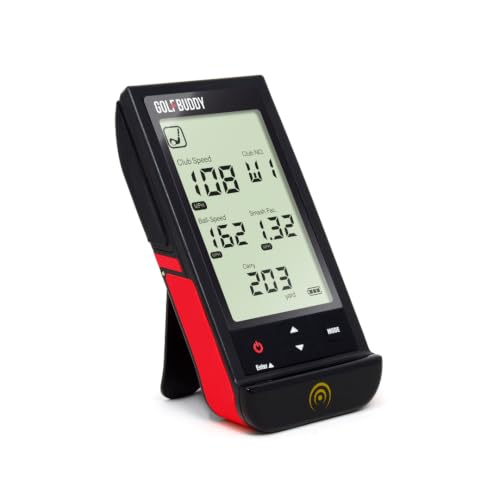
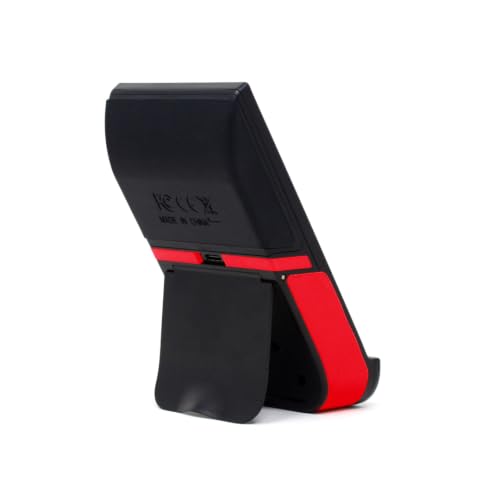
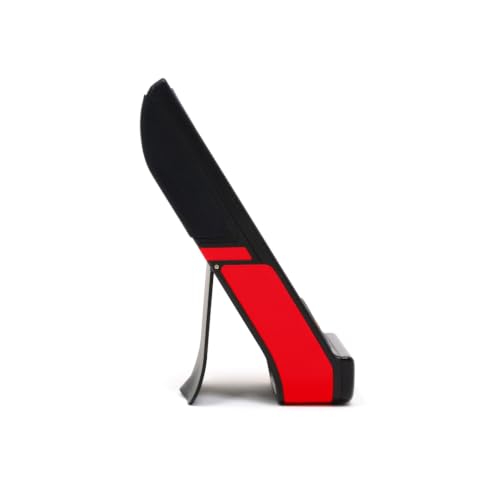
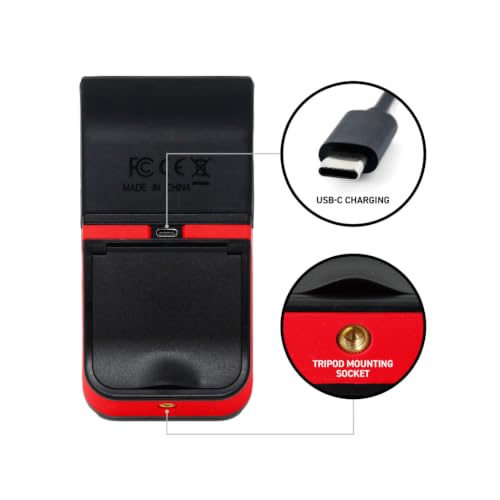
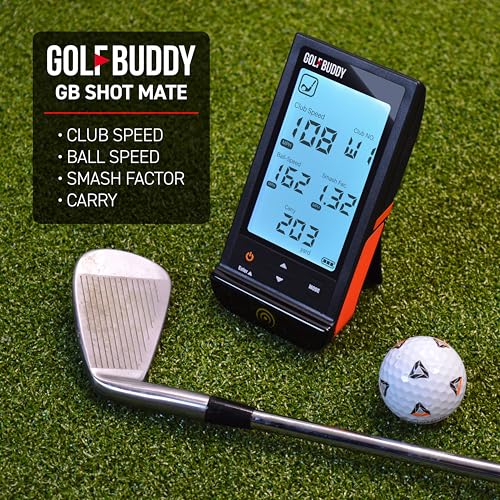
The GOLFBUDDY Shot Mate is a polished entry-level option that stands out with its full-color TFT LCD display, bright, clear, and easy to read in direct sunlight. It tracks the essentials: club speed, ball speed, smash factor, carry distance, and stores up to 1,000 shots. The 10-hour battery and compact design make it ideal for range use, and owners appreciate the Practice and Target modes for structured training. It doesn’t offer spin rate or launch angle detail, but for a first-time buyer, the feedback loop is solid.
Where it shines is usability. The interface is intuitive, and the device feels durable without being bulky. Compared to the Izzo Swami, it offers a better display and more memory. But unlike the Voice Caddie or Swinora, it lacks voice feedback and environmental compensation. I’d recommend it as a starter unit for mid-handicappers who want a display-rich, standalone experience without diving into apps yet.
Product photos
Voice Caddie SC300i Launch Monitor

Strengths
- Real-time voice output
- Long battery life
- Standalone functionality
- Doppler radar accuracy
Trade-offs
- No front camera
- App lags reported
- No shot tracer
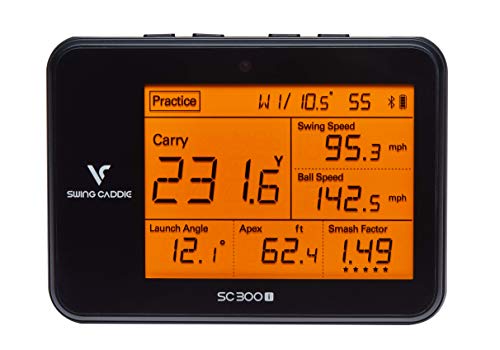
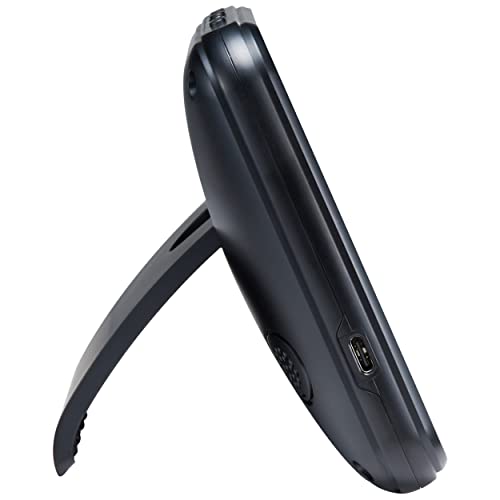
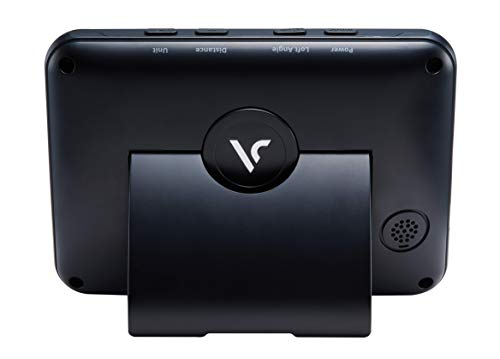
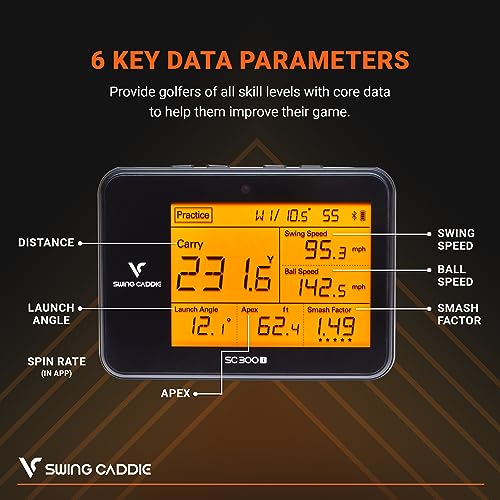
The Voice Caddie SC300i is one of the few launch monitors that truly delivers real-time voice feedback straight out of the box, and that makes it instantly useful. You swing, and it speaks your data: launch angle, carry distance, spin, apex. No need to glance at a phone. That’s a standout for players who want immediate, distraction-free feedback during reps. The Doppler radar is reliable indoors and out, and owners consistently praise its consistency in measuring carry distance within +/- 3 yards in target mode.
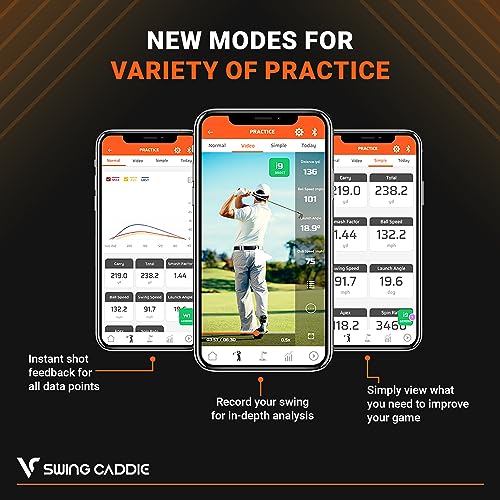
It also integrates well with the MySwingCaddie app for deeper analysis, but the real win here is the standalone experience. Unlike the Rapsodo or Garmin units, you don’t need your phone to get value. The 20-hour battery life is a bonus, and the adjustable loft settings let you simulate different clubs. While it doesn’t match the Mevo Gen2 in simulation depth, it’s a smarter buy for players focused on swing training over virtual play.
Product photos
Swinora Golf Launch Monitor
Strengths
- 13 detailed metrics
- No subscription fees
- Environmental sensors
- Metal body build
Trade-offs
- Requires 15ft space
- App connectivity issues reported
- Limited outdoor range
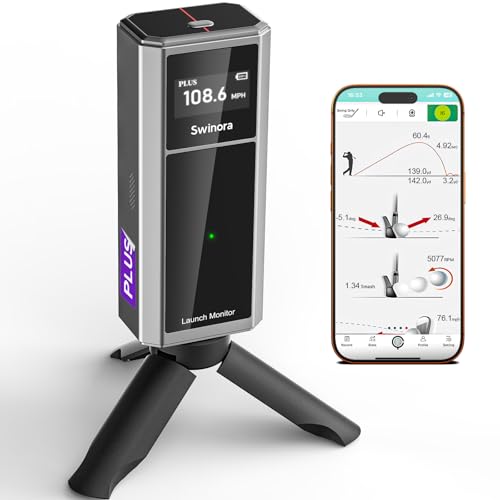
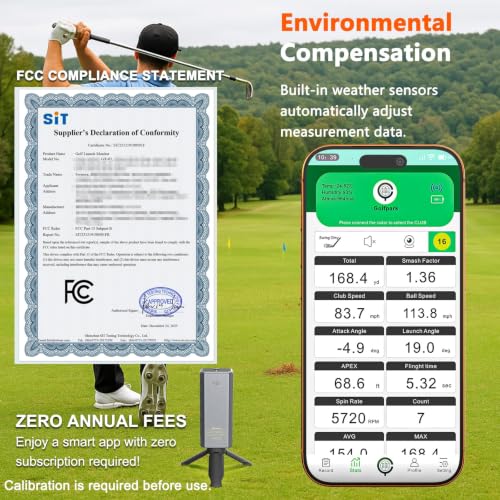
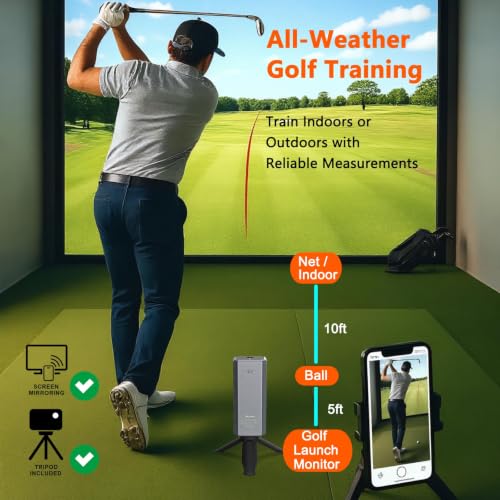
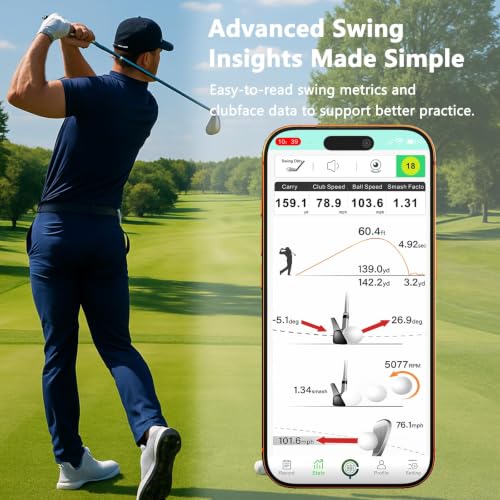
The Swinora launch monitor hits a sweet spot for indoor training with its 13 tracked metrics, including attack angle and spin rate, features usually reserved for pricier units. What really stands out is its environmental sensors (temperature, humidity, barometric pressure), which automatically adjust data for real-world conditions. That’s a rare feature at this price and a big plus for serious home practice. Owners report solid accuracy indoors, provided you meet the 15-foot minimum space requirement, place it 5ft behind the ball, allow 10ft of flight, and it performs consistently.
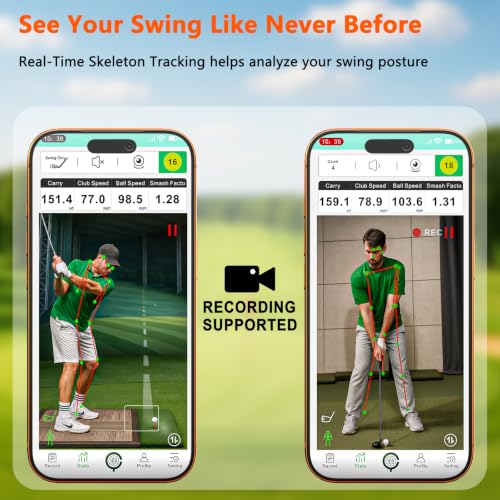
The metal body and OLED display give it a premium feel, and the app delivers voice feedback and multi-angle swing review without any subscription fees. It’s clearly designed for golfers who want detailed data without ongoing costs. Compared to the Voice Caddie or PRGR units, it offers more depth for indoor work. My recommendation? If you’ve got the space and want a one-time purchase with high-end features, this is a strong contender.
Product photos
Rapsodo MLM2PRO Launch Monitor

Strengths
- 15 advanced metrics
- Dual camera system
- Premium trial included
- Impact vision analysis
Trade-offs
- Phone-dependent setup
- Lighting sensitive
- iOS only
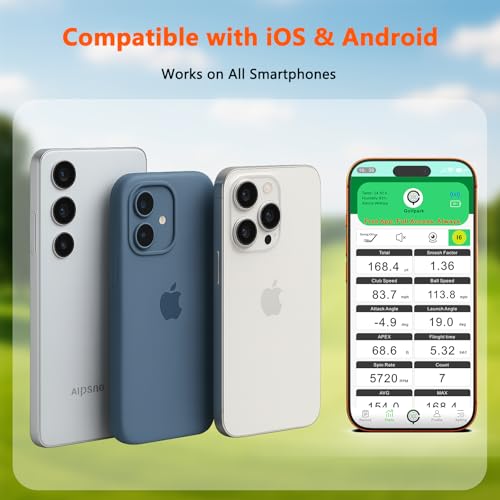
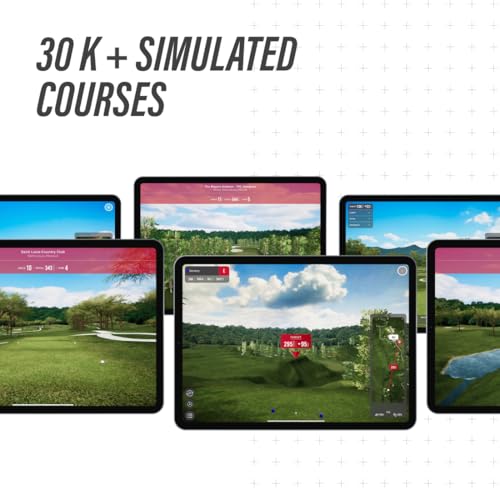
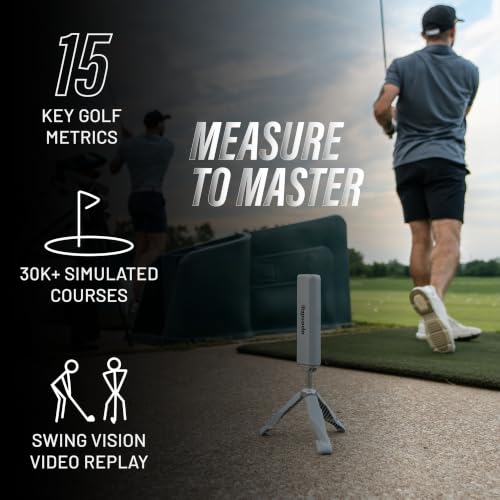
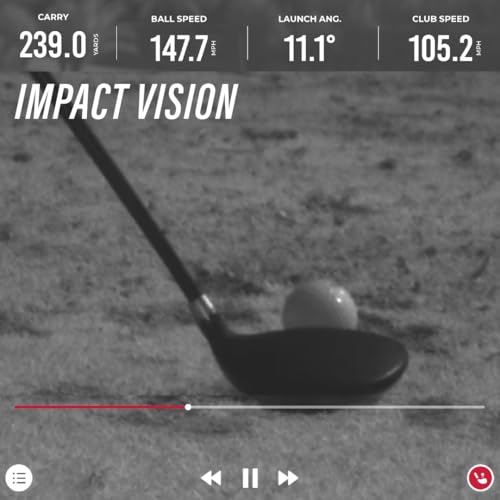
The Rapsodo MLM2PRO is the upgrade path for golfers who want tour-level data without stepping into six-figure simulator territory. With dual cameras and Doppler radar, it captures 15 metrics, including spin rate, spin axis, club path, and attack angle, with accuracy that rivals units twice the price. The free 45-day Premium trial unlocks E6 integration, impact vision, and speed training modes, giving you a taste of what’s possible. Owners consistently report it’s a favorite among coaches for its detailed club/ball contact analysis and slow-motion swing review.
It’s not perfect, the phone stand setup can be finicky, and the app demands good lighting. But when it works, the insights are deep. Compared to the FlightScope Mevo Gen2, it’s more metric-focused and less simulator-oriented. My take? If you’re serious about swing mechanics and want data that can guide real change, this is the most advanced tool here under $2,000.
Product photos


Garmin Approach R10 Launch Monitor

Strengths
- Excellent app integration
- Automatic swing video
- Waterproof design
- Long battery life
Trade-offs
- Camera-based tracking
- Indoor space limitations
- Subscription for full features
The Garmin Approach R10 stands out in the mid-tier market by leaning hard into its ecosystem, and it pays off. Paired with the Garmin Golf app, it delivers solid metrics like club head speed, ball speed, launch angle, and spin, along with automatic swing video recording that overlays data. That integration is seamless in practice, and owners love how easily they can review sessions, track progress, and even play virtual rounds on over 42,000 courses with a subscription. The 10-hour battery life and IPX7 waterproof rating make it durable for all conditions, whether you’re in the garage or at the range in the rain.
Where it falls short is raw indoor performance. Unlike radar-based systems like the Mevo or Voice Caddie, the R10 uses camera-based tracking, which means it needs a clear view of the ball flight. That limits its effectiveness in tight indoor spaces. But if you’re someone who values app-driven insights, shot dispersion charts, and long-term progress tracking, the R10 is a smart pick, especially if you’re already in the Garmin ecosystem.
Product photos


Izzo Golf Swami Launch Master

Strengths
- Compact size
- No app required
- True portability
Trade-offs
- No spin data
- No app integration
- Limited metrics
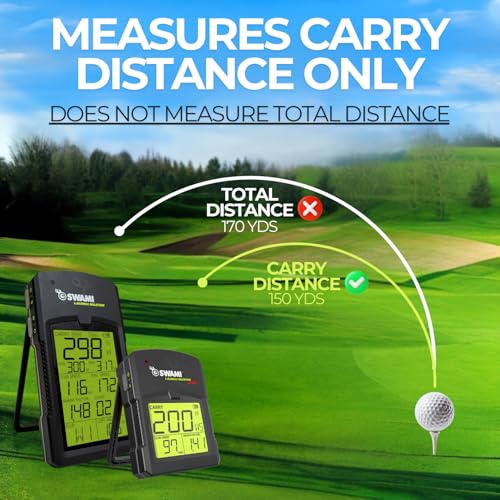
For golfers who want a no-fuss, grab-and-go device to track basic swing metrics, the Izzo Swami Launch Master Lite makes a lot of sense on paper. It promises carry distance, club head speed, and smash factor, all in a pocket-sized unit. That kind of portability is rare at any price, and owners consistently report it delivers surprisingly stable readings for a unit this small. But let’s be clear: this is not a full launch monitor in the modern sense. It lacks spin data, app connectivity, and video integration, which limits its usefulness for serious swing work.
Still, its simplicity is also its strength. No apps to install, no Bluetooth pairing, just batteries and data. If you’re the type who wants a quick pulse check on speed and distance at the range without a backpack full of gear, this fills that niche well. It won’t replace a high-end system, but it’s a solid training companion for casual players or those just dipping into data-driven practice.
Product photos


How We Chose These golf launch monitors under $2000
My research process involved a detailed comparison of published specifications and features across numerous models. I weighed owner reviews from major retailers alongside expert analysis from golf publications and tech reviewers. As someone who frequently assesses golf technology for GolfWorldTrips, I applied my understanding of what metrics truly matter to player improvement and ranked these launch monitors against criteria like data accuracy, portability, and overall value. Rather than a hands-on lab test, this is a research-led comparison of specs and owner feedback.
The most heavily weighted factors for this category were data accuracy and usability. Reliable ball and club speed readings are essential, but a launch monitor is useless if the data isn’t presented clearly or the device is a hassle to set up and use. Beyond those, the breadth of metrics offered – spin rate, launch angle, smash factor – played a significant role, as these allow for more in-depth swing analysis. I also considered the value proposition: what features do you get for the price?
Specifications reliably indicate the types of data a launch monitor can capture (Doppler radar vs. camera-based systems, for example). However, I placed greater emphasis on owner feedback regarding the accuracy of that data, particularly consistency and how well it correlates with real-world results. Reputation and brand trust were also important; established brands often invest more in calibration and quality control. If you’re looking for even more affordable options, check out our guide to cheap launch monitors or best budget launch monitors under $500. And for those focused on indoor training, our review of launch monitors for indoor simulators might be helpful.
What To Look For In golf launch monitors under $2000
Finding the right golf launch monitor can feel overwhelming, but understanding your needs and budget will point you toward the best option.
A quality golf launch monitor provides accurate data on clubhead speed, ball speed, launch angle, and spin rate, allowing golfers to analyze their swing and identify areas for improvement. Essential features include reliable radar or camera-based tracking technology, a clear and easy-to-understand display (or app interface), and the ability to track key metrics consistently. Consider portability, battery life, and any subscription costs before making a decision.
Understanding Data Parameters
Don’t get caught up in chasing every metric. While advanced models boast a long list of data points, focus on the ones that genuinely impact your game. For most golfers, clubhead speed, ball speed, carry distance, and launch angle are the most revealing. Knowing these numbers provides a solid foundation for making swing changes. I often see players get lost in spin rate data before they’ve even addressed basic speed and launch control. Prioritize understanding how these core metrics interact, rather than obsessing over marginal gains from less impactful data.
Considering Indoor vs. Outdoor Use
The type of practice you anticipate doing will heavily influence your choice. Some launch monitors, like the PRGR HS 130-A, are designed primarily for measuring clubhead speed without a ball, making them ideal for speed training indoors, while others, like the FlightScope Mevo Gen2, perform well both indoors and outdoors using Doppler radar. If you plan to use it exclusively indoors, pay attention to the space requirements outlined by the manufacturer; some require a surprisingly large hitting area. If you’re looking for something to help you prepare for a golf trip, checking out affordable launch monitors under $1000 can be a great starting point.
Balancing Features and Price
The price range for golf launch monitors is vast. You can find basic models for under $200, while more sophisticated options can exceed several thousand dollars. Don’t assume a higher price automatically equates to better performance. The Garmin Approach R10, for example, offers a compelling feature set at a reasonable price point, thanks to its strong app integration.
Here’s how to think about feature tiers:
- Basic: Carry distance, club speed. Good for beginners.
- Intermediate: Adds launch angle, ball speed, and potentially smash factor. A good step up for those wanting more detailed feedback.
- Advanced: Includes spin rate, spin axis, and detailed shot trajectory analysis. Often found in models aimed at serious players and those wanting simulator launch monitors.
Don’t spend more than you need to. A $200 launch monitor that gives you actionable data is far more valuable than a $2000 one you don’t understand or consistently use.
Golf Launch Monitors Under $2000 Compared
This table provides a detailed specification comparison of popular golf launch monitors priced under $2000.
| Product Name | Price | Data Points | App Integration | Display | Indoor Use |
|---|---|---|---|---|---|
| FlightScope Mevo Gen2 | N/A | 18+ | Yes | N/A | Yes |
| Rapsodo MLM | N/A | 5 | iOS | N/A | Yes |
| PRGR HS 130-A | N/A | 4 | No | N/A | Yes |
| GOLFBUDDY Shot Mate | N/A | 7 | Yes | Color TFT LCD | Yes |
| Voice Caddie SC300i | N/A | 7 | Yes | LCD + Voice | Yes |
| Swinora Golf Launch Monitor | N/A | 8 | Yes | OLED | Yes |
| Rapsodo MLM2PRO | N/A | 15+ | Yes | N/A | Yes |
| Garmin Approach R10 | N/A | 10+ | Yes | App Based | Yes |
| Izzo Golf Swami Launch Master | N/A | 3 | No | N/A | Yes |
Frequently Asked Questions
What level of accuracy can I realistically expect from a launch monitor in this price range?
While you won’t get the pinpoint precision of professional-grade models costing tens of thousands, a launch monitor under $2000 can provide very useful data. Expect accuracy within a few percentage points for ball speed and club speed, and within a degree or two for launch angle, based on owner feedback.
Are these launch monitors difficult to set up and use?
Most modern launch monitors prioritize ease of use. The Garmin Approach R10, for example, connects directly to an app for a guided setup, and many others have streamlined interfaces. However, you may need to spend some time calibrating the device initially, and understanding how to interpret the data will take practice.
Can I use these launch monitors outdoors on a driving range?
Many are designed for both indoor and outdoor use, but performance can vary. Doppler radar-based systems, like the FlightScope Mevo Gen2, generally perform better outdoors. Camera-based systems may struggle with bright sunlight or inconsistent lighting, so it’s best to check the manufacturer’s recommendations.
Do I need a subscription to get the most out of these devices?
Some launch monitors offer enhanced features or data analysis through a subscription service. For example, Rapsodo offers a subscription for in-depth swing analysis. However, many provide a functional experience without one, and you can often determine if a subscription is necessary for your needs after initial use.
If I’m also considering a golf simulator, is a launch monitor a good starting point?
Absolutely. Purchasing a launch monitor is a smart first step toward building a golf simulator under $2000. Many of the models in this price range are compatible with popular simulation software, letting you upgrade to a full simulator experience later if you choose. You can also find the best overall launch monitors to get started.
The Bottom Line
Choosing a launch monitor often comes down to balancing control with convenience. Do you want a device that delivers a wealth of data and requires more setup and interpretation, or something simpler to use that focuses on key metrics? For the best overall blend of accuracy, features, and usability in this price range, I recommend the FlightScope Mevo Gen2. It strikes an excellent balance for serious golfers wanting detailed insights.
If you have specific needs, several other options stand out. For dedicated speed training, the PRGR HS 130-A is a standout choice. Those seeking a more budget-friendly option with solid app integration should look to the Garmin Approach R10. And for golfers looking for top home golf launch monitors, the Rapsodo MLM2PRO is a strong contender.
Ultimately, the most impressive specifications won’t help if you don’t understand how to apply the data. Focus on mastering the fundamentals – clubhead speed, ball speed, launch angle – and building a consistent, repeatable swing. Understanding how launch monitors work is valuable, but it’s less important than understanding your own swing.
