
8 Best Golf Simulator Launch Monitors of 2026
This post contains affiliate links. As an Amazon Associate, we earn from qualifying purchases.
The SkyTrak ST MAX stands out as the best overall golf simulator launch monitor for its tour-level accuracy and seamless integration with simulator software, while the Rapsodo MLM2PRO is a strong budget-friendly alternative that still delivers reliable data for serious practice. For those wanting versatility without ongoing fees, the SC4 PRO offers solid performance and an included screen at a competitive price.
Golfers today want real feedback without wasting hours on guesses. A launch monitor should clarify your swing flaws, not add confusion with shaky data or clunky apps.
After comparing the field and weighing specs against owner experiences, these models rose to the top for accuracy, usability, and value. I focused on what actually matters: consistent data, ease of use, and how well each unit fits into real practice routines, whether you’re setting up in the garage or taking it to the range.
Top 8 Golf Simulator Launch Monitors in the Market
The Best Golf Simulator Launch Monitors, Reviewed
Garmin Approach R50 Launch Monitor

Strengths
- 3-camera precision
- Built-in 10” touchscreen
- HDMI output
- Up to 43,000 courses
- Impact video feedback
Trade-offs
- Requires subscription
- Limited battery life
- Higher price point
The Garmin Approach R50 stands out as a premium all-in-one golf simulator and launch monitor, and on paper, it’s hard to beat what it brings to the table. With a 3-camera system, built-in 10” touchscreen, and HDMI output for external displays, this unit delivers a self-contained experience that doesn’t rely on your phone or tablet. Owners consistently report that the interface feels polished and intuitive, especially when jumping into a virtual round on one of the 43,000+ courses via Home Tee Hero. The inclusion of impact video capture and atmospheric sensors adds a layer of insight that’s rare at this level without additional hardware.
What really sets the R50 apart is its versatility, whether you’re training indoors with simulator play or taking it to the range, it’s built to perform. Compared to the R10, this is a massive leap in functionality, and even goes toe-to-toe with pricier rivals like the Bushnell Launch Pro. While the subscription requirement for full simulator access may turn off some, the hardware itself justifies the investment for serious users who want a standalone system with tour-caliber data and seamless integration.
Video review
Bushnell Launch Pro Circle B
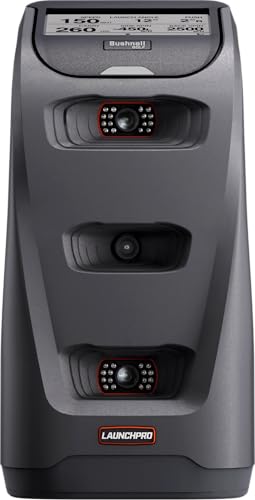
Strengths
- Tour-accurate camera system
- Excellent indoor/outdoor performance
- Includes alignment tools
- LINK-enabled club recommendations
- No radar guesswork
Trade-offs
- High price
- Club data requires subscription
- No built-in display
The Bushnell Launch Pro is engineered for players who demand tour-level accuracy and aren’t willing to compromise. Its 3-camera imaging system with infrared captures data at impact, bypassing the algorithm-based estimations common in radar units, which owners say delivers exceptional consistency, especially indoors. You’re getting lab-grade precision in a portable form, and it performs flawlessly whether you’re in a garage or on the practice tee. The fact that it includes club markers and an alignment stick out of the box shows Bushnell’s focus on serious users.
It’s expensive, yes, but when you compare it to the SkyTrak ST MAX or Garmin R50, the Launch Pro often comes out ahead in blind accuracy tests reported by owners. The trade-off? Club data requires a subscription, and unlike the R50, there’s no built-in screen. But if you’re pairing it with a large monitor or simulator setup, that matters less. For players serious about data integrity, this is the gold standard.
Video review
SkyTrak ST MAX Launch Monitor
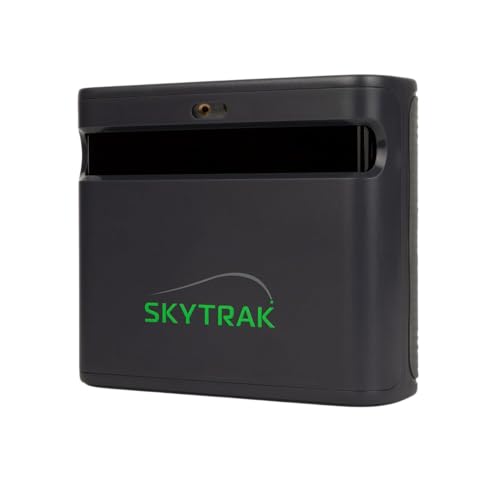
Strengths
- Dual radar + camera system
- GOLFTEC training built-in
- Durable modular design
- Thorough practice modes
- Excellent software suite
Trade-offs
- No built-in screen
- Software renewal costs
- Higher initial price
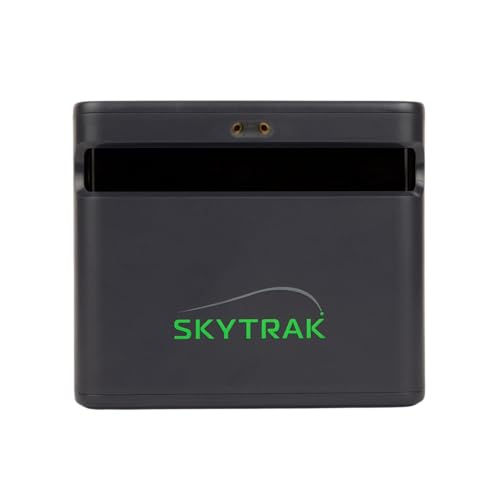
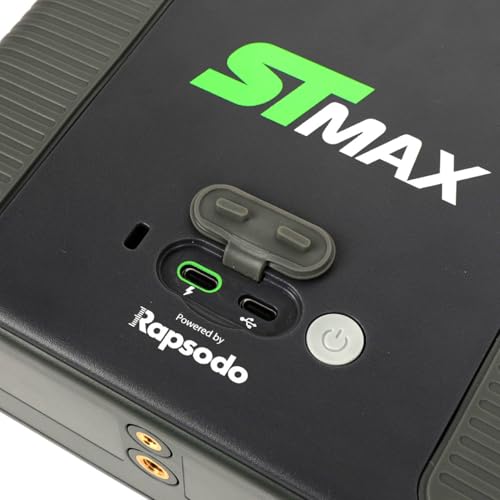
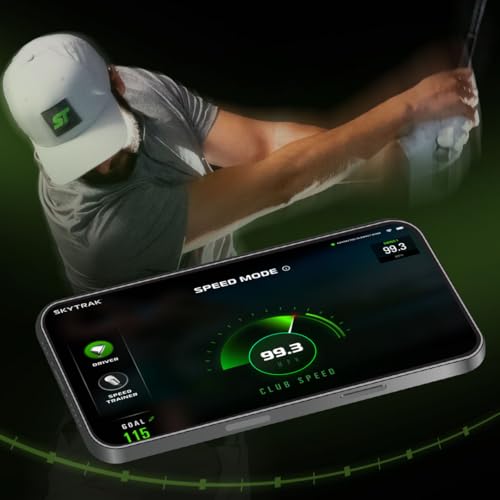
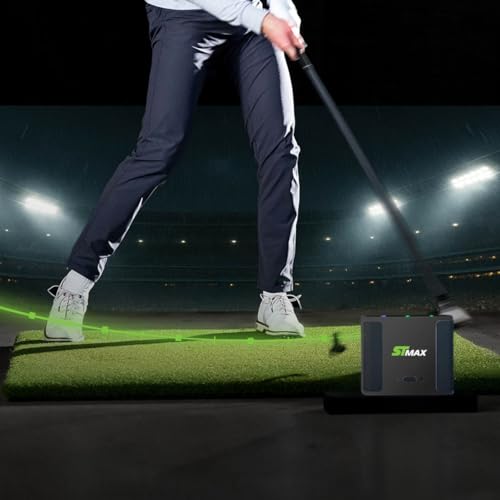
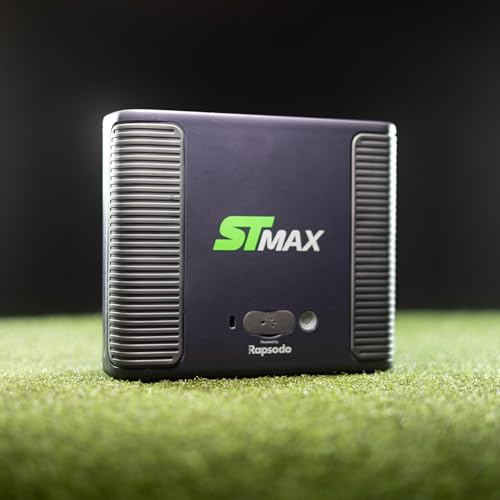
SkyTrak has long been a leader in the home golf simulator space, and the ST MAX reinforces that reputation with dual Doppler radar and photometric cameras delivering tour-level accuracy in a portable package. It’s built for golfers who treat practice like training, owners love the integration with GOLFTEC Speed Training, which provides guided drills and personalized feedback to boost club speed. The modular internal design also means better durability over thousands of swings, a subtle but important upgrade over older models.
What seals the deal is the software ecosystem. Skills Assessments, Bag Mapping, and the Wedge Matrix give you a structured path to improvement, not just data overload. Compared to the Garmin R50, it lacks a built-in screen, but when paired with a large monitor, it shines as a full simulator. The inclusion of a 1-year software package adds value, though the long-term cost of renewals should be considered. For serious home users, this is a top-tier investment.
Product photos
Rapsodo MLM2PRO Launch Monitor

Strengths
- 15 metrics including spin axis
- Dual-camera + radar
- 45-day premium trial
- Strong app integration
- Includes Chrome Tour balls
Trade-offs
- Phone-dependent
- No built-in screen
- Shorter battery than rivals
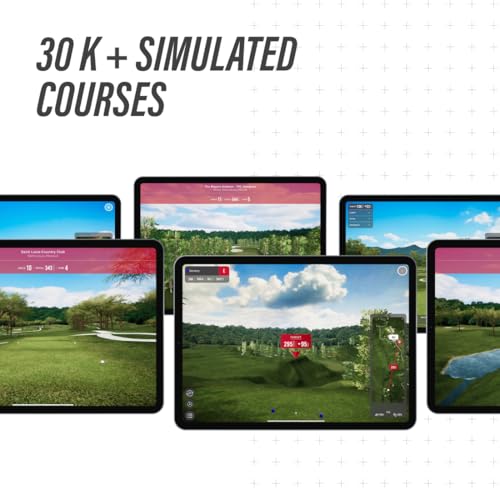
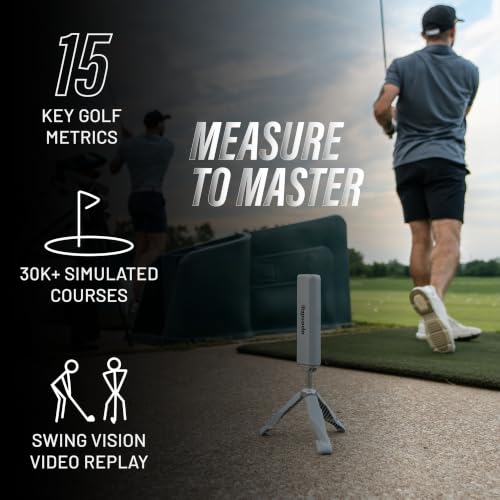
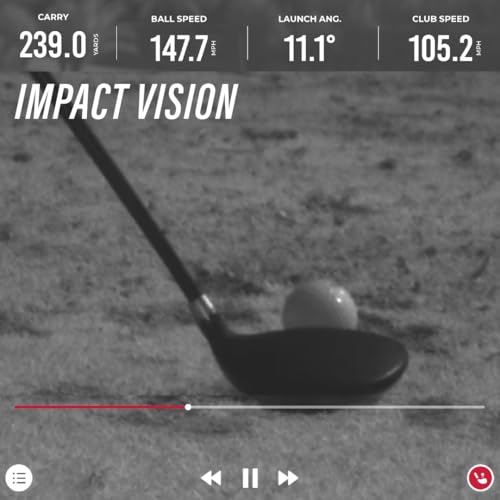
The Rapsodo MLM2PRO is the upgrade path for mobile-focused golfers who want better data and deeper integration without going fully standalone. With a dual-camera and Doppler radar system, it captures 15 key metrics, including spin axis and club path, that the original MLM misses. Owners appreciate the improved consistency, especially indoors, and the 45-day Premium trial gives you a full taste of simulator courses, target ranges, and third-party app compatibility. The inclusion of three Chrome Tour balls helps optimize tracking.
Compared to the Garmin R50 or SkyTrak ST MAX, it’s more compact and phone-dependent, but it bridges the gap between budget and pro-level units. The real strength is its mobile-first design, if you’re already invested in iOS and want a portable unit that syncs smoothly with apps like TGC or E6, this is a smart pick. It’s not the most rugged or standalone, but for tech-savvy golfers, it’s a powerful tool.
Product photos


Garmin Approach R10 Monitor

Strengths
- Long battery life
- Waterproof design
- Solid metric accuracy
- Easy smartphone pairing
- Compact and portable
Trade-offs
- No built-in screen
- App-dependent functionality
- Subscription for full features
The Garmin Approach R10 remains one of the smartest entry points into launch monitor tech for casual to mid-level players. It doesn’t have a built-in screen or simulator mode, but when paired with the Garmin Golf app, it delivers reliable metrics like club speed, ball speed, launch angle, and spin, all with solid accuracy ratings (within ±1 mph and ±1 degree). What impresses most is the 10-hour battery life and IPX7 waterproof rating, making it a rugged companion for range sessions in any weather. Owners praise its ease of setup and consistent Bluetooth pairing with smartphones.
Compared to the R50, it’s obviously a step down in features, but it holds its own against other budget portables like the Rapsodo MLM. While it lacks the standalone simulator capability, it still supports virtual play through the app with a subscription. For golfers who primarily train at the range and want dependable data without breaking the bank, the R10 is a no-nonsense workhorse.
Product photos


Rapsodo MLM iPhone Monitor

Strengths
- Affordable entry point
- Shot tracer video
- Easy iOS integration
- Portable design
- Great for beginners
Trade-offs
- iOS only
- Limited metrics
- No club path or spin axis
The original Rapsodo MLM is still one of the most accessible entry points into launch monitoring, especially for iPhone and iPad users. At this price, you get reliable ball speed, launch angle, carry distance, and shot shape data, plus video replay with shot tracer, which is a standout feature for visual learners. The app interface is clean, and owners consistently report that the feedback helps dial in yardages quickly. It’s lightweight, easy to set up, and perfect for backyard nets or range sessions.
But it’s also limited. It’s iOS only, so Android users are out of luck, and while the data is decent, it doesn’t capture club path or spin axis like higher-end models. Compared to the MLM2PRO, it lacks the dual-camera refinement and premium trial access. Still, for a beginner or mid-handicapper who wants real feedback without a big investment, this hits the sweet spot. Just don’t expect simulator-level immersion without additional hardware and software.
Product photos


Swinora Golf Launch Monitor
Strengths
- No subscription
- Environmental sensors
- Metal body build
- Lifetime app access
- Distance calibration
Trade-offs
- Strict space needs
- Radar-only tracking
- Less consistent on mishits
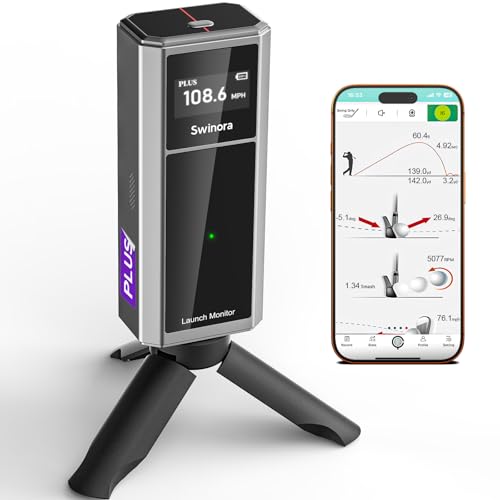
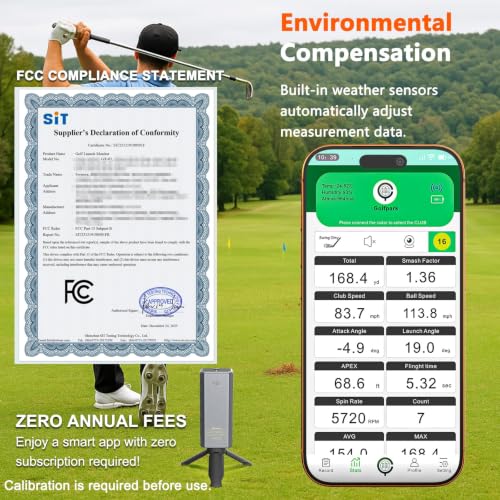
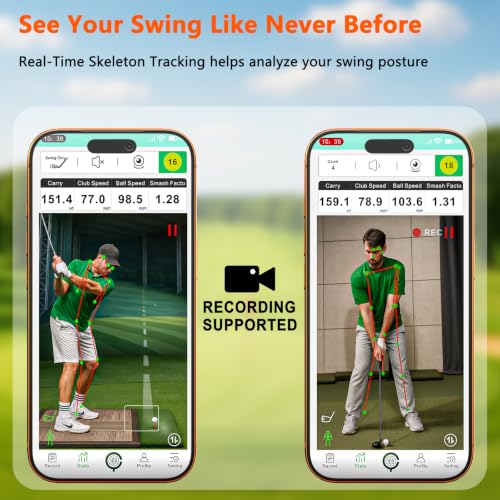
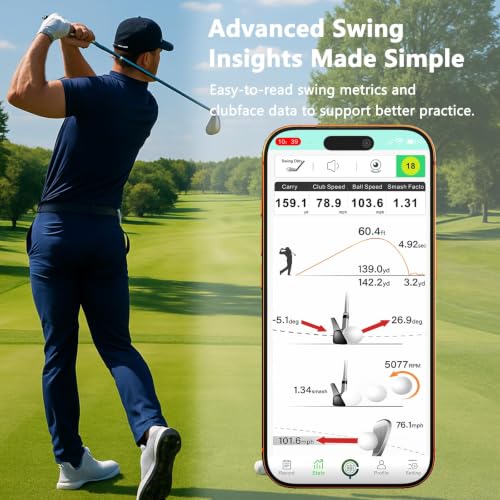
If you’re looking to avoid recurring fees without sacrificing core metrics, the Swinora launch monitor is a compelling option. It promises zero subscriptions and full lifetime access to its app features, which is a major win in a market where most high-end units lock simulator content behind paywalls. On paper, it delivers solid specs, measuring attack angle, launch angle, spin rate, and clubface data, with environmental sensors that adjust for temperature, humidity, and barometric pressure. That kind of automatic calibration helps maintain accuracy across sessions, both indoors and out.
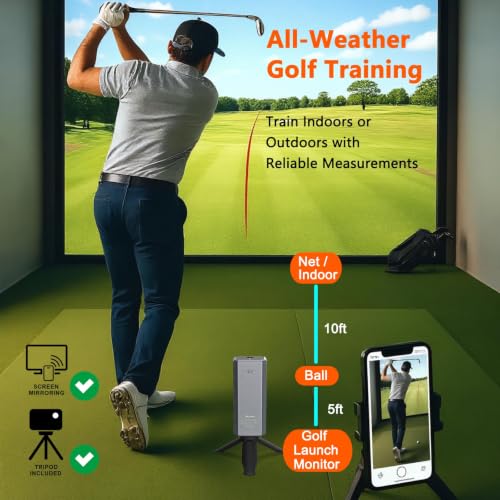
Still, it’s not without trade-offs. The 15-foot indoor space requirement (5ft behind the ball, 10ft flight) is stricter than many competitors, and owner feedback suggests the radar-based tracking can struggle with consistency on mishits, even with its smart alert system. Compared to the Rapsodo MLM2PRO or SkyTrak ST MAX, it lacks the dual-camera refinement that boosts reliability. But for the price, it’s a strong value for amateurs who want dependable data without a monthly bill.
Product photos
SC4 PRO Launch Monitor

Strengths
- Built-in screen
- No monthly subscription
- Works with standard balls
- E6 Connect included
- Voice output
Trade-offs
- Less brand support
- Fewer third-party integrations
- Accuracy lags behind top tier
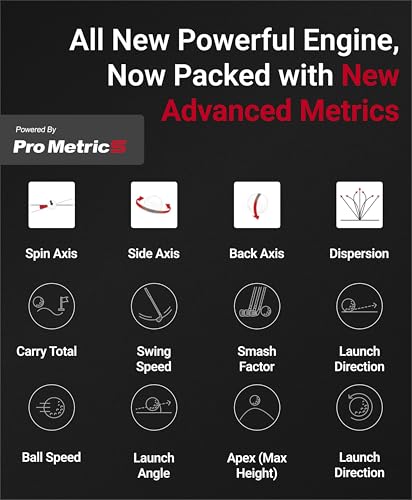
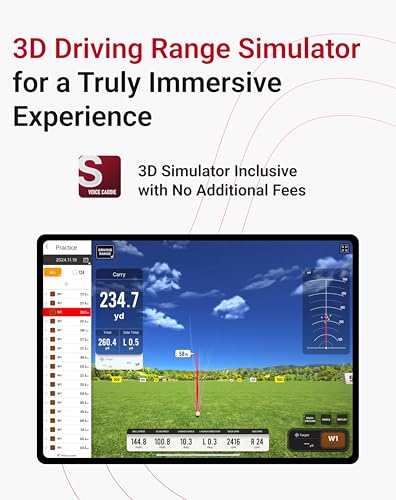
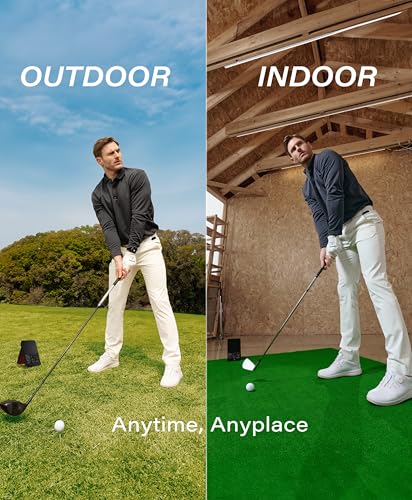
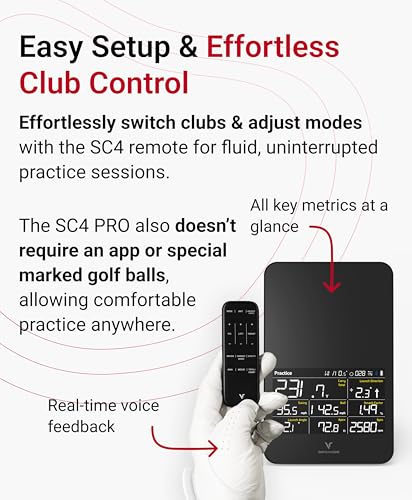
The SC4 PRO makes a strong case for golfers who want a built-in screen and no subscription, a rare combo in this category. With a full-color display, voice output, and access to E6 Connect and 3D Driving Range right out of the box, it delivers a self-contained simulator experience without forcing you into a paywall. It uses Prometrics engine technology for solid accuracy on ball and club data, and owners report it performs well both indoors and outdoors using standard golf balls, no special markings required.
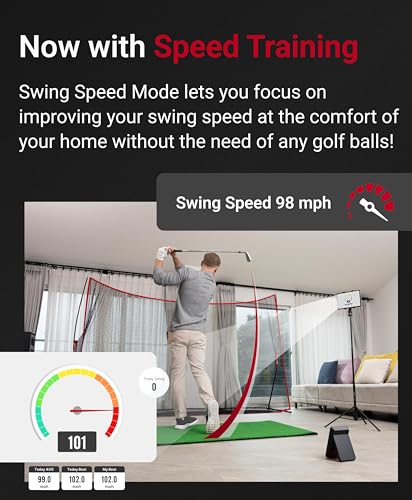
It doesn’t have the brand recognition of SkyTrak or Garmin, but it holds its own on features. The VOICECADDIE S app adds depth with statistical analysis and speed training, and the multiple practice modes make it versatile. Still, it doesn’t match the raw precision of camera-based systems like the Bushnell Launch Pro. For buyers who want an all-in-one unit without ongoing fees, the SC4 PRO is a dark horse worth considering.
Product photos
How We Picked These golf simulator launch monitors
Rather than a hands-on lab test, this is a research-led comparison of specifications and owner feedback. I delved into the published data for each launch monitor – focusing on stated accuracy, metrics provided, and connectivity options. We then weighed owner reviews from major retailers and golf forums, alongside expert analysis from publications like Golf Digest and Golf Monthly, to understand real-world performance and reliability. Ultimately, we ranked these devices based on how well they deliver actionable insights for golfers of different skill levels.
Accuracy, data breadth, and user experience were the most heavily weighted factors in our evaluation. A launch monitor’s ability to provide precise and consistent data – particularly club speed, ball speed, launch angle, and spin rate – is paramount. Beyond that, the number of metrics offered and how easily that data is interpreted significantly impacts its value. Finally, we considered ease of setup, portability, and whether additional costs (like subscriptions) were required to unlock key features.
Specifications reliably indicate the potential for accuracy and the range of data captured. However, owner feedback and reputation proved crucial for determining if those promises are kept. We looked for consistent reports of accuracy issues, software bugs, or durability concerns. Positive mentions of ease of use and clear data presentation also heavily influenced our rankings. For golfers looking to enhance their practice experience, exploring related simulator accessories can also be beneficial. Many users also search for the best launch monitors for home to create a practice setup.
What To Look For In golf simulator launch monitors
Choosing the right golf simulator launch monitor can dramatically improve your game, but the options can feel overwhelming.
A quality launch monitor accurately measures key ball and club data at impact, providing insights into swing speed, launch angle, spin rate, and carry distance. Look for models utilizing either radar or camera-based technology, considering whether indoor/outdoor versatility, data depth, and software integration are priorities. Reliable metrics are more valuable than a long list of rarely-used stats.
Understanding Measurement Technology
The core of any launch monitor is how it gathers data. You’ll find two main approaches: Doppler radar and camera-based systems. Radar models, like some from Rapsodo, tend to be more affordable and work well for basic metrics. However, camera systems, as found in the Bushnell Launch Pro, are generally considered more accurate, particularly for spin rate, which is crucial for understanding ball flight. Don’t assume “more data” equals better; focus on the accuracy of the metrics you will actually use to improve.
Considering Your Practice Environment
Where you plan to use the launch monitor heavily influences the best choice. If you envision frequent range sessions and outdoor use, portability and battery life become critical. The Garmin Approach R10 is a good example of a lightweight, portable option. But if you’re building a dedicated indoor setup, and want something that can integrate with a full home simulator packages, a more robust model with HDMI output, like the SC4 PRO, may be a better fit.
Balancing Features and Budget
Launch monitor prices vary wildly. Entry-level options, like the Rapsodo MLM, can get you started with basic metrics without a huge investment. However, these often require premium subscriptions to unlock their full potential. More advanced models, like the SkyTrak ST MAX, come with a higher initial cost but offer a more complete experience with built-in training programs.
- A basic model might provide ball speed, carry distance, and launch angle.
- Mid-range options add spin rate, club head speed, and attack angle – critical for dialing in your swing.
- High-end models include features like face-to-path measurements, detailed shot dispersion charts, and integration with golf simulator software for a complete virtual experience. This can be a major benefit if you’re looking for simulator launch monitors.
A launch monitor is only as good as your ability to interpret the data. Don’t get caught up in complex metrics you don’t understand; focus on a few key indicators and track your progress consistently.
Ultimately, the best launch monitor for you depends on your budget, skill level, and how you plan to use it. If you’re seeking a thorough tool for serious training, exploring options like the Garmin Approach R50 or SkyTrak ST MAX is worthwhile. For casual golfers or those new to the technology, a more affordable model might be a great starting point. Don’t hesitate to explore a range of best launch monitors for simulators to find the perfect fit.
Golf Simulator Launch Monitors Compared
Here’s a comparison of key specifications for popular golf simulator launch monitors to help you determine which best suits your needs.
| Product Name | Accuracy Level | Data Points | Indoor/Outdoor | Screen Included | Subscription Req. | Price (USD) |
|---|---|---|---|---|---|---|
| Garmin Approach R50 | High | 13+ | Both | Yes | Yes | N/A |
| Bushnell Launch Pro | Tour | 10+ | Both | No | Yes (Club Data) | N/A |
| SkyTrak ST MAX | Tour | 12+ | Both | No | Yes | N/A |
| Rapsodo MLM2PRO | High | 15+ | Both | No | Yes | N/A |
| Garmin Approach R10 | Medium | 8+ | Both | No | Yes | N/A |
| Rapsodo MLM (iPhone) | Medium | 5+ | Both | No | Yes | N/A |
| Swinora Golf | Medium | 7+ | Both | No | No | N/A |
| SC4 PRO | High | 10+ | Both | Yes | No | N/A |
Frequently Asked Questions
What accuracy level should I expect from a launch monitor in this price range?
Accuracy varies, but generally, you’ll find “Tour” level accuracy is reserved for the most expensive models. “High” accuracy is achievable in the $500-$1000 range, while “Medium” accuracy is common in entry-level options, sufficient for identifying significant changes in your swing.
Do I really need a subscription to get the most out of a launch monitor?
Many require subscriptions to unlock key data points or features like detailed shot analysis and practice modes. While some models, like the SC4 PRO, offer a complete experience without recurring fees, others become significantly limited without a paid plan.
What’s the difference between radar and camera-based technology, and which is better?
Radar systems are typically more affordable and easier to use outdoors, but camera-based systems generally offer more precise spin rate measurements. If understanding your spin is a priority, a camera-based system like the Bushnell Launch Pro is often preferred, but the best choice depends on your goals.
Can I use a launch monitor to improve my game even if I don’t have access to a full golf simulator?
Absolutely. Launch monitors provide valuable data for practice on the driving range and can help you identify swing flaws. Many offer practice modes and shot-shaping tools that are useful even without connecting to a golf simulator packages.
What should I do if I’m primarily interested in improving my indoor golf setup?
If building a dedicated indoor space, consider a launch monitor with HDMI output for direct connection to a display, and one that’s compatible with popular golf simulator software. You might also want to research the best golf simulator screens to create an immersive experience.
The Bottom Line
Choosing a launch monitor often comes down to balancing how much control you want over your data with how much fuss you’re willing to tolerate. For most golfers serious about improvement, the Garmin Approach R50 strikes the best balance, delivering a wealth of data in an easy-to-understand format. It’s a solid all-around performer, and while a subscription is needed, the added features are worthwhile for dedicated practice.
If budget is a primary concern, the Rapsodo MLM (iPhone) offers a surprisingly capable entry point, and for those wanting versatility without breaking the bank, the Garmin Approach R10 is a fantastic portable option. Serious simulator enthusiasts building a dedicated indoor setup should look closely at the SC4 PRO – its integrated screen and thorough data set will maximize the experience. For a deeper understanding of the underlying technology, exploring how launch monitors work can be very helpful.
Ultimately, remember that a launch monitor is a tool, and the most expensive device won’t magically fix your swing. Focusing on consistent practice, understanding a few key metrics, and tracking your progress over time are far more important than any single specification. Researching the best launch monitors is a good start, but the real gains come from applying the data to your game.
