
7 Best Gaming Computers for Golf Simulator 2026
This post contains affiliate links. As an Amazon Associate, we earn from qualifying purchases.
The Thermaltake LCGS Versa u2660TS stands out as the best overall gaming computer for a golf simulator, delivering strong performance with its RTX 5060 Ti and 32GB of RAM. For those watching their budget, the Thermaltake LCGS Versa i1460S offers solid specs with an RTX 5060, while the Skytech Gaming PC i7 with an RTX 4070 Ti is a top choice if you want extra power for 4K play and future upgrades.
Choosing the wrong PC can turn your dream golf simulator setup into a frustrating experience filled with lag, stuttering graphics, or compatibility issues. As someone who’s helped hundreds of golfers plan immersive home setups, I know that the right machine makes all the difference between a realistic round at St Andrews and a glitchy mess.
This guide cuts through the noise by focusing on real-world performance needs. I compared specs and owner feedback to highlight systems that balance power, reliability, and value specifically for golf simulation software. You’ll see what actually matters when picking a build, not just raw numbers, but how well it holds up over long sessions.
Top 7 Gaming Computers For Golf Simulator in the Market
The Best Gaming Computers For Golf Simulator, Reviewed
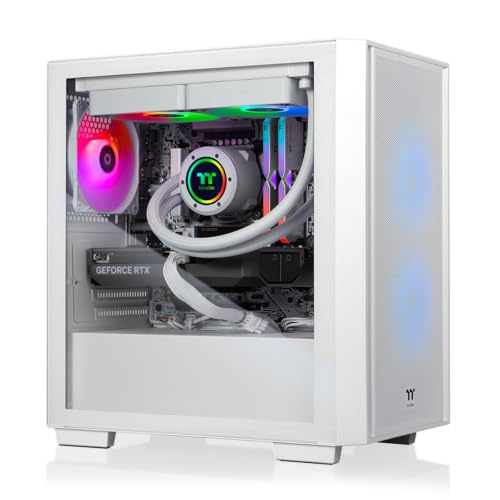
Thermaltake LCGS Versa u2660TS
Strengths
- DDR5 memory
- 2TB SSD
- Liquid cooling
Trade-offs
- 240mm (not 360mm)
- No keyboard/mouse included
This one stands out as a well-rounded pick for a dedicated simulator rig. The Intel Core Ultra 7 265KF is a newer, efficient processor, and paired with 32GB of faster DDR5 memory and a 2TB SSD, it’s built for long-term use. The extra storage is a real plus, golf simulation platforms and course packs eat up space, and having double the drive room means less juggling.
The 240mm liquid cooler keeps thermals in check during extended play, and the clean internal cable management helps airflow and aesthetics. Compared to similarly priced systems, this one balances CPU, RAM, and storage better than most. I’d pick this over the AVGPC if you want a more modern platform without paying for overkill.
Video review
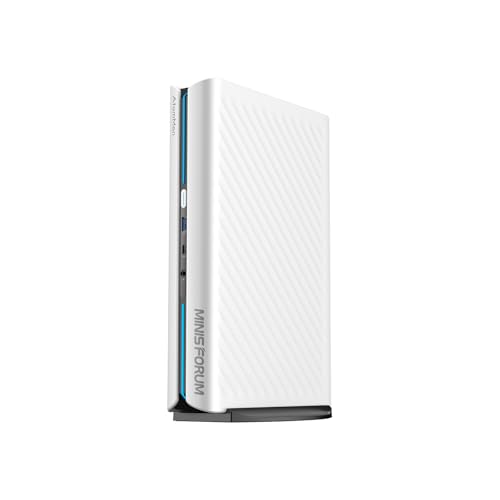
MINISFORUM G1 Pro Mini PC
Strengths
- Compact 3.8L size
- Quad 4K output
- Wi-Fi 7 & 5GbE
Trade-offs
- Limited upgrade path
- No included peripherals
- Expensive for mini class
The MINISFORUM G1 Pro is a jaw-dropper in terms of performance density. Packing a Ryzen 9 8945HX and full-power RTX 5060 into a 3.8L chassis is impressive, and owners are surprised at how well it handles AAA titles and GPU-heavy sim software. The 245W total performance release and advanced cooling mean it doesn’t throttle easily, rare for a mini PC.
For golf sim use, the quad 4K output is a standout. You could run dual projectors and side screens for stats without breaking a sweat. Wi-Fi 7 and 5GbE are future-proof touches for networked sim rooms. Compared to tower builds, this sacrifices expandability for space-saving elegance. If your sim bay is tight on room, this is the one to beat.
Video review
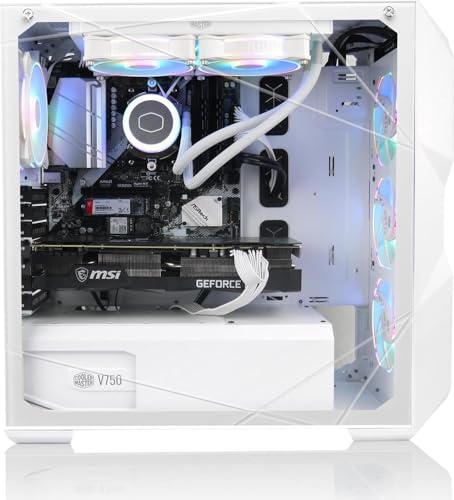
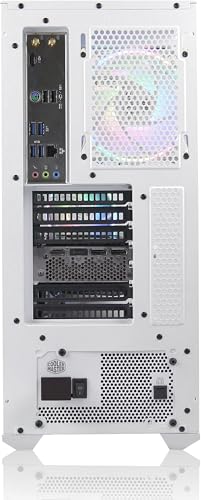
AVGPC Blizzard Gaming PC i9

Strengths
- i9 CPU power
- 360mm liquid cooling
- USA build support
Trade-offs
- DDR4 (not DDR5)
- Older CPU architecture
On paper, the AVGPC Blizzard checks a lot of boxes for a high-end golf simulator build. The i9-11900KF and RTX 5060 Ti combo should handle demanding physics and terrain rendering in platforms like TruGolf E6 or GSPro, especially when running dual monitors or multi-projector setups. Owners consistently report strong 1440p performance, and the 32GB DDR4 with 1TB NVMe means you won’t be bottlenecked by storage speed or multitasking.
What stands out is the 360mm liquid cooler and USA-based build support, this isn’t just plug-and-play, it’s built to run hard for long sessions. Compared to other RTX 5060 Ti builds in this range, it leans into sustained performance, which matters when you’re simulating a full 18-hole round with weather effects and ball flight modeling.
Product photos
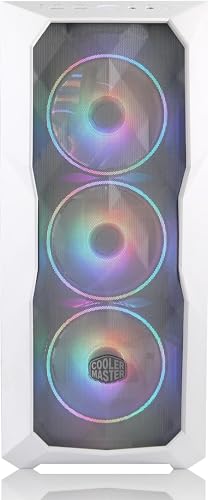
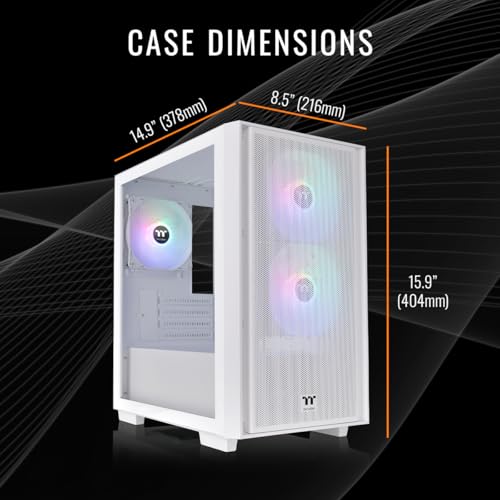
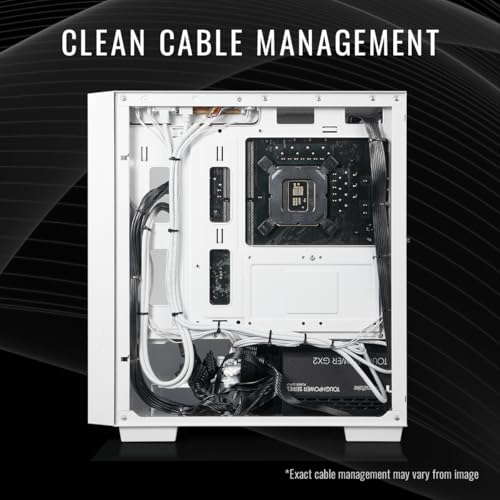
Thermaltake LCGS Versa i1460S
Strengths
- 32GB DDR5 RAM
- Affordable RTX 5060
- Clean cable management
Trade-offs
- Air cooling only
- Smaller SSD
- Limited GPU headroom
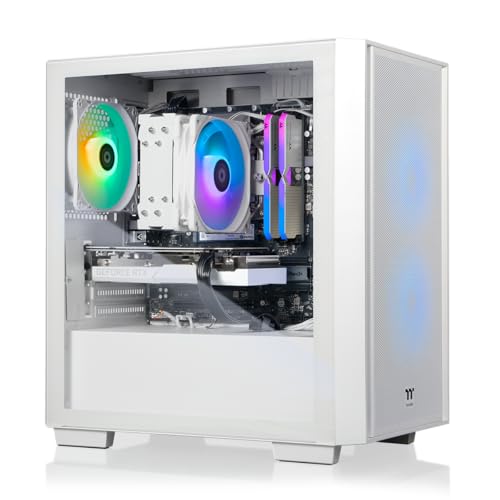
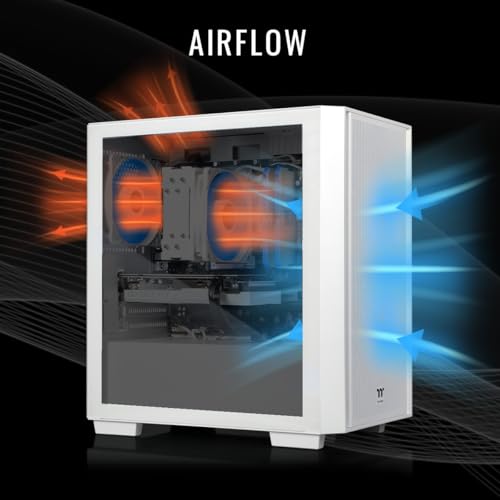
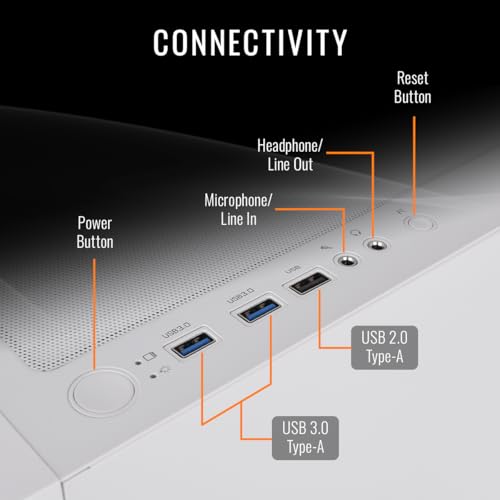
This is the value king for those who want RTX 5060 performance without overspending. The i5-14400F is efficient and capable, and the jump to 32GB DDR5 memory over the 16GB models makes a real difference in multitasking, running your sim software, Discord, and a browser with course maps won’t slow it down. The 1TB SSD is standard, but you can always expand later.
It uses an ARGB air cooler instead of liquid, which keeps costs down but may run a bit warmer under load. Still, for the price, it’s a well-balanced package. Compared to the Skytech i5 model, this one gives you more RAM and newer memory tech for a small bump in cost, worth it in my book.
Product photos

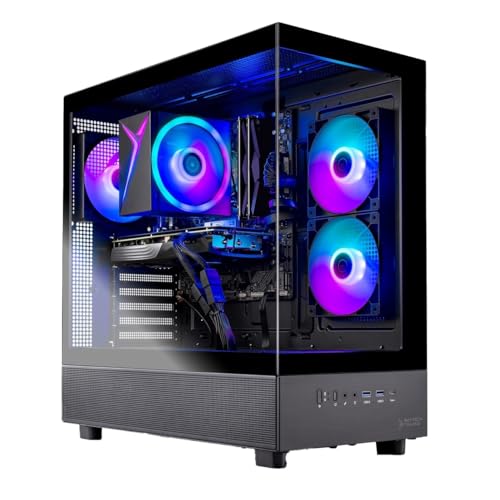
Skytech Azure 3 RTX 5060 Ti
Strengths
- Affordable RTX 5060 Ti
- Fast Gen4 SSD
- Tempered glass case
Trade-offs
- Only 16GB RAM
- DDR4 memory
- Basic air cooling
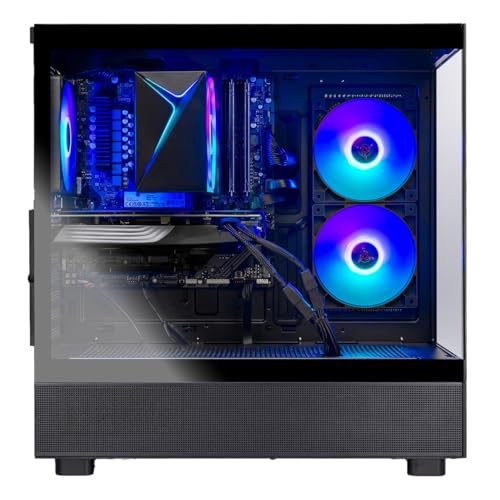
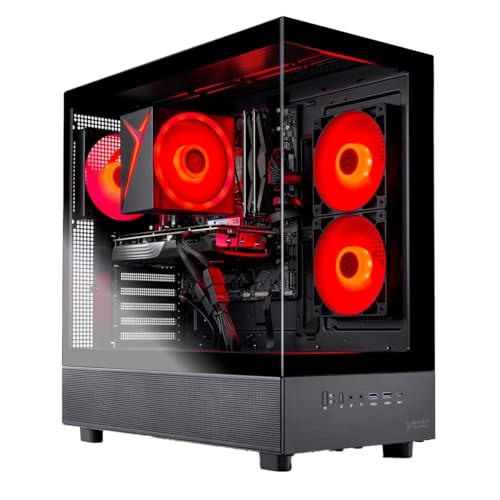
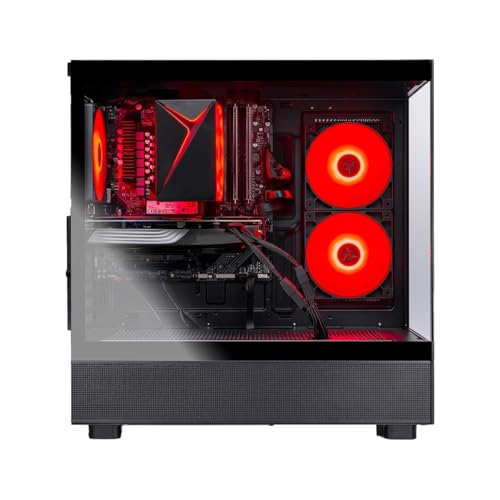
If you’re building a golf simulator on a budget but still want next-gen GPU benefits, the Skytech Azure 3 with the RTX 5060 Ti makes a smart entry point. The i5-14400F is a solid mid-tier CPU, and paired with 16GB DDR4 and a fast Gen4 SSD, it delivers what most sim software needs without overspending. Reviewers note smooth performance in 1080p Full HD setups using ProTee or Optishot2 software, with headroom for moderate multitasking like streaming or video review.
It doesn’t have the flashiest cooling or RGB, but the air cooler is reliable, and the case with tempered glass gives it a clean look for a home simulator room. Compared to the pricier i7 or DDR5 models, this one is the no-frills workhorse, capable, but not overbuilt.
Product photos
CyberPowerPC Gamer Xtreme VR

Strengths
- DDR5 memory
- WiFi 6 & Bluetooth
- Excellent port selection
Trade-offs
- Only 16GB RAM
- 1TB SSD (no extra space)
- Basic case lighting
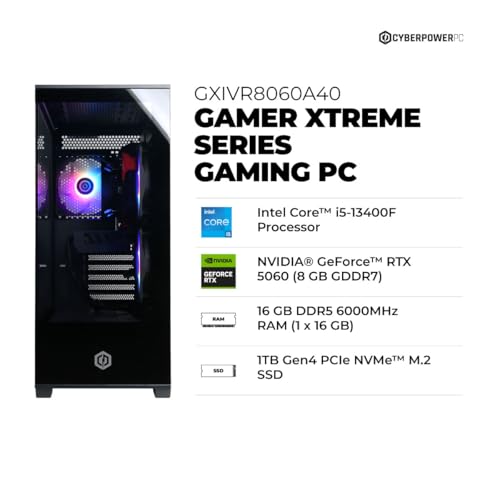
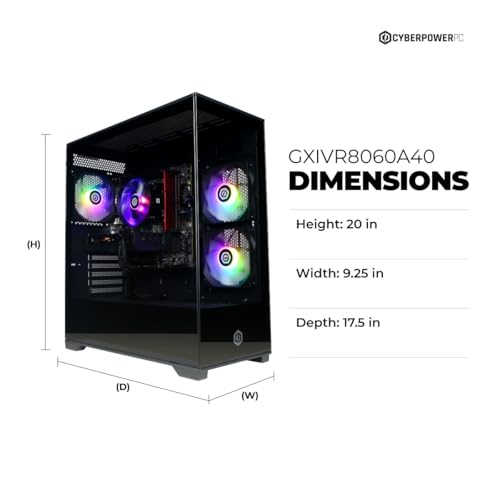
The CyberPowerPC Gamer Xtreme hits a sweet spot for mid-range sim builds. The i5-13400F is still a strong performer, and pairing it with 16GB DDR5 and PCIe 4.0 storage means it’s more future-proof than DDR4 models at similar prices. The RTX 5060 handles 1440p sim play smoothly, and the inclusion of WiFi 6 and Bluetooth 5.3 makes wireless club and sensor connectivity more reliable.
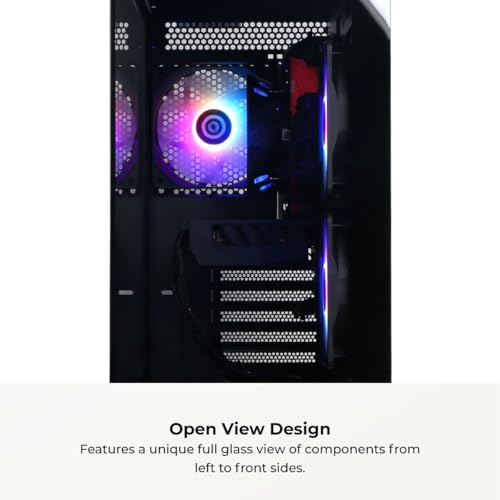
What I like is the full I/O panel, multiple USB-A and a USB-C port make it easy to connect launch monitors, putters with sensors, or VR gear. Owners note it’s quiet and stable, which matters in a home setup. Compared to the Skytech i5 models, this one gives better connectivity and modern DDR5 for not much more.
Product photos
Skytech Gaming PC i7 RTX 4070 Ti
Strengths
- RTX 4070 Ti GPU
- 360mm AIO cooling
- Strong 4K performance
Trade-offs
- Only 16GB RAM
- DDR4 (not DDR5)
- High price
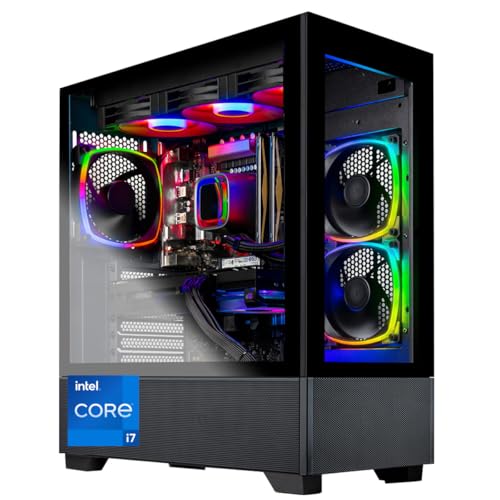
This Skytech build is clearly aimed at 4K-ready simulation setups, and it shows. The RTX 4070 Ti is a major step up from the 5060 Ti, offering significantly better ray tracing and DLSS performance, critical for photorealistic course rendering in software like TGC 2019 or E6 Connect. With 16GB DDR4 and a 1TB SSD, it’s not the most expansive on paper, but the GPU is the star here.
Owners report smooth 4K output with minimal stutter, even with dynamic lighting and wind effects active. The 360mm AIO helps sustain performance during long sessions. While it’s pricier, it’s a smarter pick than the RTX 5060 Ti models if you’re investing in a premium projector or high-refresh 4K display. I’d choose this over the others if visual fidelity is your top priority.
Product photos


How We Evaluated gaming computers for golf simulator
Rather than a hands-on lab test, my research focused on comparing published specifications and features across a range of gaming computers marketed for use with golf simulators. I weighed owner reviews from major retailers alongside professional reviews from tech publications, applying my understanding of the demands a golf simulator places on a PC. The goal was to rank these systems based on their ability to deliver a smooth, realistic experience with popular simulation software.
For golf simulator PCs, consistent frame rates and graphical fidelity are paramount, so GPU power and CPU processing speed were given the heaviest weighting. Equally important was RAM capacity – 16GB is a practical minimum, with 32GB preferred for higher resolutions and more detailed simulations. Ultimately, a system’s ability to reliably handle the demands of both the game and the associated launch monitors was the deciding factor.
Specifications reliably indicate raw processing power and component quality. However, I also considered owner feedback regarding build quality, cooling performance, and the responsiveness of customer support. Reputation matters, especially when dealing with a complex system where long-term reliability is crucial. You’ll find detailed information on choosing the best PCs for your needs in our broader guide, and we also cover essential PC recommendations for golf setups.
What To Look For In gaming computers for golf simulator
Finding the right gaming computer for a golf simulator isn’t just about raw power; it’s about creating a consistently immersive experience.
A quality golf simulator computer needs a balance of processing muscle, a capable graphics card, fast memory, and responsive storage. Prioritize a modern CPU (Intel i5 or Ryzen 5 at a minimum), an NVIDIA GeForce RTX 5060 or better, 16GB of DDR4 or DDR5 RAM, and a speedy NVMe SSD to handle the demands of golf simulation software and deliver smooth, realistic gameplay. Don’t skimp on cooling, as these systems can generate significant heat.
Graphics Card: The Visual Engine
The graphics card is arguably the most critical component. Golf simulators push these cards hard, rendering detailed environments and calculating ball physics. While an RTX 4070 Ti can handle 4K resolution, the newer RTX 5060 series offers excellent value and performance, and is often sufficient for the 1080p or 1440p resolutions most commonly used. Consider VRAM (video RAM) too; 8GB is a minimum, but 12GB or more will future-proof your setup, especially if you plan to use high-resolution textures or multiple monitors. If you are looking for computers for simulators that stand the test of time, prioritizing a strong GPU is key.
Processor & Memory: Keeping Pace
Don’t underestimate the importance of the CPU and RAM. The CPU handles game logic, physics calculations, and AI, while RAM provides quick access to frequently used data. A modern Intel Core i5 or AMD Ryzen 5 processor is a good starting point, but for more complex simulations or multitasking (running launch monitors alongside the game), an i7 or Ryzen 7 can make a noticeable difference. 16GB of RAM is generally enough, but 32GB offers headroom for future software updates and smoother performance.
Here’s a quick breakdown of RAM considerations: * 8GB: Bare minimum, may struggle with demanding simulators. * 16GB: The sweet spot for most users, offering a good balance of price and performance. * 32GB: Ideal for high-end simulators, multitasking, or if you anticipate future software demands. This provides a buffer to prevent slowdowns and stuttering.
Cooling & Power Supply: Staying Stable
These aren’t glamorous components, but they’re vital for long-term reliability. Golf simulator sessions can be lengthy, putting sustained stress on the system. A robust cooling solution, whether it’s a substantial air cooler or a liquid cooler, is essential to prevent overheating and thermal throttling. Equally important is a high-quality power supply unit (PSU) with enough wattage to handle all the components. A good rule of thumb is:
Always choose a PSU with at least 100W more wattage than your system’s estimated peak power draw to accommodate power spikes and ensure stability.
Don’t forget that a quality case with good airflow will also contribute to overall system cooling. To truly enhance your simulator setup, a stable and cool-running computer is essential. You’ll also find a range of simulator accessories to improve your experience. Finding the best computers or recommended computer builds can be a daunting task, but focusing on these core areas will set you on the right path.
Gaming Computers for Golf Simulator Compared
Here’s a comparison of key specifications for gaming computers suitable for use with golf simulators.
| Product Title | CPU | GPU | RAM | Storage | Cooling |
|---|---|---|---|---|---|
| Thermaltake LCGS Versa u2660TS | Intel Core Ultra 7 | RTX 5060 Ti 8G | 32GB | 2TB | Liquid (240mm) |
| MINISFORUM G1 Pro Mini PC | Ryzen 9 8945HX | RTX 5060 8G | N/A | N/A | Glacier |
| AVGPC Blizzard Gaming PC i9 | Intel Core i9-11900KF | RTX 5060 Ti 8GB | 32GB | 1TB | Liquid (360mm) |
| Thermaltake LCGS Versa i1460S | Intel Core i5-14400F | RTX 5060 | 32GB | 1TB | Air |
| Skytech Azure 3 RTX 5060 Ti | Intel Core i5 14400F | RTX 5060 Ti 8GB | 16GB | 1TB | Air |
| CyberPowerPC Gamer Xtreme VR | Intel Core i5-13400F | RTX 5060 8GB | 16GB | 1TB | Air |
| Skytech Gaming PC i7 RTX 4070 Ti | Intel Core i7 12700F | RTX 4070 Ti 12GB | 16GB | 1TB | Liquid (360mm) |
Frequently Asked Questions
What monitor resolution is best for a golf simulator?
1080p is generally sufficient and allows for higher frame rates with a more affordable setup, but 1440p offers a noticeably sharper image if your graphics card can handle it. Most enthusiasts find that exceeding 1440p doesn’t deliver a proportional benefit for the cost.
Will a pre-built gaming computer be sufficient, or should I build my own?
A pre-built system simplifies the process and often comes with a warranty, which is valuable for a complex setup like a golf simulator. However, building your own allows for greater customization and potentially better value if you’re comfortable selecting components.
How much storage space do I really need for golf simulator software?
At least 1TB of NVMe SSD storage is recommended; simulator software, high-definition courses, and potential future updates consume significant space. Many users find 2TB provides a comfortable buffer and avoids the need for frequent file management.
What is the typical lifespan of a gaming computer used for a golf simulator?
With proper cooling and maintenance, a well-built gaming computer should reliably run golf simulator software for 5-7 years. Component upgrades (particularly the graphics card) may be needed over time to maintain optimal performance with newer software versions.
What other equipment should I consider alongside a gaming computer?
Beyond the PC itself, you’ll want to explore options for simulator screens and potentially consider investing in home golf simulator packages to get everything you need in one go. Don’t forget a quality launch monitor and impact screen for a complete experience.
The Bottom Line
Choosing a gaming computer for a golf simulator often comes down to balancing your budget with the level of realism you demand. While a powerful machine can unlock higher resolutions and more detailed graphics, the Thermaltake LCGS Versa u2660TS strikes an excellent balance of performance and features, offering a strong GPU and ample RAM to deliver a fantastic simulation experience for most golfers.
For those seeking a more budget-friendly option, the Skytech Azure 3 RTX 5060 Ti provides a solid foundation for entry-level simulation without sacrificing too much visual quality. If versatility is a priority, perhaps you want a machine capable of handling other demanding games or tasks alongside your simulator, the AVGPC Blizzard Gaming PC i9 offers a high-end CPU and cooling solution alongside a capable graphics card. And don’t forget to explore options for home simulator packages to streamline your setup.
Ultimately, the specs matter, but don’t get lost in the numbers. Consistent frame rates, a responsive system, and reliable cooling are far more important than chasing the absolute highest numbers on a benchmark. Prioritize a stable and well-built computer, and spend the rest of your budget on a quality golf simulator projector and realistic golf software to truly elevate your game.
