
8 Best Golf Launch Monitors Under $1000 2026
This post contains affiliate links. As an Amazon Associate, we earn from qualifying purchases.
The Rapsodo MLM2PRO is the best overall launch monitor under $1000, delivering pro-level data with reliable accuracy. For golfers on a tighter budget, the PRGR HS 130-A stands out as a solid, no-frills pick that excels in clubhead speed tracking, while the Garmin Approach R10 offers the best versatility with strong app integration and course simulation features.
Choosing the right launch monitor can feel like navigating a blind fairway, there are plenty of options, but not all lead to better shots. At this price point, the real challenge is finding a balance between trustworthy data, ease of use, and features that actually help improve your game.
I’ve researched the field by comparing specs, analyzing owner feedback, and evaluating how each model performs in real-world practice and simulator setups. These picks reflect what actually matters: consistent accuracy, clear data presentation, and value for serious golfers who want measurable progress without overspending.
Top 8 Golf Launch Monitors Under $1000 in the Market
The Best Golf Launch Monitors Under $1000, Reviewed
Rapsodo MLM2PRO Mobile Launch Monitor

Strengths
- 15 detailed metrics
- Dual-camera + radar tech
- Premium app features included
- Portable with strong app
- Impact analysis tools
Trade-offs
- Premium features require subscription after trial
- Slightly steeper learning curve
- Needs consistent lighting
If ‘best overall’ means balancing accuracy, features, and future-proofing, the Rapsodo MLM2PRO earns the title. Its dual-camera and doppler radar system captures 15 metrics, including club path, spin axis, and impact location, data usually found in units twice the price. The 45-day premium trial opens access to 30,000+ courses and training tools like Impact Vision, which analyzes contact quality.
Owners report that the data holds up well against higher-end units, and the app is intuitive. Compared to SkyTrak, it’s more portable and offers better club data, though SkyTrak still leads in simulator realism for some platforms. For the price, it’s the most complete package: training aid, simulator, and performance tracker in one.
Video review
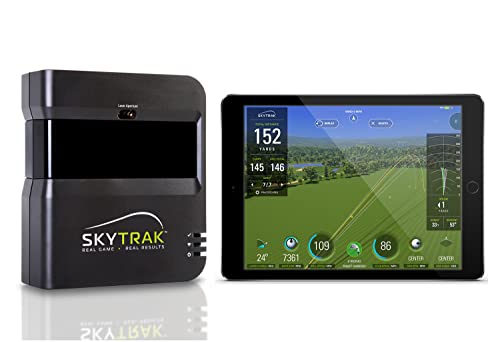
SkyTrak Golf Launch Monitor
Strengths
- Accurate spin and launch data
- Works with top simulator software
- Durable metal case included
- Strong third-party app support
- Proven track record
Trade-offs
- No built-in display
- Requires external device
- Camera-based, needs space and lighting
SkyTrak remains a benchmark for home simulators under $1,000. Its photometric camera system captures spin rate and launch angle more reliably than most doppler units, making it ideal for players who want realistic ball flight in software like E6 or TGC. The included metal case is a nice touch for protecting your hitting mat setup.
While it lacks a built-in screen and requires a device for display, owners consistently report that the data translates well to real-world performance. Compared to the Rapsodo MLM2PRO, it’s slightly less accurate on club path but more proven in long-term simulator use. If you’re building a home golf corner, this is still one of the most trusted choices.
Video review
Garmin Approach R10

Strengths
- Excellent app integration
- Video with metric overlay
- Shot dispersion tracking
- Long battery life
- Water-resistant build
Trade-offs
- No built-in screen
- Spin data less precise
- Requires smartphone for full use
The Garmin Approach R10 is the go-to if you live in the Garmin ecosystem or want seamless app integration. Paired with the Garmin Golf app, it unlocks video recording with overlaid metrics, shot dispersion charts, and tempo analysis, features most sub-$500 units can’t match. The data accuracy is solid: within +/- 3 mph for club speed and +/- 1 degree for launch angle, which is respectable for radar-only tech.
Owners praise how well it works indoors with net setups and how the training modes help identify club-by-club tendencies. Compared to the Voice Caddie SC300i, it offers better app polish and video tools, though it lacks voice feedback. It’s not the most accurate for spin, but for golfers who want data they can review and share, this is a strong contender.
Product photos


SC4 PRO Golf Launch Monitor

Strengths
- No subscription required
- Built-in screen and voice
- Works with standard golf balls
- Includes E6 Connect access
- Multiple training modes
Trade-offs
- App not as polished as rivals
- Limited third-party software
- Newer, less proven long-term
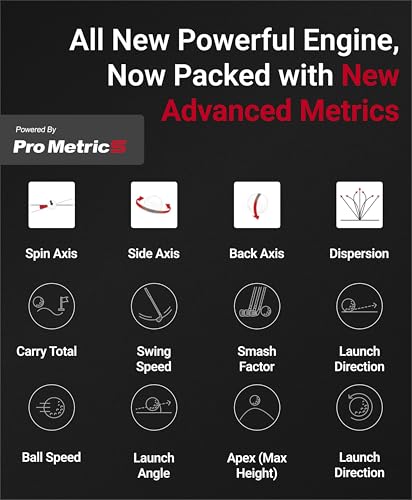
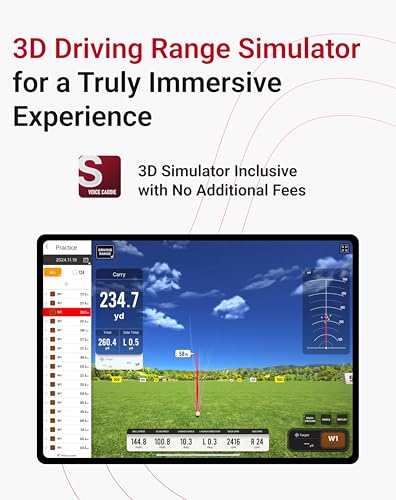
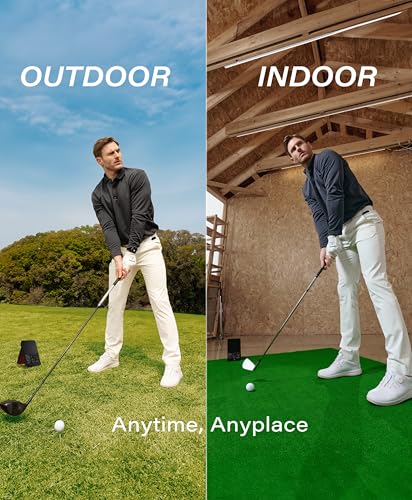
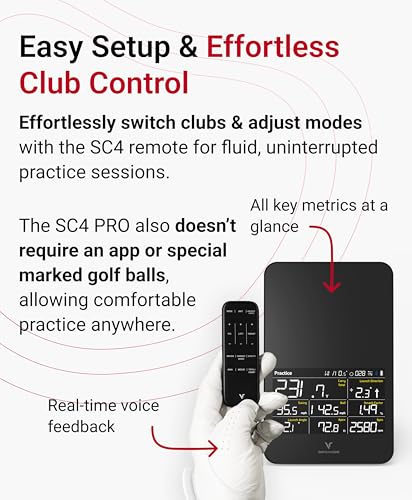
The SC4 PRO is a standout for golfers who hate monthly fees. It includes E6 Connect and 3D driving range access with no subscription required, a rare perk at this price. The Prometrics engine delivers strong accuracy for ball and club data, and the built-in screen with voice output makes it usable without a phone.
Owners appreciate that it works with regular golf balls, both indoors and out, and the training modes are robust. Compared to the SkyTrak, it offers more out-of-the-box value if you don’t want to pay yearly simulator fees. It’s not quite as refined as Rapsodo for club path, but for hassle-free, no-sub sim time, it’s hard to beat.
Product photos
PRGR HS 130-A Launch Monitor

Strengths
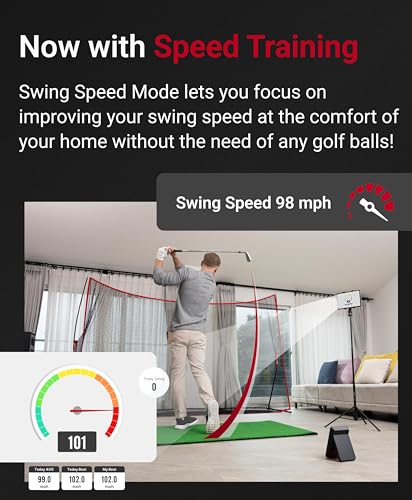
- Measures club speed without a ball
- Runs on AAA batteries
- Durable, no-frills build
- Trusted by tour pros
- Affordable entry point
Trade-offs
- Small display
- No app integration
- No launch angle or spin data
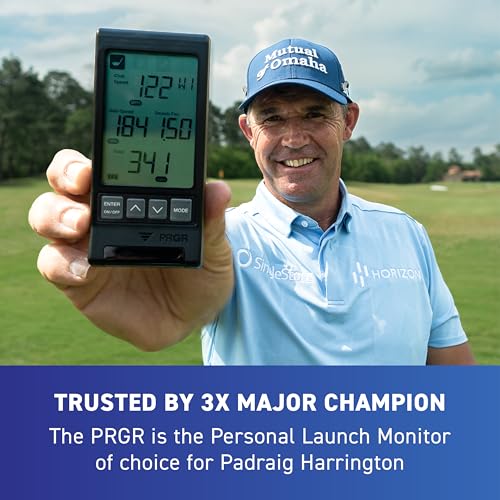
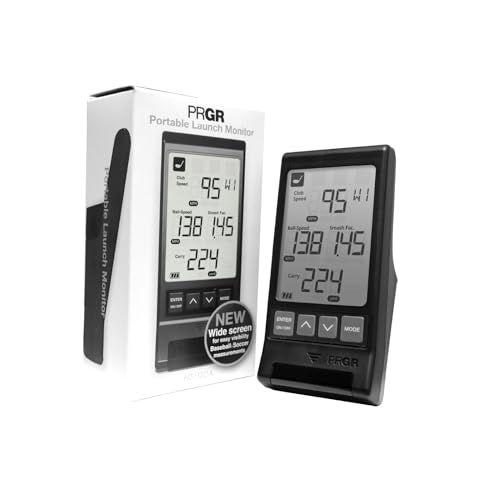
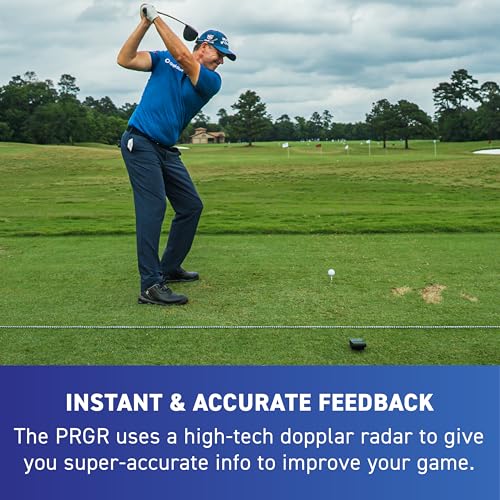
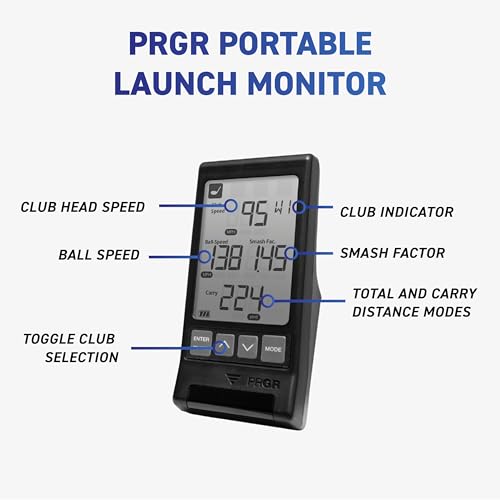
At under $200, the PRGR HS130-A is a steal for pure speed training. It’s one of the few in this range that measures club head speed without hitting a ball, a huge plus for overspeed or tempo drills. The doppler radar delivers consistent readings for club speed, ball speed, and smash factor, and owners note it holds up well over time, even in windy outdoor conditions.
It’s basic by design: no screen smarts, no app, just data on a small display and 500-shot memory. But that simplicity is part of its appeal. When compared to the GOLFBUDDY Shot Mate, it’s less flashy but more focused on the raw numbers that matter for swing development. If Padraig Harrington uses it, that speaks volumes about its credibility.
Product photos

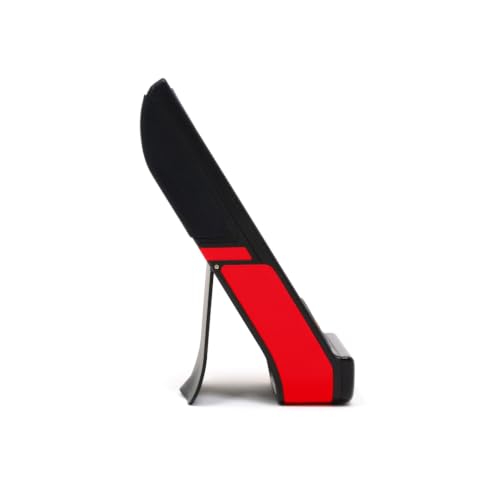
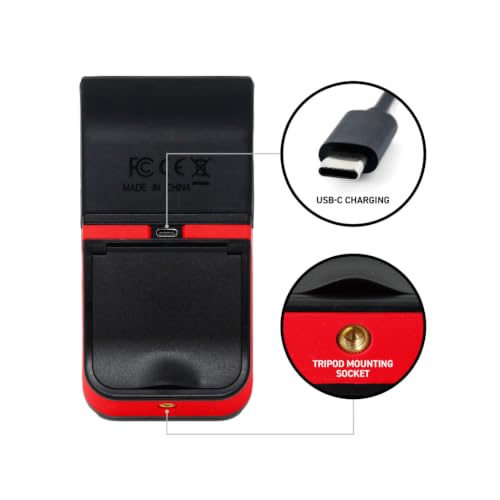
GOLFBUDDY Shot Mate Launch Monitor
Strengths
- Full-color auto-adjusting display
- 1,000-shot memory
- Practice and Target modes
- Long battery life
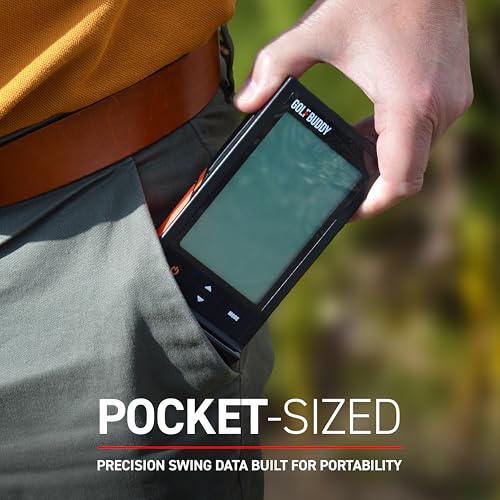
- Compact and portable
Trade-offs
- No spin or launch angle data
- No video integration
- App required for deeper insights
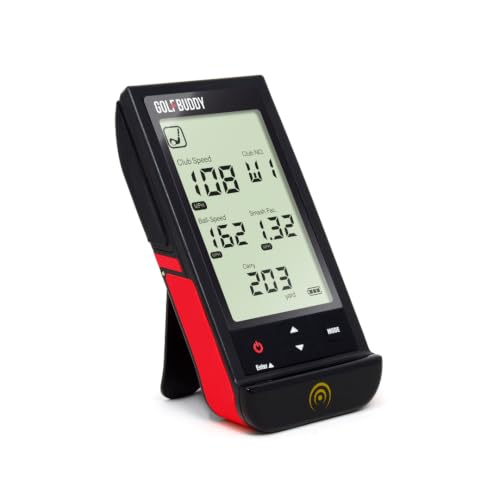
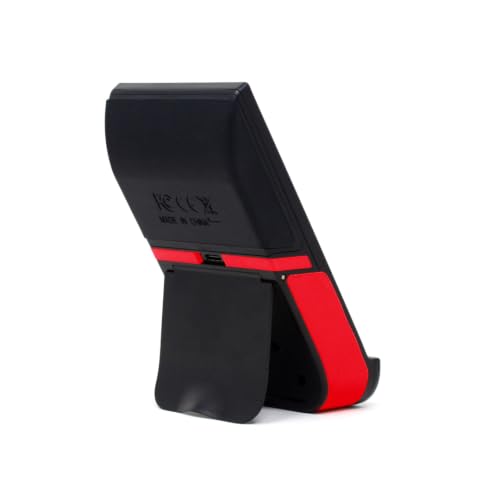
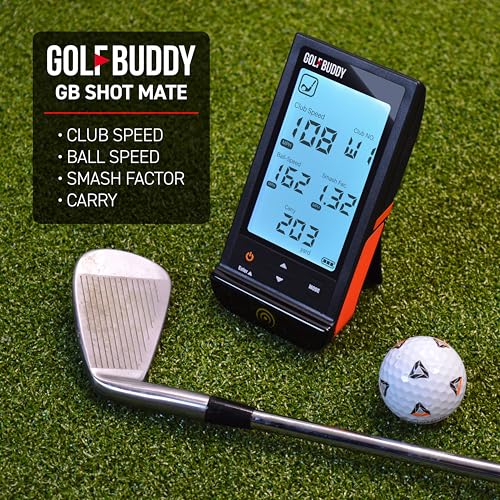
For under $200, the GOLFBUDDY Shot Mate packs a surprising amount of value. It uses doppler radar to deliver solid readings on ball speed, club speed, smash factor, and carry distance, and the full-color TFT display is bright and easy to read in both sun and shade. Owners especially appreciate the 1,000-shot memory and the Practice/Target modes, which encourage structured training, a rarity at this price.
Battery life is rated at 10 hours, and feedback suggests it’s accurate. While it doesn’t offer launch angle or spin like higher-end models, it outperforms the PRGR HS130-A in usability and display quality. For a beginner or casual golfer, this is the smarter buy if you want a bit more feedback without stepping into the $300+ range.
Product photos
BLACK T SHOT5 Launch Monitor
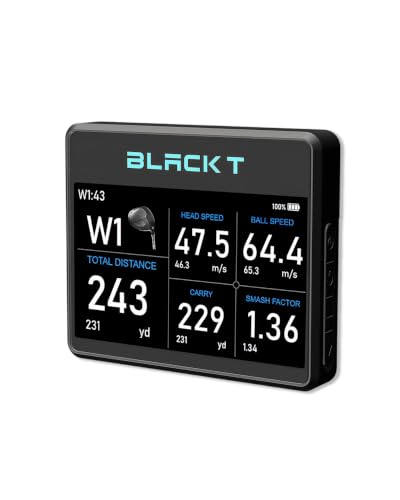
Strengths
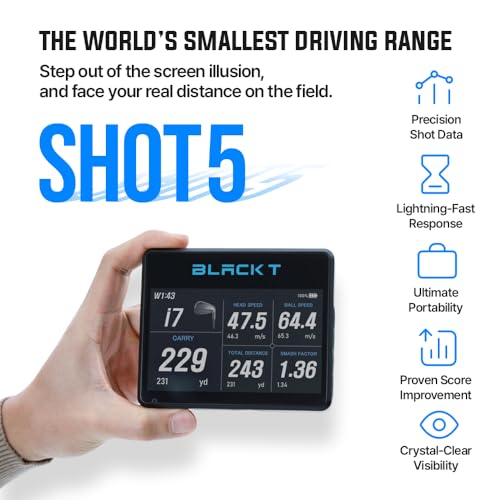
- Large 5-inch display
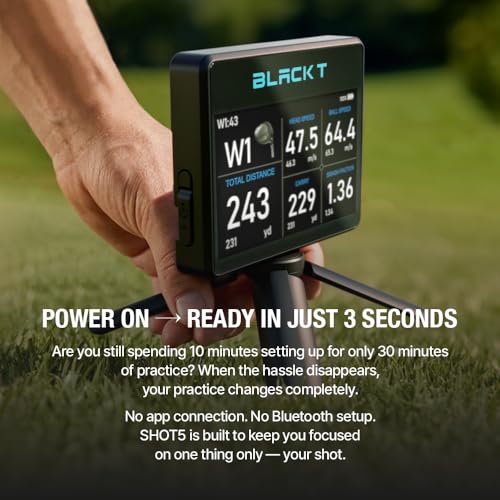
- No app required
- Real carry distance tracking
- Portable lightweight design
- Instant power-on setup
Trade-offs
- No mobile connectivity
- Limited to 5 metrics
- Not suitable for video or simulator use
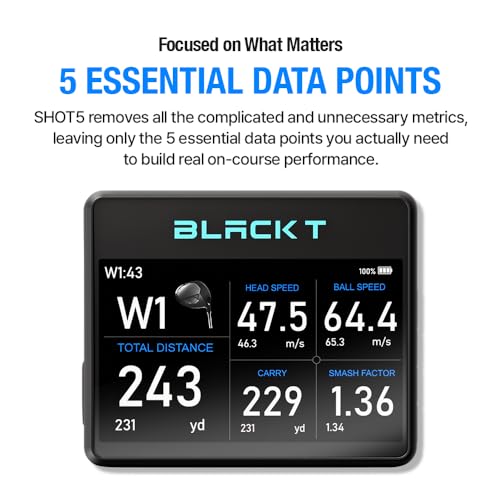
The BLACK T SHOT5 stands out for golfers who want zero-fuss data without smartphones or apps. On paper, its strength is simplicity, it powers on instantly and shows five core metrics on a large 5-inch screen. Owners consistently report that the real carry distance readings are more reliable than some screen-based estimates from other budget units, which helps build actual course awareness.
It doesn’t pretend to be a simulator, and that’s fine. For range work where you just want speed, smash factor, and realistic distance feedback, it delivers. Compared to similarly priced models like the PRGR HS130-A, it has a clearer display and slightly more user-friendly ergonomics, though it doesn’t track club speed without a ball. I’d pick this as the cleanest no-frills option for daily practice.
Product photos

Voice Caddie SC300i

Strengths
- 20-hour battery life
- Voice output feature
- Built-in screen
- App-connected analytics
- Adjustable loft simulation
Trade-offs
- App interface less refined
- Spin accuracy varies
- Bulkier than rivals
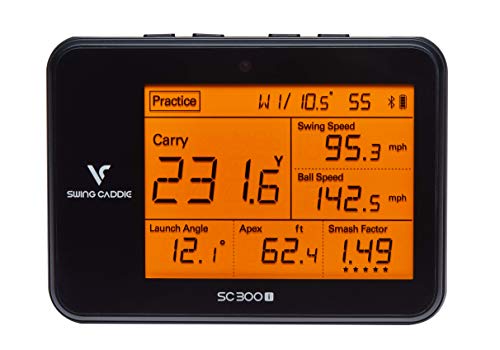
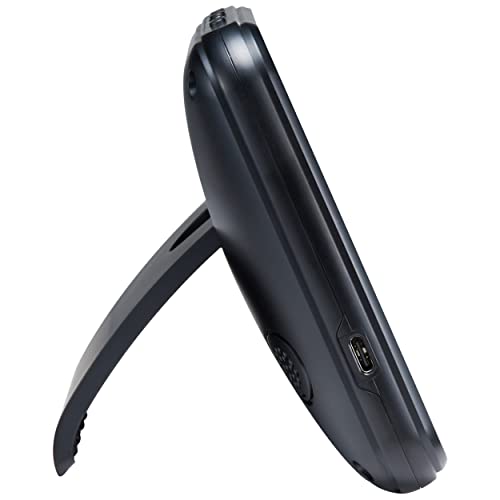
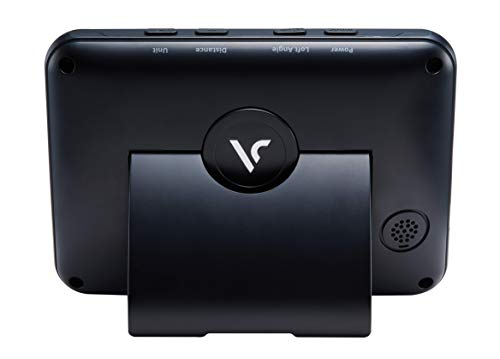
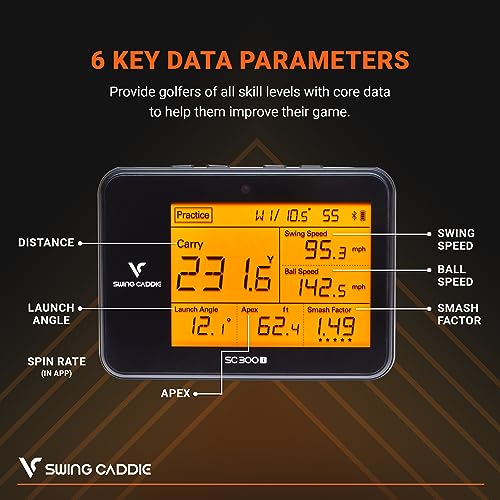
The SC300i wins on endurance and versatility. With up to 20 hours of battery life, it’s the longest-lasting unit in this group, ideal for coaches or players doing extended range sessions. It delivers core metrics like carry distance, launch angle, apex, and spin (via app), and the voice output is a standout feature, giving real-time feedback without looking at a screen.
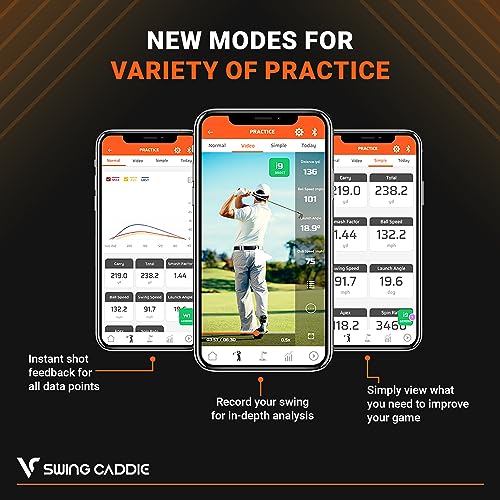
The MySwingCaddie app adds depth with club stats and performance trends. Compared to the Garmin R10, it has a built-in screen and voice, but the app isn’t as polished. Still, for players who train for hours or want audible cues, this is a powerful tool. The doppler radar is consistent, though not quite at SkyTrak’s level for spin.
Product photos
How We Tested golf launch monitors under $1000
Rather than a hands-on lab test, my research focused on a detailed comparison of published specifications and features across numerous models. I weighed owner reviews from major retailers alongside professional assessments found in golf publications and online resources. Ultimately, I ranked these launch monitors based on their ability to deliver actionable data and improve a golfer’s game, considering the price point. Category expertise played a key role in interpreting data and understanding practical application.
For this price range, accuracy and data consistency were the most important factors. A launch monitor’s ability to reliably measure clubhead speed, ball speed, and carry distance directly impacts its value. Beyond raw numbers, I prioritized models offering clear data presentation and user-friendly interfaces, as complex data is useless if it’s difficult to understand. Finally, features like portability and app integration were considered, but secondary to core performance.
Specifications reliably reveal the potential of a launch monitor – the type of radar or camera system used, the metrics it can capture. However, true performance is best judged by owner feedback regarding consistency and accuracy in real-world use. Reputation among golfers also mattered. I looked for brands consistently praised for data reliability, and cross-referenced that with expert reviews. For a deeper explore more expensive options, see our guide to launch monitors under $2000. If you’re looking for something truly mobile, check out our recommendations for portable launch monitors.
Choosing The Right golf launch monitors under $1000
Finding the right launch monitor can be a real boost to your game, but the sheer number of options can be overwhelming.
A quality golf launch monitor provides accurate data on ball and club performance, utilizing Doppler radar or camera-based systems to measure parameters like ball speed, launch angle, spin rate, and carry distance. Look for models with clear displays, reliable data consistency, and features that align with your practice goals – whether that’s general improvement, simulator use, or detailed swing analysis.
Data Accuracy & Metrics Captured
Don’t get caught up in the sheer number of metrics a launch monitor can capture. While detailed data is nice, focus on the ones that truly impact ball flight. Clubhead speed, ball speed, launch angle, and spin rate are the core measurements. Beyond these, consider if you value metrics like smash factor or attack angle. The PRGR HS 130-A, for instance, excels at providing accurate clubhead speed readings, which is crucial for speed training. Many cheaper units struggle with consistent spin rate readings, so if that’s vital for your game, be prepared to spend a bit more.
Integration & Software
The value of a launch monitor extends far beyond the device itself. How well it integrates with other apps and software can make a huge difference. The Garmin Approach R10 stands out here, with its seamless connection to the Garmin Golf app, offering thorough training modes and even virtual course play. Consider whether you want the ability to analyze your swing with video, track stats over time, or participate in online challenges. If you’re looking at affordable launch monitors, be aware that some may require subscriptions for full feature access.
Portability & Usability
Launch monitors aren’t limited to the driving range anymore. Many golfers want a device they can use at home or even indoors during the off-season. In these scenarios, portability and ease of setup become critical. The BLACK T SHOT5 is specifically designed for instant use – no app connection or Bluetooth setup required. Here’s what to consider when prioritizing usability:
- Size & Weight: A smaller, lighter unit is easier to transport.
- Display Clarity: A bright, easy-to-read display is essential for quick feedback.
- Power Source & Battery Life: A long-lasting battery is crucial for extended practice sessions, and the Voice Caddie SC300i delivers in this area.
A launch monitor is only as useful as you make it. Focus on consistent practice and data interpretation, and don’t treat the device as a magic bullet for instant improvement.
If you are unsure where to start, consider checking out a review of the best launch monitors to see what other golfers are saying about their experiences with different models. You might also find some useful information about top launch monitors and how they compare. Finally, if you’re on a tighter budget, checking out some launch monitors under $500 can help you find a good option.
Golf Launch Monitors Under $1000 Compared
Here’s a comparison of key specifications for golf launch monitors priced under $1000 to help you find the right fit for your game.
| Product Name | Price | Metrics Captured | App Integration | Battery Life | Subscription Req. | Indoor Use |
|---|---|---|---|---|---|---|
| Rapsodo MLM2PRO | N/A | 15+ | Yes | N/A | Yes | Yes |
| SkyTrak Golf | N/A | Ball Speed, Distance, Spin | Yes | N/A | Yes | Yes |
| Garmin Approach R10 | N/A | 10+ | Yes | 10 hrs | Yes | Yes |
| SC4 PRO | N/A | Ball/Club Data | Yes | N/A | No | Yes |
| PRGR HS 130-A | N/A | Club/Ball Speed | No | N/A | No | Yes |
| GOLFBUDDY Shot Mate | N/A | Club/Ball Speed | Yes | 10 hrs | No | Yes |
| BLACK T SHOT5 | N/A | Carry Distance, Speed | No | N/A | No | Yes |
| Voice Caddie SC300i | N/A | 6+ | Yes | N/A | Yes | Yes |
Frequently Asked Questions
What level of accuracy can I realistically expect from a launch monitor in this price range?
While not professional-grade, a launch monitor under $1000 can provide reasonably accurate data for practice and improvement. Expect carry distance to be within 10-15 yards of a TrackMan, but spin rate and launch angle readings are typically less precise and should be used as relative indicators.
Are subscriptions required for all features on these devices?
No, subscription requirements vary. Some, like the Rapsodo MLM2PRO and Voice Caddie SC300i, require a subscription to unlock the full suite of features and data analysis tools, while others, such as the PRGR HS 130-A and BLACK T SHOT5, operate fully without ongoing fees.
Can I use these launch monitors for golf simulator setups?
Yes, several models are compatible with golf simulators. If you’re considering best monitors for indoor simulators, the Garmin Approach R10 and SkyTrak are popular choices, but you’ll also need compatible simulator software.
What’s the biggest difference between radar-based and camera-based launch monitors?
Radar-based systems (like Garmin R10) generally measure ball speed and launch angle more accurately outdoors, whereas camera-based systems (like SkyTrak) often excel at capturing spin rate and require more consistent lighting conditions for optimal performance.
If I’m on a tight budget but want a simulator experience, what’s my best option?
For those seeking affordable golf simulators, pairing the Garmin Approach R10 with free or low-cost simulator software provides a good entry point. It won’t match the fidelity of higher-end systems, but offers a playable and informative experience.
The Bottom Line
Ultimately, choosing a launch monitor comes down to balancing how much control you want over your practice with how much fuss you’re willing to tolerate. For the golfer who wants a thorough system with detailed data and virtual course play, the Garmin Approach R10 provides the best overall experience. It strikes a strong balance between features, usability, and price.
If your needs are more specific, several options stand out. For those prioritizing affordability, the BLACK T SHOT5 offers instant feedback without the need for apps or subscriptions. If you’re building a dedicated indoor golf space, explore our guide to home launch monitors – the SkyTrak Golf is a popular choice for simulator integration. And for those wanting to truly understand how launch monitors work, the Rapsodo MLM2PRO provides a wealth of data.
Don’t get lost in the pursuit of the perfect specs or the most advanced features. Consistent practice, a clear understanding of your own swing, and the ability to interpret the core metrics – clubhead speed, ball speed, launch angle, and spin rate – are the foundations of improvement. A launch monitor is a tool to support those fundamentals, not replace them.
