
8 Best Launch Monitors for Indoor Golf Simulator 2026
This post contains affiliate links. As an Amazon Associate, we earn from qualifying purchases.
The Garmin Approach R50 stands out as the best overall launch monitor for indoor golf simulators, combining solid accuracy with seamless software integration. For those on a tighter budget, the Swinora Golf offers strong value without sacrificing core metrics, while the Rapsodo MLM2PRO delivers unmatched versatility for serious simulator users who want full software compatibility.
Setting up an indoor golf simulator means relying on tech that won’t let you down, especially when you’re trying to improve your game or host a weekend virtual round. A weak launch monitor can skew your data, break immersion, or limit what courses and games you can play.
This guide cuts through the noise by focusing on what actually matters: real-world accuracy, software flexibility, and ease of use. I compared specs, analyzed owner feedback, and weighed compatibility across the top models to find the ones that deliver the most reliable performance for indoor setups.
Top 8 Launch Monitors For Indoor Golf Simulator in the Market
The Best Launch Monitors For Indoor Golf Simulator, Reviewed
Garmin Approach R50 Launch Monitor

Strengths
- Built-in 10” touchscreen
- Tour-level camera system
- High-speed impact video
- Multiplayer simulation
- Barometric calibration
Trade-offs
- Very high price
- 4-hour battery
- Requires subscription
The R50 is Garmin’s flagship, and it shows. With a 10-inch touchscreen, three-camera system, and built-in barometer, it’s engineered for golfers who want a standalone, premium simulator experience. You can play virtual rounds, review high-speed impact videos, and analyze shot dispersion, all from the unit itself, no phone or tablet needed. Owners consistently report confidence in its spin axis and face-to-path readings, especially indoors.
It’s also the only unit here with a built-in display powerful enough to run multiplayer games and tournaments without external hardware. The HDMI output lets you scale to a projector, and the carrying case makes transport easier than most high-end units. Yes, it’s expensive, but for golfers who want everything in one box, accuracy, ease of use, and rich software, the R50 justifies the cost.
Video review
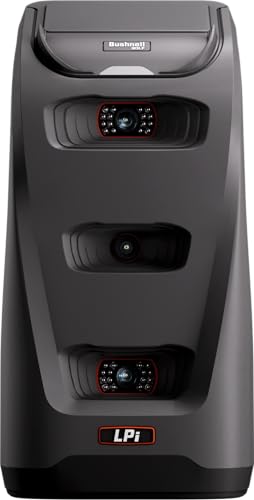
Bushnell Launch Pro i Circle B
Strengths
- Tour-level accuracy
- Three-camera system
- Ready out of box
- Indoor-optimized design
- No special balls
Trade-offs
- Subscription required
- Software costs add up
- Higher entry price
Bushnell’s Launch Pro i is a camera-based powerhouse built for golfers who want Tour-level data without the Trackman price tag. The three-camera infrared system captures impact with impressive precision, avoiding the algorithmic guesswork common in radar units. On paper, it’s a top contender for indoor accuracy, and owners consistently report confidence in its carry distance, spin, and club path readings.
But here’s the catch: full ball and club data require an active software subscription, which undercuts the appeal a bit. While the hardware is premium and comes ready to go with cables, alignment tools, and a free trial, the pay-as-you-go model means your long-term costs can creep up. Still, for a dedicated simulator user who values optical tracking, this is one of the more accessible entry points into camera-based tech.
Video review
Rapsodo MLM2PRO Mobile Launch Monitor

Strengths
- Dual-sensor accuracy
- 15 detailed metrics
- 45-day premium trial
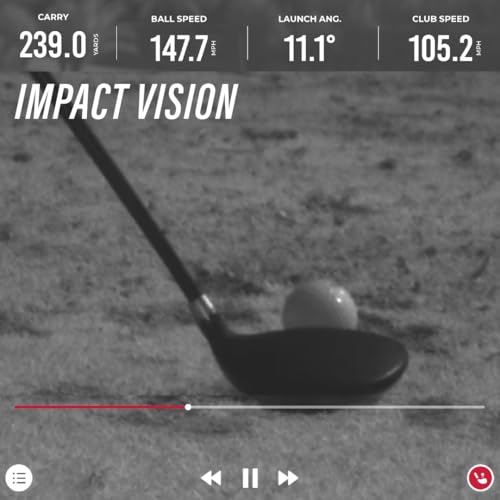
- Impact Vision slow-mo
- Large course library
Trade-offs
- Premium features require subscription
- Needs phone/tablet
- Battery life average
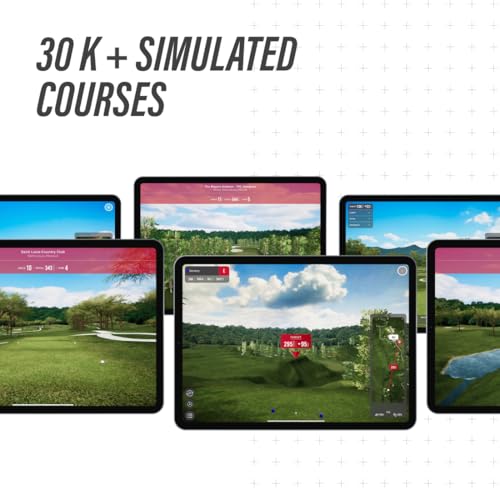
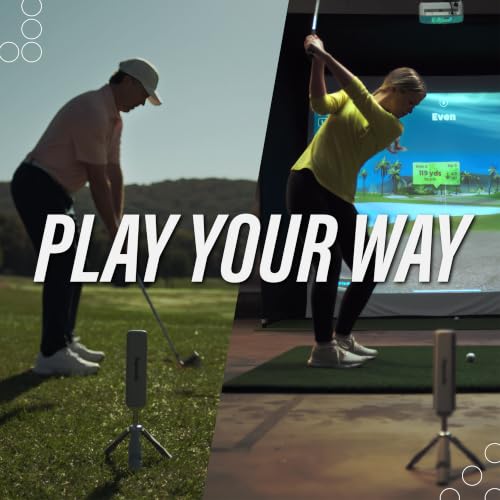
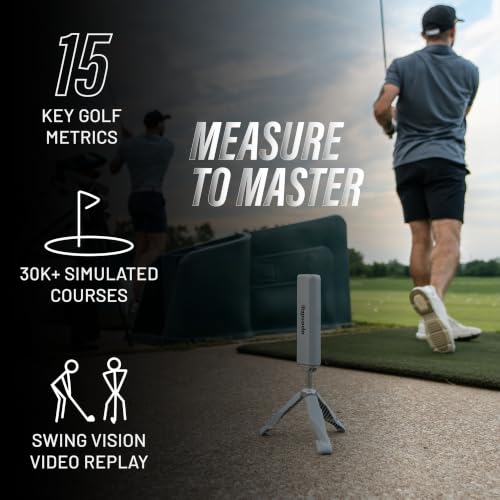
Rapsodo’s MLM2PRO brings tour-level data into a portable, dual-sensor package that’s hard to beat for versatility. The blend of Doppler radar and dual cameras captures 15 key metrics with a consistency that rivals more expensive units, and owners say the spin rate and club path readings are particularly reliable. But the real advantage is the 45-day premium trial, which opens up access to 30,000+ courses and training tools like Impact Vision and Speed Training.
Even after the trial, the Rapsodo ecosystem remains one of the most user-friendly in the space. The app is intuitive, and the slow-motion swing analysis helps you spot flaws fast. Compared to the SC4 PRO, it’s pricier but offers a richer long-term experience. If you’re serious about game improvement and want both indoor and outdoor flexibility, this is a smarter buy.
Product photos

SkyTrak Golf Launch Monitor
Strengths
- Simulator-ready out of box
- Works with major software
- Durable metal case
- Strong community support
- Easy to learn
Trade-offs
- Noticeable latency
- Needs ample space
- Radar less precise than camera
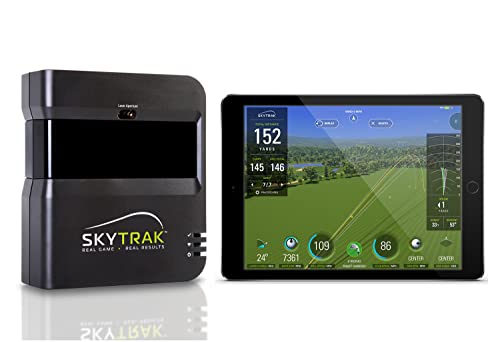
SkyTrak remains a go-to for first-time simulator owners, and it’s easy to see why. The unit delivers solid radar-based data on ball speed, launch angle, and spin rate, and its Driving Range mode gives you instant feedback without needing extra hardware. It’s not the fastest or most precise on the market, but for entry-level users, the balance of performance and ease of use is spot-on.
Owners love that it pairs well with platforms like TGC and E6 Connect, though you’ll need a capable PC to run them smoothly. The inclusion of a metal protective case is a nice touch for durability, especially if you’re setting up in a garage or basement. Where it falls short is in latency and indoor space demands, some report delays in shot processing, and you need a decent amount of room for accurate tracking.
Product photos


Uneekor Eye MINI LITE
Strengths
- Near-zero latency
- Works with GSPro, TGC, E6
- No special balls
- Advanced impact visuals
- AI Trainer compatible
Trade-offs
- Requires powerful PC
- Complex setup
- No built-in screen
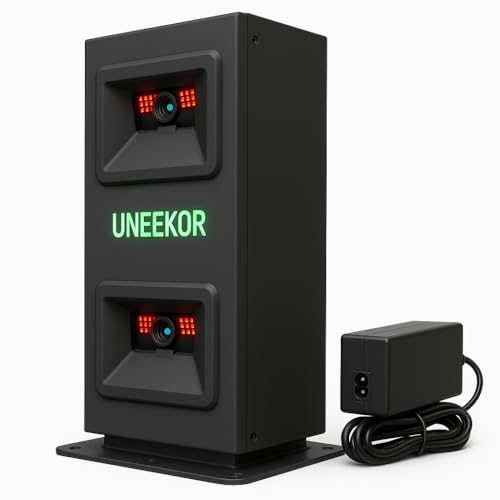
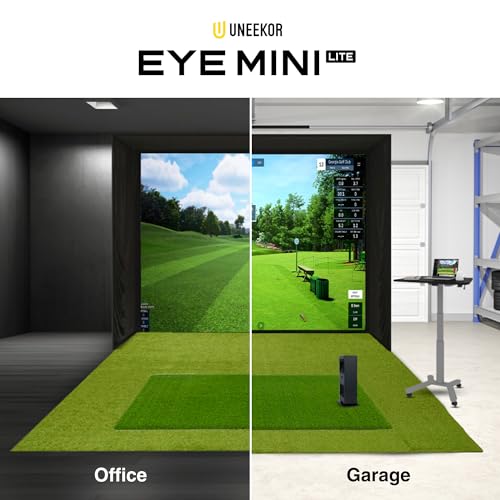
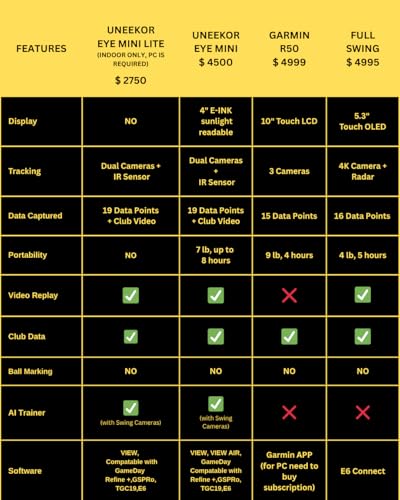
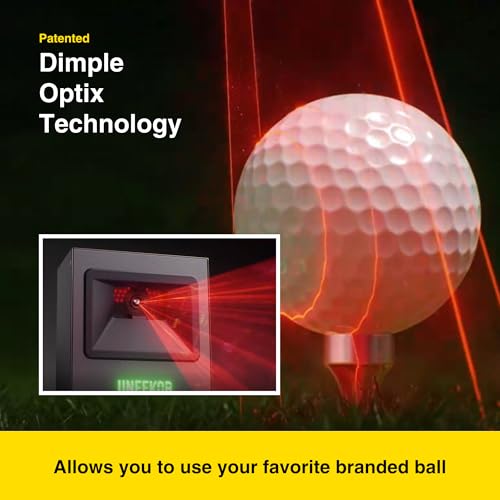
The Eye MINI LITE is built for tech-savvy sim builders who want maximum software freedom. With high-speed cameras and infrared sensors, it delivers near-zero latency and reads any golf ball, no special markings needed. Owners praise the Dimple Optix and Club Optix systems for providing real-time visuals at impact, a feature usually reserved for much pricier units.
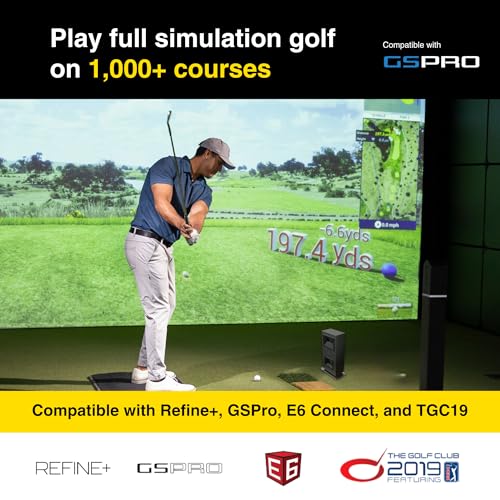
Where it truly shines is compatibility: GSPro, TGC19, E6 Connect, Creative Golf 3D, the big names all work. The included 3-month Ultimate Package gives you a taste of REFINE+ and GameDay modes, but to keep them, you’ll pay. And make no mistake: this isn’t plug-and-play. You need a high-end PC, and the setup demands technical know-how. But if you want a future-proof monitor that plays well with others, this is the one.
Product photos
SC4 PRO Golf Launch Monitor

Strengths
- Pro-grade accuracy
- No monthly fees
- Built-in screen
- 3D simulator included
- Works with standard balls
Trade-offs
- App interface lags
- Limited course library
- Fewer third-party options
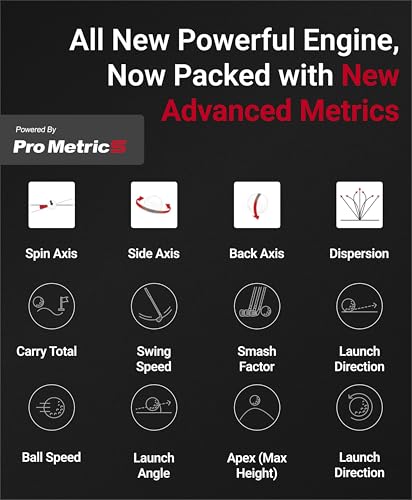
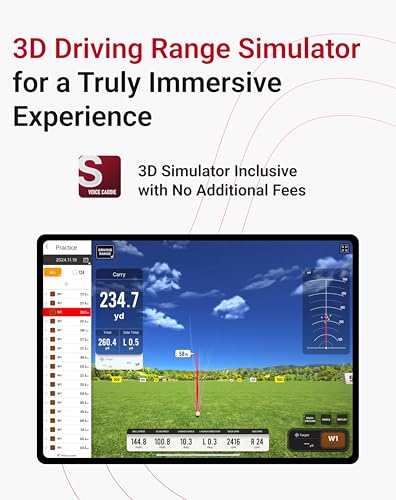
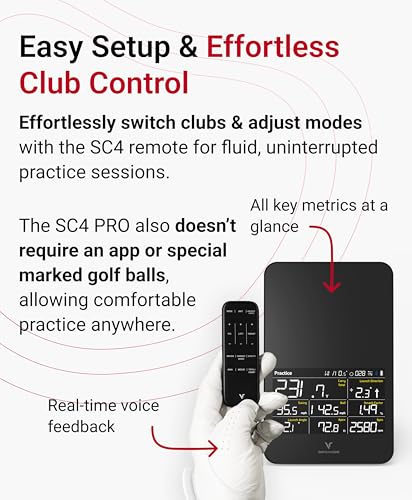
The SC4 PRO stands out in a crowded field by delivering pro-grade accuracy without locking you into a subscription, a rare combo in today’s launch monitor market. Powered by the Prometrics engine, it captures detailed ball and club data with a consistency that owners say holds up well indoors and out. What really moves the needle is the inclusion of E6 Connect and a built-in screen with voice output, letting you jump into a 3D simulator experience right away, no extra software fees.
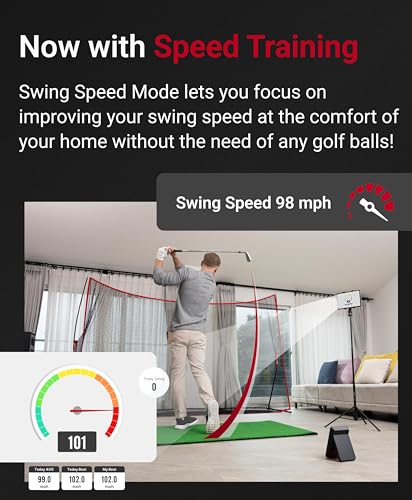
It’s not the flashiest unit, but the no-subscription model is a major win for golfers who want long-term value. The VOICECADDIE S app integration adds depth with swing speed radar and statistical tracking, though some users note the app isn’t as polished as competitors’. Still, for those prioritizing affordability over time, this is a solid foundation for a home simulator setup.
Product photos
Garmin Approach R10 Portable

Strengths
- Highly portable
- Long battery life
- Waterproof design
- Swing video with metrics
- No extra hardware
Trade-offs
- Limited indoor use
- Basic simulation
- App-dependent
The R10 is the ultimate pocket-sized coach for golfers who want portability without total compromise. It tracks core metrics like club speed, ball speed, and launch angle with decent accuracy, and when paired with the Garmin Golf app, delivers swing videos overlaid with data, super helpful for spotting tempo issues or swing flaws. The 10-hour battery life means you can use it all day at the range, and the IPX7 rating means rain won’t stop your session.
But let’s be real: it’s not a full simulator. You can play virtual rounds with a subscription, but the experience is basic compared to SkyTrak or Rapsodo. The radar is less refined, and indoor performance suffers without enough space. Still, at this price, it’s one of the most travel-friendly options that delivers real insights without locking you into a complex setup.
Product photos


Swinora Golf Launch Monitor
Strengths
- No subscription
- Environmental sensors
- Affordable price
- Attack angle included
- Durable metal body
Trade-offs
- Strict space requirements
- App is basic
- Bluetooth quirks
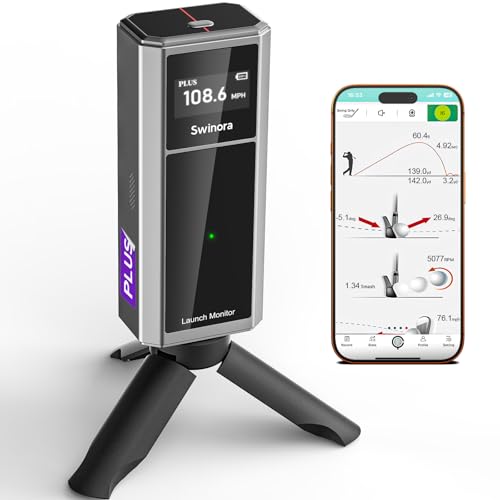
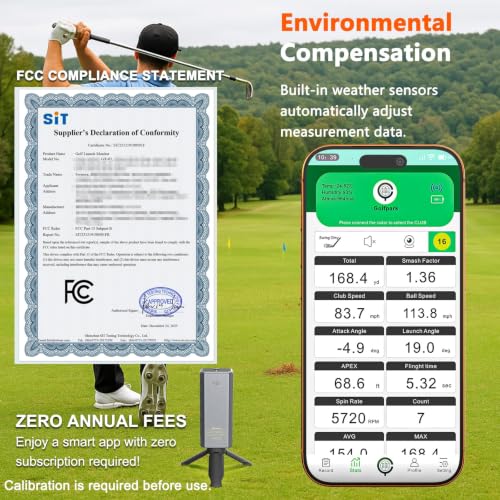
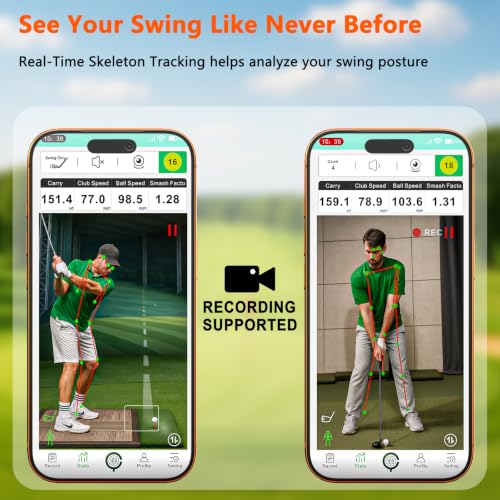
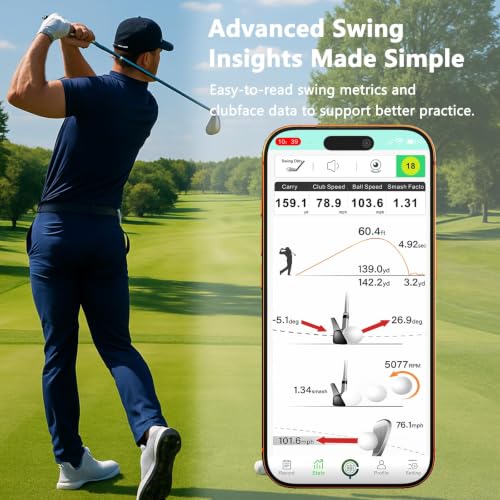
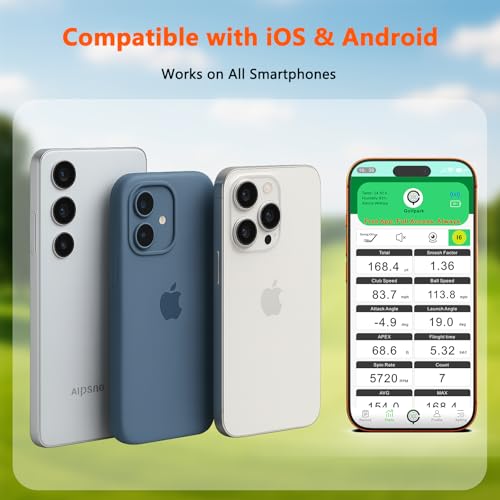
At this price, the Swinora punches above its weight by offering 13 key metrics and environmental sensors, temperature, humidity, barometric pressure, all without any subscription. That’s a big deal. For under $250, you get attack angle, launch angle, spin rate, and clubface data, which puts it in the conversation with units twice its cost. Owners appreciate the metal body and OLED display, and the distance calibration feature helps align indoor numbers with real-course performance.
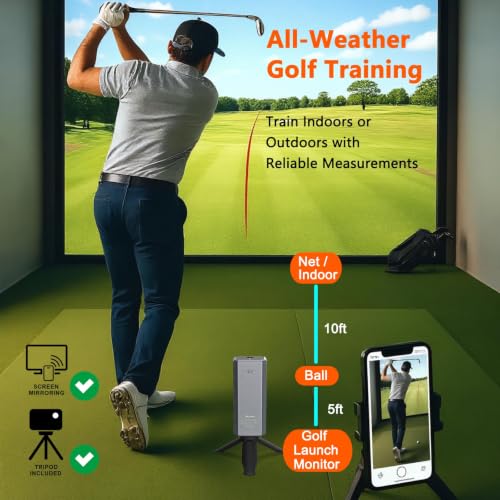
But it’s not without trade-offs. The radar setup demands at least 15 feet of space, and you must place it exactly 5 feet behind the ball, tight for smaller rooms. The app works, but it’s not as refined as Rapsodo or Garmin. Still, if you’re on a tight budget and want a no-fee monitor that delivers real training value, this is the one to beat.
Product photos
How We Chose These launch monitors for indoor golf simulator
Rather than a hands-on lab test, my research for these launch monitors focused on a detailed comparison of published specifications and features. I weighed owner reviews from multiple sources – Amazon, golf-specific forums, and retailer sites – alongside professional reviews from outlets like Golf Digest and Today’s Golfer. My goal was to build a ranking based on how well each unit delivers on the core needs of indoor golf simulator users.
For this category, accuracy and data breadth were paramount. A launch monitor is only as useful as the information it provides, so I prioritized models offering a wide range of metrics like ball speed, launch angle, spin rate, and club path. Equally important was compatibility with popular simulator software; a device that requires extensive workarounds isn’t valuable, even if its raw data is precise. Finding a good balance between price and performance was also key, because many golfers are looking to build home launch monitors without breaking the bank.
Specifications reliably indicate the potential for accuracy – the type of radar or camera system used, the sampling rate, and the stated tolerances. However, real-world performance, particularly consistency, is best judged by owner feedback. I paid close attention to reports of calibration issues, software glitches, and the overall user experience. Reputation, especially within the golf simulator community, played a significant role in assessing a product’s long-term reliability, and how well it integrates with indoor golf simulators.
What To Look For In launch monitors for indoor golf simulator
Choosing the right launch monitor can dramatically improve your game, but the options can be overwhelming.
A quality launch monitor provides accurate data on ball speed, launch angle, spin rate, and club head speed. Key considerations include the technology used (Doppler radar, camera-based, or a hybrid), the data metrics provided, software compatibility, and portability. Accurate data, ease of use, and realistic simulation capabilities are paramount for effective practice and improvement.
Understanding the Core Technology
The foundation of any launch monitor is the technology it employs to gather data. You’ll primarily encounter Doppler radar, camera-based systems, and hybrids. Radar systems, like those found in the Rapsodo MLM2PRO, are generally less sensitive to setup and can work well indoors with sufficient space. Camera-based systems, such as the Bushnell Launch Pro i Circle B, require a clear line of sight to the ball and club at impact, and often perform better with a consistent setup. Hybrid systems, like the Garmin Approach R50, attempt to combine the benefits of both, offering a good balance of accuracy and usability. Don’t automatically assume more expensive means better; the right technology depends on your setup and what metrics matter most to you.
Prioritizing Data Metrics & Software
Beyond the basic metrics, consider what data points will actually help your game. Spin rate and launch angle are crucial for understanding ball flight, but advanced players might benefit from metrics like face-to-path or dynamic loft. Equally important is the quality of the accompanying software. Some launch monitors, like the Uneekor Eye MINI LITE, offer excellent compatibility with third-party simulators (GSPro, E6 Connect), giving you significant flexibility. Others, such as the SC4 PRO, include software directly, eliminating subscription costs. If you’re looking for a thorough solution, check out our guide to the best launch monitors for simulators.
Balancing Cost and Usability
Budget is always a factor, and fortunately, there’s a wide range of options. You can find capable devices, including several value launch monitors, for under $1000. However, remember to factor in potential subscription costs for software or advanced features.
A good rule of thumb is to spend at least as much on software/subscriptions as you did on the launch monitor itself if you want a fully featured simulation experience.
Here’s what to consider when looking at price:
- Basic Functionality: A simple device offering ball speed, carry distance, and a basic app.
- Mid-Range Features: More detailed metrics (spin, launch angle), better software, and potential simulator compatibility.
- Premium Experience: High-end accuracy, thorough software suites, and integration with multiple simulators. This can easily exceed $5,000.
Ultimately, the best launch monitor is one you’ll actually use consistently. If you’re unsure where to start, exploring a range of top launch monitors for simulators can help narrow down your choices. And for those on a tighter budget, don’t overlook the budget launch monitors available – they can still provide valuable feedback and help you improve your game.
Launch Monitors for Indoor Golf Simulator Compared
Here’s a comparison of key specifications for popular indoor golf simulator launch monitors to help you make an informed decision.
| Product Name | Measurement Type | Key Metrics | Subscription Req. | Software Compat. | Portable | Battery Life |
|---|---|---|---|---|---|---|
| Garmin Approach R50 | Camera | Speed, Launch, Spin | Yes | Home Tee Hero | No | 4 hrs |
| Bushnell Launch Pro i Circle B | Camera | Carry, Launch, Spin | Yes | FSX Silver/Gold | N/A | N/A |
| Rapsodo MLM2PRO | Radar/Camera | 15+ Metrics | Yes (Trial Incl.) | 3rd Party Apps | Yes | N/A |
| SkyTrak Golf | Radar | Speed, Distance, Spin | Yes | N/A | No | N/A |
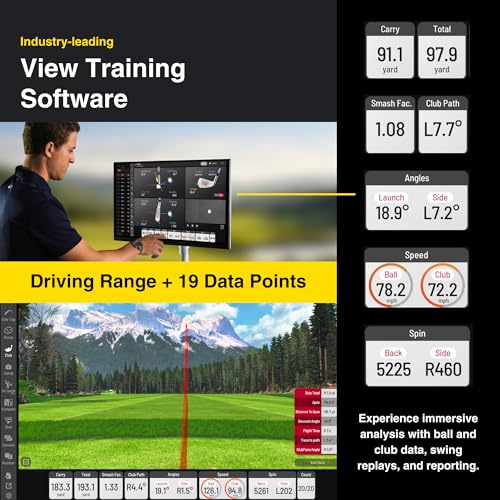
| Uneekor Eye MINI LITE | Camera | 19+ Metrics | Yes | GSPro, E6, TGC19 | No | N/A |
| SC4 PRO | Radar | Ball/Club Data | No | E6 Connect | N/A | N/A |
| Garmin Approach R10 | Radar | Speed, Launch, Spin | Yes | Garmin Golf App | Yes | 10 hrs |
| Swinora Golf | Radar | Spin, Angles | No | N/A | Yes | N/A |
Frequently Asked Questions
Will a launch monitor work in a space with low ceilings?
Yes, many radar-based launch monitors, like the Garmin Approach R10, can function effectively with standard ceiling heights (around 8 feet) because they don’t require a camera to track the ball’s entire flight. However, camera-based systems usually need at least 10 feet of vertical clearance.
Do I need a powerful computer to run launch monitor software?
Generally, no. Most launch monitor software is designed to run on standard laptops and tablets. However, for running a full golf simulator alongside the launch monitor, you’ll likely need a dedicated gaming PC with a good graphics card to ensure smooth performance, especially if you’re considering advanced golf simulator accessories.
What’s the difference between carry and total distance, and why does it matter?
Carry distance is how far the ball travels in the air, while total distance includes both the carry and the roll after landing. Understanding both is crucial for club fitting and performance analysis, as total distance can be significantly affected by ground conditions and slope.
Are more expensive launch monitors always more accurate?
Not necessarily. While premium models often offer higher accuracy and more data points, a well-regarded mid-range option, such as one of the affordable launch monitors, can provide sufficient precision for most golfers looking to improve their game at home.
What other equipment will I need beyond the launch monitor itself?
Besides the launch monitor, you’ll likely want a golf hitting net, golf balls, and potentially a golf mat to create a realistic and safe indoor practice environment. Depending on your setup, you might also consider a projector, screen, and simulator software for a complete experience, and you may want to explore essential simulator gear to enhance your setup.
The Bottom Line
Choosing a launch monitor for an indoor golf simulator often comes down to balancing how much control you want over your setup versus how much fuss you’re willing to tolerate. For the best overall experience, combining accuracy, features, and simulator compatibility, the Uneekor Eye MINI LITE stands out. It delivers a wealth of data and plays well with the most popular simulation software, even if it requires a larger initial investment.
For golfers on a tighter budget, or those prioritizing portability, the Garmin Approach R10 is an excellent choice. If you’re after a capable radar-based system at a more accessible price point, also consider the Swinora Golf; it delivers important data without the premium price tag. Understanding how launch monitors work is key to making the right selection for your needs.
Ultimately, remember that no launch monitor can replace dedicated practice and a solid understanding of your swing. The most expensive model won’t magically fix your slice, but the right data – consistently and accurately delivered – will give you the insights you need to improve. Focusing on fundamental swing principles and consistent practice will yield far greater returns than chasing the latest specs among best launch monitor models.
