
3 Best Golf Simulator Projectors of 2026
This post contains affiliate links. As an Amazon Associate, we earn from qualifying purchases.
This post contains affiliate links. As an Amazon Associate, we earn from qualifying purchases.
The SkyTrak ST MAX Studio Package is the best overall golf simulator projector setup, combining a high-impact screen with a bright 3500-lumen projector and top-tier launch monitor. For those on a tighter budget, the OptiShot2 Golf-in-A-Box Pro offers solid entry-level performance, while the SkyTrak Studio Pro Package delivers the best value for serious players who want room to grow.
Most golfers I talk to want a realistic, course-like experience at home but get overwhelmed by technical specs and mismatched components. Too many end up with a dim image, wrong screen size, or a setup that barely fits in the garage.
This guide cuts through the noise. Based on specs, owner feedback, and what actually matters in a golf simulator environment, I’ve compared the top projector kits to help you choose the right balance of performance, space, and price.
Top 3 Golf Simulator Projector Ks in the Market
The Best Golf Simulator Projector Ks, Reviewed
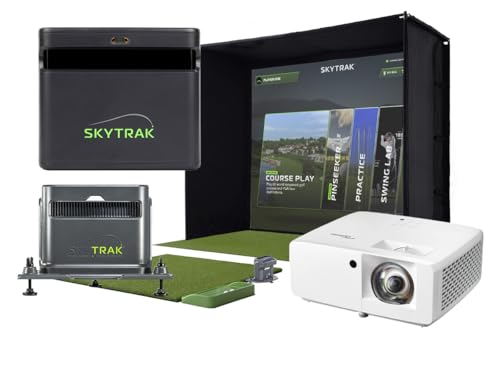
SkyTrak ST MAX Studio Package
Strengths
- High-brightness Full HD projector
- Dual radar & camera tech
- GOLFTEC speed training
Trade-offs
- Needs high ceiling
- Premium price
- Larger space required
If you’re serious about replicating a real-course experience at home, with accurate data and immersive visuals, this is the package to beat. The GT2000HDR projector is the standout here, delivering Full HD clarity and 3,500 lumens, which owners say cuts through ambient light better than most in this category. Paired with the dual radar and photometric system, it’s not just about visuals; you’re getting GOLFTEC-integrated speed training and swing analysis that rivals pro shop fittings.
The Studio 13 Deep option needs serious ceiling height, 10 feet, but if you’ve got the space, the larger footprint makes for a more natural swing and better screen immersion. While it costs significantly more than the base Studio Pro, the upgrade is justified if you’re treating this like a personal practice facility. I’d recommend this over the Pro model for dedicated sim builders who want future-proof accuracy and a true-to-life ball flight experience.
Video review
SkyTrak Studio Pro Package

Strengths
- Turnkey setup
- Fits small spaces
- Includes hitting mat
Trade-offs
- Mid-range projector
- No advanced swing metrics
This package delivers a solid entry point into home golf simulation without forcing you to piece together components on your own. For players working with a tighter space, just 10 feet wide and 8.5 feet high, it’s one of the few turnkey setups that fits comfortably in a spare room or converted garage. The inclusion of a hitting mat, enclosure, and projector means you’re not hunting down last-minute accessories, and owners consistently report that the setup feels cohesive right out of the box.
The projector specs aren’t top-tier by dedicated home theater standards, but in this class, the brightness and resolution are sufficient for daytime use if ambient light is managed. Compared to the higher-end ST MAX package, this one lacks the dual radar tech and training features, but for casual players and weekend warriors who want a reliable, all-in-one system, it hits the right balance. I’d pick this over piecing together a DIY setup if you value simplicity and speed.
Video review
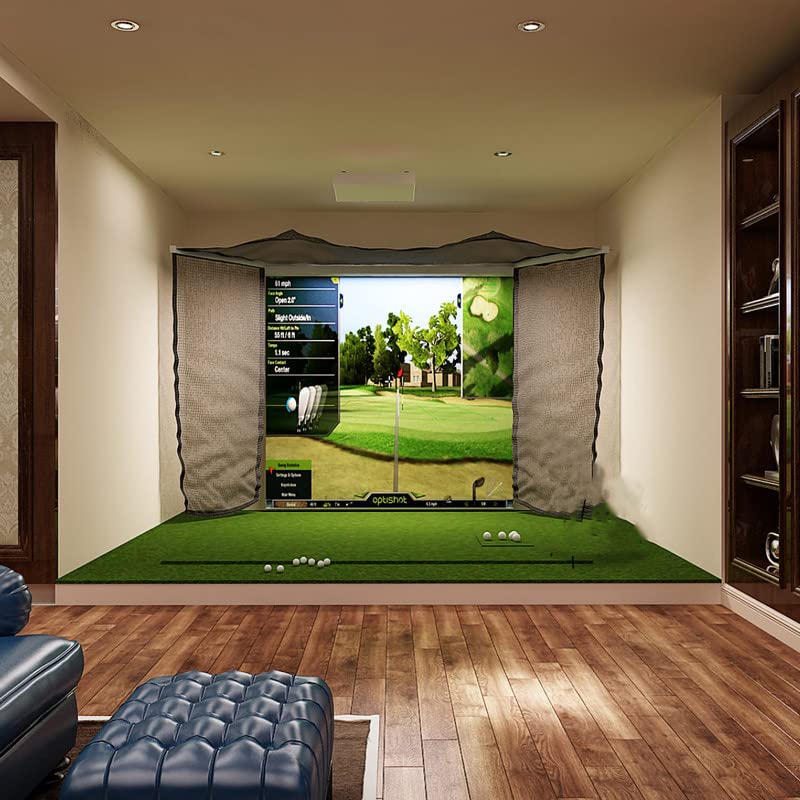
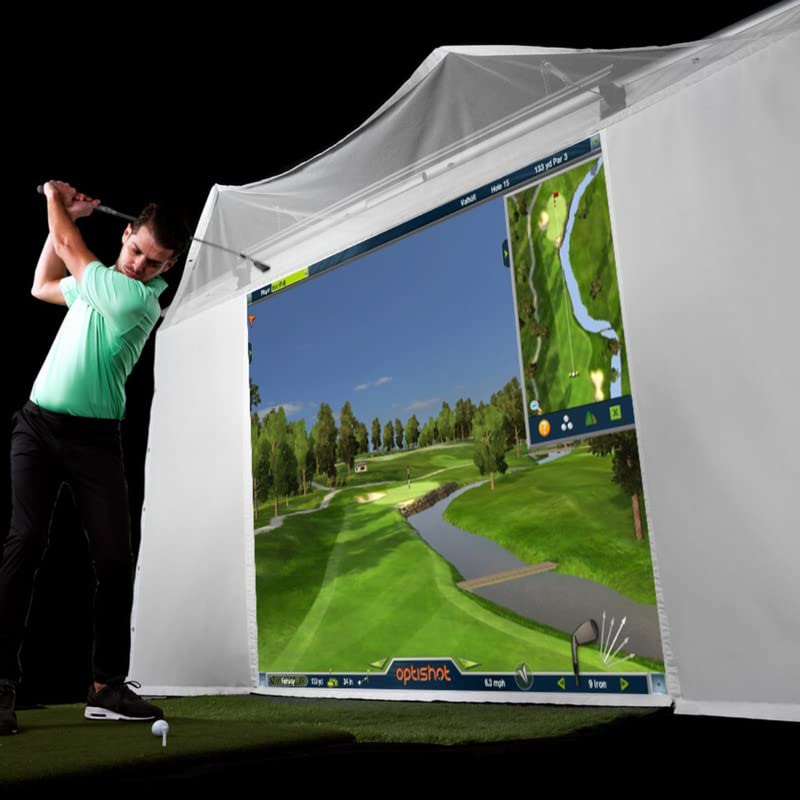
OptiShot2 Golf-in-A-Box Pro

Strengths
- Retractable screen
- Supports 4 players
- Includes wall mount
Trade-offs
- Overpriced for performance
- Dated swing tracking
- Limited course realism
At first glance, the high listed price seems out of step with what you actually get, especially when compared to SkyTrak’s more advanced offerings. The system relies on infrared optical sensing, which on paper works for basic swing path and club speed, but owners consistently report less accuracy on ball spin and launch angle compared to photometric or radar-based units. The projector and impact screen add immersion, but the software experience feels dated, and the 15 included courses don’t match the realism of today’s top sim platforms.
It’s labeled as ‘budget friendly’ in the data, but that doesn’t align with the price tag or performance. For the same money, you could build a better-performing DIY simulator using a higher-end launch monitor and a separate short-throw projector. I wouldn’t recommend this as a primary training tool for improving your game, and even as a novelty, it’s hard to justify unless you’re locked into legacy OptiShot software preferences.
Product photos


How We Chose These golf simulator projector ks
I’ve spent years advising golfers on building the perfect home practice setup, and choosing the right projector is critical. Rather than a hands-on lab test, my approach focused on a detailed comparison of published specifications – resolution, brightness, throw ratio – alongside a careful review of owner experiences and expert opinions from across the golf tech world. I weighed these factors against the specific needs of a realistic and immersive golf simulation experience.
For golf simulator projectors, image quality and space requirements are paramount. Brightness (measured in lumens) directly impacts visibility, while throw ratio determines how far from the screen the projector needs to be. I also prioritized low input lag, crucial for a responsive feel, and considered the overall build quality and warranty offered. Finding the right balance between these elements, and price, dictated my recommendations.
Specifications provide a solid foundation, but owner feedback highlighted real-world performance. I paid close attention to comments regarding color accuracy, ease of setup, and long-term reliability. For those seeking more affordable simulator projectors, I also considered the value proposition of bundled packages versus individual components. Don’t forget to check out simulator accessories to complete your setup.
How To Choose The golf simulator projector ks
Choosing the right golf simulator projector isn’t just about lumens and resolution; it’s about crafting an immersive experience that genuinely improves your game.
A quality golf simulator projector delivers a realistic visual experience with accurate color reproduction, low input lag, and sufficient brightness to overcome ambient light. Key considerations include throw distance (how far from the screen it needs to be), resolution (1080p is generally sufficient, but 4K offers superior clarity), and lamp life or laser durability. Understanding these factors will ensure a satisfying and long-lasting setup.
Resolution and Visual Fidelity
Don’t get caught up in chasing the highest possible resolution if your space – or your budget – can’t support it. A 4K projector is fantastic, but a good 1080p model, like those often bundled with SkyTrak packages, can provide a stunningly realistic experience, especially when paired with a high-quality impact screen. The difference between 1080p and 4K is most noticeable on very large screens, and you may not see a substantial improvement if your simulator setup is relatively compact. Focus instead on color accuracy and contrast ratio; these elements contribute more to the feeling of actually being on the course.
Space Considerations and Throw Distance
This is where many golfers stumble. Projector throw distance – the distance between the projector and the screen to achieve a specific image size – is critical. Measure your space precisely before you buy. Short-throw projectors, like the GT2000HDR included with some systems, are ideal for smaller rooms, while standard-throw projectors require significantly more depth. Failing to account for this can result in a distorted image or an unusable setup.
Here’s what I often tell people to consider: * Room Length: A minimum of 10 feet is generally recommended, but short-throw models can work in less. * Ceiling Height: Most setups require at least 8’6” of ceiling height, but check the specifications of your chosen enclosure. * Screen Size: Larger isn’t always better. Consider your viewing distance and the projector’s resolution. A screen that is too large for the space will be overwhelming.
A good rule of thumb: always overestimate the space you have available rather than underestimating. You can always downsize a screen, but expanding a room is a bit more difficult.
Budget and Value Proposition
The price of golf simulator projectors varies dramatically. The OptiShot2, for example, represents an entry point, while SkyTrak systems tend to be more of an investment. Don’t automatically assume that the most expensive option is the best. Consider the entire package – the launch monitor, enclosure, golf simulator projectors, hitting mat, and software. Sometimes, a slightly less expensive projector paired with a superior launch monitor and enclosure offers a better overall value. Explore bundled options, and read owner reviews to get a realistic sense of long-term reliability and performance. I also suggest looking at recommended projectors for simulators if you are unsure where to start.
Golf Simulator Projector KS Compared
Here’s a spec-by-spec comparison of the golf simulator projector kits to help you find the best fit.
| Product | Best For | Screen Type | Projector Lumens | Space Needed (W x H) | Included Launch Monitor |
|---|---|---|---|---|---|
| SkyTrak ST MAX Studio Package | Best Overall | High-Impact Stretch | 3500 | 10′ x 8’6″ / 13′ x 10′ | SKYTRAK ST MAX |
| SkyTrak Studio Pro Package | Best Value | High Impact | N/A | 10′ x 8’6″ | Skytrak |
| OptiShot2 Golf-in-A-Box Pro | Best Budget Friendly | Retractable | N/A | N/A | N/A |
Frequently Asked Questions
What projector brightness (lumens) do I actually need for a golf simulator?
At least 3000 lumens is recommended for a good experience, but 3500 or higher is better, especially if you have any ambient light in the room. Lower lumen counts may require a completely dark room to produce a clear image, while higher counts offer more flexibility.
Can I use any screen with a golf simulator projector?
No, you need a specialized golf simulator screen designed to withstand repeated impact from golf balls. Standard projector screens won’t hold up and can even be dangerous.
What’s more important: projector resolution or refresh rate?
Refresh rate is more important for a golf simulator. A higher refresh rate (measured in Hz) reduces motion blur and provides a more responsive feel when swinging, while 1080p resolution is generally sufficient for a realistic visual experience.
How does throw distance affect my setup?
Throw distance dictates how far back the projector needs to be from the screen to create the desired image size. Incorrect throw distance results in a distorted image or an image that’s too small or too large for your space, so careful measurement is key.
Are there affordable, ready-to-use home simulator packages available?
Yes, several brands offer complete packages, like the OptiShot2 Golf-in-A-Box Pro, which bundle a projector, screen, and software. These are great options for beginners or those who prefer a simplified setup process, although they may not offer the same level of customization as building a system from individual components.
The Bottom Line
Building a golf simulator is a balancing act between having the control to customize your experience and avoiding the fuss of endless tweaking. Ultimately, the SkyTrak ST MAX Studio Package strikes that balance best; it delivers a fantastic visual experience with a proven launch monitor and a thoughtfully designed package. While other options exist, this one consistently receives high marks from owners for its performance and relative ease of setup.
For those looking to get started without breaking the bank, the OptiShot2 Golf-in-A-Box Pro is a clear winner. And if you’re tight on space, exploring projectors for small spaces is a smart move. But remember, if you’re serious about building a long-term practice solution, investing in a more robust setup, or even a complete simulator setups, will pay dividends.
Don’t get lost in the details of lumens or throw ratios. The most important factors are a realistic visual experience, accurate data, and a setup that encourages you to actually play golf. Focus on those fundamentals, and you’ll be well on your way to improving your game, no matter the weather.
