
7 Best Home Golf Simulator Packages of 2026
This post contains affiliate links. As an Amazon Associate, we earn from qualifying purchases.
The SkyTrak ST MAX Ultimate Studio Package stands out as the best overall home golf simulator package, combining reliable data with a complete setup. For those on a tighter budget, the SkyTrak ST MAX Standard Studio Package delivers much of the same core performance without the premium extras. If you already have a launch monitor and just need a solid structure, the Complete Golf Simulator Enclosure Package offers strong versatility.
Most golfers struggle to find a simulator that’s both accurate and easy to use at home, often ending up with clunky setups or systems that don’t reflect their real swing data. After comparing the field based on specs, owner feedback, and the needs of serious recreational players, I focused on what actually matters, consistent launch monitoring, a durable enclosure, and a display that feels real. This guide breaks down the top packages so you can build a home setup that fits your space, budget, and goals.
Top 7 Home Golf Simulator Packages in the Market
The Best Home Golf Simulator Packages, Reviewed
SkyTrak ST MAX Ultimate Studio Package
Strengths
- Top-tier launch monitor
- Full HD projector
- All-in-one setup
- Includes putting turf
- Speed training included
Trade-offs
- Very high price
- Large space needed
- Heavy equipment
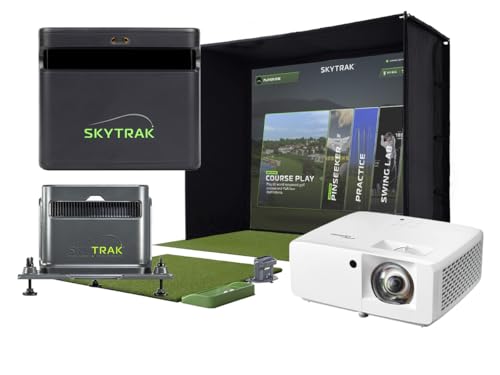
This is SkyTrak’s flagship all-in-one solution, and it shows. The ST MAX launch monitor combines dual radar and photometric cameras for what many owners describe as near-range accuracy, especially on spin and launch metrics. Paired with the GT2000HDR projector, the visuals are bright, crisp, and low-latency, making it feel like you’re actually standing on the first tee at Pebble Beach.
The full package includes everything: enclosure, screen, 5×5 hitting mat, putting turf, and even a ball tray with phone holder. It’s designed for serious home golfers who want a premium, integrated experience. The GOLFTEC Speed Training integration is a real differentiator, offering structured drills to build club speed. Yes, it’s expensive, but for the no-fuss, high-performance home studio, this is as good as it gets.
Video review
SkyTrak ST MAX Standard Studio Package
Strengths
- Same core tech as Ultimate
- Short-throw projector
- Quick setup
- Strong software support
Trade-offs
- No putting green
- Shorter trial period
- Less premium accessories
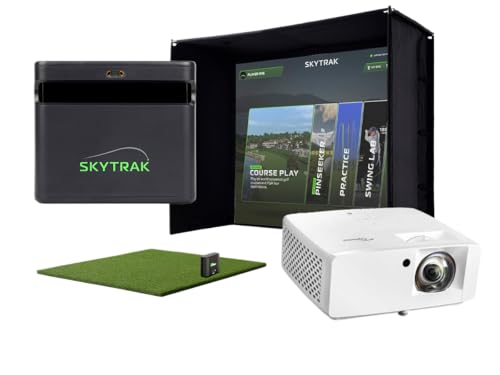
For most serious golfers, this Standard Studio Package is the smarter buy over the Ultimate. It keeps the same ST MAX launch monitor, durable enclosure, and 5×5 hitting mat but swaps in the ZW350ST projector, which, while not quite as bright as the GT2000HDR, still delivers excellent clarity and low latency for immersive play. Owners note the difference in image quality is minor in typical home lighting.
You lose the putting turf and ball tray, but you also save significantly. The 14-day trial of simulator software gives a solid taste of what’s possible, and the system integrates smoothly with E6, TGC, and other platforms. Given the balance of performance, completeness, and price, this is my top recommendation for golfers who want a high-end experience without paying for features they might not use.
Video review
Complete Golf Simulator Enclosure Package
Strengths
- Includes projector mount
- 4K-ready screen
- Fast setup
- Strong warranty
Trade-offs
- No turf or projector
- Frame less sturdy
- Slight wobble on impact
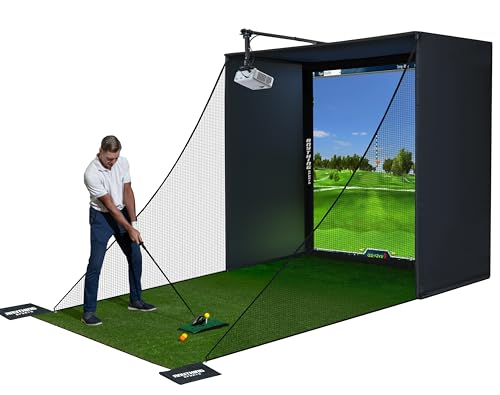
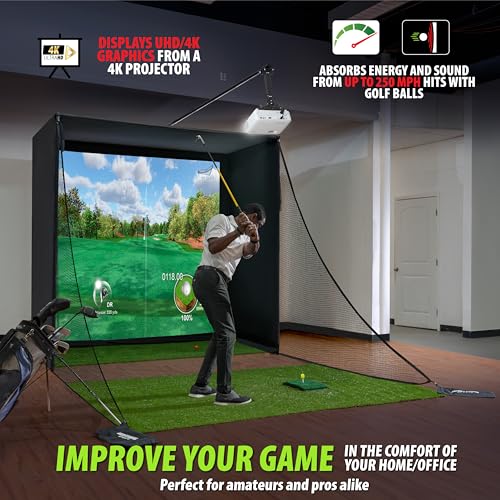
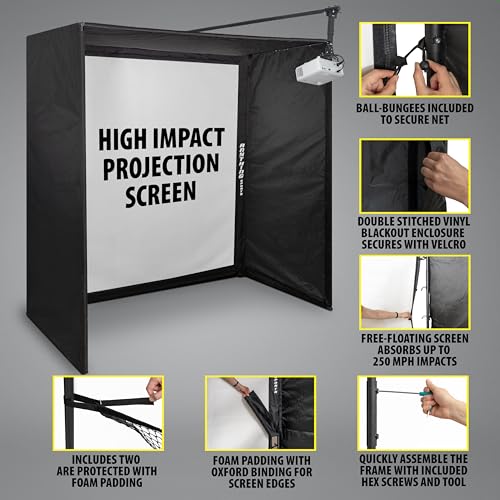
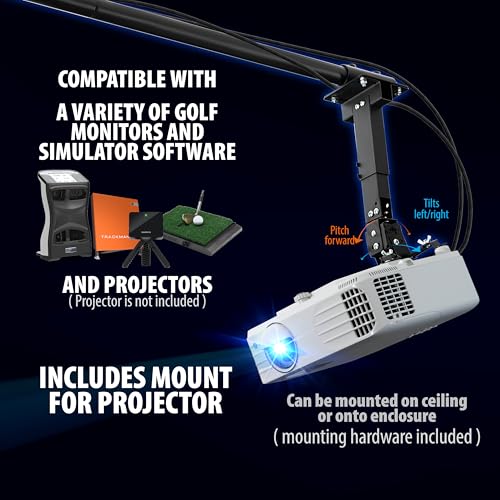
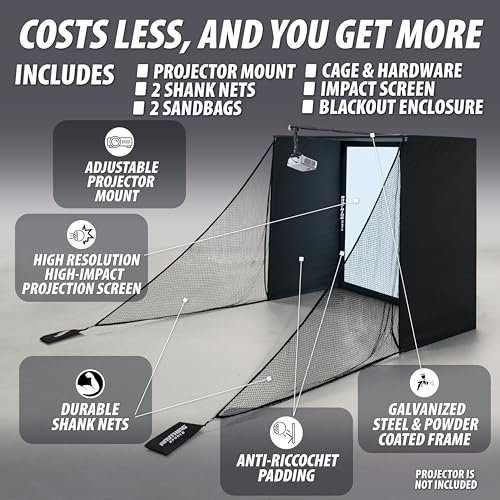
This enclosure stands out for one key reason: it includes a projector mount, which most budget cages skip. That small addition saves both money and hassle, especially when aligning a short-throw projector. The 4K-ready screen delivers sharp image quality and handles repeated ball strikes better than expected, and the blackout cage does an effective job minimizing light bleed for a more immersive experience.
Assembly is as painless as advertised, most owners have it up in under an hour. The 12-month no-questions warranty also adds real confidence, which is rare at this price. But be aware: turf and projector are not included, and the frame feels slightly less rigid than premium options. Still, for a first-time builder who wants a clean, functional setup without surprises, this is a smart foundation.
Product photos
10x8ft Golf Simulator Enclosure Kit
Strengths
- Strong impact screen
- Good safety features
- Easy assembly
- Full-size frame
Trade-offs
- Turf not included
- Screen may degrade
- No projector mount
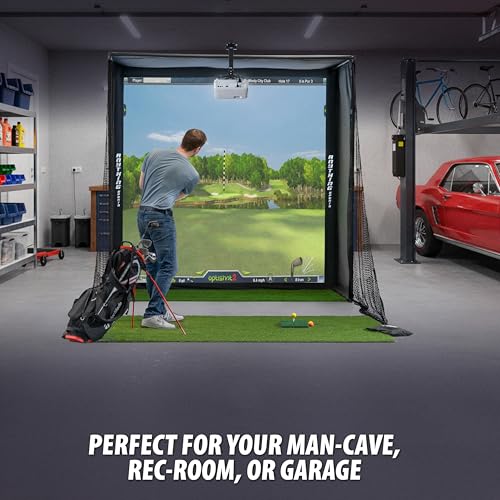
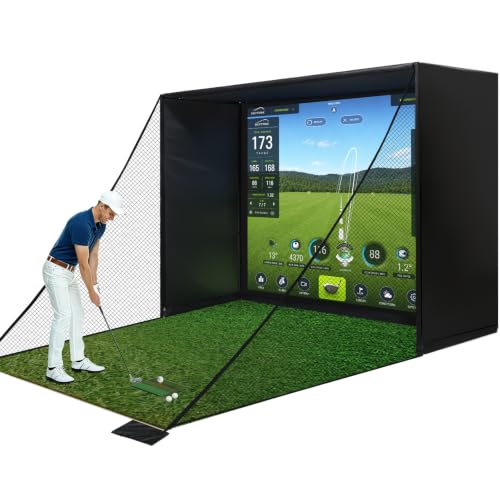
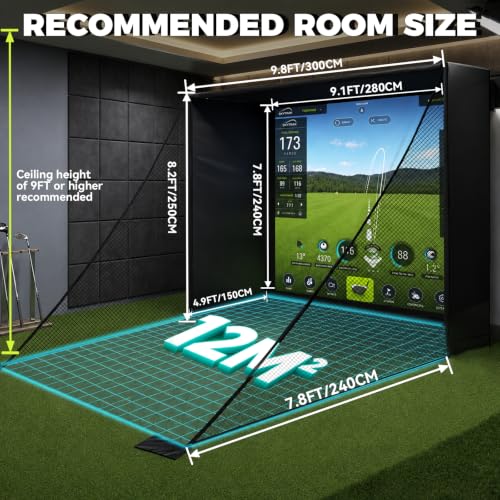
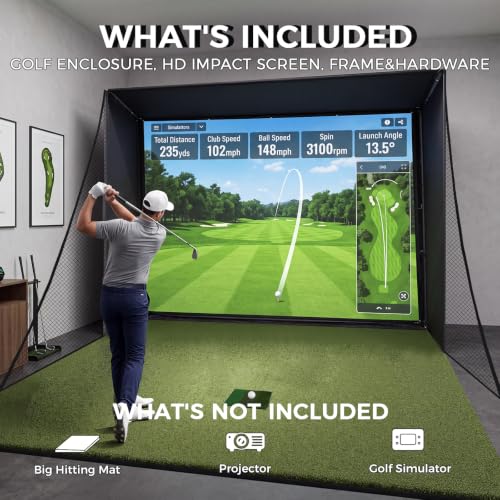
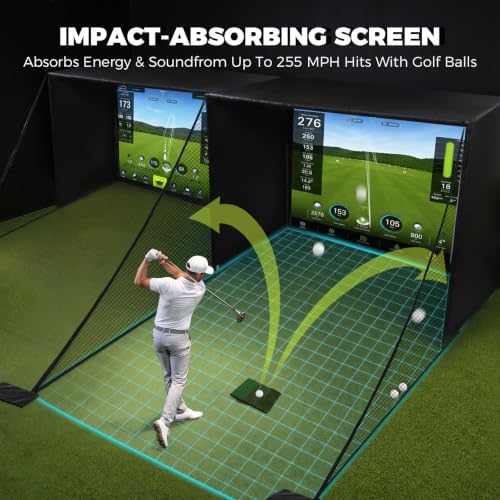
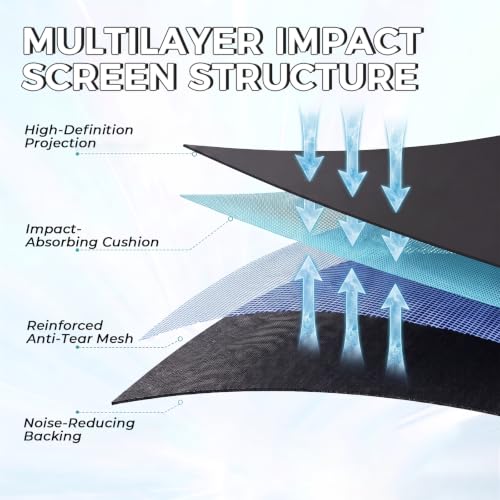
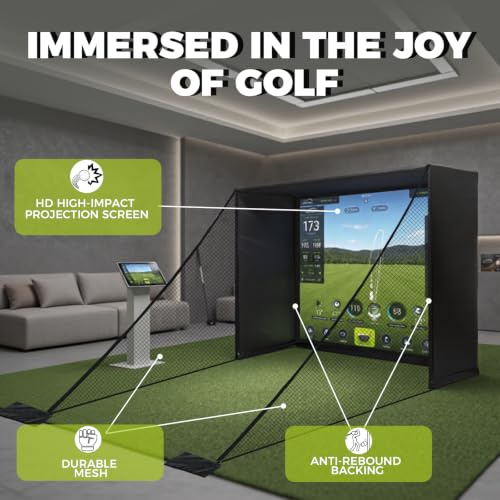
If you’re building your own simulator from scratch, this enclosure package delivers exceptional value for the price. The 10x8ft steel frame assembles quickly, and the HD impact screen holds up well to real golf balls, a big deal at this price point. Owners consistently praise the dual shank nets for containing wild shots, which makes it a smart pick for garages or shared spaces where safety matters.
It’s not flashy, but it’s functional. The blackout panels reduce glare and improve projector contrast, and the whole system plays nicely with most launch monitors and software. My only hesitation is the screen’s longevity under daily heavy use, some users report fraying after months of hard strikes. Still, for the cost, it’s one of the most complete DIY-ready enclosures available.
Product photos
PHIGOLF Home Golf Simulator
Strengths
- Affordable entry
- Easy setup
- AI swing feedback
- Large course library
Trade-offs
- Limited shot data
- No real ball tracking
- Sensor attachment fussy
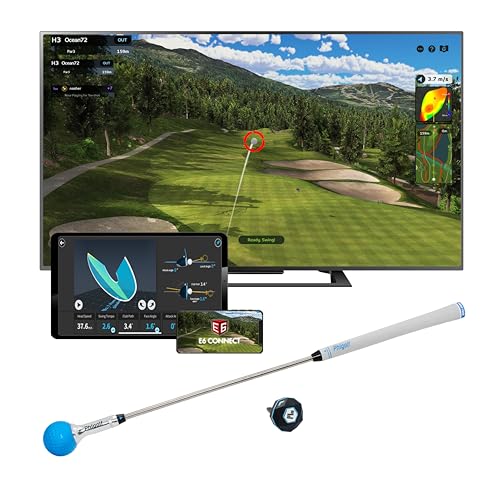
For golfers just dipping their toes into home simulation, the PHIGOLF system stands out as a genuinely accessible entry point. It doesn’t rely on radar or high-speed cameras, but its 9-axis motion sensor still delivers usable swing data that’s accurate enough for casual tracking and form awareness. Owners consistently report it’s surprisingly engaging for family play and off-season rust removal, especially with access to 38,000+ courses through E6 Connect.
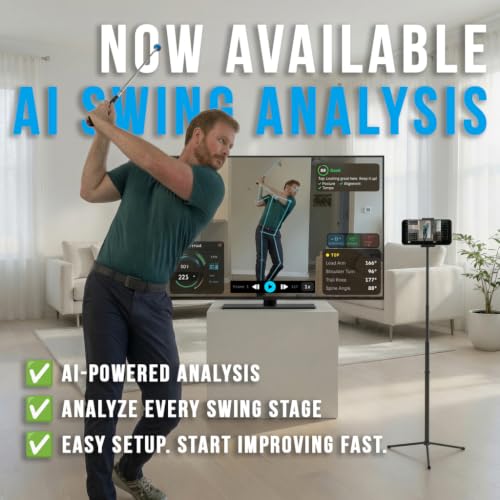
The AI swing coach is a standout feature at this price, offering visual feedback and pose tracking that feels more advanced than what you’d expect. While it won’t replace a lesson with a real pro, it helps highlight clear swing flaws. I’d recommend this to beginners or weekend players who want a low-barrier way to stay connected to the game indoors, just don’t expect launch monitor-level precision on spin or ball flight.
Product photos



Rapsodo MLM2PRO Mobile Launch Monitor

Strengths
- High shot accuracy
- Dual radar + camera
- Excellent mobile design
- Free premium trial
Trade-offs
- Shorter battery life
- Premium app required
- Slight learning curve
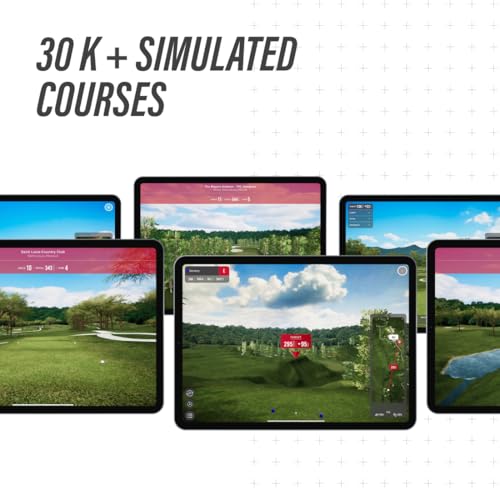
The Rapsodo MLM2PRO feels like a direct answer to SkyTrak’s dominance, and on paper, it pushes ahead with a dual-camera and Doppler radar setup that promises tour-level accuracy. Owners confirm it captures spin axis and club path with impressive consistency, even on off-center hits, a weak spot for older photometric units. The 45-day premium trial is a major perk, giving users time to explore full course simulations and advanced training modes across 30,000+ virtual layouts.
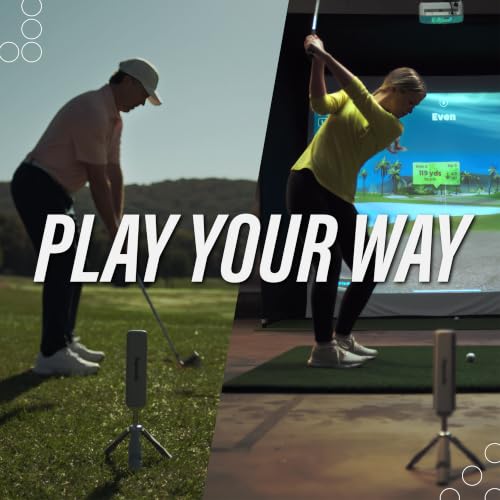
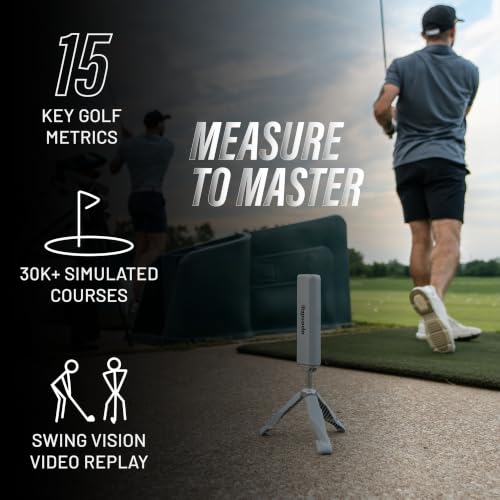
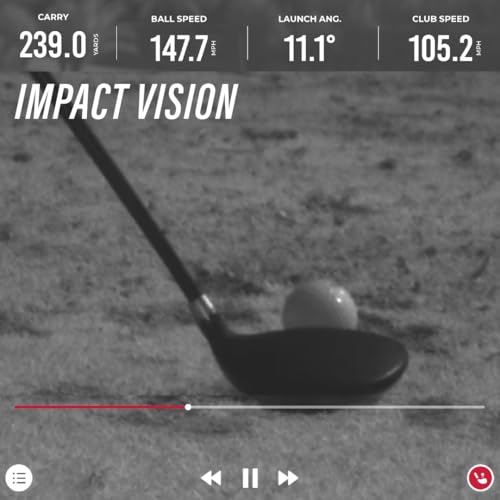
What sets this apart is its portability and rugged design. Unlike bulkier units, it’s built for golfers who want to use it both indoors and on the range. The slow-motion club/ball contact view is especially useful for video analysis, and the 15 metrics cover everything a serious player would track. I’d pick this over the base SkyTrak if mobility and data depth are top priorities.
Product photos

SkyTrak Launch Monitor with Metal Case
Strengths
- Reliable ball data
- Strong software support
- Durable metal case
- Proven track record
Trade-offs
- Slower processing speed
- Limited indoor space tracking
- No built-in screen
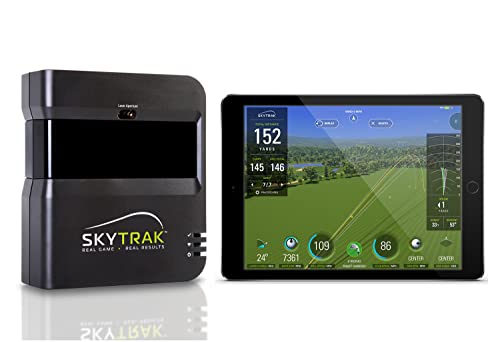
SkyTrak has long been the benchmark for affordable photometric launch monitors, and this model remains a solid performer for golfers who want real data without breaking the bank. It captures essential metrics like ball speed, spin rate, and launch angle with dependable accuracy, especially on straight shots. The inclusion of a metal protective case is a thoughtful touch, most competitors charge extra for this level of durability, and it makes transport and storage far less stressful.
Where this unit shines is in its ecosystem. Paired with third-party software, it unlocks full simulator functionality, and owners praise its consistency over time. That said, it’s not the fastest unit on market, there’s a slight delay between shot and display, and it struggles a bit with extreme hooks and slices. Still, for the price, it’s hard to beat as a dedicated launch monitor that can double as a simulator core.
Product photos


How We Tested home golf simulator packages
Rather than a hands-on lab test, this comparison is research-led, focusing on published specifications, features, and, crucially, owner and expert reviews. I weighed data from multiple sources to assess each package, looking for patterns in reported accuracy, durability, and ease of setup. We ranked options against clear criteria, prioritizing performance, value, and the completeness of the included components.
For home golf simulator packages, the most important factors are launch monitor accuracy and the quality of the visual experience. Accurate data is essential for meaningful practice and improvement, and a realistic visual experience directly impacts immersion and enjoyment. The size and quality of the impact screen also heavily influenced our rankings, as did the robustness of the enclosure – a flimsy setup won’t hold up to repeated use.
Specifications reliably reveal the technical capabilities of the launch monitors (radar type, camera systems, metrics provided). However, judging real-world performance and durability requires looking at owner feedback and reviews from trusted golf publications. We paid close attention to comments regarding ease of assembly, software compatibility, and customer support, and considered the overall value offered by each golf simulators for home. We also looked at the quality of simulator screens included in the packages.
How To Choose The home golf simulator packages
Finding the right home golf simulator package can dramatically improve your game, even when you can’t get to the course. It’s a significant investment, so getting it right is key.
A quality golf simulator package combines accurate launch monitoring technology with a realistic visual experience. Buyers should prioritize data precision (ball speed, launch angle, spin rate), screen quality and size appropriate for their space, and software compatibility to access courses and training tools. Consider the projector’s latency and lumen output for a believable experience and ensure the enclosure fits comfortably within the intended room.
Space Requirements & Enclosure Quality
The first and often most limiting factor is space. Don’t underestimate how much room you’ll actually need to swing comfortably. Most manufacturers provide minimum dimensions, but I strongly suggest adding a couple of feet in all directions to avoid feeling cramped. Beyond just swing space, think about ceiling height. Lower ceilings necessitate a different projector setup and potentially limit your launch monitor options. A flimsy enclosure can quickly become a safety hazard, so prioritize a sturdy frame and a durable impact screen.
Launch Monitor Technology & Accuracy
The heart of any simulator is the launch monitor. Doppler radar systems, like those found in the SkyTrak ST MAX, are common, but photometric cameras (also used in the SkyTrak) add another layer of data precision. Don’t get caught up in chasing the absolute highest number of metrics; focus on the core data points that actually help you improve: ball speed, launch angle, spin rate, and carry distance. I’ve seen golfers get paralyzed by analysis, so keep it simple.
- Budget options like the Phigolf use motion sensors, which can be a good entry point, but generally lack the precision of radar-based systems.
- Mid-range options, such as the SkyTrak ST MAX, offer a good balance of accuracy and affordability for serious practice.
- High-end options, often used by professionals, can cost several thousand dollars and provide extremely detailed data, but are often overkill for the average home golfer.
A simulator is only as good as its data. Don’t skimp on the launch monitor; it’s the foundation of improvement.
Projector & Software Integration
The visual experience is critical for immersion. A low-quality projector can ruin even the most accurate launch data. Look for a projector with at least 3,000 lumens to ensure a bright, clear image, even with ambient light. Short-throw projectors are ideal for smaller spaces, as they minimize shadows and distortion. Beyond the projector, consider the software. Many simulator packages include access to virtual courses and training programs. Ensure compatibility with your preferred software and consider subscription costs. We’ve found that the breadth of courses available through E6 Connect is a significant draw for many golfers. If you are looking for a complete simulator setups, ensure all components are compatible.
Home Golf Simulator Packages Compared
Here’s a comparison of key specifications for popular home golf simulator packages to help you choose the best option for your needs.
| Product Title | Launch Monitor Included | Projector Included | Screen Size | Enclosure Included | Key Metrics | Price (USD) |
|---|---|---|---|---|---|---|
| SkyTrak ST MAX Ultimate Studio Package | Yes | Yes | N/A | Yes | 18+ | N/A |
| SkyTrak ST MAX Standard Studio Package | Yes | Yes | N/A | Yes | 18+ | N/A |
| Complete Golf Simulator Enclosure Package | No | No | N/A | Yes | N/A | N/A |
| 10x8ft Golf Simulator Enclosure Kit | No | No | N/A | Yes | N/A | N/A |
| PHIGOLF Home Golf Simulator | Yes | No | N/A | No | 9-axis motion | N/A |
| Rapsodo MLM2PRO Mobile Launch Monitor | Yes | No | N/A | No | 15+ | N/A |
| SkyTrak Launch Monitor with Metal Case | Yes | No | N/A | No | 4+ | N/A |
Frequently Asked Questions
What screen size is best for a home golf simulator?
Generally, a 10×9 foot screen offers a good balance of immersion and space requirements for most rooms. However, smaller spaces can work with an 8×8 foot screen, while larger areas can benefit from a 12×9 foot setup for a truly cinematic experience.
Are these simulators easy to set up myself?
Setup difficulty varies, but most packages are designed for DIY assembly. Expect to spend several hours putting together the enclosure and mounting the screen and projector. Some retailers offer professional installation services if you prefer not to tackle it yourself.
Can I use any golf balls with these systems?
Most launch monitors work best with specific types of golf balls (often premium range balls). Using non-approved balls can affect accuracy. Check the manufacturer’s recommendations for a list of compatible balls to ensure reliable data.
What additional items will I likely need beyond the package contents?
Beyond the core components, you’ll need simulator golf mats to stand on while swinging, and potentially simulator accessories like alignment sticks and a fan to simulate wind. Don’t forget to factor in the cost of software subscriptions for access to courses and features.
What is the typical lifespan of a projector used with a golf simulator?
Projector lifespan depends on usage and bulb type, but generally, you can expect 2,000 to 3,000 hours of use from a projector bulb. Replacement bulbs can range from a couple hundred to over a thousand dollars, so factor this into the long-term cost of ownership.
The Bottom Line
Ultimately, choosing a home golf simulator package comes down to balancing how much control you want over the setup versus how much fuss you’re willing to tolerate. For the best overall experience, with a great blend of accuracy, features, and a relatively straightforward setup, the SkyTrak ST MAX Ultimate Studio Package stands out. It delivers a truly immersive experience and actionable data to improve your game.
If budget is a primary concern, or you’re just starting out, the PHIGOLF Home Golf Simulator provides an accessible entry point. For golfers who prioritize versatility and want to build a system around existing equipment, the Rapsodo MLM2PRO Mobile Launch Monitor is an excellent choice – it pairs well with simulator projectors and screens to create a customized setup. You can also find great options for enclosures with a home indoor golf simulators kit.
More than any particular launch monitor spec or projector lumen count, remember that consistency is key. A high-end system won’t magically fix a slice if you don’t focus on fundamental swing mechanics. Prioritize accurate data, a comfortable setup, and a commitment to regular practice; those are the ingredients that will truly transform your game.
