
9 Best Golf Analyzers of 2026
This post contains affiliate links. As an Amazon Associate, we earn from qualifying purchases.
The SkyTrak+ Launch Monitor stands out as the best overall golf analyzer for serious players who want tournament-grade data and a full simulator experience. For golfers on a budget, the Voice Caddie SC200Plus delivers reliable core metrics without breaking the bank. If you’re focused on swing mechanics and training versatility, the Blast Motion Golf Swing Analyzer offers excellent feedback across both full swings and putting strokes.
Every golfer wants to know what’s really happening at impact – not just how far the ball went, but why. Without accurate data, you’re guessing instead of improving. I’ve researched the current market, comparing specs and real-world owner experiences to find the analyzers that deliver trustworthy insights without unnecessary complexity.
This guide cuts through the noise, highlighting models that balance accuracy, ease of use, and value. We looked at what data matters most, how well each device captures it, and how smoothly it fits into your practice routine – whether you’re at the range, in your backyard, or setting up indoors.
Top 9 Golf Analyzers in the Market
The Best Golf Analyzers, Reviewed
Full Swing Kit Golf Launch Monitor
Strengths
- 16 detailed swing metrics
- 4K swing video with overlay
- True portability no setup fuss
Trade-offs
- Very high price
- Large footprint for indoor use
- Wi-Fi sync can be finicky
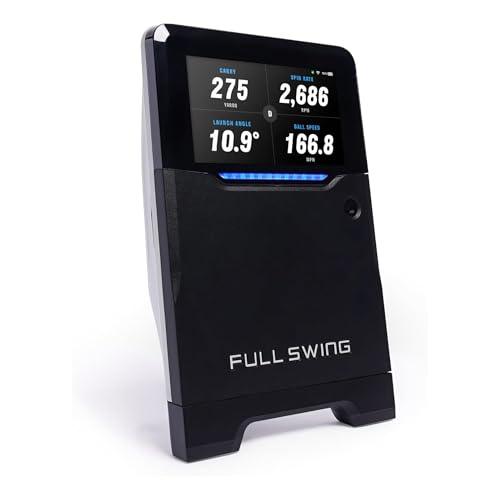
When you see Tiger Woods and Jon Rahm using a launch monitor, you know it’s serious gear. The Full Swing Kit lives up to the hype with its 5D radar technology and 16 detailed metrics, including spin axis, face-to-path, and attack angle, data that matters for serious swing work. The built-in 4K camera is a standout, allowing real-time swing video with overlaid metrics, which is a huge win for self-analysis. Owners praise its plug-and-play portability: no stickers, no alignment hassles, just set it and go.
It’s also one of the few systems that works smoothly both indoors and outdoors without recalibration. Paired with the app, it offers long-term tracking, video storage, and dispersion charts. Yes, it’s expensive, but if you’re comparing it to SkyTrak+ or Garmin R10, it offers more thorough data and better hardware integration. This is the full-package solution.
Video review
SkyTrak+ Launch Monitor & Simulator

Strengths
- Rich simulator course library
- Accurate dual radar system
- Strong training tools
Trade-offs
- Bulky design
- Premium app plans cost extra
- Setup less portable than others
SkyTrak+ remains a top pick for golfers who want a premium simulator experience without stepping into pro-level pricing. Its dual Doppler radar and enhanced camera deliver accurate data on carry, spin, launch, and club path, and the integration with WGT and E6 Connect means you can play over 100,000 courses from home. Reviewers praise its realistic ball flight simulation and the depth of training tools, Wedge Matrix, Skill Assessment, Shot Optimizer, that help structure practice.
It’s not as metric-rich as the Full Swing Kit, and the setup is bulkier, but for home simulator use, it strikes the best balance between performance and price in the premium tier. The Wi-Fi and USB-C are nice modern touches. If you’re building a garage simulator and don’t want to spend $5K, this is the smarter buy.
Video review
Arccos Smart Sensors GEN 4

Strengths
- Automatic shot tracking
- AI-powered yardage adjustments
- Seamless PGA Tour integration
Trade-offs
- Ongoing subscription required
- No swing biomechanics data
- Putter sensor has shorter battery life
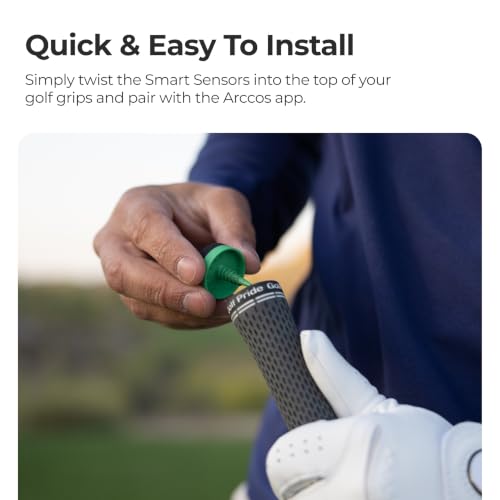
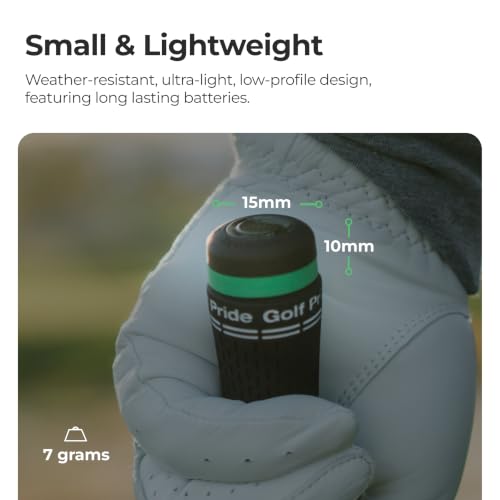
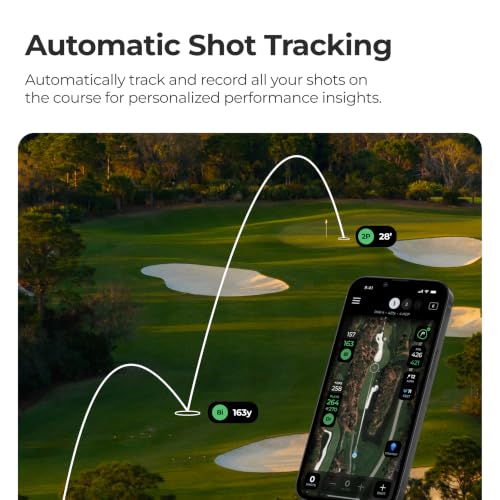
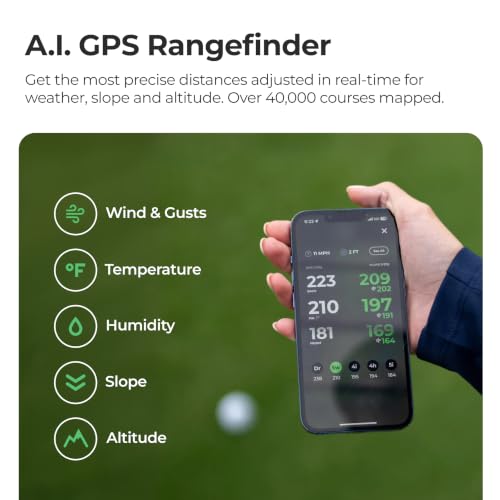
If you want shot tracking that feels invisible during your round, Arccos is the closest thing to magic. The sensors install easily into your grips and work completely hands-free, capturing every shot without needing to press a button or aim a device. Owners consistently report high accuracy in tracking distances and shot types, and the integration with the Arccos Caddie app adds real strategic value, especially the AI-powered rangefinder that factors in wind, elevation, and temperature. That kind of real-time adjustment is rare and genuinely useful when you’re standing over a crucial approach.
The catch? You’re locked into a subscription after the first free year, and the system doesn’t capture full swing metrics like launch angle or spin rate. It’s not a launch monitor, it’s a smart caddie and game analyzer. Compared to radar-based systems, it’s less detailed on mechanics but far more seamless during actual play.
Product photos

Blast Motion Golf Swing Analyzer
Strengths
- Superior swing mechanics feedback
- Air swing training mode
- Auto video highlights with metrics
Trade-offs
- No ball flight data
- App subscription after trial
- Limited distance tracking
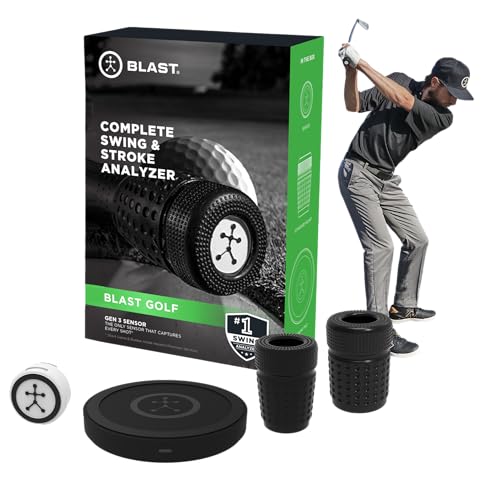
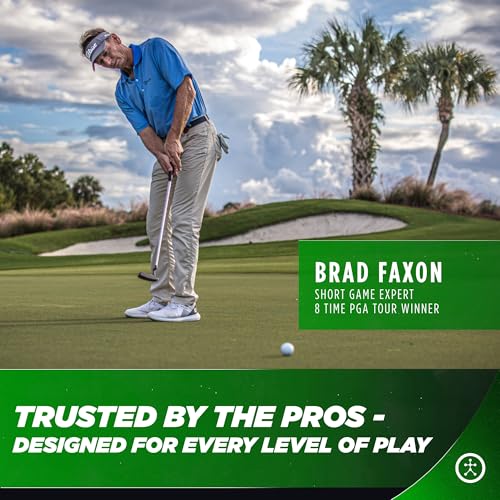
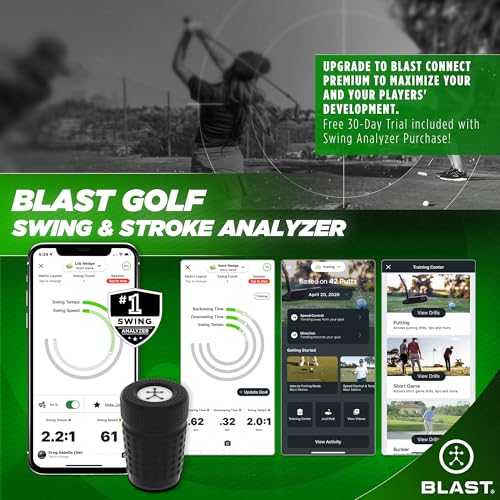
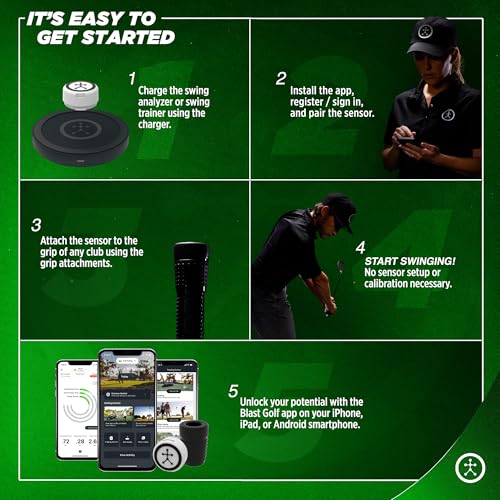
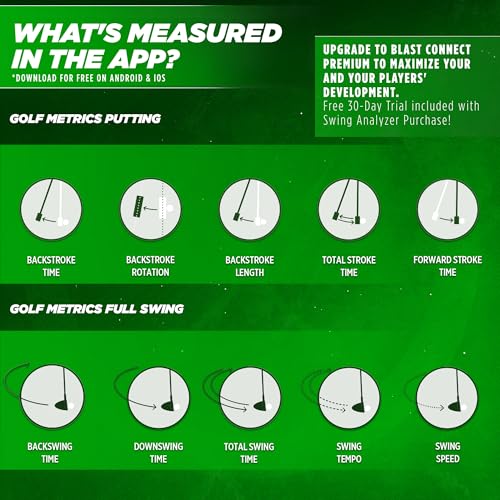
Blast Motion is in a category of its own when it comes to swing and stroke training. Instead of focusing on ball flight, it zeroes in on the motion of the club itself, providing detailed metrics on tempo, swing plane, and stroke path. The real-time feedback loop with the app helps players make faster adjustments, and the automatic video clipping with overlaid metrics is incredibly useful for reviewing putting or full swings. Owners consistently report improvement in short game consistency, which makes sense, this is the tool you use when you want to fix your mechanics, not just track distances.
It doesn’t measure ball speed or spin, so it’s not a launch monitor. But as a dedicated swing trainer, especially for the short game, it’s unmatched. Compared to TheStack, it’s more versatile across all clubs and works without a ball, making it ideal for off-course training.
Product photos
Rapsodo Mobile Launch Monitor

Strengths
- Excellent shot tracer video
- No annual fees
- Highly portable
Trade-offs
- iPhone/iPad only
- Fewer advanced metrics
- Phone-dependent setup
Rapsodo wins on simplicity and accessibility, especially for iPhone users. It’s lightweight, easy to set up, and delivers reliable carry distance, launch angle, and shot shape data with every swing. The video replay with shot tracer is a standout feature, letting you instantly see your ball flight overlaid on your swing video, which helps diagnose issues on the spot. The free app includes core features, and while premium unlocks simulator modes, the base experience is still strong.
But it’s iOS-only, so Android users are out of luck. It also doesn’t capture as many metrics as Full Swing or SkyTrak+, and the radar placement (on the phone) means positioning is more finicky. Still, for the price, it’s one of the most portable and user-friendly options. I’d pick it over the Arccos sensors if you want more swing data without a subscription.
Product photos


Voice Caddie SC200Plus Launch Monitor
Strengths
- Affordable entry point
- Voice output for instant feedback
- Indoor swing mode no ball needed
Trade-offs
- Limited metrics
- No video analysis
- Basic app integration
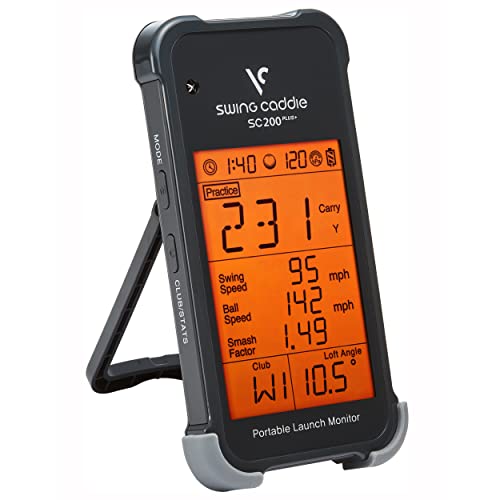
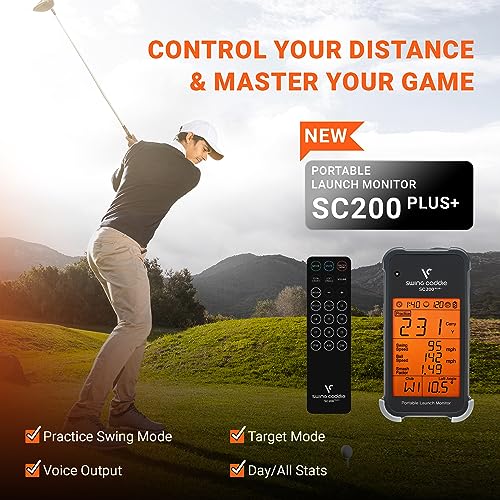
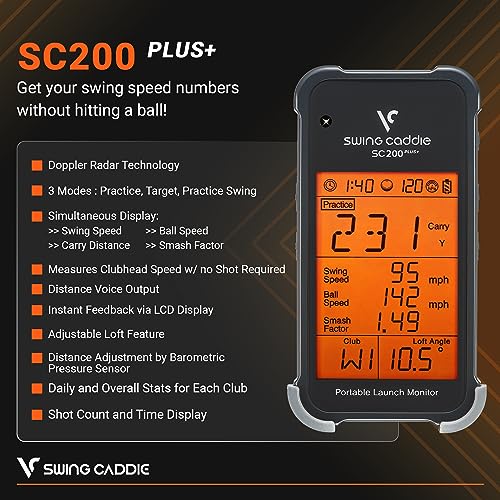
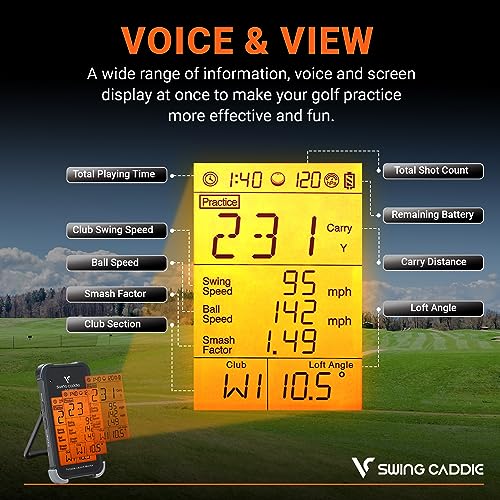
For golfers on a budget who still want real data, the Voice Caddie SC200Plus delivers solid performance at a fraction of the cost of premium units. It uses Doppler radar to track club speed, ball speed, and carry distance, and owners report it holds up well on the range. The real-time voice feedback is a standout, no need to glance at a phone, which keeps your focus on the swing. It also stores historical data per club, so you can track your average distances over time, a feature that adds long-term value.
It doesn’t match the accuracy or metric depth of higher-end models like Full Swing or SkyTrak+, and it lacks video integration. But for basic speed and distance tracking, especially indoors or in a small hitting area, it punches above its price point. Compared to the Swinora, it’s less feature-rich but more straightforward to use.
Product photos


Swinora Golf Launch Monitor
Strengths
- No subscription fees
- Environmental sensors for accuracy
- Durable metal body
Trade-offs
- Requires 15ft indoor space
- App can be slow to connect
- Limited simulator content
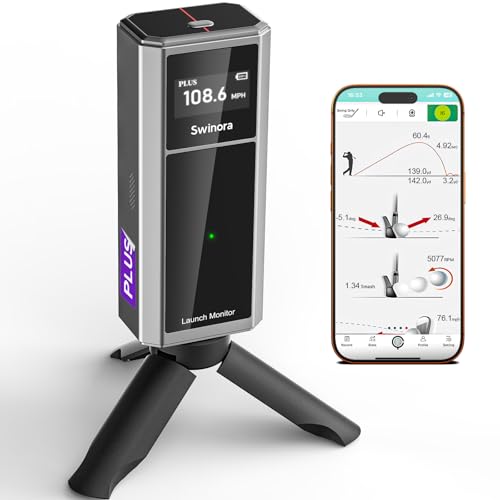
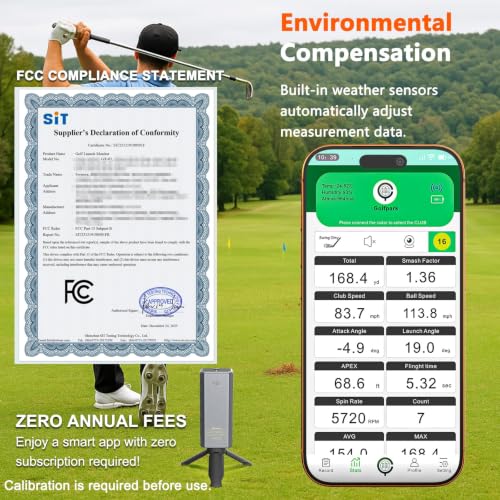
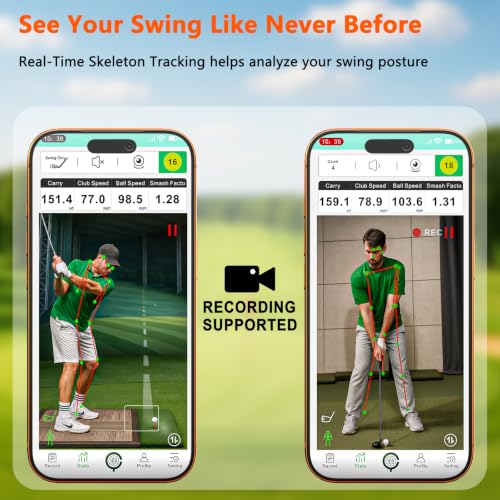
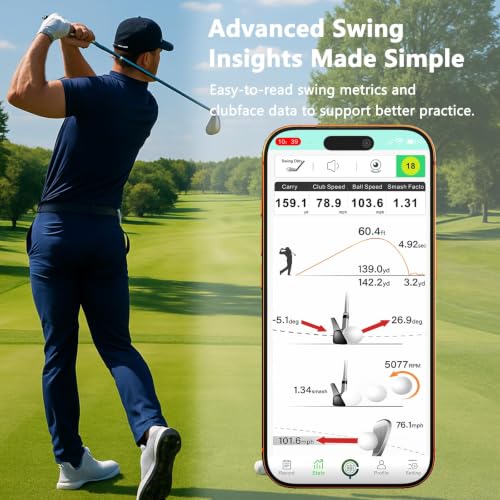
Swinora stands out by offering environmental sensors, temperature, humidity, and barometric pressure, all feeding into its data calculations, which helps improve accuracy without requiring a subscription. That’s a big deal: you pay once and get lifetime access to all features, unlike Arccos or SkyTrak+. The 13 metrics cover the essentials, including attack angle and spin rate, and the OLED display is crisp. Owners appreciate the multi-angle practice views and the smart alerts for shanks or mis-hits, which keep data clean.
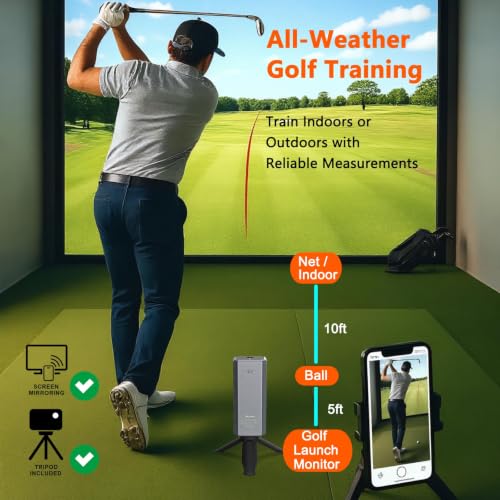
The main drawback is the space requirement: you need at least 15 feet for indoor use, which can be a hurdle in smaller setups. Compared to the Voice Caddie, it offers more depth and better environmental adjustment, but it’s less intuitive for beginners. For the price, it’s one of the smarter buys if you want no-fee, accurate training.
Product photos
TheStack Radar Golf Analyzer
Strengths
- Excellent for speed training
- Gamified wedge practice
- Used by tour pros
Trade-offs
- Limited Android support
- Wedge mode iOS only
- No spin or launch data
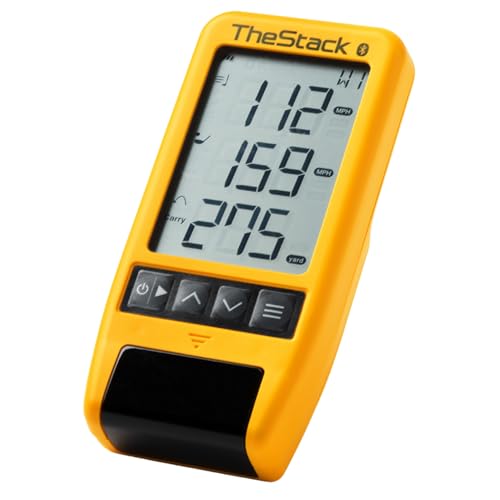
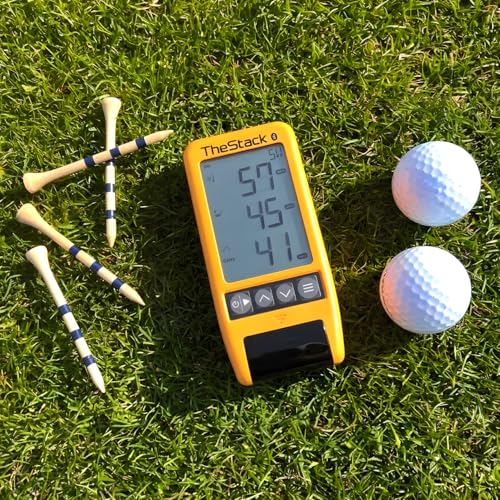
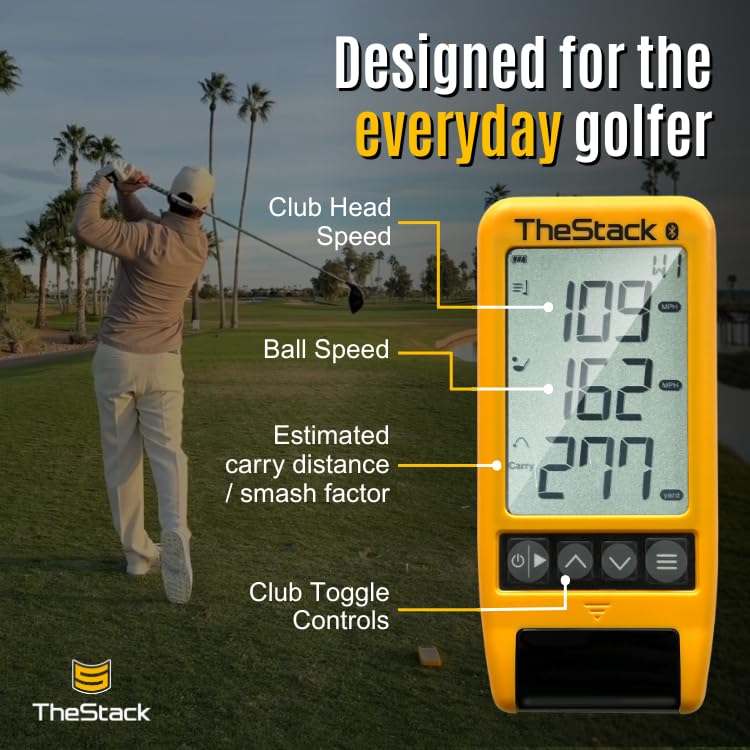
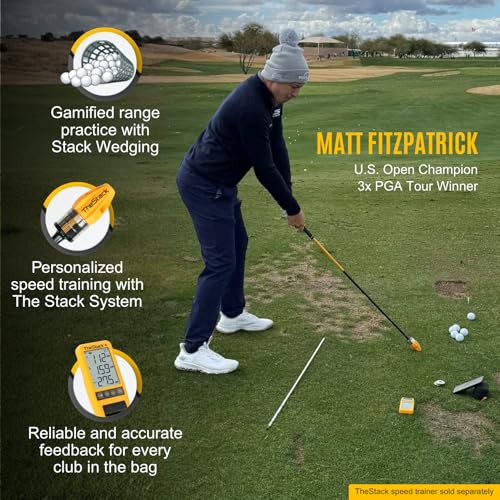
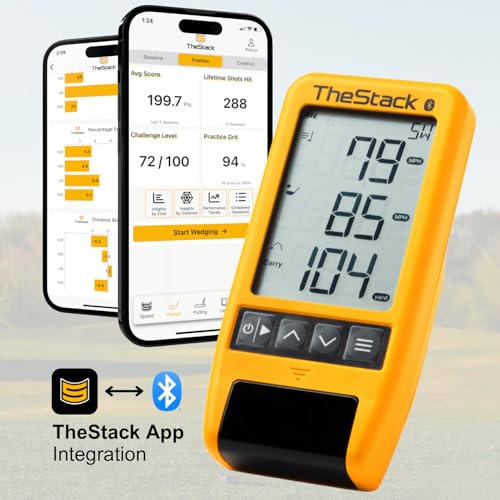
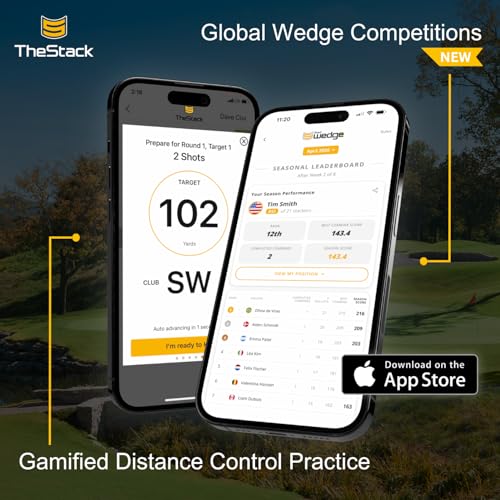
TheStack Radar isn’t trying to be a full-spectrum launch monitor, it’s laser-focused on speed and wedge training, and it executes that mission well. On paper, it delivers reliable swing and ball speed readings, which is exactly what you need for overspeed or under-speed training. Reviewers note that its integration with TheStack App makes wedge practice surprisingly engaging, turning what’s usually a chore into a gamified routine. The fact that Matt Fitzpatrick uses it lends credibility, especially for players serious about dialing in their short game.
But there’s a major limitation: wedge training features are iOS-only, and Android users miss out on key functionality. It also doesn’t track full flight or spin data, so it’s not a substitute for a full launch monitor. I’d pick this over a generic speed radar because of the tailored training structure, but only if you’re already deep in the Apple ecosystem.
Product photos
Garmin Approach R10 Launch Monitor

Strengths
- Excellent Garmin integration
- Virtual course play
- Reliable core metrics
Trade-offs
- Limited appeal outside ecosystem
- No Android app for full features
- Fewer advanced metrics
If you’re already invested in Garmin’s golf ecosystem, wearing an Approach watch or using the Garmin Golf app, the R10 becomes a no-brainer add-on. It syncs effortlessly with your existing devices, and the integration with the Garmin Golf app means you can access shot dispersion charts, swing videos, and even virtual rounds on over 42,000 courses. The data accuracy is solid, with reliable readings on club speed, ball speed, and launch angle, and the 10-hour battery life means it lasts through multiple sessions.
But outside the Garmin world, it loses some appeal. Compared to Rapsodo or Full Swing, it doesn’t offer as many metrics or as polished a simulator experience. It’s also pricier than the Rapsodo while delivering less for non-Garmin users. I’d recommend it most to those who already live in the Garmin app and want a seamless extension of their setup.
Product photos


How We Chose These golf analyzers
Rather than a hands-on lab test, my research for these golf analyzers focused on a detailed comparison of published specifications and features. I weighed owner reviews from multiple sources – including major retailers and golf-specific forums – alongside expert reviews from publications like Golf Digest and Golf Monthly. This process allowed me to build a data-driven ranking based on the features golfers value most, and how well each analyzer delivers on its promises.
For this category, accuracy and data breadth were paramount. Beyond raw numbers, the ability to translate data into actionable insights was a key factor. I also heavily weighted portability and ease of use; a device offering precise metrics is less useful if it’s cumbersome to set up or requires a PhD to interpret the results. Finally, integration with existing golf ecosystems (like Garmin) or training programs (like TheStack) played a significant role.
Product specifications reliably convey the types of data a launch monitor captures – club speed, launch angle, spin rate, etc. However, judging the accuracy and reliability of that data required careful consideration of owner feedback. Owners consistently reported on calibration issues, Bluetooth connectivity problems, and discrepancies between analyzer readings and real-world results. Reputable expert reviews corroborated these points, helping me assess each unit’s overall performance and value. If you’re also looking to improve your overall game, consider looking at our guide to the best affordable golf balls to help lower your score.
Choosing The Right golf analyzers
Choosing the right golf analyzer can feel overwhelming, but focusing on your needs will narrow down the options.
A good golf analyzer delivers consistent, reliable data on key metrics like club speed, ball speed, launch angle, and spin rate. It should also be portable enough to use at the range or on the course, and ideally offer a clear, user-friendly interface for reviewing your stats. Calibration ease and data storage/transfer are also critical considerations for golfers serious about improvement.
Data Accuracy & Metrics
The sheer number of metrics offered by golf analyzers can be impressive, but don’t get lost in the weeds. Focus on the data that will actually help you improve. Club speed and ball speed are fundamental, of course, but look for analyzers that also measure launch angle, spin rate, and ideally, smash factor (a measure of energy transfer). More sophisticated models will provide data on face angle and path, which are crucial for understanding ball flight. Keep in mind that Doppler radar technology is generally considered more accurate than photometric systems, particularly for measuring ball speed.
Portability & Setup
How and where do you plan to use your analyzer? If you’re primarily practicing indoors, size and ease of setup are paramount. Some analyzers require precise alignment and can be finicky to calibrate. Others, like the Rapsodo Mobile Launch Monitor, are designed specifically for iPhone users and offer a streamlined setup process. If you envision using it frequently at the driving range, a more rugged and portable design is essential. This is where the convenience of something like the best swing analysis devices really shines.
Price & Value Proposition
Golf analyzers range in price from a couple hundred dollars to well over a thousand. Before you commit, consider your budget and how frequently you’ll use the device. A budget-friendly option like the Voice Caddie SC200Plus might be sufficient if you’re just starting out, while serious golfers looking for a thorough simulator experience might justify the investment in a SkyTrak+.
Here’s a breakdown of what to expect at different price points:
- Under $200: Basic metrics (club/ball speed, carry distance). Expect limited features and potentially lower accuracy.
- $200-$500: A good balance of features and accuracy. You’ll likely get data on launch angle, spin rate, and potentially smash factor.
- $500+: Advanced features, highly accurate data, and often simulator capabilities. These models are geared toward serious golfers and instructors.
Don’t spend money on features you won’t use. A sophisticated analyzer is useless if you don’t understand the data or lack the time to analyze it.
Finally, if you’re looking to optimize your entire game, remember that the right equipment extends beyond just a launch monitor. Exploring options like low compression balls can also significantly impact your performance, especially if you have a slower swing speed.
Golf Analyzers Compared
Here is a comparison of key specifications for popular golf analyzers to help you make an informed decision.
| Product Name | Data Metrics | Connectivity | Indoor Use | Outdoor Use | Special Features |
|---|---|---|---|---|---|
| Full Swing Kit Golf Launch Monitor | 16 | iOS/Android | Yes | Yes | 4K Camera, Swing Review |
| SkyTrak+ Launch Monitor | Club Head Speed, etc. | N/A | Yes | Yes | Simulator Experience, Award-Winning |
| Arccos Smart Sensors GEN 4 | Shot Tracking | N/A | N/A | Yes | PGA Tour Official Tracker |
| Blast Motion Golf Swing Analyzer | Swing/Stroke Metrics | iOS/Android | Yes | Yes | Air Swing Mode, Visual Swing Analysis |
| Rapsodo Mobile Launch Monitor | Ball/Club Speed, etc. | iOS | Yes | Yes | Shot Tracer, Video Replay |
| Voice Caddie SC200Plus | Speed, Carry Distance | N/A | Yes | Yes | Swing Speed Mode, Voice Output |
| Swinora Golf Launch Monitor | Attack/Launch Angle | N/A | Yes | Yes | Environmental Sensors, Zero Fees |
| TheStack Radar Golf Analyzer | Speed/Ball Speed | iOS/Android | Yes | Yes | Wedge & Speed Training |
| Garmin Approach R10 | Club/Ball Speed, etc. | Smartphone | Yes | Yes | Virtual Golf Courses, Swing Analysis |
Frequently Asked Questions
What level of accuracy should I expect from a golf analyzer in this price range?
Accuracy varies significantly with price. Generally, models under $200 offer estimates within a few percentage points, while those over $500, like the SkyTrak+, approach professional-grade accuracy – often within 1-2% – especially when properly calibrated.
Can I use a golf analyzer to improve my short game, or are they only for full swing analysis?
While most analyzers focus on full swing data, several, like TheStack Radar Golf Analyzer, offer modes specifically for wedge practice and short game improvement. These can measure distances and speeds for chipping and pitching, helping refine those skills.
What is the difference between Doppler radar and photometric technology in golf analyzers?
Doppler radar systems, found in many higher-end models, are generally more accurate, particularly for ball speed measurement. Photometric systems, which use cameras, are often more affordable but can be less reliable in varying light conditions or with certain ball types.
Do these golf analyzers integrate with golf simulators or training apps?
Many do. The Garmin Approach R10 integrates with the Garmin Golf app and offers virtual course play, while the Rapsodo Mobile Launch Monitor works with its own app and offers shot tracing. Compatibility with third-party simulators varies by model.
If I struggle with a slice, can a golf analyzer help me identify the cause?
Yes, many analyzers provide data on face angle and swing path which are key indicators of a slice. By analyzing this data, you can pinpoint whether your slice is caused by an open clubface, an out-to-in swing path, or a combination of both. Knowing this is the first step toward finding the anti-slice drivers that can correct it.
The Bottom Line
Ultimately, choosing a golf analyzer comes down to balancing how much control you want over your data with how much fuss you’re willing to tolerate. For most golfers genuinely dedicated to improvement, the Full Swing Kit Golf Launch Monitor strikes the best overall balance; its thorough data set and user-friendly interface make it a powerful tool without being overly complicated.
If budget is a primary concern, the Voice Caddie SC200Plus is a surprisingly capable option, providing essential metrics at a fraction of the cost of higher-end models. For those seeking versatility and integration with mobile devices, the Rapsodo Mobile Launch Monitor remains a strong contender, especially for iPhone users.
Don’t get fixated on chasing the latest technology or the most exhaustive list of specs. Focus instead on understanding your own swing, identifying areas for improvement, and consistently practicing with intention. A clear understanding of fundamentals – grip, posture, and swing plane – will always yield greater returns than any amount of data.
