
9 Best Golf Swing Analyzers of 2026
This post contains affiliate links. As an Amazon Associate, we earn from qualifying purchases.
This post contains affiliate links. As an Amazon Associate, we earn from qualifying purchases.
The Garmin Approach R10 is the best overall golf swing analyzer for most golfers, delivering reliable data and excellent app integration. For a budget-friendly option with no subscription, the Shot Scope LM1 stands out, while the Swinora Golf Launch Monitor offers unmatched value with built-in environmental sensors for accurate indoor use.
Golfers don’t just want data, they need insights that actually help lower scores. Too many swing analyzers promise pro-level feedback but deliver confusing numbers or inconsistent results. After researching the market, comparing specs, and reviewing owner experiences, I focused on devices that provide accurate, repeatable metrics and apps that make the data easy to understand and act on. This guide cuts through the noise to highlight the swing analyzers that truly help you improve, based on real-world performance, usability, and value.
Top 9 Golf Swing Analyzers in the Market
The Best Golf Swing Analyzers, Reviewed
Garmin Approach R10 Launch Monitor

Strengths
- High data accuracy
- Video with metric overlay
- Virtual course play
Trade-offs
- Subscription for full features
- No standalone display
- Higher price point
If you’re looking for the most complete package, accuracy, app depth, and simulator fun, the Garmin R10 earns the title of best overall. Its radar specs are solid, with ball speed accurate to +/- 1 mph and launch angle within +/- 1 degree, and reviewers consistently praise how well it correlates with on-course performance. The real win is the Garmin Golf app: it records video with overlaid metrics, tracks club-specific stats, and offers shot dispersion charts that help diagnose swing flaws.
And if you’re into gamification, the virtual play mode on 42,000+ courses is unmatched at this price. Yes, there’s a subscription to unlock full simulator features, but the core swing data is free. Compared to the Voice Caddie or Swinora, the R10 feels more integrated, more polished. It’s the only unit here I’d confidently recommend to both serious players and casual golfers wanting a full home setup.
Video review
Swinora Golf Launch Monitor
Strengths
- Environmental sensors
- Attack angle & spin rate
- Metal build quality
Trade-offs
- Needs 15ft indoor space
- App can be slow
- Voice alerts sometimes delayed
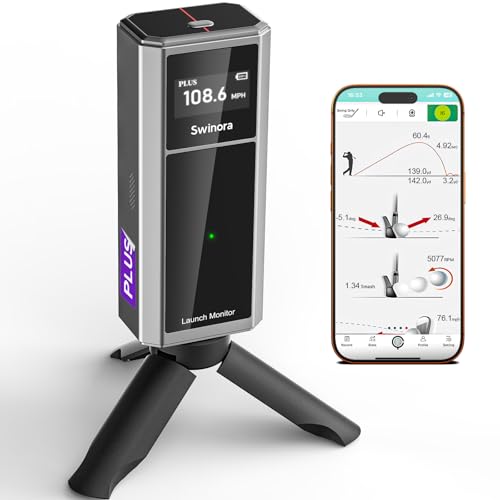
The Swinora stands out by bundling environmental sensors, temperature, humidity, barometric pressure, into a budget-priced unit, which is rare at this level. That means your data adjusts to real-world conditions, and owners say it makes a noticeable difference in outdoor accuracy. It tracks attack angle, launch angle, spin rate, and clubface data, giving you more insight than most radar monitors in this range.
The metal body feels durable, and the OLED display is a nice upgrade over plastic rivals. However, indoor use demands a full 15 feet of space, which could be a dealbreaker for tight setups. Compared to the Shot Scope LM1, this gives you deeper metrics, but the app experience isn’t quite as polished. Still, for the data depth and one-time purchase model, it’s a strong contender.
Video review
Shot Scope LM1 Launch Monitor
Strengths
- No subscription
- Doppler radar accuracy
- IPX3 weather resistance
Trade-offs
- No video analysis
- Limited advanced metrics
- App lacks course simulation
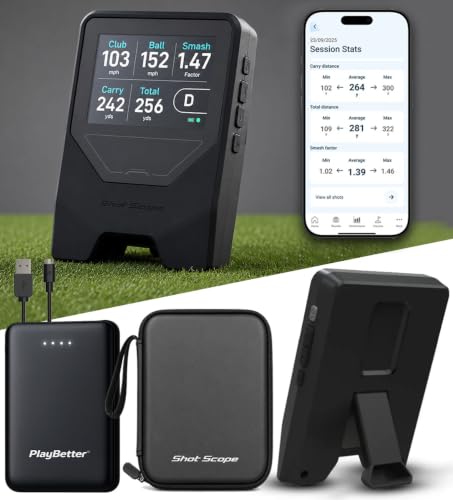
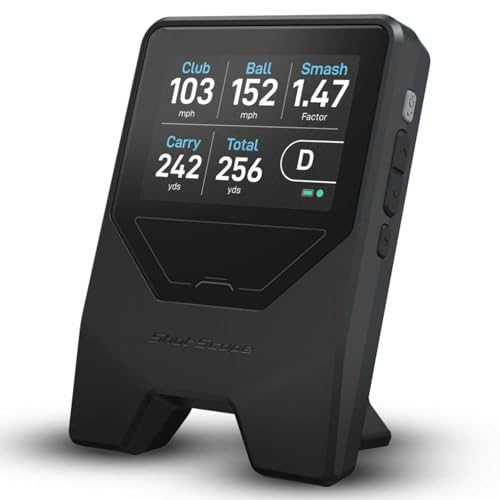
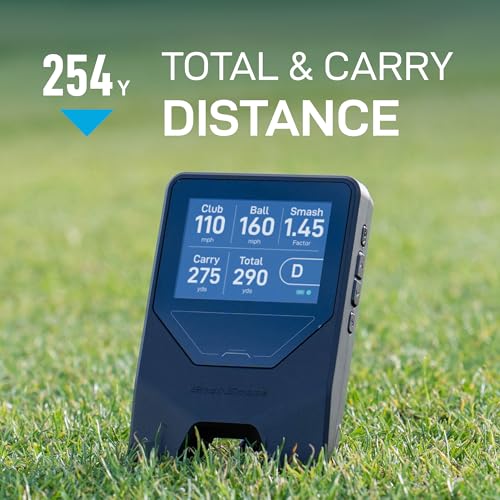
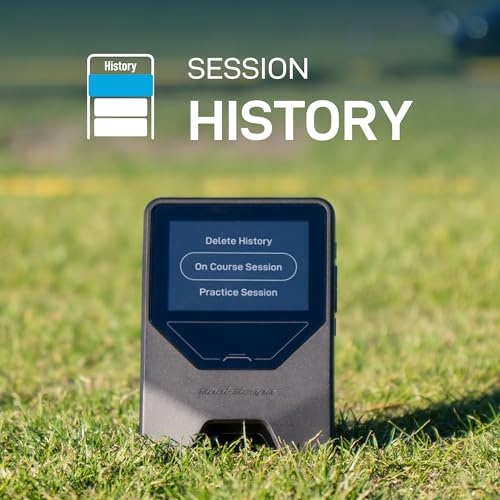
For golfers who want real launch data without a recurring bill, the Shot Scope LM1 makes a strong case. On paper, it delivers the essentials, club speed, ball speed, smash factor, carry and total distance, using Doppler radar, and owners consistently report reliable readings both on the range and in the backyard. The no-subscription model is its biggest selling point, especially when compared to pricier monitors that lock features behind paywalls.
It’s not the most feature-rich unit out there, and the app doesn’t offer video integration like some competitors, but for the price, it covers the fundamentals well. I’d pick this over entry-level video-based monitors for actual data credibility, and it’s a smarter buy than leasing a high-end device with monthly fees.
Product photos
Blast Motion Golf Swing Analyzer
Strengths
- Superb putting analysis
- Auto video highlights
- Air swing training mode
Trade-offs
- Motion-based, not radar
- Ongoing subscription
- Limited full-swing data
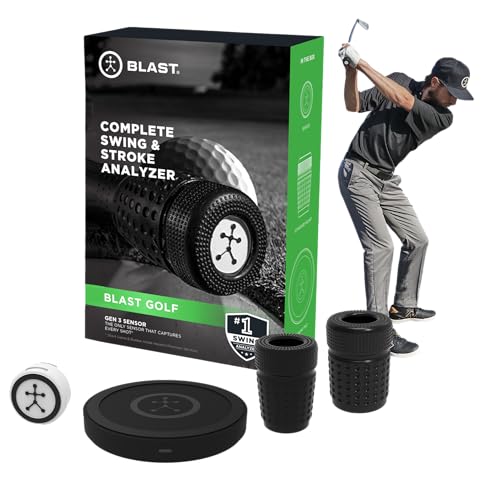
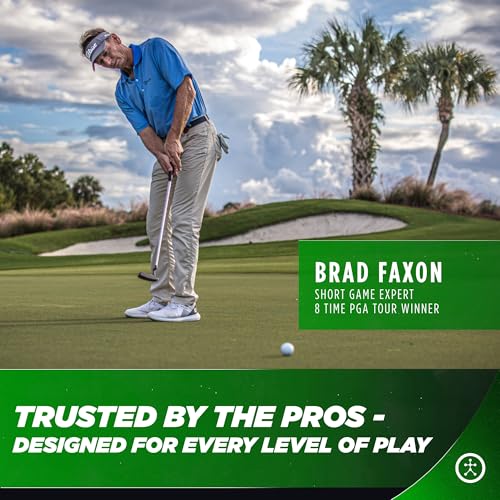
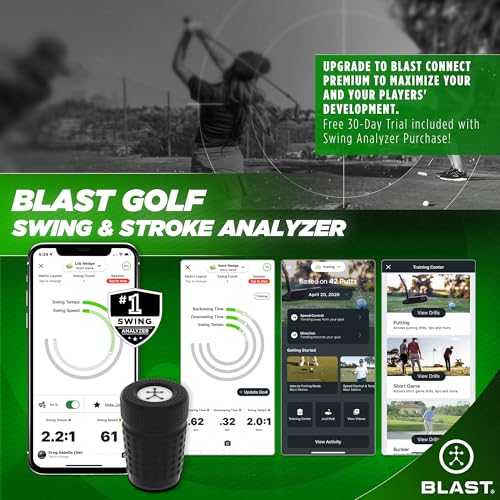
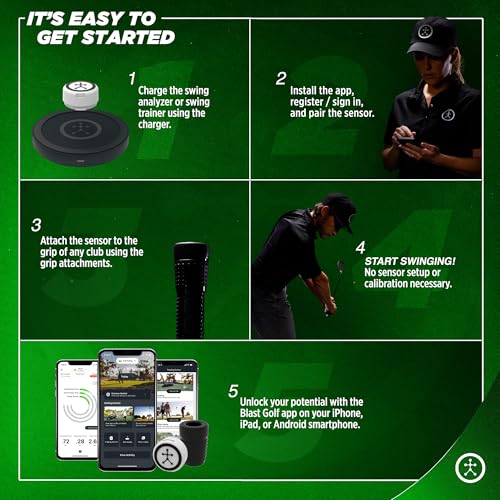
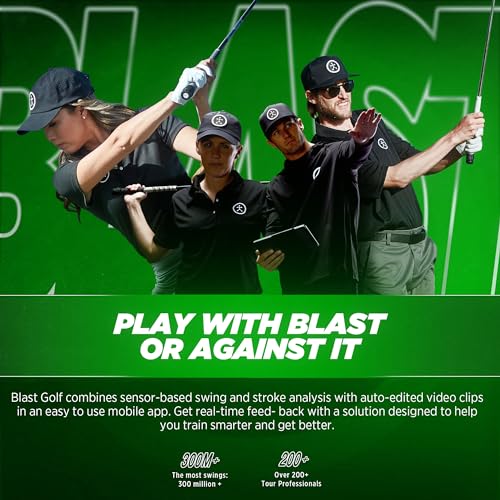
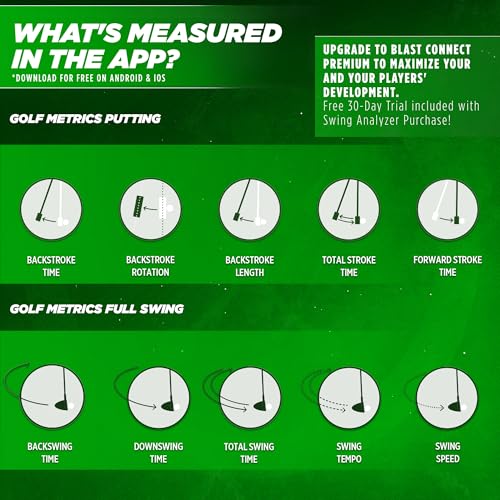
Blast Motion’s GEN3 sensor excels where most launch monitors fall short: the short game. It tracks full swings, but its real strength is putting and chipping analysis, something almost no radar device can do. The sensor mounts on the grip and captures tempo, face angle, stroke path, and release, then overlays metrics on automatically clipped video. Owners say it’s transformed their putting consistency.
It uses motion capture, not radar, so ball flight data is estimated, not measured. And while the app is robust, the one-month free membership runs out quickly, after that, you’re paying to keep full access. Still, for players serious about lowering scores through short game work, this is the best tool available. I’d pair it with a radar monitor for full coverage, but on its own, it’s unmatched for stroke training.
Product photos
MOXI SwingMotion Dual Sensor System

Strengths
- 3D biomechanical analysis
- X-Factor & rotation data
- No subscription
Trade-offs
- No ball flight metrics
- High price
- Requires proper sensor placement
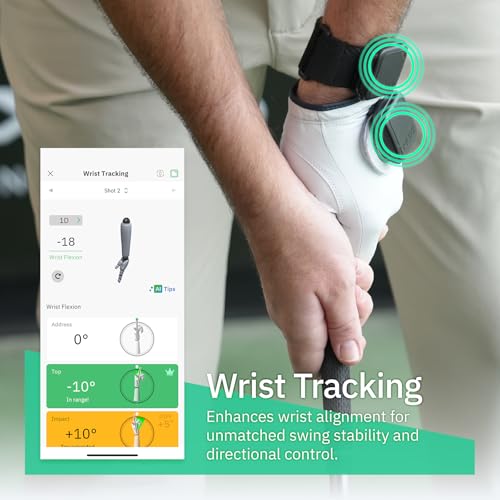
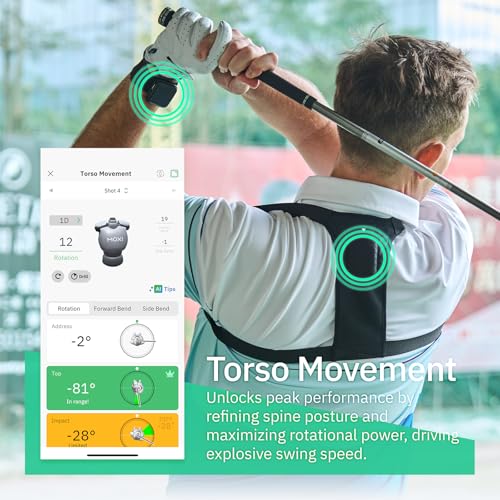
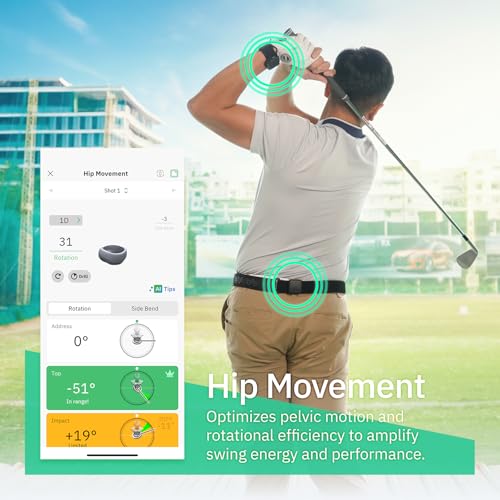
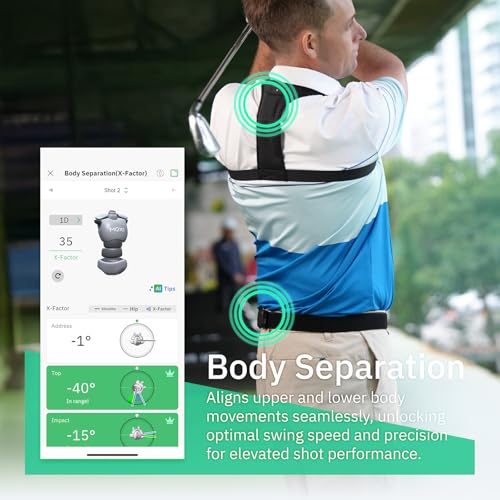
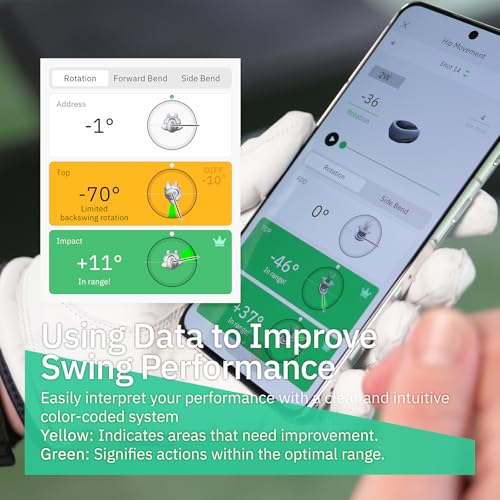
For biomechanical insight, the MOXI SwingMotion is in a class of its own. Instead of radar, it uses dual IMU sensors worn on the body to track 3D movement of the wrists, torso, and hips. That means you get real X-Factor separation, rotation timing, and kinetic sequencing, data usually reserved for $20K launch studios. The free app renders your swing as a 3D avatar with playback, and owners say it’s eye-opening for diagnosing timing flaws.
It won’t give you ball flight data, so it’s not a replacement for a launch monitor. But when paired with something like the Rapsodo or Garmin, it becomes a complete picture of cause and effect. At nearly $420, it’s expensive, but you’re paying for true biomechanics, not just ball flight. I’d recommend it over single-sensor wearables for the dual-sensor precision.
Product photos
Rapsodo Mobile Launch Monitor

Strengths
- Excellent shot tracer video
- Simple iPhone setup
- Lightweight and portable
Trade-offs
- iPhone/iPad only
- Video-based, not radar
- No Android support
Rapsodo’s iPhone-only monitor is a favorite for a reason: its video integration is seamless. Every swing is recorded with a shot tracer that overlays the actual ball flight, and owners consistently praise how well it helps them connect swing feel with real results. It delivers core metrics, club speed, ball speed, launch angle, carry distance, and the app makes it easy to track progress over time.
The catch? It only works with iPhones and iPads. Android users are out of luck. And while the accuracy is good for video-based systems, radar units like the Garmin or Voice Caddie edge it out in raw data precision. Still, for golfers already in the Apple ecosystem, this is the best way to pair visual feedback with numbers. I’d pick it over the Blast sensor for full-swing analysis, though it’s not ideal for putting work.
Product photos


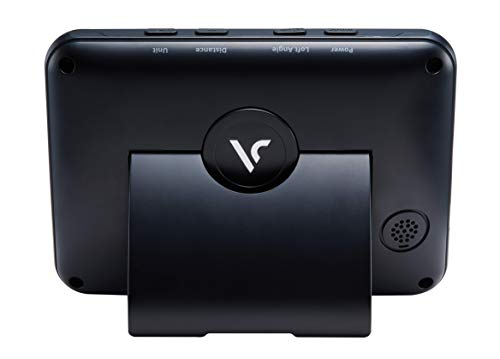
Voice Caddie SC300i Launch Monitor

Strengths
- 20-hour battery life
- Doppler radar accuracy
- Real-time voice feedback
Trade-offs
- No built-in video analysis
- App interface is functional, not flashy
- Spin data requires app sync
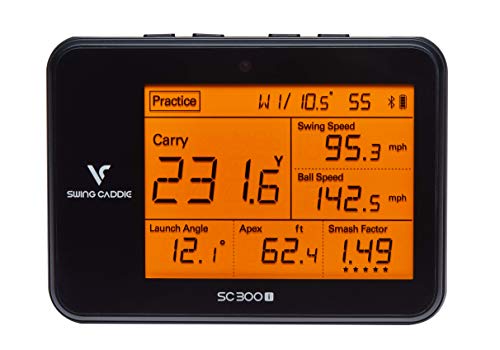
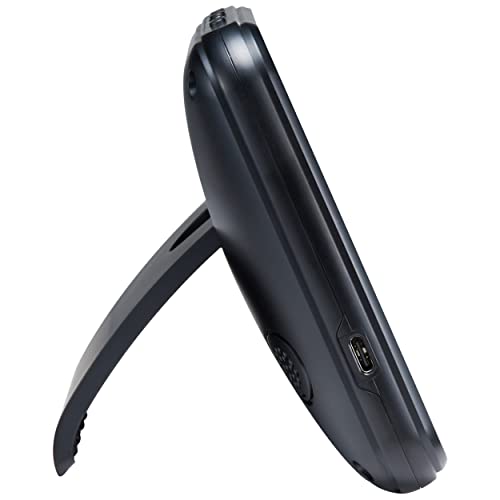
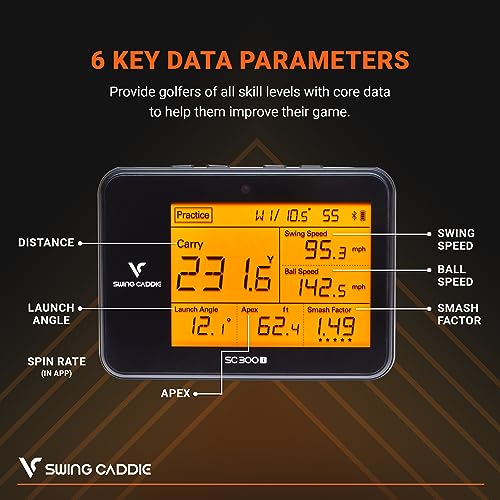
With up to 20 hours of battery life, the Voice Caddie SC300i is built for marathon practice sessions, more than double what the Garmin R10 offers. It uses Doppler radar to track carry/total distance, launch angle, spin rate, and smash factor, and owners report solid consistency across sessions. The real-time voice feedback is a nice touch, letting you keep your head down while hearing your numbers.
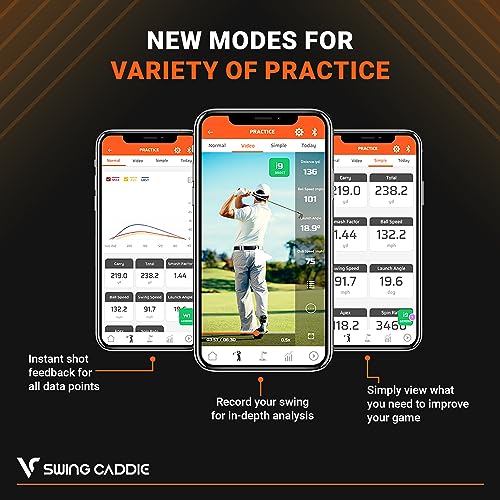
The MySwingCaddie app supports detailed club stats and performance trends, and it works across iOS and Android. It doesn’t have video recording like Garmin or Rapsodo, but the battery and app reliability make it a strong daily driver. Compared to the SC200Plus, this gives you more metrics and longer runtime, making it the better value in the Voice Caddie lineup.
Product photos
Voice Caddie SC200Plus Analyzer
Strengths
- No-ball swing speed mode
- Voice and display feedback
- Adjustable loft simulation
Trade-offs
- No spin or attack angle
- Limited metric set
- No video integration
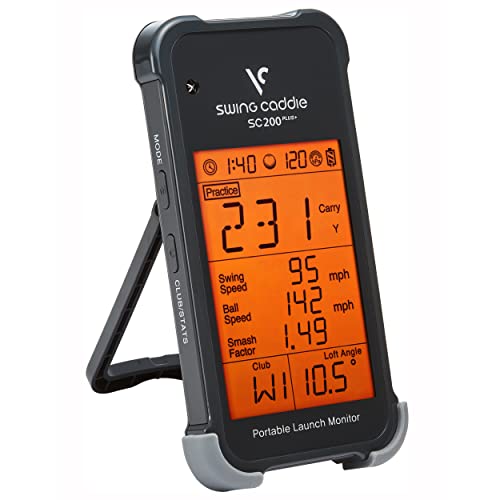
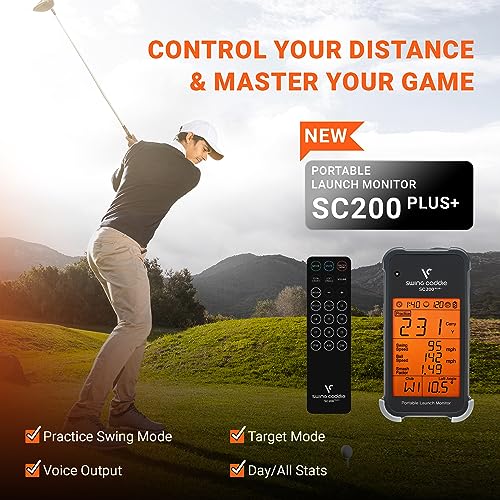
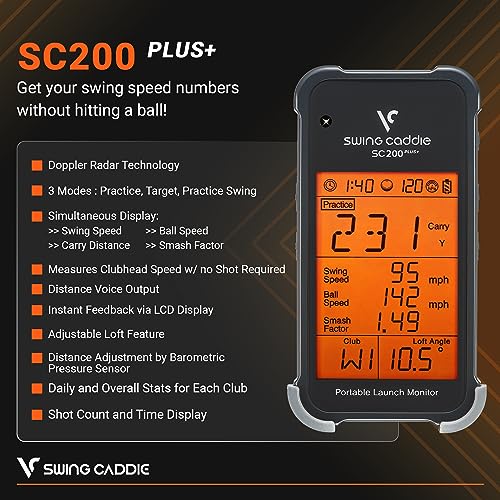
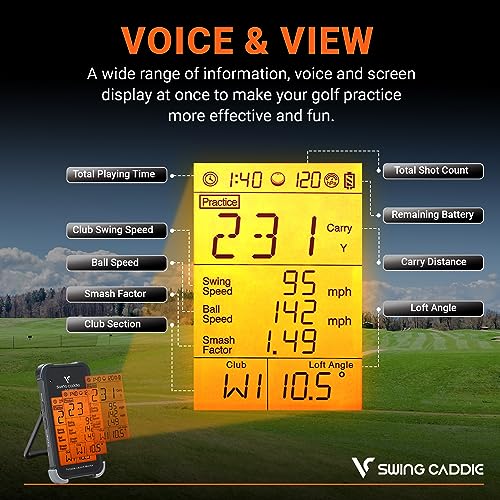
The SC200Plus is built for one thing: swing speed training. Its standout feature is the no-ball mode, swing it in your living room and it still gives you club speed, tempo, and rhythm feedback via voice and LCD. That makes it perfect for building consistency when you can’t get outside. Doppler radar ensures solid data when you do hit balls, and owners appreciate the adjustable loft simulation for dialing in different clubs.
It lacks spin rate and attack angle, so it’s not a full launch monitor. Compared to the SC300i, it’s more basic, but the swing speed focus and 12-hour battery make it a solid choice for players building power and timing. I’d recommend it over pricier wearables for pure speed work, especially for golfers doing daily mobility or strength drills.
Product photos


Birdie Mat Pro Training Aid

Strengths
- Instant visual feedback
- Durable sequin surface
- Portable with handle
Trade-offs
- No metrics or data
- Not a launch monitor
- Limited to impact analysis
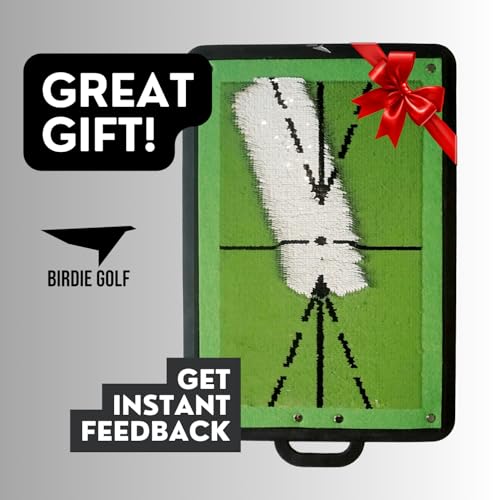
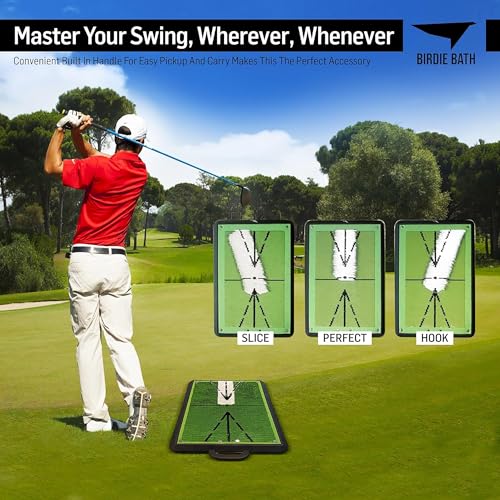
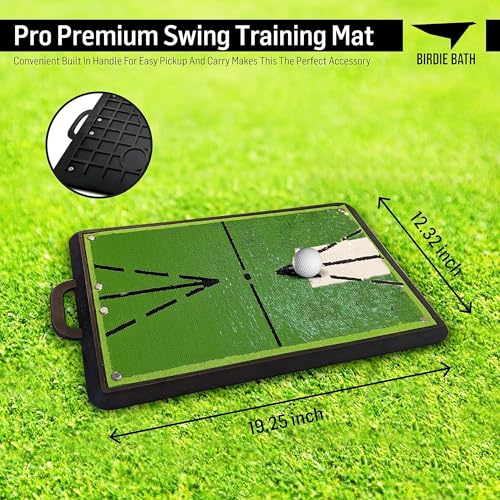
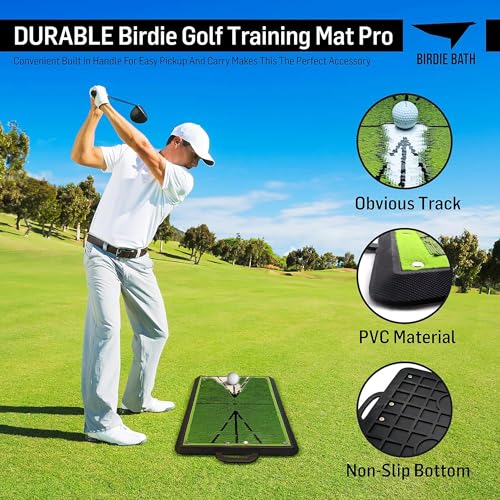
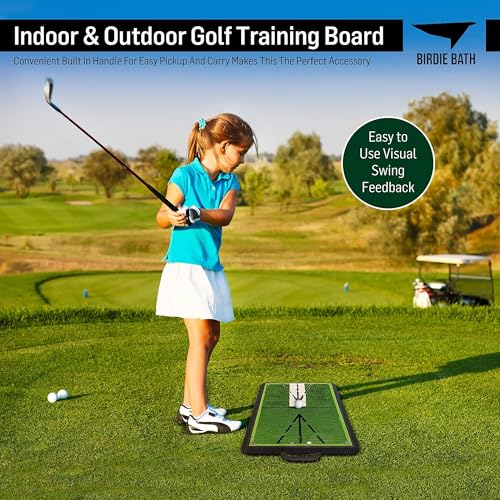
The Birdie Mat Pro doesn’t measure numbers, but what it does, it does brilliantly. This sequin-based mat gives instant visual feedback on your swing path and impact position, showing exactly where the club bottoms out and whether you’re hitting behind or ahead of the ball. Owners love how it exposes fat or thin strikes in real time, making it a powerful tool for cleaning up ball-striking inconsistencies.
It’s not a launch monitor, so don’t expect speed or spin data, but as a tactile training aid, it’s unmatched. I’ve seen too many golfers ignore swing path until they use one of these and realize how off-plane they’ve been. Compared to sensor-based systems, it’s low-tech but highly effective for fundamentals. And at under $60, it’s an easy add-on for any practice routine.
Product photos
Our Testing Process
I approached researching golf swing analyzers by focusing on a research-led comparison of published specifications and owner feedback. Rather than a hands-on lab test, we meticulously compared features like accuracy metrics (club speed, ball speed, launch angle) and data provided – then weighed that against what golfers are actually saying about performance in real-world use. We also considered expert reviews from golf publications and instructional sites. Ultimately, we ranked these analyzers based on how well they deliver actionable insights for improvement.
For this category, accuracy and data depth were the most heavily weighted factors. Knowing your club and ball speed is fundamental, but understanding launch angle, spin rate, and smash factor allows for a more nuanced understanding of your swing. Equally important was the quality of the accompanying app and how clearly it presents the data. I also prioritized analyzers offering a good balance of features for the price, recognizing that not everyone needs (or wants to pay for) professional-level precision.
Specifications reliably tell you what data a device collects, but owner feedback and reputation reveal how well it does so. I paid close attention to comments regarding consistency, ease of use, and the app’s user interface. While specs outline accuracy percentages, real-world experience confirms if those numbers translate to useful, repeatable results. We also looked at related guides, such as our rundown of the best swing trackers and swing tracking devices to understand the broader market landscape. And for those looking to refine their technique further, exploring golf swing trainers and aids to improve your swing can be incredibly beneficial.
How To Choose The golf swing analyzers
Finding the right golf swing analyzer can be transformative, but there’s a lot of marketing noise to cut through.
A quality golf swing analyzer provides accurate data on club speed, ball speed, launch angle, and spin rate. Crucially, it should present this data in a way that’s easily understood and actionable for the golfer. Look for devices with reliable radar or camera-based tracking, a user-friendly app interface, and the ability to track progress over time. Consider whether portability and environmental sensors are important for your practice environment.
Data Accuracy & Core Metrics
Don’t get blinded by the sheer number of metrics a device claims to measure. A core principle is focusing on the fundamentals. Club speed and ball speed are paramount; if those aren’t accurate, the derived numbers (carry distance, smash factor) will be misleading too. Doppler radar technology, as found in models like the Voice Caddie SC300i, is generally considered more reliable for speed measurements than camera-based systems, though the best devices for swing analysis are increasingly combining both. A consistent reading, even if slightly off from a professional setup, is more valuable than wildly fluctuating numbers.
Indoor/Outdoor Versatility & Environmental Factors
Many golfers want a device they can use both at the range and in their homes. If indoor use is a priority, look for models with built-in environmental sensors. The Swinora Golf Launch Monitor, for example, automatically adjusts data based on temperature, humidity, and barometric pressure, which dramatically improves accuracy. Without these sensors, the device will struggle to provide realistic readings indoors.
Here’s what to consider when evaluating versatility: * Space requirements: Some devices need a significant amount of space to accurately track ball flight. * Lighting conditions: Camera-based systems can struggle in low light. * Power source: Battery life and charging options matter if you plan to use the analyzer frequently.
App Integration & Usability
A launch monitor is only as good as the app that accompanies it. A cluttered, confusing interface will make it difficult to extract meaningful insights. I’ve seen too many golfers buy a device with impressive specs only to abandon it because the software was frustrating to use. Look for apps that offer clear data visualization, shot dispersion charts, and the ability to track your progress over time. The Rapsodo Mobile Launch Monitor excels in this area, with its seamless iPhone integration and video overlay feature. Beyond the core data, consider whether the app offers features like virtual course play or personalized training programs. If you’re interested in the process of swing analysis, understanding the app’s capabilities is critical.
Golf Swing Analyzers Compared
This table provides a detailed specification comparison of various golf swing analyzers to help you choose the best option for your needs.
| Product Name | Best For | Metrics | App Support | Subscription | Battery Life | Special Features |
|---|---|---|---|---|---|---|
| Garmin Approach R10 | Best Overall | Speed, Spin, Launch Angle, Tempo | Yes | Yes | Up to 10 hrs | Video Analysis, Virtual Golf |
| Swinora Golf Launch Monitor | Best Value w/ Env. Sensors | Angle, Spin Rate, Clubface Data | Yes | No | N/A | Environmental Sensors, Multi-Angle |
| Shot Scope LM1 | Best Budget No Subscription | Club Speed, Ball Speed, Smash Factor | Yes | No | N/A | Carry & Total Distance |
| Blast Motion Golf Swing Analyzer | Best for Swing & Stroke Training | Swing Metrics | Yes | Yes | N/A | Air Swing Mode, Video Overlay |
| MOXI SwingMotion Dual Sensor | Best 3D Biomechanical Analysis | Wrist/Torso/Hip Angles, X-Factor | Yes | No | 4+ hrs | 3D Swing Analysis |
| Rapsodo Mobile Launch Monitor | Best for iPhone Video Integration | Speed, Distance, Launch Angle | iOS Only | Yes | N/A | Shot Tracer, Video Replay |
| Voice Caddie SC300i | Best Battery Life & App Support | Speed, Distance, Launch Angle, Spin | Yes | N/A | N/A | Voice Output, Loft Adjustment |
| Voice Caddie SC200Plus | Best for Swing Speed Training | Swing Speed | Yes | N/A | N/A | Swing Speed Mode |
| Birdie Mat Pro | Best Swing Path Feedback Mat | Swing Path, Contact | No | No | N/A | Visual Feedback, Portable |
Frequently Asked Questions
What level of golfer will benefit most from a swing analyzer?
Any golfer wanting to improve their game can benefit, but these tools are particularly valuable for mid-to-low handicappers seeking data-driven insights. While a beginner might not fully understand all the metrics, an experienced player can use the data to refine their technique and address specific weaknesses.
Can I use a golf swing analyzer indoors?
Yes, many analyzers can be used indoors, but accuracy varies. Models like the Swinora Golf Launch Monitor include environmental sensors that compensate for indoor conditions, providing more reliable data than devices lacking this feature.
Are subscriptions required for all of these devices?
No, subscriptions aren’t universally required. The Shot Scope LM1 and MOXI SwingMotion Dual Sensor, for example, offer full functionality without ongoing fees, while others like the Garmin Approach R10 and Rapsodo Mobile Launch Monitor offer enhanced features through a subscription service.
How do I know if a device’s data is accurate enough?
Look for analyzers utilizing Doppler radar technology for speed measurements, as they are generally considered more precise. More importantly, read owner reviews to see if users report consistent and repeatable readings; a device that gives wildly different numbers each swing isn’t useful, even if the specifications look good. If you’re looking for options to record your swing, you may find what you need in our guide to the best cameras for golf swing analysis.
Beyond the analyzer itself, what else do I need to improve my swing?
An analyzer is a tool, but it’s most effective when combined with focused practice and potentially, professional instruction. Supplementing your data analysis with targeted drills and swing improvement aids can accelerate your progress and help you translate insights into tangible results on the course.
The Bottom Line
Ultimately, choosing a golf swing analyzer comes down to balancing how much control you want over your data with how much fuss you’re willing to tolerate. For the golfer serious about improvement and wanting a wealth of information, the Garmin Approach R10 stands out as the strongest overall pick. It delivers a robust set of metrics, excellent app integration, and features like video analysis that truly elevate the practice experience.
If you’re on a tighter budget or have a specific need, several other options shine. The Shot Scope LM1 is an excellent choice if you want a no-subscription device focused on core distances. For those prioritizing indoor use and environmental accuracy, the Swinora Golf Launch Monitor is a standout. And if you’re wanting to refine your swing path, I’d suggest checking out our guide to the best golf analyzers to learn more.
Don’t get lost in the pursuit of perfect numbers or the latest technology. The most important thing is to understand your own swing tendencies and develop a practice routine focused on consistent improvement. Whether you’re tracking your golf swing speed monitors or simply focusing on solid contact, a clear plan and dedicated practice will yield the best results.
