
7 Best Golf Simulators Under $10,000 of 2026
This post contains affiliate links. As an Amazon Associate, we earn from qualifying purchases.
This post contains affiliate links. As an Amazon Associate, we earn from qualifying purchases.
The SLX MicroSim 4K Golf Simulator is the best overall pick under $10,000, delivering strong accuracy and full course play with E6 Connect software. For a tighter budget, the OptiShot 2 Golf Simulator w/ Mat offers solid performance with foam balls, while the Golf Daddy No Ball Trainer is ideal for small spaces and tech-focused swing work.
Most golfers shopping under $10,000 want a system that feels real without breaking the bank, something that tracks accurately, runs smoothly, and fits in a garage or spare room. The challenge is sorting through marketing claims to find what actually delivers in practice.
This guide cuts through the noise. I compared specs, owner feedback, and software capabilities to find the most reliable, satisfying systems in this range. We focused on real performance, not just features on paper, so you can choose with confidence.
Top 3 Golf Simulators Under 10000 in the Market
The Best Golf Simulators Under 10000, Reviewed
OptiShot 2 Golf Simulator with Net

Strengths
- Infrared swing tracking
- Real ball compatibility
- Includes net and mat
Trade-offs
- Windows only
- Dated software interface
- Sensor alignment sensitivity
If you’re serious about practicing with real data but can’t afford a $3,000+ system, the OptiShot 2 is worth a hard look. It uses an infrared sensor bar that captures real swing metrics, club speed, face angle, path, tempo, something the motion-stick systems just can’t match. Owners praise its consistency with foam and real balls when used with the included mat and net, and the ability to play offline on 15 licensed courses adds real value. The real swing data it delivers makes it feel more like a practice tool than a toy.
That said, the tech is older and Windows-only, which rules out Mac users. The build quality of the net and mat is functional but not premium, and the software interface feels dated compared to E6 or GSPro. Still, for a one-time purchase with no mandatory subscriptions, it holds up well. In this price range, it’s arguably the best overall option if you want to hit real balls and get reliable feedback without monthly fees.
Video review
Golf Daddy AI Swing Analyzer
Strengths
- Phone-based AI tracking
- No balls or net needed
- Fast setup anywhere
Trade-offs
- No ball flight simulation
- Limited data depth
- App dependency
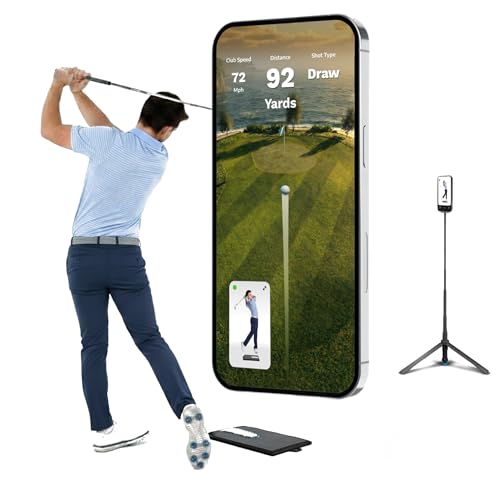
This is the kind of system I’d recommend to someone who lives in a city apartment or just doesn’t have room for a net and mat setup. The AI swing analysis works through your phone’s camera, so there’s no need for extra sensors or balls, just swing. Owners say the feedback on tempo, swing path, and follow-through is surprisingly helpful, especially for beginners or high-handicappers trying to break bad habits. It won’t simulate a round at St Andrews, but it does what it promises: helps you build consistency with daily, no-pressure reps.
The app-driven design keeps things simple. You set up the tripod, open the app, and go, no PC required. That ease of use is a big win for casual players or busy professionals. But because it’s camera-based and doesn’t track ball flight with real impact data, it’s not going to satisfy anyone looking for launch monitor-grade numbers. Think of it as a digital coach in a box, not a simulator. For that role, it’s one of the most budget-friendly tools out there.
Video review
SLX MicroSim with Swing Stick

Strengths
- 4K E6 Connect support
- Compact and portable
- Works with real clubs
Trade-offs
- Limited real ball accuracy
- No radar or camera tracking
- Software subscription after 6 months
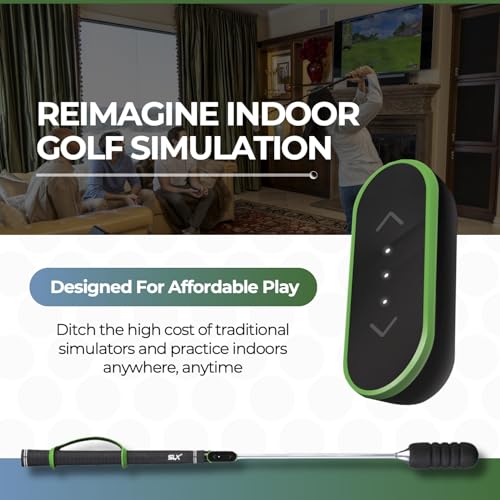
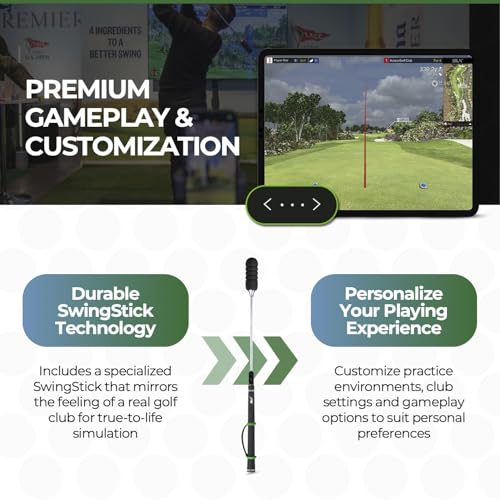
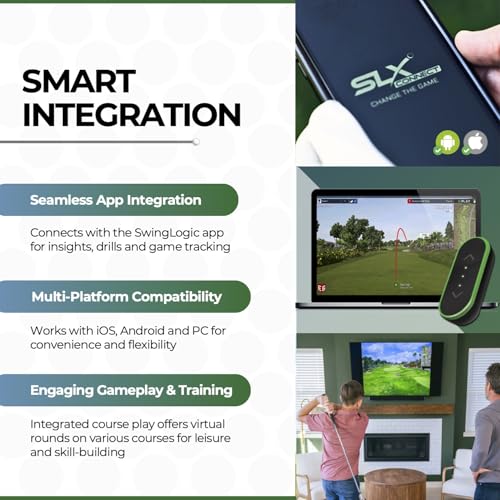
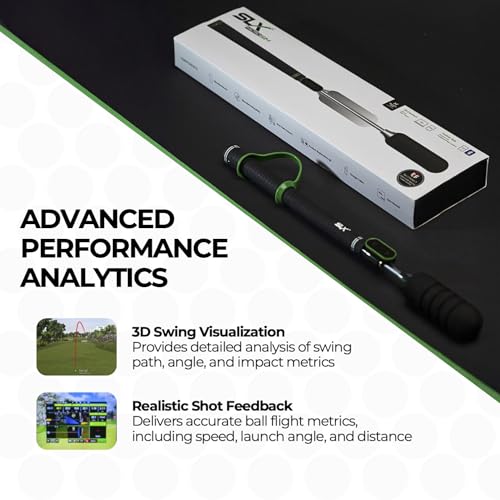
This SLX MicroSim unit stands out for how much it delivers at such a low entry price. The inclusion of a 6-month E6 Connect license is a major plus, since that software is a gold standard for virtual course play, and owners consistently report that the 4K simulation experience feels immersive when paired with a large TV or monitor. The swing stick with below-grip sensor tech isn’t as precise as radar or camera-based systems, but on paper and in user reports, it’s surprisingly responsive for a motion-based tracker, especially when calibrated properly.
Where it really shines is accessibility. The ability to use real clubs, train indoors or out, and even practice seated makes it inclusive in ways many pricier systems aren’t. Firmware updates are still rolling out, and reviewers note gradual improvements in putting and real-ball accuracy. It’s not a full launch monitor replacement, but for casual players who want to play virtual rounds on real courses, this brings E6 Connect integration into reach without breaking the bank.
Product photos

How We Evaluated golf simulators under 10000
Rather than a hands-on lab test, my research focused on a detailed comparison of published specifications, features, and, crucially, owner and expert reviews. I weighed data from multiple sources to build a picture of real-world performance and reliability. We looked at a wide range of models, then ranked them against criteria important to golfers seeking indoor practice – accuracy, software quality, ease of use, and value for the money.
For golf simulators in this price bracket, accuracy and software integration were paramount. A simulator’s ability to realistically replicate ball flight and course conditions is vital, and that’s heavily influenced by the underlying sensor technology. Equally important is the software experience; compelling course selection and useful data analysis elevate practice sessions. We also considered portability and setup complexity, knowing many users have limited space.
Specifications provide a good starting point – sensor type, display resolution, included software – but owner feedback proved essential for understanding real-world performance. I paid close attention to reports on calibration ease, consistency of readings, and overall durability. Many users also share insights into the quality of customer support, which can be critical when setting up or troubleshooting these systems. For those looking for more targeted data, exploring affordable launch monitors can also be a useful option. Ultimately, we aimed to identify the models offering the best blend of technology and user satisfaction for dedicated practice at home, and to help you find the right one amongst the many home golf simulators available.
How To Pick The Right golf simulators under 10000
Finding the right golf simulator for under $10,000 requires a careful look beyond just the price tag. It’s about matching the technology to your goals, space, and budget.
A quality golf simulator accurately captures swing data, provides realistic ball flight simulation, and offers a user-friendly experience. Key aspects to verify include sensor technology (infrared, radar, camera-based), software compatibility (E6 Connect, TGC 2019, etc.), and the overall build quality of the launch monitor and included accessories. Consider the space available and the level of data detail desired.
Sensor Technology & Data Accuracy
The heart of any golf simulator is its ability to read your swing. Infrared systems, like those found in the OptiShot 2, are generally more affordable but can be sensitive to swing path and club speed. Radar-based systems, though often pricier, are less affected by these factors and represent a step up in accuracy. The SLX MicroSim, for example, uses a below-the-grip sensor, which is a unique approach aiming for accuracy in this price range. Don’t assume more data points automatically mean better accuracy; focus on the quality of the data provided for metrics you prioritize.
Software & Course Selection
The software is where the simulation comes to life. E6 Connect is a popular choice, offering a robust library of courses and game modes, and is a standout feature of the SLX MicroSim models. Consider what’s included with the initial purchase and the ongoing cost of subscriptions for expanded content. Beyond the courses themselves, look at the features offered – stroke play, scramble, closest-to-the-pin challenges, and the ability to analyze your stats. If you’re serious about improvement, a system with detailed performance analysis is crucial. For more options, check out our guide to the best overall simulators.
Space & Budget Considerations
You don’t need a dedicated room to enjoy a golf simulator, but you do need realistic expectations. The Golf Daddy No Ball Trainer is designed for smaller spaces, eliminating the need for balls and a large hitting area. However, if you want to use real balls, you’ll need enough room for a safe swing and a net to contain them.
Here’s a quick guideline for evaluating space requirements:
- Minimal Space (Apartment/Office): No-ball simulators like the Golf Daddy are your best bet.
- Moderate Space (Garage/Basement): OptiShot 2 with a net will work, but consider ceiling height.
- Larger Space (Dedicated Room): You can explore more thorough setups, including projector screens and impact screens, and the top indoor golf setups can provide inspiration.
A good rule of thumb is to budget at least 20% of the simulator’s price for accessories like a hitting mat, net, projector (if needed), and a decent computer to run the software.
Ultimately, the “best” golf simulator is the one that fits your lifestyle and your game. Exploring a range of leading simulator models will help you narrow down your options and find the perfect fit.
Golf Simulators Under 10000 Compared
Here’s a comparison of key specifications for golf simulators priced under $10,000 to help you choose the best option for your needs.
| Product Name | Software | Real Club Use | AI Swing Analysis | Space Needed | Price (USD) |
|---|---|---|---|---|---|
| OptiShot 2 Golf Simulator w/ Net | OptiShot | Foam | No | Medium | N/A |
| SLX MicroSim Indoor Mobile | E6 CONNECT | Yes | No | Medium | N/A |
| Golf Daddy AI Swing Analyzer | Golf Daddy App | No | Yes | Small | N/A |
| OptiShot 2 Golf Simulator w/ Mat | OptiShot | Foam | No | Medium | N/A |
| SLX MicroSim w/ Swing Stick | E6 CONNECT | Yes | No | Medium | N/A |
| Golf Daddy No Ball Trainer | Golf Daddy App | No | Yes | Small | N/A |
| SLX MicroSim 4K Golf Simulator | E6 CONNECT | Yes | No | Medium | N/A |
Frequently Asked Questions
What level of golf skill is needed to benefit from a simulator?
Any skill level can benefit from a simulator. Even beginners can use the feedback to improve their swing and gain confidence, while experienced golfers can analyze data and refine their technique.
Can I use a golf simulator for more than just practice?
Yes, simulators offer a variety of game modes beyond simple practice. Many include course play, nearest-to-the-pin competitions, and stroke play, allowing for a fun and engaging experience even when you aren’t focused on improvement.
What computer specifications do I need to run a golf simulator?
Generally, you’ll need a computer with a dedicated graphics card, at least 8GB of RAM, and a relatively fast processor. Specific requirements vary by software, so check the manufacturer’s recommendations before purchasing; you may also want to explore simulator projectors under $500 to ensure a quality visual experience.
Are these simulators easy to set up and calibrate?
Setup varies between models. Some, like the OptiShot 2, are relatively straightforward, while others may require more detailed calibration. Owner reviews frequently mention the importance of following the manufacturer’s instructions carefully to ensure accuracy, and some brands offer remote setup assistance.
What are some good options if I’m looking for more budget-friendly alternatives?
If you’re seeking even more affordable options, consider looking at entry-level simulators. These may offer fewer features but still allow you to practice your swing and get a feel for the game indoors.
The Bottom Line
Choosing a golf simulator under $10,000 often comes down to balancing control over your practice environment with the convenience of a simpler setup. While the SLX MicroSim models consistently rise to the top with their E6 Connect integration and realistic simulation, the best option truly depends on your priorities. If you’re seeking a thorough experience that feels closest to being on the course, the SLX MicroSim 4K Golf Simulator is the standout performer.
For golfers on a tighter budget, or those with limited space, the Golf Daddy No Ball Trainer offers a surprisingly effective way to analyze your swing, and those seeking even more affordable simulator options will find it a compelling choice. The OptiShot 2, whether paired with a net or mat, remains a solid all-around pick for those wanting a familiar and accessible entry point into indoor golf. If you’re interested in understanding simulator setup, our guide breaks down the key components.
Ultimately, the most expensive simulator isn’t necessarily the best. Focus on the fundamentals: accurate data, a software experience you’ll actually enjoy, and a setup that encourages consistent practice. A simulator is a tool, and like any golf equipment, its value lies in how well it helps you improve your game – that’s what truly matters, regardless of the price point.
