
6 Best Golf Simulators of 2026
This post contains affiliate links. As an Amazon Associate, we earn from qualifying purchases.
This post contains affiliate links. As an Amazon Associate, we earn from qualifying purchases.
The Garmin Approach R50 stands out as the best overall golf simulator for its blend of accuracy and ease of use, while the PHIGOLF Home Golf Simulator is a solid budget-friendly pick for casual players. For those seeking top-tier data, the Rapsodo MLM2PRO delivers the most detailed metrics.
If you’re dreaming of playing St Andrews from your basement or want to sharpen your swing in the off-season, a golf simulator can be a standout. But with so many options, it’s easy to get lost in the tech specs and marketing hype.
This guide cuts through the noise. I compared tracking technology, software quality, space requirements, and real-world user feedback to find the best systems for different needs and budgets. These picks reflect what actually works for golfers who use them regularly.
Top 6 Golf Simulators in the Market
The Best Golf Simulators, Reviewed
Garmin Approach R50 Launch Monitor

Strengths
- Built-in 10” touchscreen
- Highly accurate 3-camera system
- Long battery life
Trade-offs
- Very high price
- Requires subscription for full access
- Bulky for travel
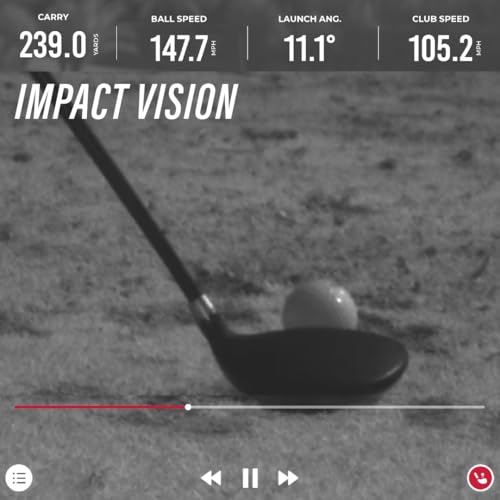
The Garmin Approach R50 stands out as a true all-in-one solution, blending a high-resolution 10” touchscreen, 3-camera tracking, and built-in battery into a system that works flawlessly indoors and out. On paper, it’s loaded: spin axis, face to path, carry distance, and even high-speed impact video playback, all accessible without a phone or tablet. Owners love that they can walk up to it, start a session, and stay fully immersed thanks to the large display and intuitive interface.
What really sets it apart is the depth of integration. The training mode builds club-by-club stats with dispersion heatmaps, and the Home Tee Hero platform gives access to over 43,000 courses with multiplayer capability. It’s not just a launch monitor, it’s a full practice ecosystem. While it’s expensive, the lack of dependency on external devices and its rugged, portable design make it the most complete standalone unit available.
Video review
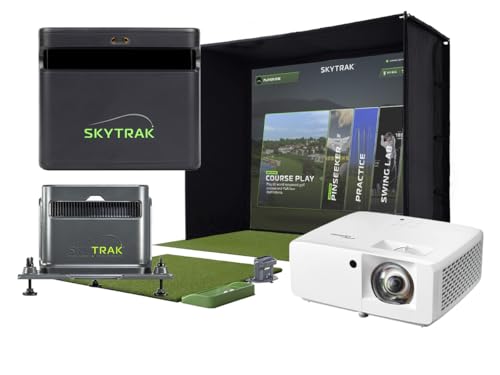
SkyTrak ST MAX Ultimate Studio
Strengths
- All-in-one premium package
- Tour-level accuracy
- Immersive HD projector
Trade-offs
- Extremely high cost
- Large space required
- Long setup time
This isn’t just a launch monitor, it’s a full home golf studio, and one of the most complete out-of-the-box setups on the market. The SkyTrak ST MAX unit combines dual radar and photometric cameras for tour-level accuracy, and when paired with the GT2000HDR short-throw projector and 5×5 hitting mat, the experience feels remarkably close to being on the range. Owners praise the screen’s durability and the projector’s low latency, which eliminates lag during full swings.
The inclusion of GOLFTEC Speed Training is a smart touch for players looking to add distance, and the embedded putting turf makes short game work seamless. The main hurdle is space, this needs a dedicated 10’ x 5’ area with high ceilings. But if you’ve got the room and budget, it’s a premium, well-integrated system that delivers a truly immersive experience without requiring custom assembly.
Video review
Rapsodo MLM2PRO Mobile Launch Monitor

Strengths
- Dual radar and camera system
- Highly accurate spin and path data
- Excellent training app
Trade-offs
- No built-in display
- Premium features require ongoing subscription
- Slightly larger footprint
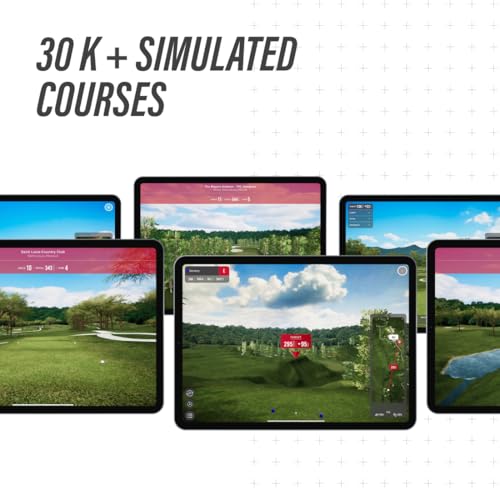
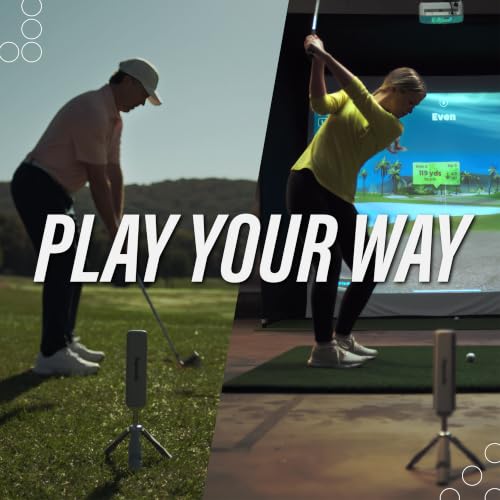
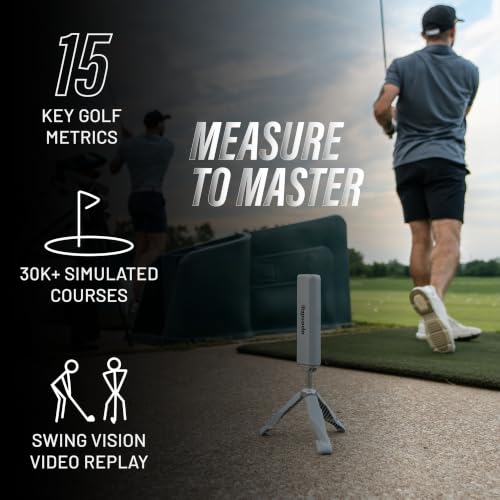
If raw metric accuracy is your top priority, the Rapsodo MLM2PRO is hard to beat. Combining Doppler radar with dual cameras, it captures 15 key data points, including spin axis, club path, and launch angle, with a level of consistency that rivals units twice its price. Reviewers note its indoor performance is especially strong, delivering reliable feedback even in tight spaces where other systems struggle.
The included 45-day premium trial unlocks access to 30,000+ courses via third-party apps, and the slow-motion impact analysis gives real insight into contact quality. While it still needs a tablet or phone to function, the Rapsodo app is among the best in the category, clean, intuitive, and packed with training tools. For golfers serious about improvement, this is the kind of tool that turns practice into progress.
Product photos

PHIGOLF Home Golf Simulator
Strengths
- Very affordable
- Easy setup
- AI swing coaching
Trade-offs
- No real ball tracking
- Motion-based estimates only
- Limited for serious players
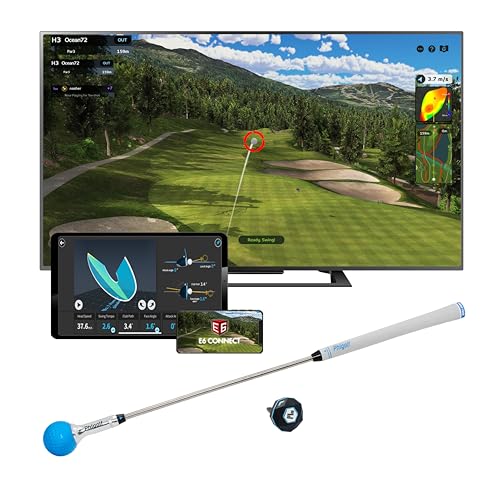
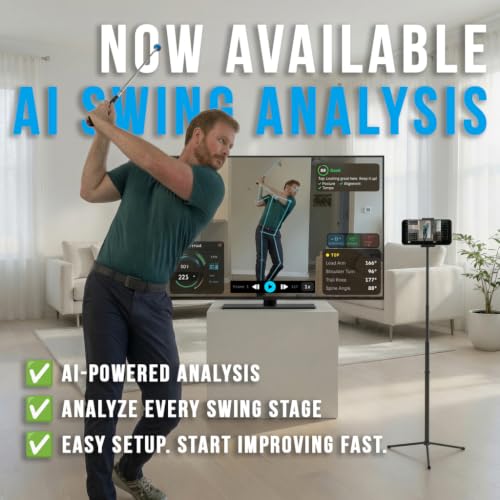
The PHIGOLF system takes a completely different approach, relying on a 9-axis motion sensor instead of radar or cameras. That means it doesn’t track ball flight, but instead models your swing based on movement data. For beginners or families looking for an engaging way to practice indoors, it works surprisingly well. The app offers access to over 38,000 courses and includes AI coaching that breaks down your swing into phases with visual feedback.
It’s not a launch monitor in the traditional sense, so don’t expect spin rate or carry distance. But for casual users who want to stay connected to the game during winter months or in small spaces, it’s a smart, low-friction option. The ability to attach the sensor to a real club adds versatility, and the multiplayer mode keeps it social. Just don’t expect pro-level data.
Product photos



SkyTrak Golf Launch Monitor
Strengths
- Affordable entry
- Real ball flight data
- Includes protective case
Trade-offs
- Camera-based limitations
- No built-in screen
- Subscription for full features
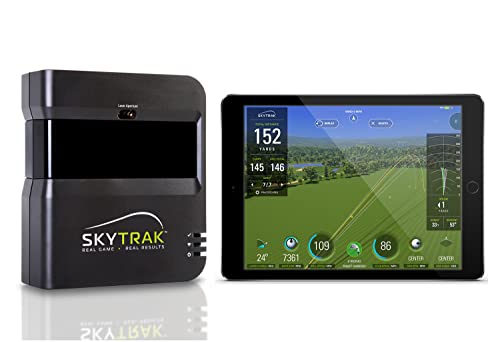
For golfers who want real data without breaking the bank, the SkyTrak B07JFL81JZ is a solid entry point into home simulation. It uses photometric technology to deliver key metrics like ball speed, launch angle, and spin rates, exactly what you need to analyze your ball flight and make meaningful swing changes. Owners consistently report that the driving range mode feels responsive, and the ability to see real-time feedback makes practice sessions far more productive than mindless net hitting.
The included metal protective case is a small but thoughtful touch, showing SkyTrak understands how often this gear gets moved around. While it doesn’t match the precision of radar-based systems, it’s one of the most trusted camera-based launch monitors on the market. When paired with third-party software, it opens up a world of virtual courses and training tools, making it a flexible foundation for building a DIY simulator over time.
Product photos


Rapsodo MLM iPhone Golf Monitor

Strengths
- Ultra-portable
- Excellent shot tracer video
- iOS integration
Trade-offs
- iOS only
- Fewer metrics than pro models
- No Android support
The Rapsodo MLM for iPhone and iPad is the most portable high-quality launch monitor you can buy. Weighing next to nothing and powered by your iOS device, it’s the go-to for golfers who want real data on the range, in the backyard, or at a buddy’s indoor net. It delivers core metrics, carry distance, ball speed, launch angle, and shot shape, with solid accuracy for its size and price.
The video replay with shot tracer is a standout feature, letting you overlay your swing path and ball flight to spot flaws instantly. While it’s limited to iOS and lacks the depth of the MLM2PRO, it’s a no-fuss tool that just works. For the price, it’s a fantastic gift or starter unit for a golfer who wants to train smarter without investing in a full simulator yet.
Product photos


How We Picked These golf simulators
Rather than a hands-on lab test, my research for these recommendations involved a detailed comparison of published specifications and features across numerous models. I weighed owner reviews from multiple sources – looking for recurring praise and complaints – alongside expert opinions from golf publications and tech reviewers. My evaluation focused on identifying simulators that consistently deliver accurate data and a compelling user experience, factoring in price point and intended use.
For golf simulators, accuracy and realistic course play are paramount. I placed the most weight on launch monitor technology (Doppler radar, cameras, or a combination) and the quality of the included or compatible golf simulation software. A simulator’s ability to reliably measure key metrics like ball speed, launch angle, and spin rate directly impacts its value as a practice tool. Ultimately, finding a balance between data precision and immersive gameplay determined the rankings.
Specifications reliably reveal the underlying technology – the type of sensors, processing power, and display capabilities. However, I leaned heavily on owner feedback to assess real-world usability and durability. Reputable reviews and online forums helped me gauge the long-term satisfaction of users and identify potential issues with setup, connectivity, or software glitches. If you’re short on space, explore our guide to simulators for small spaces.
How To Pick The Right golf simulators
Finding the right golf simulator can transform your practice and enjoyment of the game, but there’s a lot to consider beyond just hitting balls indoors.
A quality golf simulator delivers accurate data, realistic course simulation, and a comfortable user experience. Key considerations include the technology used for ball and club tracking (Doppler radar, cameras, or a combination), the software’s course library and features, the projector’s resolution and brightness, and the overall setup space required. Buyers should also weigh the cost of subscription services for course access and advanced features.
Data Accuracy & Tracking Technology
The heart of any good simulator is its ability to accurately capture your swing data. Don’t assume all systems are created equal. Systems like the Rapsodo MLM2PRO use Doppler radar and cameras, providing a robust set of metrics. Cheaper systems may rely solely on motion sensors, which can be less precise. Consider what data actually matters to you. Are you focused on carry distance and ball speed, or do you want detailed spin rate analysis? Understanding your needs will help you prioritize accuracy.
- Basic metrics (carry, club speed) are available on more affordable options.
- Detailed data (spin rates, launch angles, face-to-path) usually requires more sophisticated (and expensive) setups like the SkyTrak ST MAX.
- The quality of the data impacts your ability to make meaningful improvements; inaccurate feedback is worse than no feedback at all, and a system’s ability to provide consistent, repeatable data is paramount.
Screen & Projector Quality
The visual experience is crucial for immersion. A dim, pixelated image detracts from the realism. Look for a projector with at least 1080p resolution and a high lumen count (3,000+ is a good starting point) to ensure a bright, clear picture, even in a room with some ambient light. The screen material is equally important, impacting image clarity and ball visibility. Many higher-end options, like the SkyTrak ST MAX Ultimate Studio, include a purpose-built screen, but you can also explore aftermarket options specifically designed for golf simulators.
A clear image and accurate impact representation are crucial. Don’t skimp on the projector and screen – they’re the window to your virtual course.
Space & Budget Considerations
Space is often the biggest constraint. Some simulators, like the PHIGOLF, are designed for limited spaces and don’t require a dedicated room. Others, such as the SkyTrak, need a fairly substantial area for comfortable swing mechanics. Beyond the physical space, budget is a major factor. Entry-level options can cost under $1,000, while premium setups with full enclosures and high-end projectors can easily exceed $10,000. Remember to factor in ongoing costs like subscription fees for course access. If you’re looking for more options, consider checking out our guide to the best home golf simulators. And if accurate short game practice is a priority, explore putting golf simulators and systems with accurate putting to enhance your overall game.
Golf Simulators Compared
Here’s a comparison of key specifications for popular golf simulators to help you make an informed decision.
| Product Name | Best For | Key Metrics | Screen Included | Courses Included | Price (USD) |
|---|---|---|---|---|---|
| Garmin Approach R50 | Best Overall | Ball/Club Speed, Launch Angle | N/A | 43,000+ | N/A |
| SkyTrak ST MAX Ultimate Studio | Best Premium Setup | N/A | Yes | N/A | N/A |
| Rapsodo MLM2PRO | Best for Accurate Metrics | 15+ | N/A | 30,000+ | N/A |
| PHIGOLF Home Golf Simulator | Best Budget Friendly | Swing Movement | N/A | 38,000+ | N/A |
| SkyTrak Golf Launch Monitor | Best Value Simulator | Ball/Club Speed, Spin | N/A | N/A | N/A |
| Rapsodo MLM iPhone Golf Monitor | Best Portable Option | Ball/Club Speed, Launch Angle | N/A | N/A | N/A |
Frequently Asked Questions
What simulator is best for someone new to golf?
The PHIGOLF Home Golf Simulator is a great starting point for beginners. Its affordability and ease of use make it accessible, while still providing a basic simulation experience to learn the game.
How much space do I actually need for a golf simulator?
You’ll need at least 8-10 feet of ceiling height and 8-16 feet of depth, depending on the model. However, if space is limited, consider mobile golf simulators designed for smaller areas.
Are simulator subscriptions really necessary?
Yes, most simulators require subscriptions for access to a wide range of courses and ongoing software updates. These fees typically range from $60 to $200 annually, depending on the provider and features.
What projector specifications should I prioritize?
Look for a projector with at least 1080p resolution and 3,000 lumens for a clear and bright image. Higher resolutions (4K) offer even greater detail, but come at a higher cost and require a dedicated screen to fully appreciate the difference.
Where can I find a good simulator if I’m on a tighter budget?
You can find quality simulators on a budget starting under $1,000, but be prepared to compromise on features or data accuracy compared to higher-end models.
The Bottom Line
Choosing a golf simulator often comes down to how much control you want versus how much fuss you’re willing to tolerate. If you’re after the most complete and accurate experience, and budget isn’t a primary concern, the Garmin Approach R50 stands out as a top performer. It offers a fantastic blend of data precision and realistic gameplay, making it a worthwhile investment for serious golfers.
For those seeking a specific solution, several options excel. The PHIGOLF Home Golf Simulator remains the best budget-friendly choice for casual players, while the SkyTrak ST MAX Ultimate Studio delivers a premium, immersive experience for those with the space and resources. If portability is key, the Rapsodo MLM iPhone Golf Monitor offers impressive metrics in a compact package. You can find more options in our guide to simulators under $10,000.
Ultimately, the best simulator isn’t about the fanciest technology or the highest price tag. It’s about finding a system that encourages consistent practice and helps you understand your swing. Focusing on reliable data, a comfortable setup, and a course library you’ll actually enjoy will yield far greater improvements than chasing the latest features. Understanding how simulators work will help prioritize what matters most for your game.
