
6 Best Golf Swing Analyzers of 2026
This post contains affiliate links. As an Amazon Associate, we earn from qualifying purchases.
This post contains affiliate links. As an Amazon Associate, we earn from qualifying purchases.
The Garmin Approach R10 stands out as the best overall golf swing analyser, delivering reliable Doppler radar data on club and ball speed, launch angle, and spin with solid app integration. For golfers on a budget, the Voice Caddie SC300i offers impressive accuracy at a lower price, while the Blast Motion Golf is the top pick for those focused on full-swing mechanics and putting analysis.
Most golfers struggle to separate useful feedback from gadget overload. You don’t need every metric, just the right ones, delivered clearly and consistently.
This guide cuts through the noise. I compared specs, owner experiences, and expert insights to highlight analysers that deliver real value based on accuracy, ease of use, and how well they turn data into better swings.
Top 6 Golf Swing Analysers in the Market
The Best Golf Swing Analysers, Reviewed
Garmin Approach R10 Launch Monitor

Strengths
- High ball speed accuracy
- Strong app integration
- Long battery life
- Virtual course play
- Shot dispersion charts
Trade-offs
- No Android golf simulation
- Spin data limited without subscription
- Higher price than entry models
If you’re serious about dissecting your swing and want a single device that bridges home practice, range work, and even virtual play, the Garmin Approach R10 stands out as the most complete package. On paper, its Doppler radar specs are solid, ball speed accuracy within plus/minus 1 mph is impressive at this price, and owners consistently report that the integration with the Garmin Golf app feels polished, especially when reviewing swing videos overlaid with metrics. The ability to simulate rounds on 42,000+ courses is a rare perk, and it’s clear Garmin built this not just for data junkies but for golfers who want a full ecosystem.
Where it really separates from the pack is in usability. The included phone mount is a small touch, but reviewers note it makes a big difference when toggling between swings and data. Compared to budget radars, the R10 delivers more reliable launch angle and spin data, and while it doesn’t match pro-level launch monitors, it’s the smartest buy for most golfers who want accuracy, consistency, and app-driven feedback without stepping into the $1,000+ range.
Video review
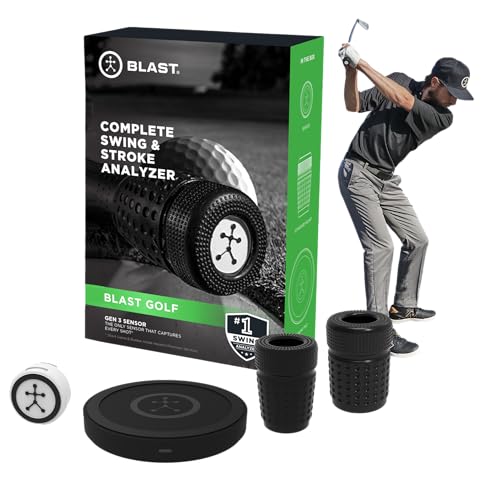
Blast Motion Golf Swing Analyzer
Strengths
- Superior swing path analysis
- Great for putting
- Auto video highlights
- Works without a ball
- Used by pros and colleges
Trade-offs
- No ball flight data
- Sensor adds club weight
- Limited to club metrics
Blast Motion takes a completely different approach: instead of radar, it uses an IMU (inertial sensor) mounted on the club to capture swing data. That means it excels at measuring swing path, tempo, and transition, things radar can’t see. Owners consistently praise its ability to break down the full swing and putting stroke with high precision, and the auto-video clipping with overlaid metrics is one of the most useful tools for self-review. It’s no surprise that so many touring pros and college programs use it.
However, it doesn’t measure ball flight. No carry distance, no launch angle, no spin. You get club behavior, not ball behavior. So while it’s the best choice for golfers serious about swing mechanics, it won’t tell you how far you hit or why your ball slices. Compared to radar-based units, it’s complementary rather than competitive. I’d pick this if I were rebuilding my swing or focused on short game consistency, but not if I wanted launch data.
Video review
Voice Caddie SC300i Swing Analyzer

Strengths
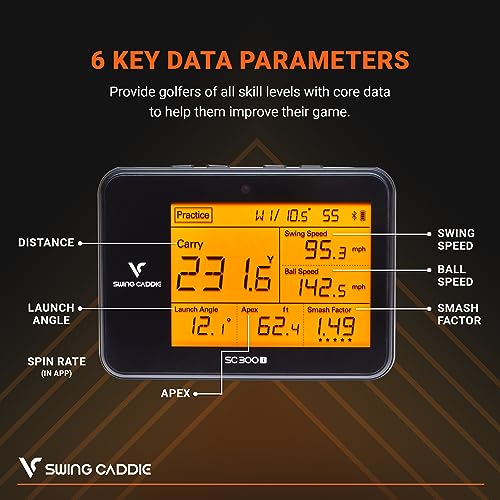
- Doppler radar at low price
- Long battery life
- Voice feedback
- Measures spin via app
- Adjustable loft settings
Trade-offs
- App interface is basic
- Accuracy dips in practice mode
- Less polished than Garmin or Rapsodo
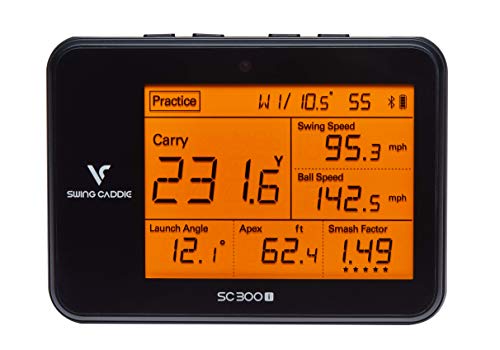
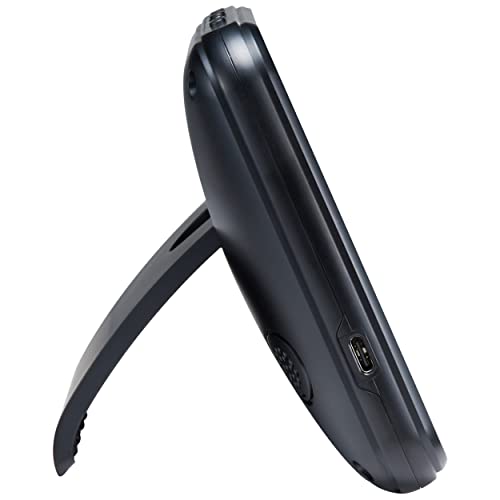
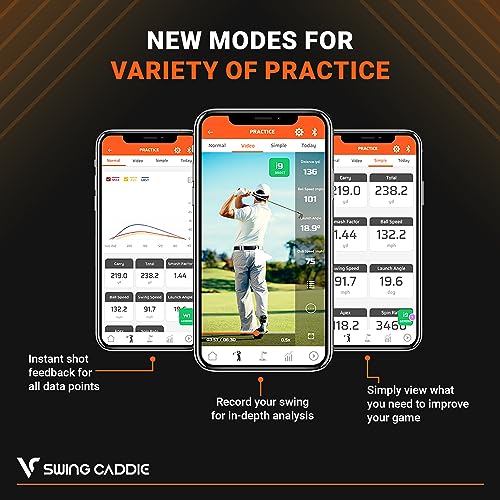
The Voice Caddie SC300i hits a sweet spot: it’s one of the few sub-$250 units that uses actual Doppler radar and delivers a broad range of metrics, including spin rate (via app) and carry distance. Owners report the voice feedback is surprisingly useful, calling out your swing speed or carry distance mid-range helps keep focus without pulling out your phone. The 20-hour battery life is a standout spec, and the MySwingCaddie app, while not as slick as Garmin or Rapsodo, gets the job done for tracking trends over time.
It’s not the most accurate unit out there, Garmin and Rapsodo edge it out on ball speed consistency, but for the price, it offers real value. Compared to the RYP radar, it gives full launch data; compared to the Blast sensor, it captures ball flight. It’s the best budget radar that still feels like a real launch monitor. If you want more than just speed but can’t justify the R10’s price, this is the smarter buy.
Product photos
Rapsodo Mobile Launch Monitor

Strengths
- Excellent shot tracer video
- Compact and portable
- Strong iOS app
- Real carry distance data
- Easy setup
Trade-offs
- iPhone/iPad only
- Premium features require subscription
- No Android support
Rapsodo has built a loyal following for good reason: it delivers pro-level insights in a compact, iPhone-only package. The shot tracer feature, where your video replay includes a flight path overlay, is consistently highlighted in owner feedback as a standout for spotting swing flaws in real time. It tracks carry distance, launch angle, and club speed with reliable accuracy, and the fact that it works in a backyard or net makes it ideal for golfers with limited space.
But the big caveat is also the biggest limitation: iOS only. If you’re on Android, this isn’t even an option. And while the free app gives you solid data, unlocking premium simulator modes requires a subscription. Still, for iPhone users, it’s one of the most polished experiences under $250. Compared to the Voice Caddie SC300i, it offers better video integration and a cleaner UI, even if the radar tech is similar.
Product photos


TheStack Radar Swing Analyzer
Strengths
- Excellent wedge training app
- Gamified practice sessions
- Trusted by tour pros
- Smooth Bluetooth sync
- Includes putting app
Trade-offs
- Wedge mode iOS only
- No launch angle or spin
- Limited full-swing data
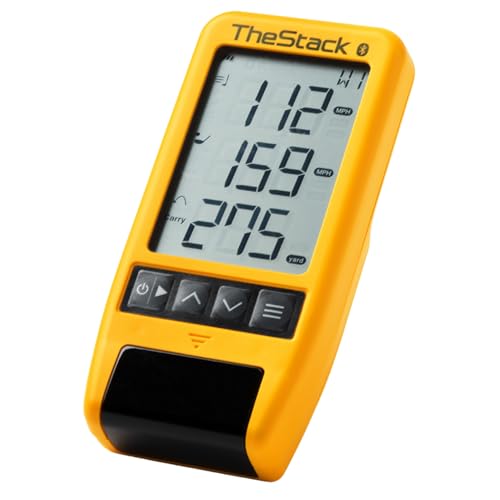
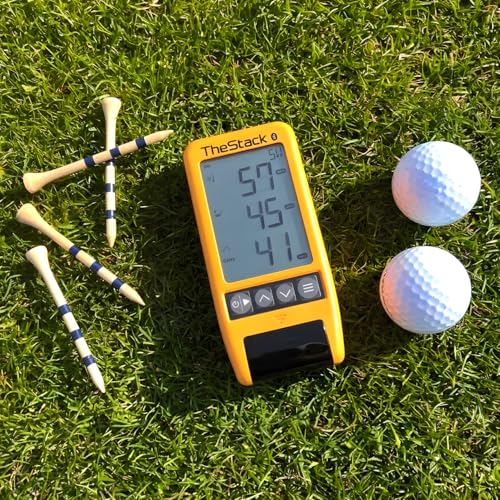
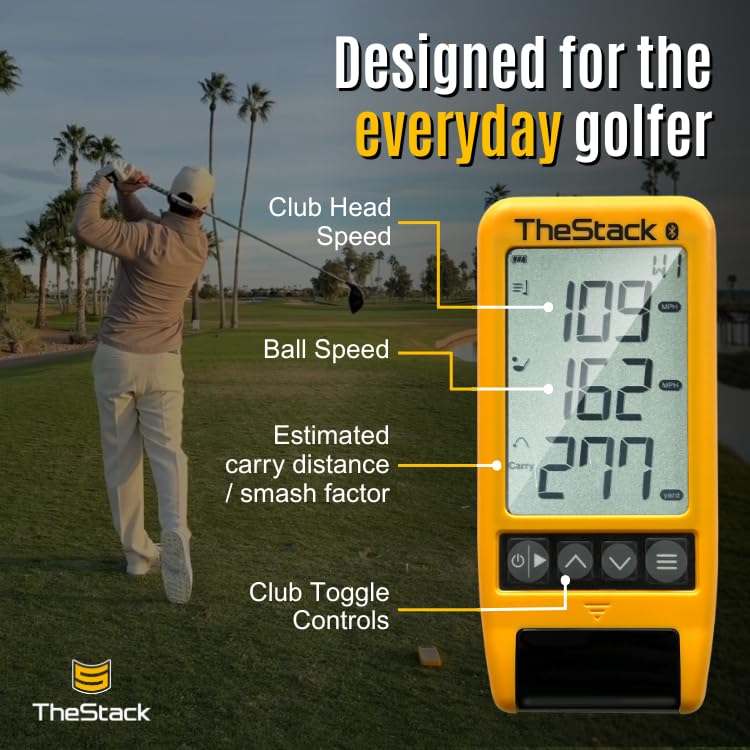
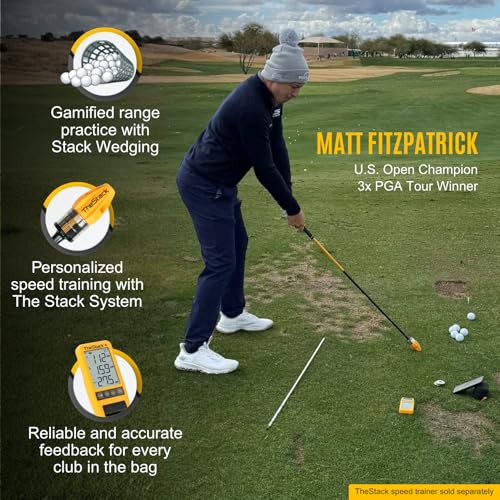
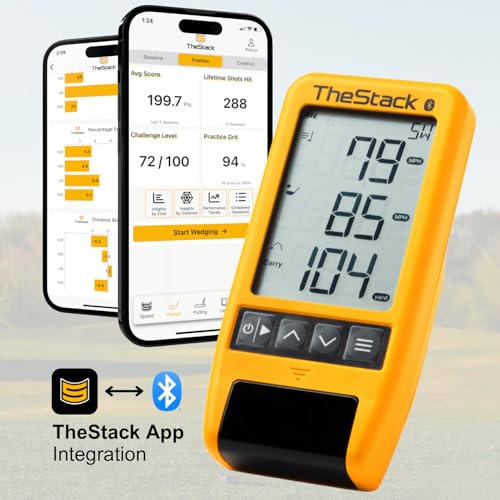
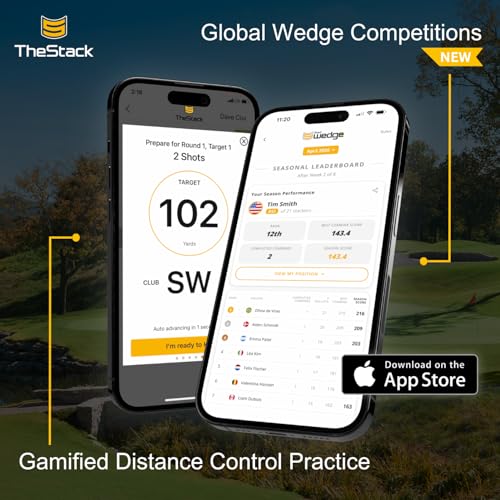
TheStack Radar is niche, and it owns that niche completely: it’s the best tool on the market for wedge-specific training, especially if you value gamified, structured practice. The integration with TheStack App is seamless, and owners rave about the wedge mode, it turns repetitive distance control drills into something that actually feels engaging. The fact that Matt Fitzpatrick used it en route to a US Open title adds credibility, but the real win is how well it translates speed data into practical carry estimates for partial shots.
It’s not without limitations. The iOS-only restriction for wedge training frustrates Android users, and the lack of full launch data, like launch angle or spin, means it won’t replace a full launch monitor. But if you’re someone who knows that scoring happens within 100 yards, this device delivers exactly the feedback you need. Compared to the Rapsodo or Garmin, it’s less versatile, but for short game work, it’s unmatched.
Product photos
RYP Golf Swing Speed Monitor

Strengths
- Affordable
- No ball needed
- Real-time voice feedback
- Simple to use
- Works with Rypstick
Trade-offs
- No ball flight data
- No app connectivity
- Limited to speed only
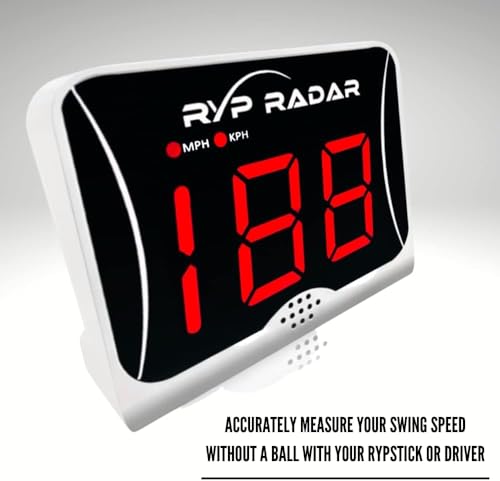
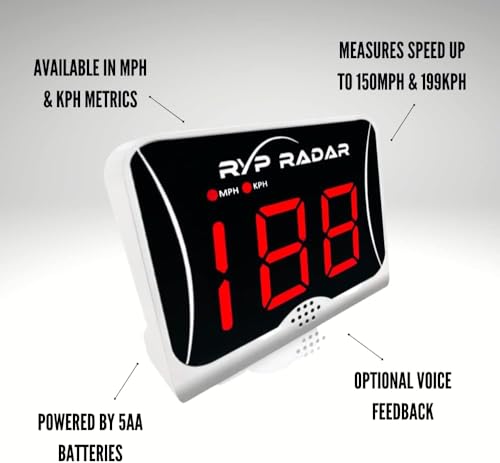
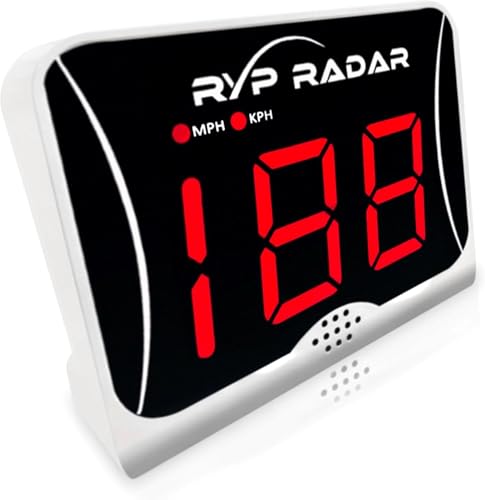
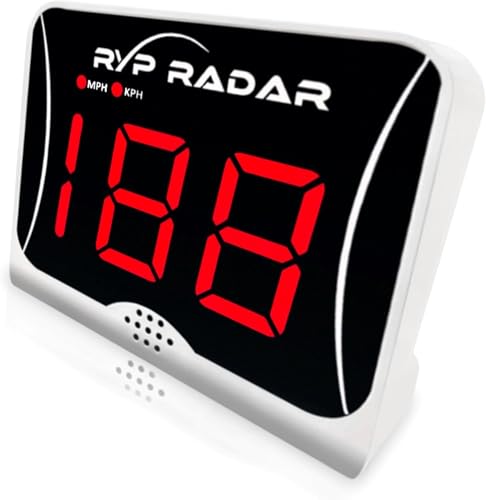
This isn’t a launch monitor in the traditional sense, it’s a dedicated club speed tracker, and at this price, it does that one job well. The fact that it measures swing speed without requiring a ball is a real advantage for quick check-ins or dry swings, and owners report the feedback is consistent when using it with a Rypstick or driver. It’s basic: no launch angle, no spin, no app integration, but if your goal is to track raw speed over time and push for faster swings, this tool removes all the noise.
Compared to more advanced units like the Garmin R10 or Voice Caddie SC300i, it’s obviously limited. But for someone building speed or doing overspeed training, the real-time voice feedback and last-10-swing memory make it a no-fuss companion. I’d recommend this as a secondary tool, not a primary analyzer. It’s best viewed as a speed coach in a box, not a full swing lab.
Product photos

How We Picked These golf swing analysers
Rather than a hands-on lab test, my research focused on a detailed comparison of published specifications and features across numerous models. I weighed owner reviews from major retailers alongside assessments from respected golf publications and websites. As someone who’s spent years exploring courses and observing golfers, I applied my understanding of what truly impacts performance to rank these devices against essential criteria.
For golf swing analysers, accuracy in measuring club and ball speed, and the quality of data presented, were the most important factors. Reliable data allows for targeted practice and provides a clear picture of progress. Beyond raw numbers, the usefulness of the accompanying app – its interface, training modes, and ability to visualise swing data – heavily influenced my rankings. A device is only as good as its ability to translate data into actionable insights.
Specifications clearly define a device’s potential for accurate measurements (speed ranges, radar technology), but real-world performance is best judged through owner feedback. I paid close attention to comments regarding consistency, ease of use, and the reliability of Bluetooth connections. Reputable expert reviews helped validate claims and identify potential shortcomings not always apparent in marketing materials. Understanding this balance was key to building a trustworthy comparison, and you can find further information on swing analysis technology.
How To Choose The golf swing analysers
Choosing the right golf swing analyser depends heavily on what you want to improve and how seriously you take your game.
A quality golf swing analyser provides quantifiable data on key metrics like clubhead speed, ball speed, launch angle, and spin rate. It should offer consistent, repeatable readings, a user-friendly interface (often via a smartphone app), and ideally, features tailored to specific training goals. Accuracy is paramount, but so is the ability to translate raw data into actionable insights.
Understanding Data Depth
The sheer volume of data available from some analysers can be overwhelming. While detailed metrics are valuable for dedicated players and coaches, many weekend golfers are better served by a device that focuses on the most impactful numbers. Don’t automatically assume more data equals better analysis. Consider what aspects of your swing you’re actively trying to change. If you’re focused on distance, clubhead and ball speed are crucial. If you struggle with accuracy, launch angle and spin rate become more important. Look for an analyser that prioritizes the information you will actually use.
Assessing Accuracy and Technology
Accuracy isn’t simply about hitting the “right” number. It’s about consistency. A device that’s accurate 80% of the time isn’t helpful if you don’t know when it’s off. Doppler radar technology, like that used in the Voice Caddie SC300i, is generally considered reliable for measuring ball flight, but even these systems have limitations. Many budget models rely on estimations and can be sensitive to setup and swing path. For more precise measurements, especially indoors, consider a launch monitor that uses optical or camera-based tracking, but be prepared to pay a premium.
Here’s what to consider when thinking about accuracy: * Budget: Lower-priced options often make compromises in sensor quality. * Environment: Some analysers perform better outdoors, while others are designed for indoor use. * Data Validation: Does the device allow you to compare readings or cross-reference with other sources?
Balancing Features and Usability
A feature-rich analyser is tempting, but a complicated interface can render those features useless. I frequently see golfers purchase advanced devices for swing analysis only to become frustrated with the setup and data interpretation. The Rapsodo Mobile Launch Monitor, for instance, is lauded for its iOS integration and shot tracer, but it’s limited to Apple devices. Similarly, TheStack focuses heavily on wedge training with its dedicated app, which is excellent if that’s your priority, but less useful if you want a thorough analyser.
A great swing analyser isn’t just about the tech; it’s about how easily it fits into your practice routine.
Don’t overlook the value of simplicity. If you’re primarily interested in tracking swing speed, a dedicated swing speed radar like the RYP Golf Swing Speed Monitor might be all you need, and it will likely be far more user-friendly than a full launch monitor.
Golf Swing Analysers Compared
These analysers offer a range of features to help golfers improve their game, from basic speed tracking to detailed shot analysis.
| Product Name | Best For | Measures | Accuracy (Speed) | Mobile App | Radar Type |
|---|---|---|---|---|---|
| Garmin Approach R10 | Best Overall | Speed, Spin, Launch Angle | +/- 3 mph | Yes | Doppler |
| Blast Motion Golf | Full Swing & Putting | Swing Metrics | N/A | Yes | N/A |
| Voice Caddie SC300i | Best Budget (Doppler) | Speed, Distance, Launch | +/- 3 mph | Yes | Doppler |
| Rapsodo Mobile Launch Monitor | Best for iPhone Users | Speed, Distance, Launch | N/A | Yes (iOS) | N/A |
| TheStack Radar | Best for Wedge Training | Speed, Distance | N/A | Yes | N/A |
| RYP Golf Swing Speed Monitor | Best Budget (Speed) | Club Head Speed | N/A | No | N/A |
Frequently Asked Questions
What accuracy should I expect from a golf swing analyser?
Most Doppler radar-based analysers, like the Garmin Approach R10, claim an accuracy of plus or minus 3 mph for ball and club speed. However, real-world accuracy can vary based on setup and environmental factors, so don’t expect perfection.
Can a golf swing analyser replace lessons with a pro?
No, a golf swing analyser is a tool to supplement professional instruction, not replace it. While it provides data, a qualified coach can interpret that data in the context of your individual swing and offer personalized guidance.
Are there golf swing analysers that work indoors?
Yes, some analysers, particularly launch monitors utilizing optical or camera-based tracking, are designed for indoor use. These generally offer more precise measurements in a controlled environment than Doppler radar systems.
What is the benefit of using a golf swing analyser over just practicing?
A swing analyser provides objective data about your swing, allowing you to identify areas for improvement you might not perceive on your own. This data-driven approach to practice can be significantly more efficient than simply hitting balls without specific goals.
What if I want to visually review my swing in slow motion alongside the data?
Consider pairing your analyser with one of the best slow-mo cameras for golf swing analysis. This combination allows you to see exactly what’s happening during your swing and correlate it with the metrics provided by the analyser.
The Bottom Line
Choosing a golf swing analyser often comes down to balancing how much you want to spend against the depth of data you need. For most golfers serious about improvement, the Garmin Approach R10 strikes the best balance of features, accuracy, and usability – it’s a strong all-around performer that provides actionable insights without overwhelming you with complexity.
If specific needs dictate your purchase, several other options stand out. For iPhone users wanting detailed launch data, the Rapsodo Mobile Launch Monitor is a clear choice. Golfers focused on short game work will find TheStack Radar invaluable, and those on a tighter budget should consider the Voice Caddie SC300i. If you’re simply looking to boost your clubhead speed, the RYP Golf Swing Speed Monitor offers a focused and affordable solution. Don’t forget that even the best analyser is useless without a secure way to mount your phone; check out our guide to the best swing phone holders to complete your setup.
Ultimately, the numbers matter, but they’re only a piece of the puzzle. Consistent practice, a solid understanding of your swing, and even considering recording your golf swing for visual feedback are far more important than any single device or metric. Focus on building a repeatable swing and enjoying the game, and the improvements will follow.
