
7 Best Mobile Golf Simulators for 2026
This post contains affiliate links. As an Amazon Associate, we earn from qualifying purchases.
This post contains affiliate links. As an Amazon Associate, we earn from qualifying purchases.
The Rapsodo MLM2PRO stands out as the best overall mobile golf simulator, delivering pro-level accuracy with its dual-camera and radar tech. For golfers on a budget, the Portable Golf Launch Monitor with 13+ metrics offers solid performance without a subscription fee. If you want smart coaching, the PHIGOLF Home Golf Simulator adds AI-powered swing analysis to its mobile setup.
Golfers don’t just want data, they want trustworthy feedback that fits into real life, whether you’re practicing at a local range, setting up in a garage, or traveling for a golf trip. Too many mobile simulators promise the world but fall short on consistency or require endless subscriptions.
This guide cuts through the noise. I compared specs, analyzed owner feedback, and weighed features that matter most, accuracy, portability, and long-term value, so you can pick the right system for your game and your lifestyle.
Top 7 Mobile Golf Simulators in the Market
The Best Mobile Golf Simulators, Reviewed
SkyTrak+ Portable Golf Sim Studio
Strengths
- Pro-level accuracy
- Complete setup included
- Fast data processing
Trade-offs
- Very high price
- Large space required
- Heavy net setup
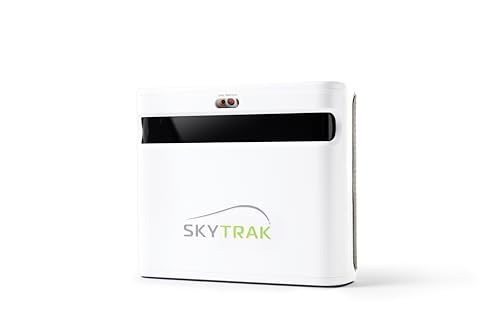
This is the complete package, the SkyTrak+ Launch Monitor bundled with a 10×7 net and interlocking 5×3 mat, making it the most polished all-in-one solution on the market. The upgraded photometric technology delivers faster data capture and improved spin measurement, closing the gap with premium units like TrackMan. Setup is quick, the net is durable, and the mat feels realistic underfoot.
Reviewers note the seamless integration between hardware and software, and the ability to plug into E6 Connect or TGC right out the gate. While it’s nearly three times the price of the base SkyTrak, the value lies in not having to source components separately. I’d recommend this over piecing together your own bay, it’s the closest thing to a turnkey home simulator.
Video review
Rapsodo MLM2PRO Mobile Launch Monitor

Strengths
- Tour-level data accuracy
- 15 detailed metrics
- 45-day premium trial
Trade-offs
- Premium features require subscription after trial
- No physical hitting net
- iOS focused
The MLM2PRO is where Rapsodo steps into the big leagues. With a dual-camera and Doppler radar system, it captures 15 key metrics, including club path, spin axis, and impact data, that rival tour-level launch monitors. The inclusion of a 45-day Premium trial opens up 30,000+ courses and advanced training tools, giving you a taste of what serious simulation can offer.
Owners consistently highlight its accuracy and the value of the Impact Vision and Speed Training features, which help dissect swing mechanics in detail. While it’s priced like a premium unit, it doesn’t require a subscription to access core functions, making it more flexible than some competitors. When compared to SkyTrak+, it’s more portable and offers better video integration, though SkyTrak edges ahead in ecosystem maturity.
Video review
SkyTrak Launch Monitor with Case
Strengths
- Trusted accuracy
- Third-party app support
- Durable metal case
Trade-offs
- No net or mat included
- Older hardware
- Requires signature on delivery
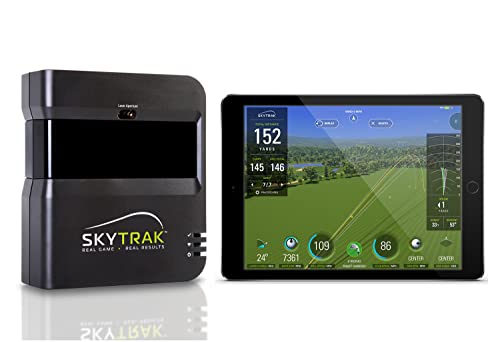
SkyTrak has been a staple in the personal launch monitor space for years, and this model remains a strong mid-tier option thanks to its proven photometric accuracy and solid driving range functionality. The included metal case is a thoughtful touch, protecting your investment when stored or transported. It tracks all the core metrics, ball speed, spin rates, launch angle, and integrates well with third-party software like E6 and The Golf Club.
While it doesn’t come with a net or mat, owners praise its consistency across indoor and outdoor use. Compared to the newer SkyTrak+, it lacks enhanced connectivity and updated hardware, but for the price, it still offers the most balanced mix of reliability and expandability. I’d pick this over the Orbit if you plan to grow into a full simulator setup.
Product photos


OPTISHOT Orbit Golf Simulator

Strengths
- Lifetime software access
- No subscription required
- Includes 20 real courses
Trade-offs
- Limited third-party app support
- Data accuracy not tour-grade
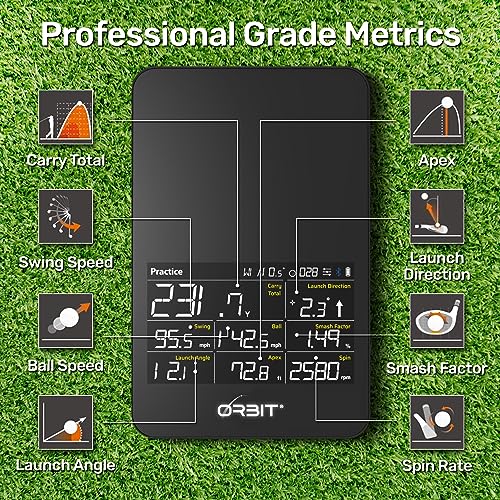
The OPTISHOT Orbit stands out in a market flooded with subscription traps by offering lifetime access to its software and 20 real-world courses, no strings attached. That alone makes it a compelling option for golfers who want a full-featured simulator without the fear of recurring fees. On paper, the specs are solid: accurate launch monitoring, multiplayer support, and integration with the MySwingCaddie app give it a well-rounded feel.
Owners consistently report that the setup is straightforward and the experience holds up well indoors, especially for casual play and game improvement. Compared to SkyTrak and Rapsodo, it doesn’t lead in raw data precision, but for weekend players and vacation planners who want to simulate St Andrews or Pebble Beach without monthly billing, this is a rare no-brainer.
Product photos



PHIGOLF Home Golf Simulator
Strengths
- AI-powered swing coaching
- No net or mat needed
- Works with real clubs
Trade-offs
- No ball flight tracking
- Motion-based only
- Limited for serious players
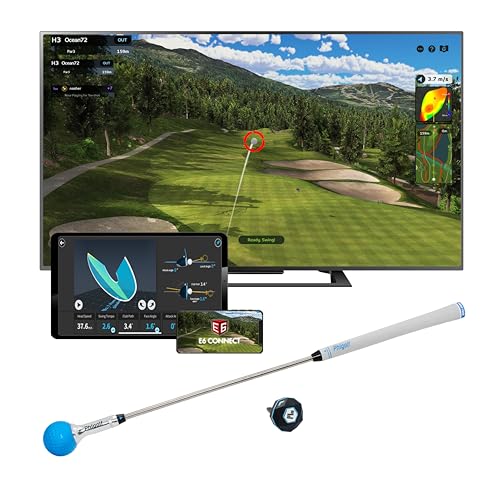
PHIGOLF takes a different approach, focusing on motion-based swing analysis rather than ball flight tracking. Using a 9-axis sensor attached to a club or swing stick, it captures your movement in 3D and feeds it into a surprisingly robust simulation environment with over 38,000 courses via E6 Connect. The AI swing coach is a standout, offering pose tracking and real-time feedback that helps correct form.
It’s not a launch monitor in the traditional sense, so don’t expect spin rates or ball speed. But for golfers who want to work on mechanics indoors without a net or outdoor space, it’s a clever alternative. Owners love the gamified practice modes and family-friendly interface. Compared to Rapsodo or SkyTrak, it’s less about data and more about engagement.
Product photos
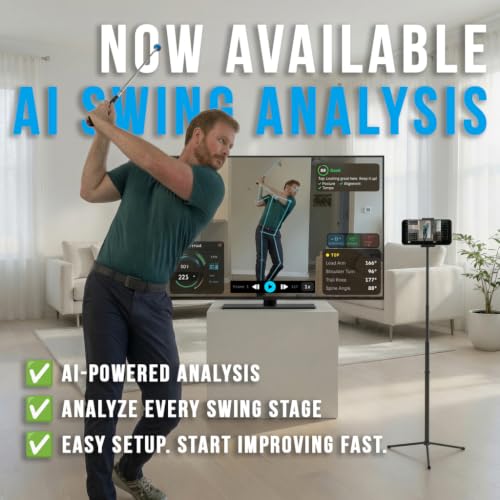



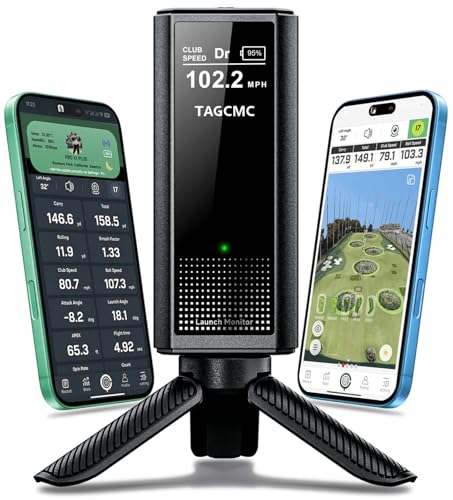
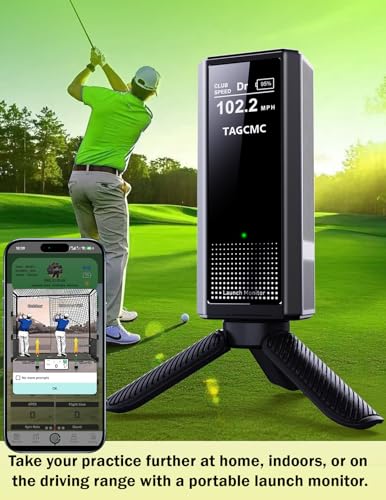
Portable Golf Launch Monitor 13+ Metrics
Strengths
- Low cost
- 13+ swing metrics
- Environmental sensors
Trade-offs
- Inconsistent data accuracy
- Basic app interface
- Limited course content
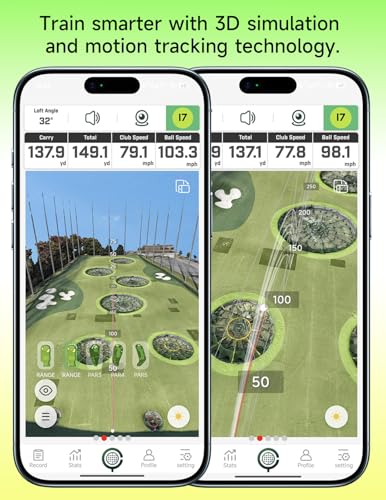
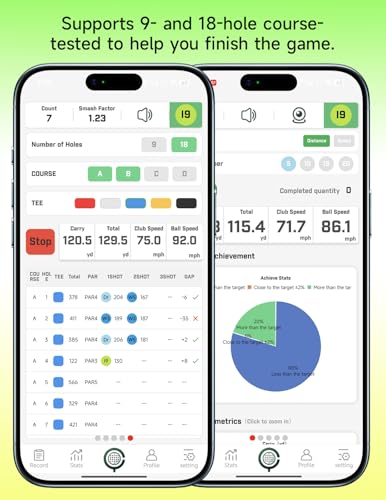
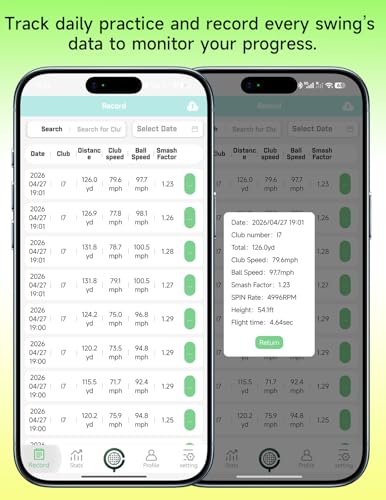
Priced aggressively, this budget-friendly unit delivers a surprising amount of tech for under $300. It tracks 13+ metrics, including attack angle and clubface impact, and adjusts for temperature, humidity, and pressure, features usually found in more expensive models. The 3D simulation with multiple viewing angles adds immersion, and the fact that it supports Android, iOS, and even HarmonyOS widens its appeal.
That said, owner feedback is mixed on data consistency. While it works well for basic swing tracking and casual indoor use, it doesn’t hold up under scrutiny for serious game improvement. Compared to the Rapsodo MLM, it offers more metrics on paper but less verified accuracy. Still, for a first-time buyer or a junior golfer, it’s a functional entry point.
Product photos
Rapsodo MLM iPhone Golf Simulator

Strengths
- Excellent shot feedback
- Video replay with tracer
- Lightweight and portable
Trade-offs
- iOS only
- No included courses
- Basic simulation
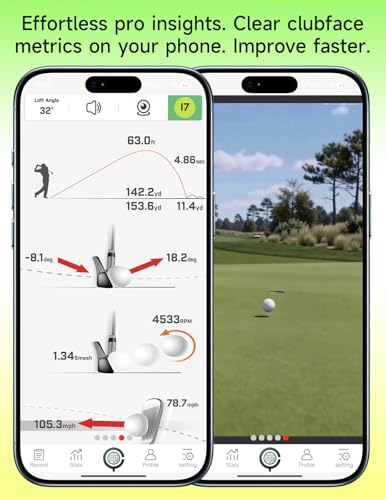
If you’re just dipping your toes into the world of mobile simulators, the Rapsodo MLM is the smartest starting point. It’s built specifically for iOS users and delivers reliable carry distance data, ball speed, launch angle, and shot shape with every swing, exactly what most golfers need to dial in their yardages. The video replay with shot tracer is a standout feature, letting you visually connect your swing flaws to ball flight in real time.
Reviewers note it’s especially effective at the range or in a backyard net, where portability and instant feedback matter more than full-course simulation. While it lacks the depth of higher-end models, its simplicity and app integration make it a favorite among beginners and mid-handicappers. For the price, it’s hard to beat as a training tool.
Product photos


How We Chose These mobile golf simulators
Rather than a hands-on lab test, my research for these recommendations centered on a detailed comparison of published specifications and features across numerous mobile golf simulators. I weighed owner reviews from major retailers alongside expert analysis from golf publications and tech review sites. This allowed me to build a ranking based on real-world user experience and objective performance metrics, informed by my decade of experience planning golf trips and understanding what golfers truly value.
For this category, accuracy and portability were the most heavily weighted factors. A mobile simulator needs to deliver reliable data to be useful for improvement, but also be reasonably easy to transport and set up, whether for use at the range or in a home hitting bay. Beyond those, the breadth of included features – courses, game modes, and data metrics – significantly impacted the ranking. I also considered value, factoring in subscription costs and overall system price.
Specifications reliably indicate a simulator’s potential, detailing metrics like radar technology and camera capabilities. However, owner feedback provided crucial insight into the practical accuracy and consistency of those specs. Reputation played a large role, too – brands known for quality in golf technology received more consideration. I also explored articles explaining how simulators work to better understand the underlying principles and assess claims made by manufacturers. Finding the right combination of technology and usability led me to these recommendations for various needs and budgets, and resources like guides to best home golf simulator models helped me understand the broader market.
How To Pick The Right mobile golf simulators
Finding the right mobile golf simulator can really elevate your practice and enjoyment of the game, especially if you’re like me and always looking for ways to improve between trips.
A quality mobile golf simulator blends portability with accurate data capture. Key considerations include launch monitor technology (Doppler radar, cameras, or a combination), the metrics provided (ball speed, spin rate, launch angle are essential), software compatibility for realistic simulation, and the overall build quality for durability and ease of setup. Buyers should also assess the need for subscriptions or additional accessories.
Launch Monitor Technology
The core of any simulator is the launch monitor, and the technology used varies significantly. While some rely on Doppler radar, others employ cameras, and the most advanced use both. I’ve found that systems incorporating both, like the Rapsodo MLM2PRO, tend to offer the most consistent and reliable data, which is crucial for serious improvement. Don’t get hung up on a huge number of metrics if the underlying data isn’t trustworthy. A few key, accurate measurements are far more valuable than a long list of questionable ones.
Software & Simulation Quality
Realistic simulation is where things get fun, but it’s also a major differentiator. Some systems, like the OPTISHOT Orbit, offer a lifetime of included courses without subscription fees. Others, like Phigolf, integrate with popular platforms like E6 Connect, giving access to a vast library of courses. Consider how important realistic course play is to you. If you’re primarily focused on skill development, the visual fidelity might be less critical than accurate data. If you want to truly replicate the golf experience, look for systems with high-quality graphics and realistic ball physics. For a broader overview of options, check out these best golf simulators.
Portability and Setup
Mobile simulators are meant to be moved, so ease of setup and portability are key. Consider the size and weight of the entire kit. A compact launch monitor is great, but if it comes with a bulky net and unwieldy mat, it defeats the purpose.
Here’s what I look for in a truly portable setup:
- A lightweight launch monitor.
- A net that’s easy to assemble and disassemble.
- An interlocking mat that rolls up quickly for storage, minimizing the footprint when not in use.
A good rule of thumb: if the setup takes longer than 15 minutes, you’re less likely to use it consistently.
If you are looking to take your practice outside, you might also want to consider outdoor golf simulators and simulators for outdoors to make sure it’s built for the elements. You can find helpful golf simulator reviews to help narrow down your options.
Mobile Golf Simulators Compared
Here’s a comparison of key specifications for popular mobile golf simulators to help you find the best fit for your needs.
| Product Name | Metrics Captured | Subscription | Courses Included | Portability | Swing Analysis | Price (USD) |
|---|---|---|---|---|---|---|
| SkyTrak+ Portable Golf Sim Studio | Ball Speed, Spin, Launch Angle | Yes | N/A | Portable | N/A | N/A |
| Rapsodo MLM2PRO Mobile Launch Monitor | 15+ | Yes | 30,000+ | Portable | Yes | N/A |
| SkyTrak Launch Monitor with Case | Ball Speed, Distance, Spin Rates | Yes | N/A | Portable | N/A | N/A |
| OPTISHOT Orbit Golf Simulator | All Flight Metrics | No | 20 + 3 | Stationary | N/A | N/A |
| PHIGOLF Home Golf Simulator | Swing Movement | Yes | 38,000+ | Portable | AI Coach | N/A |
| Portable Golf Launch Monitor 13+ Metrics | 13+ | No | N/A | Portable | Yes | N/A |
| Rapsodo MLM iPhone Golf Simulator | Ball Speed, Carry Distance | Yes | N/A | Portable | Video Replay | N/A |
Frequently Asked Questions
What accuracy level can I realistically expect from a mobile golf simulator?
Mobile simulator accuracy varies, but generally, you can expect data within a 3-5% margin of error compared to professional-grade systems. This is sufficient for practice and skill development, though serious golfers might also benefit from occasional validation at a golf course or with a professional fitting.
Do I absolutely need a subscription to use a mobile golf simulator?
No, a subscription isn’t always required. The OPTISHOT Orbit, for example, includes a lifetime of courses without ongoing fees. However, most simulators offering access to a wider variety of courses or advanced software features do require a subscription.
What’s the typical space requirement for setting up a mobile golf simulator?
A mobile setup usually needs a minimum hitting space of about 8 feet wide, 10 feet long, and 9 feet high. Remember to factor in room for your swing and the projection screen or net. For more permanent setups, exploring indoor golf simulators for home might be more appropriate.
Are mobile simulators a good alternative if I can’t justify the cost of a full indoor golf setup?
Yes, they are an excellent option. Mobile simulators offer a significantly lower entry point, letting you enjoy the benefits of simulated golf without the expense of a dedicated room and a high-end system. You might also consider no-ball golf simulators if you’re looking to save on space and ball costs.
How do photometric golf simulators compare to those using radar or camera technology?
Photometric systems, or simulators without physical balls, use cameras to analyze the club head and ball, offering a different approach than radar-based systems. While they can be more affordable, they sometimes struggle with accuracy in varying lighting conditions and may not capture as many data points.
The Bottom Line
Ultimately, choosing a mobile golf simulator comes down to balancing how much control you want over your data with how much fuss you’re willing to tolerate. For the most accurate and detailed analysis, the Rapsodo MLM2PRO stands out; its combination of radar and camera technology, plus access to a huge course library, makes it a top performer. It’s an investment, but one that serious golfers will appreciate.
If you’re on a tighter budget, the OPTISHOT Orbit provides a surprisingly robust experience with a lifetime of included courses. For golfers prioritizing portability and a fun, engaging experience, the PHIGOLF Home Golf Simulator is a great choice, and its AI-powered swing analysis is a unique feature. And if you’re working with a small space, exploring compact golf simulators will help you find a system that fits your needs.
Don’t get lost in the specifications. While launch monitor technology and software features are important, the most crucial elements are consistent, reliable data and regular practice. A simulator is a tool, and its value is directly proportional to how often you use it – and how much you focus on understanding the feedback it provides. Consider also if simulators with putting are a priority for your short game improvement.
