
8 Best Golf Swing Speed Monitors of 2026
This post contains affiliate links. As an Amazon Associate, we earn from qualifying purchases.
This post contains affiliate links. As an Amazon Associate, we earn from qualifying purchases.
The Garmin Approach G82 stands out as the best overall golf swing speed monitor, delivering precise data and a full-color touchscreen. For golfers on a budget, the PRGR HS 130-A offers reliable core metrics without app clutter, while the BLACK T SHOT5 balances portability and performance for serious range work.
Golfers don’t just want numbers, they want trustworthy feedback that translates to better decisions and lower scores. Too many monitors promise pro-level data but fall short in real-world accuracy or flood you with info you won’t use.
This guide cuts through the noise. Based on specs, owner experiences, and what actually matters on the range, I focused on monitors that deliver consistent speed readings, clear displays, and practical insights, whether you’re practicing indoors, at the driving range, or fine-tuning your swing with a coach.
Top 8 Golf Swing Speed Monitors in the Market
The Best Golf Swing Speed Monitors, Reviewed
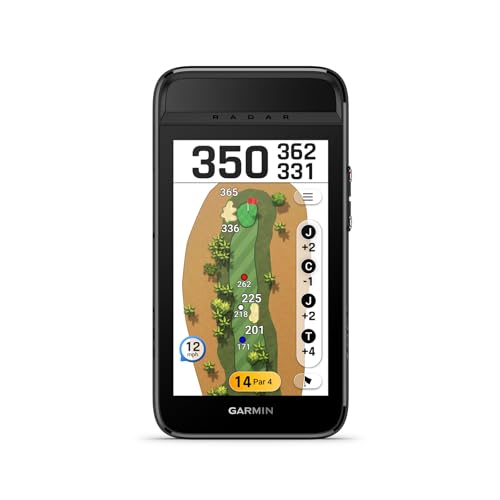
Garmin Approach G82 Launch Monitor
Strengths
- All-in-one GPS + launch monitor
- Great display
- Bag mapping
Trade-offs
- High price
- Radar mode drains battery
- GPS membership sold separately
This is the total package, launch monitor, GPS, and putting analyzer in one rugged handheld. The 5-inch touchscreen is bright and responsive, and the built-in radar captures all the essentials: ball speed, smash factor, swing tempo. But where it really pulls ahead is integration. Bag mapping lets you log distances for each club, and that data feeds directly into the virtual caddie feature on the course.
The battery life is strong, and the magnetic cart mount is a small detail I appreciate. It’s expensive, yes, but you’re paying for versatility. Compared to the Voice Caddie SC300i, it’s more self-contained and doesn’t rely on your phone. For frequent travelers and serious amateurs who want one device for range, course, and putting green, this is the smartest buy.
Video review
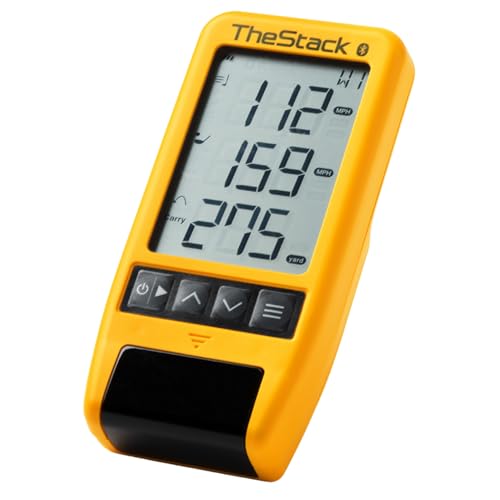
TheStack Radar Golf Launch Monitor
Strengths
- Gamified wedge training
- Strong app integration
- Used by tour pros
Trade-offs
- iOS-only wedge mode
- Limited standalone use
- App required for full features
This isn’t just a launch monitor, it’s a training system built around speed and wedge play. The connection to TheStack app is seamless, and the gamified wedge sessions are unlike anything else in this category. Tour players like Matt Fitzpatrick use it, and owners report real gains in distance control.
The iOS-only limitation for wedge mode is frustrating, but the speed training works on Android too. Compared to the PRGR, it’s more engaging and structured, though less rugged for on-course use. If you’re serious about dialing in partial shots and building speed, this is the most focused tool on the list.
Video review
PRGR HS 130-A Launch Monitor

Strengths
- Truly portable
- No app needed
- Affordable
Trade-offs
- No launch angle or spin
- Basic display
- Limited training modes
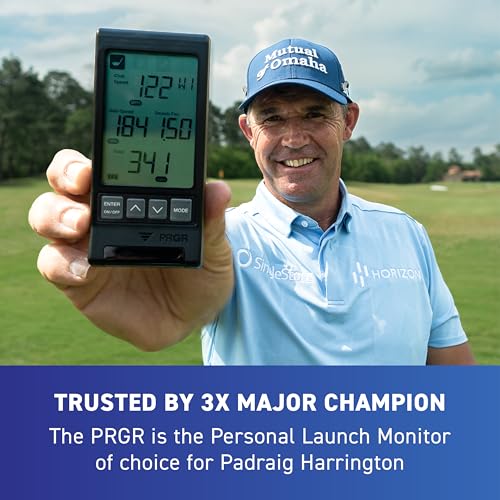
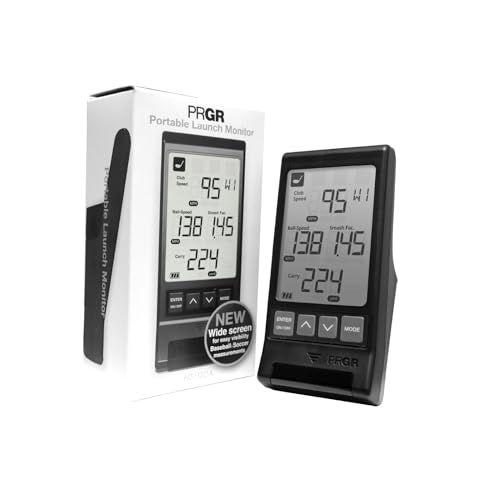
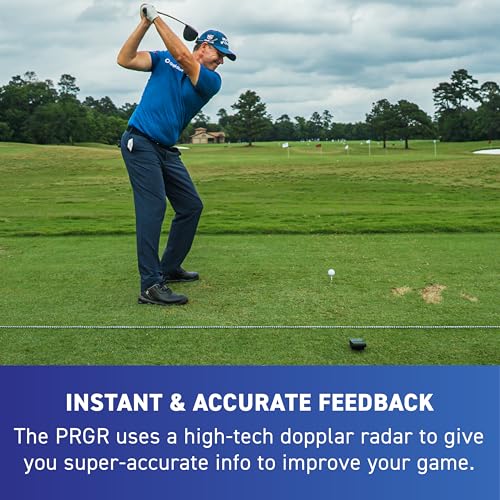
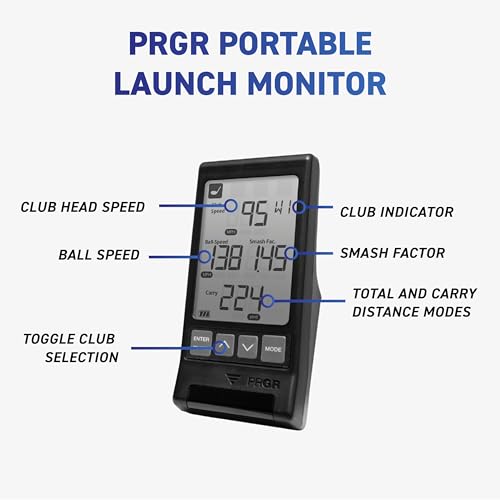
At this price, the PRGR HS 130-A is hard to beat. It delivers accurate club and ball speed data using Doppler radar, and the fact that it requires no app, Wi-Fi, or Bluetooth is a breath of fresh air. Golfers who hate fiddling with phones during practice love this thing, just pop in AAA batteries and go. The 500-swing memory is a nice touch, and owners say the data aligns closely with what they see on course.
It doesn’t track launch angle or spin, so don’t expect full launch monitor functionality. But as a dedicated speed trainer, it’s excellent. Compared to the Swinora, it’s far more limited, but also half the price and more durable in casual use. Padraig Harrington’s endorsement isn’t just marketing noise; this is a no-nonsense tool trusted by pros for raw speed work.
Product photos

Voice Caddie SC200Plus Swing Analyzer
Strengths
- No-ball swing mode
- Voice feedback
- Long battery life
Trade-offs
- No app connectivity
- Limited metrics
- No shot trajectory data
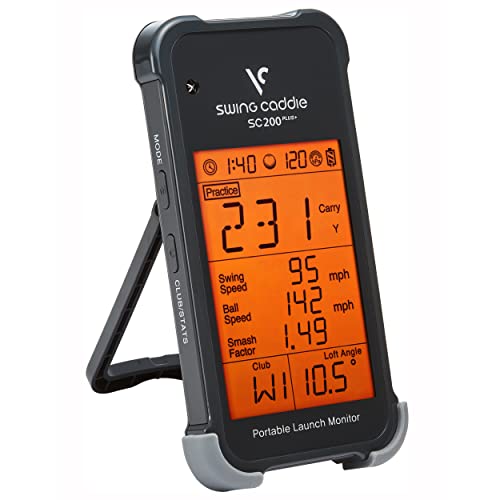
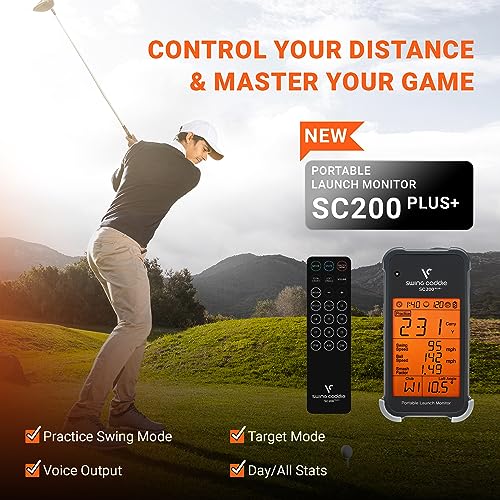
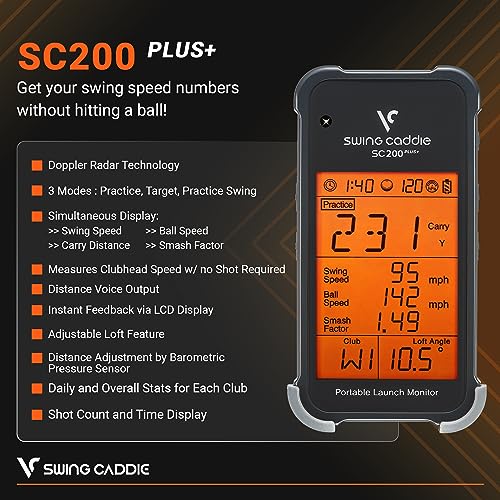
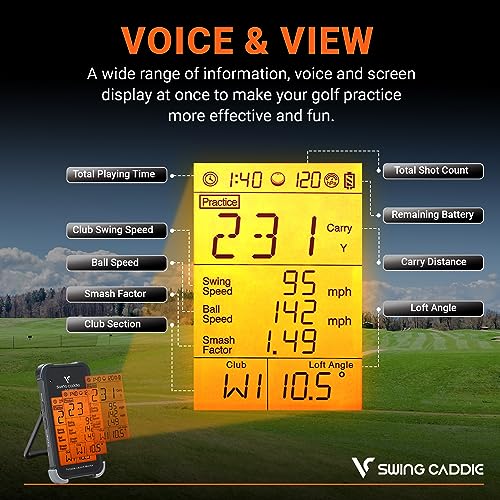
I appreciate how this unit leans into simplicity, especially with its swing speed mode that works without a ball, ideal for off-course rhythm work. The Doppler radar is proven tech, and reviewers note it holds up well against pricier units when measuring club speed. It’s not the most feature-rich, but the instant voice feedback and LCD display make it easy to use in real time, even in bright sunlight.
Where it falls short is app integration. Unlike the SC300i, it doesn’t push data to a smartphone for deeper analysis. If you’re someone who likes to track trends over time, you’ll find yourself wishing for more. Still, for pure indoor drills and tempo training, it’s a solid pick, especially when you value quick setup and reliability.
Product photos


Voice Caddie SC300i Swing Analyzer

Strengths
- Strong app integration
- Spin and apex tracking
- Voice output
Trade-offs
- Mediocre display brightness
- Plastic build
- App required for full metrics
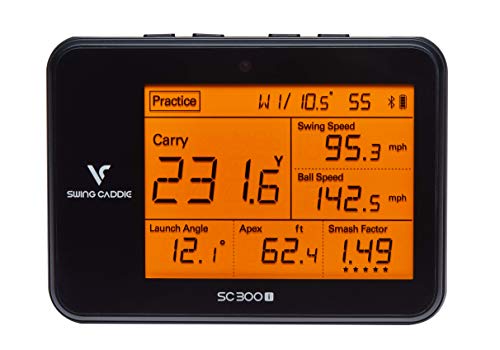
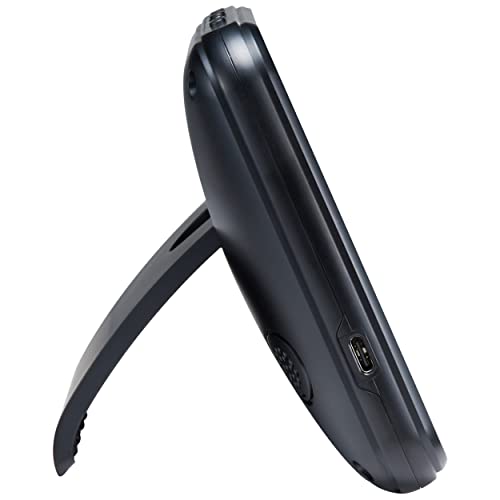
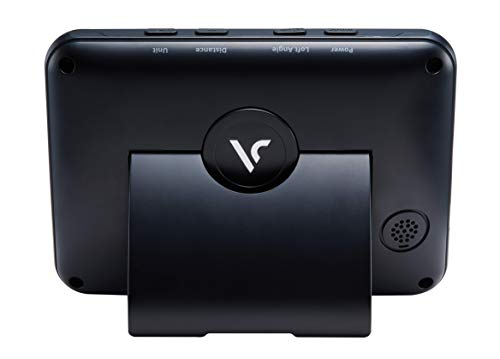
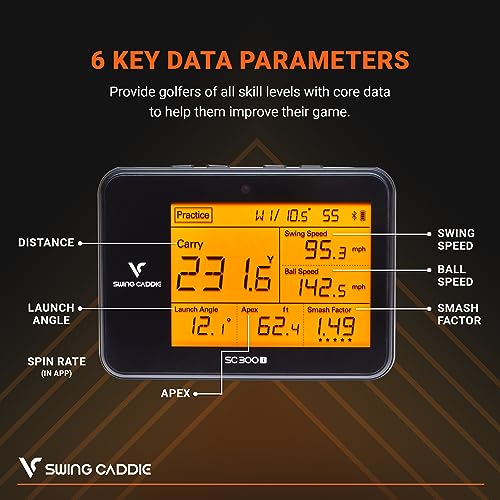
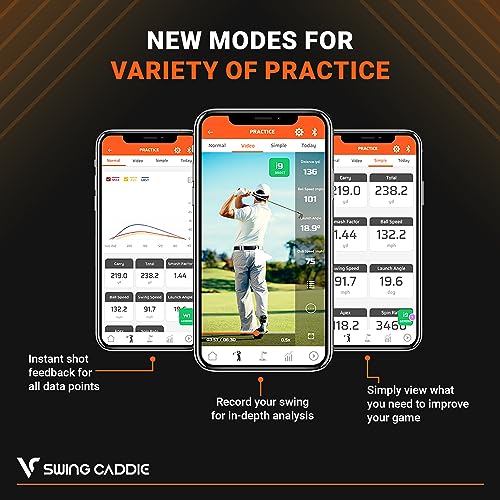
If you’re all-in on app-driven training, this is one of the best values out there. The Doppler radar delivers solid accuracy, and the MySwingCaddie app pulls in detailed metrics like spin and apex, data that helps refine ball flight control. Owners praise how cleanly the app organizes club stats and performance trends over time.
It’s not the most portable, and the device itself has a plasticky feel compared to the metal-bodied Swinora. But the seamless mobile integration makes up for it. Compared to the GOLFBUDDY Shot Mate, it offers more nuanced feedback through the app, though the screen isn’t as bright. For golfers who live in their training apps, this is the better pick.
Product photos
GOLFBUDDY Shot Mate Launch Monitor
Strengths
- Excellent TFT display
- Long shot memory
- Easy usability
Trade-offs
- No app connectivity
- No spin rate tracking
- No voice output
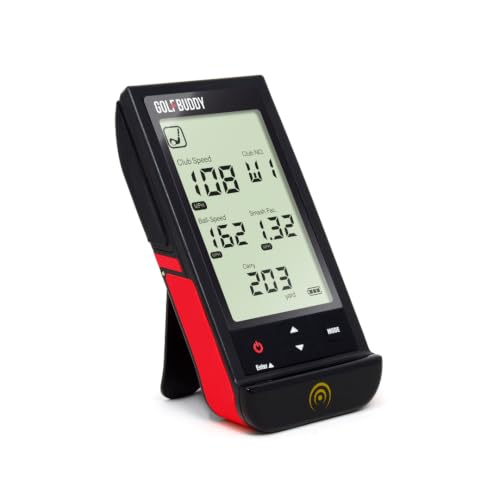
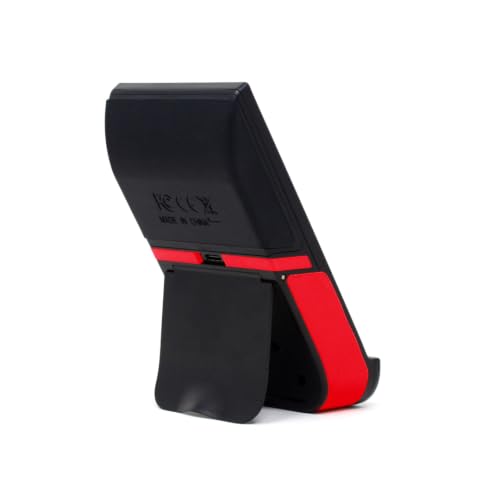
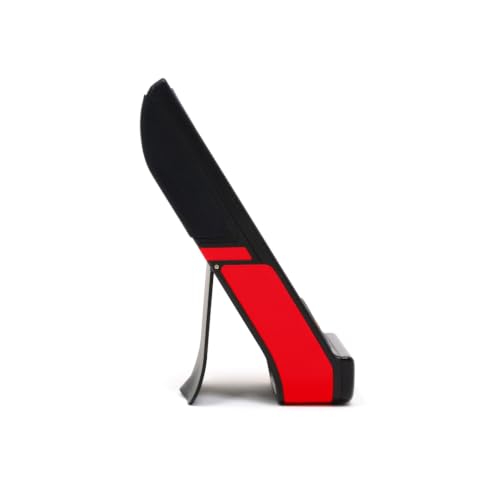
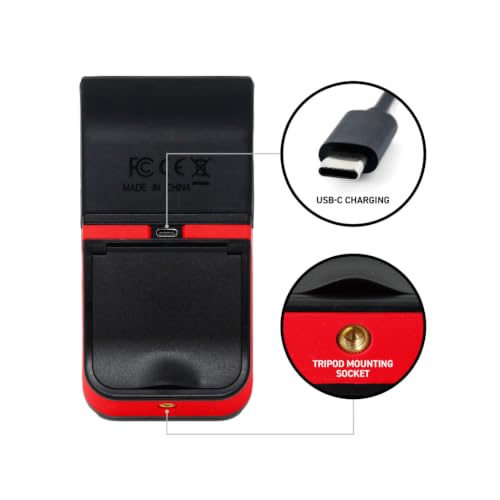
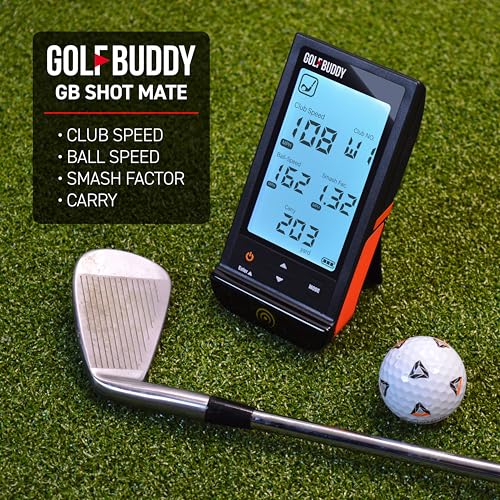
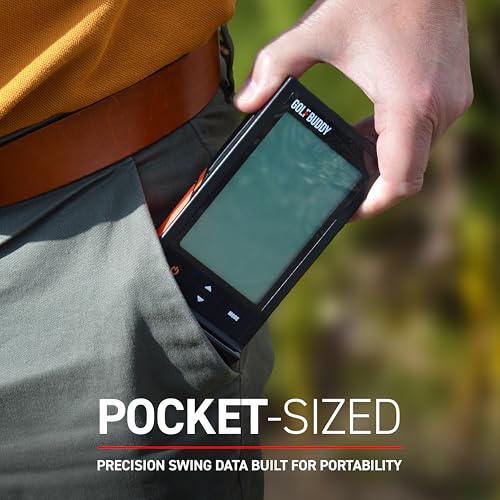
The full-color TFT display is the star here, bright, sharp, and auto-adjusting to light conditions. It makes reviewing your last 10 shots a breeze, and the 1,000-shot memory gives plenty of room for tracking progress. Owners consistently highlight how easy it is to use right out of the box, whether you’re at the range or sneaking in indoor swings.
Battery life is solid, and the 320-yard range covers most practice scenarios. It doesn’t have app integration like the Voice Caddie SC300i, but it doesn’t need it, the onboard experience is strong enough. For beginners and mid-handicappers who want clarity over complexity, this is the best display-driven option under $200.
Product photos
Swinora Golf Launch Monitor
Strengths
- 13 metrics
- No subscription
- Environmental sensors
Trade-offs
- Strict space requirement
- App-dependent for full use
- Limited club feedback on mishits
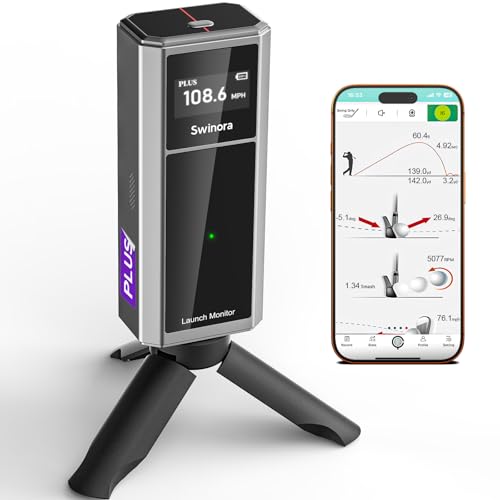
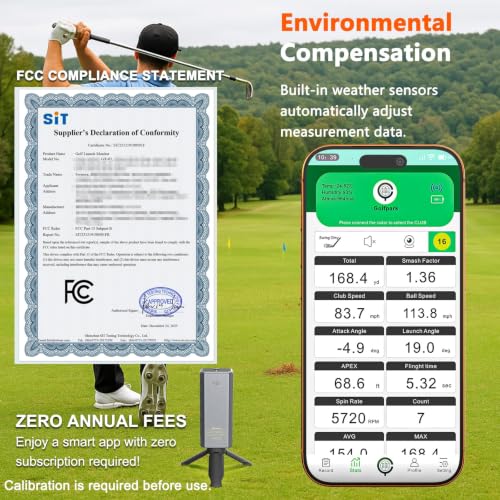
This unit packs a serious punch for the price, offering 13 metrics including attack angle and spin rate, specifications you’d expect from higher-end models. The zero subscription model is a major win, especially when so many competitors lock key features behind paywalls. Owners consistently report that the environmental sensors actually make a difference in data accuracy, particularly when switching between indoor and outdoor sessions.
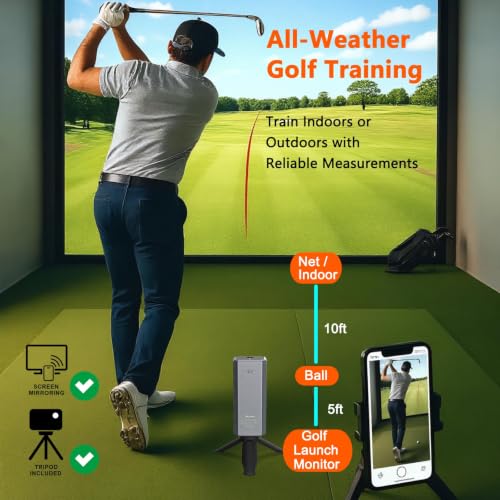
The 5ft behind the ball placement rule is strict, and if your space is tighter than 15ft total, you’ll struggle. But for those who can meet it, the multi-angle practice views and smart alerts for shanks or mishits are genuinely useful. Compared to the PRGR HS130-A, this is a far more detailed tool, though it’s overkill if you’re just chasing swing speed.
Product photos
BLACK T SHOT5 Launch Monitor
Strengths
- No app needed
- Large display
- Real distance focus
Trade-offs
- Only 5 metrics
- No spin or launch data
- No voice feedback
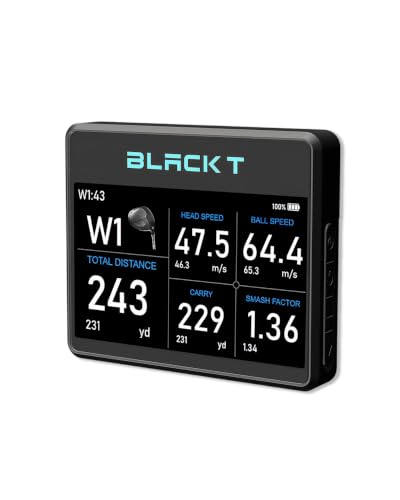
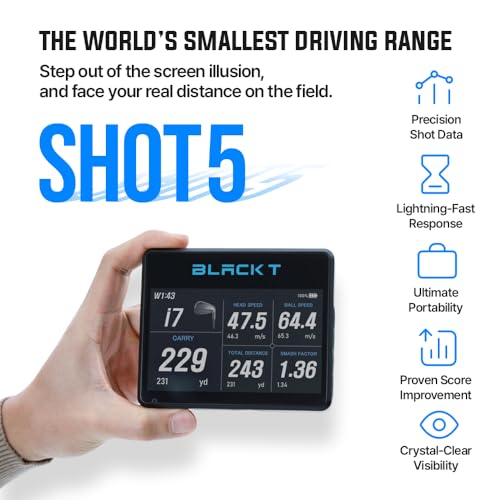
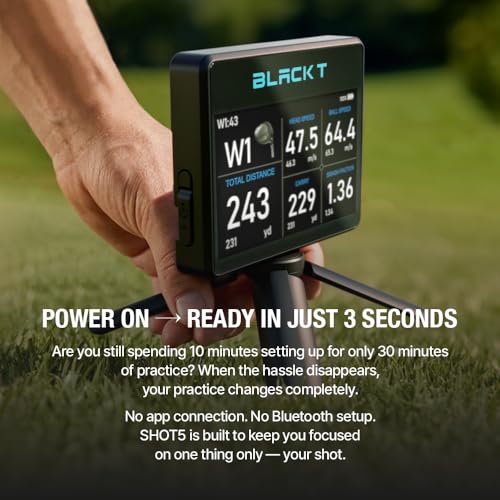
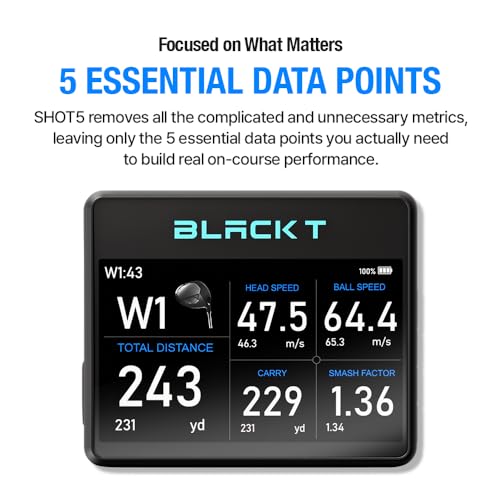
I like how this unit cuts the noise, just five core metrics displayed on a large 5-inch screen. No app pairing, no Bluetooth headaches. You turn it on, place it 5ft behind the ball, and start hitting. The focus on real carry and total distance resonates with owners who’ve been burned by monitors that overestimate yardage.
The screen is a standout, easy to read from a distance, which saves you from walking back and forth. It’s not as precise as the Garmin G82, and it doesn’t track launch angle or spin, but for building real-world distance confidence, it’s spot-on. Compared to the PRGR, it’s more modern and user-friendly, though slightly less rugged.
Product photos

How We Evaluated golf swing speed monitors
Rather than a hands-on lab test, my research focused on a detailed comparison of published specifications and features across numerous models. I weighed owner reviews from major retailers alongside expert analysis from golf publications and websites. This information was then ranked against criteria important to golfers seeking accurate data and actionable insights, ultimately informing our recommendations.
For golf swing speed monitors, accuracy and data delivered were paramount. I prioritized devices offering multiple key metrics – club speed, ball speed, carry distance, and smash factor – as these provide a well-rounded picture of swing performance. Equally important was usability; a clear display and intuitive interface are essential for golfers of all skill levels to benefit from the data. We also considered portability and features like app integration.
Specifications reliably indicate the types of data a monitor collects, but owner feedback revealed how well those sensors perform in real-world conditions. Reputation and consistency in user reports were heavily weighted. While specs tell you a device can measure spin rate, for example, reviews highlighted which monitors consistently provided accurate spin readings. For those seeking more affordable options, exploring budget launch monitors can be a great starting point. Many golfers also benefit from supplementing a launch monitor with swing speed trainers to improve their overall game.
How To Choose The golf swing speed monitors
Picking the right golf swing speed monitor can feel overwhelming, but it doesn’t have to be. A good one will provide actionable data to help you improve, but the best choice depends on your budget, where you plan to practice, and what data points truly matter to your game.
A quality golf swing speed monitor accurately measures key metrics like club speed and ball speed, providing data-driven feedback for improvement. It should offer consistent readings, a clear display or app integration, and ideally, adjust for environmental factors like temperature and altitude. Consider the range of metrics offered – some focus on basic speed, while others provide advanced data like spin rate and launch angle.
Understanding Your Practice Environment
Where are you planning to use the monitor most often? This is the first question to answer. If you envision primarily indoor practice, something like the Voice Caddie SC200Plus, designed specifically for indoor use, could be a great fit. Conversely, if you’re dedicated to range sessions and on-course analysis, a more rugged and portable option like the BLACK T SHOT5 Launch Monitor might be preferable. Don’t overlook the space requirements; some monitors, like the Swinora, require a surprisingly large indoor practice area to function correctly.
Data Depth vs. Simplicity
Many monitors offer a wealth of data, but more isn’t always better. If you’re new to swing analysis, getting bogged down in attack angles and spin rates can be counterproductive. The PRGR HS 130-A Launch Monitor provides essential data without the complexity of app integration or numerous features. On the other hand, if you’re already familiar with these advanced metrics and want to fine-tune your game, a monitor like the Swinora, with its detailed data and environmental sensors, could be invaluable.
Here’s a quick breakdown of what to consider:
- Basic Speed: Measures club and ball speed – good for beginners.
- Essential Metrics: Adds carry distance, smash factor – useful for most players looking to improve.
- Advanced Data: Includes launch angle, spin rate, attack angle – best for experienced players and those working with a coach.
Don’t chase every metric. Focus on the 2-3 key data points that will have the biggest impact on your game.
Balancing Features and Value
Price points vary wildly. The Garmin Approach G82 Launch Monitor is a premium option packed with features, including course pre-loading and virtual caddie functionality, but it comes at a higher cost. TheStack Radar Golf Launch Monitor is focused on speed training and integrates with their app for a gamified experience. It’s a good investment if you’re already committed to their training system. Ultimately, the best value comes from finding a monitor that provides the data you need at a price you’re comfortable with. If you’re looking to understand the relationship between shaft weight and speed, a monitor that accurately tracks club speed is critical, but you may not need to spend a fortune on the most feature-rich device. Consider whether you’ll benefit from advanced features, or if a simpler, more affordable model will suffice. Don’t forget to also consider options like swing speed radars which may provide a different type of feedback.
Golf Swing Speed Monitors Compared
Here’s a comparison of key specifications for popular golf swing speed monitors to help you choose the right one.
| Product Name | Measures Swing Speed | Measures Ball Speed | Distance Data | Smash Factor | App Integration | Display |
|---|---|---|---|---|---|---|
| Garmin Approach G82 | Yes | Yes | Yes | Yes | Yes | 5″ Touchscreen |
| TheStack Radar | Yes | Yes | Est. | Yes | Yes | N/A |
| PRGR HS 130-A | Yes | Yes | Yes | Yes | No | N/A |
| Voice Caddie SC200Plus | Yes | N/A | N/A | N/A | Yes | LCD & Voice |
| Voice Caddie SC300i | Yes | Yes | Yes | Yes | Yes | LCD & Voice |
| GOLFBUDDY Shot Mate | Yes | Yes | Yes | Yes | N/A | Color TFT LCD |
| Swinora Golf Launch Monitor | Yes | Yes | Yes | Yes | Yes | OLED |
| BLACK T SHOT5 | Yes | Yes | Yes | Yes | No | 5″ Built-in |
Frequently Asked Questions
What level of accuracy should I expect from a golf swing speed monitor?
Accuracy varies by price point, but generally, expect a margin of error of +/- 3-5 mph for club speed and +/- 2-4 mph for ball speed. More expensive models, like the Garmin Approach G82, tend to be more consistent, but even those aren’t perfectly precise.
Can these monitors be used indoors, or are they strictly for the driving range?
Many monitors, such as the Voice Caddie SC200Plus, are specifically designed for indoor use. However, some, like the BLACK T SHOT5 Launch Monitor, perform best outdoors due to their reliance on accurate ball-flight detection.
Do I really need to track smash factor, or is club speed enough?
While club speed is a good starting point, smash factor provides valuable insight into the efficiency of your swing. A higher smash factor indicates better energy transfer to the ball, which translates to greater distance, so it’s a metric worth tracking if you’re serious about improvement.
Are the data readings affected by weather conditions?
Yes, temperature and altitude can influence readings, especially with less sophisticated models. The Swinora accounts for these factors, but cheaper monitors typically do not, potentially leading to inaccurate data on particularly hot or cold days. Understanding the relationship between swing tempo vs speed can help account for some inconsistencies.
What if I want a launch monitor for home practice?
There are several excellent options designed specifically for indoor use, including the PRGR HS 130-A Launch Monitor. If you’re looking for more options, check out our guide to the best home launch monitors to find a device that suits your needs and space.
The Bottom Line
Choosing a golf swing speed monitor really comes down to balancing how much control you want over your data versus how much fuss you’re willing to tolerate. For the golfer who wants a thorough and highly accurate picture of their swing, the Garmin Approach G82 Launch Monitor stands out; its feature set and course integration are hard to beat.
If you’re seeking a specific solution, I’d point you to a few options. Golfers on a budget should strongly consider the PRGR HS 130-A Launch Monitor for essential data at a compelling price. Those prioritizing portability and range use will find the BLACK T SHOT5 Launch Monitor to be an excellent choice. And for those dedicated to focused speed work, explore golf speed trainers to complement any monitor you choose.
Ultimately, remember that a monitor is a tool, not a magic bullet. The most important things are consistent practice, a solid understanding of your swing, and potentially working with a coach to interpret the data. Don’t get lost in the numbers; focus on using the feedback to make meaningful improvements, and consider supplementing your monitor with golf swing analyzers for a more complete picture.
