
8 Best Golf Swing Trackers of 2026
This post contains affiliate links. As an Amazon Associate, we earn from qualifying purchases.
The Garmin Approach R10 stands out as the best overall golf swing tracker for its reliable data and ease of use, especially for serious players looking to improve outdoors and on the course. For budget-conscious golfers, the Voice Caddie SC200Plus delivers solid swing speed feedback without the high price, while the Arccos Smart Sensors GEN 4 offers unmatched shot-tracking versatility for those focused on round analysis and strokes gained.
Every golfer wants to know what’s really happening in their swing, but too many trackers promise more than they deliver. I’ve seen players invest in gadgets only to be frustrated by inconsistent numbers or apps that don’t help them make real changes.
This guide cuts through the noise by focusing on what matters: accuracy, consistency, and how well the data translates into better decisions on the course. I compared specs, analyzed owner feedback, and evaluated real-world performance to find the trackers that actually help golfers improve.
Top 8 Golf Swing Trackers in the Market
The Best Golf Swing Trackers, Reviewed
Garmin Approach R10 Launch Monitor

Strengths
- High accuracy
- Full metric set
- Simulator compatibility
Trade-offs
- Expensive
- Subscription for full features
- App can be slow at times
The R10 is Garmin’s full-featured launch monitor, and it shows. With accuracy specs within +/- 1 mph on ball speed and +/- 1 degree on launch angle, it competes with units twice its price. Owners report that its data holds up well in side-by-side tests with higher-end models, and the integration with the Garmin Golf app is smooth. You get club-specific stats, shot dispersion charts, swing tempo, and even video recording synced with metrics, making it a strong all-rounder for practice and analysis.
Where it pulls ahead is versatility. It works indoors and out, has a 10-hour battery, and with a subscription, unlocks over 42,000 virtual courses. That’s a rare combo: solid range training and home simulator capability. Compared to the Rapsodo or Swinora, it’s pricier, but the build quality, waterproof rating, and Garmin ecosystem support justify the cost for serious players. This is the kind of tool you keep for years.
Video review
Rapsodo Mobile Launch Monitor

Strengths
- iPhone integration
- Shot tracer video
- Compact design
Trade-offs
- iOS only
- No built-in screen
- Premium features require payment
I’ve studied a lot of launch monitors over the years, and the Rapsodo Mobile stands out for one big reason: it’s built for iPhone users, not around them. On paper, the metrics are solid, ball speed, club speed, launch angle, carry distance, shot shape, and owners consistently report that the numbers track well with on-course performance. The video replay with shot tracer is where it really shines. Reviewers love being able to sync the swing video and overlay the ball flight path, which makes diagnosing issues like slices or low launches much easier than guessing from memory.
But there’s a hard limit: this only works with iOS. If you’re in the Apple ecosystem, it’s a no-brainer. The app is polished, intuitive, and the hardware is compact enough to tuck into any golf bag. Compared to pricier units, it doesn’t simulate full courses, but the premium add-on does offer some virtual play. For most golfers focused on range work and dialing in distances, that’s more than enough.
Video review
Voice Caddie SC200Plus Swing Analyzer
Strengths
- No app required
- Swing speed without ball
- Affordable
Trade-offs
- Limited metrics
- No spin or launch data
- Basic app integration
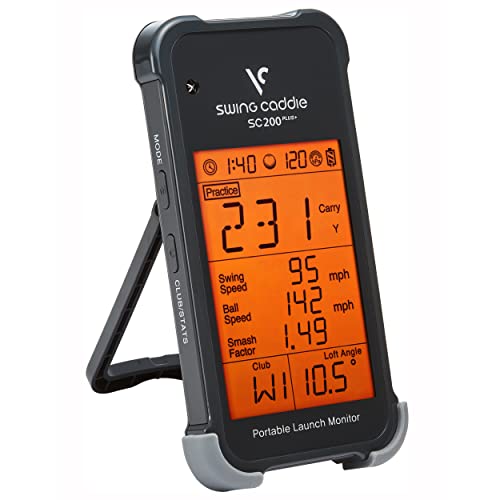
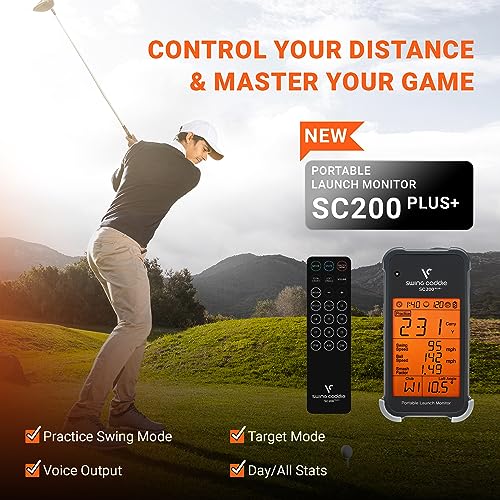
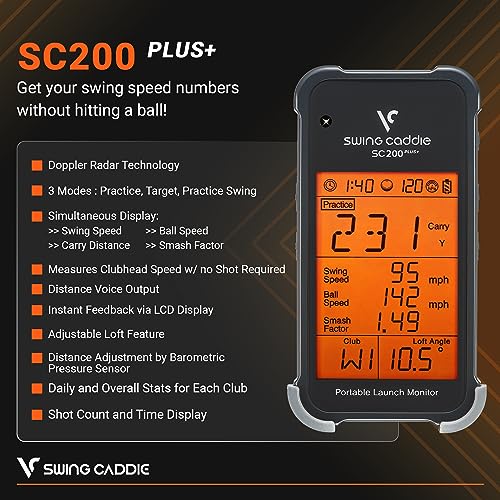
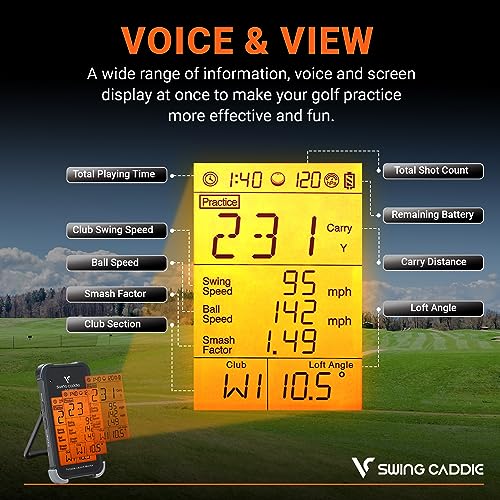
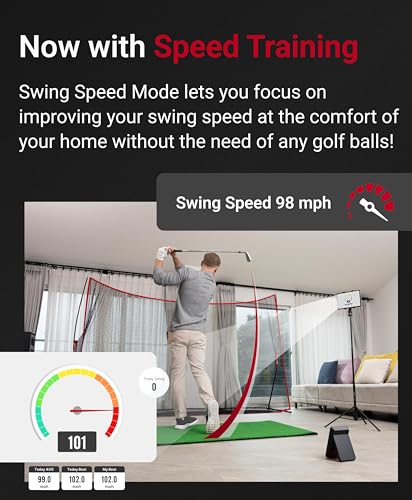
The SC200Plus is a minimalist’s launch monitor. It’s affordable, runs on AAA batteries, and gives instant voice and LCD feedback on club speed, ball speed, carry, and total distance. The standout feature is swing speed mode, no ball needed, which makes it perfect for indoor tempo work or dry swings in tight spaces. Owners love using it in living rooms or offices to maintain rhythm without needing nets or mats.
It doesn’t track spin or launch angle, and the data set is narrower than most modern units. But for pure swing speed training, few options are this accessible. Compared to the PRGR HS 130-A, it’s slightly less accurate but more user-friendly. If you’re on a budget and want to focus on tempo and consistency, this is a smart starting point.
Product photos


PRGR HS 130-A Launch Monitor

Strengths
- Measures swing speed without ball
- No app or Wi-Fi
- Durable build
Trade-offs
- Limited metrics
- No advanced analytics
- No smartphone integration
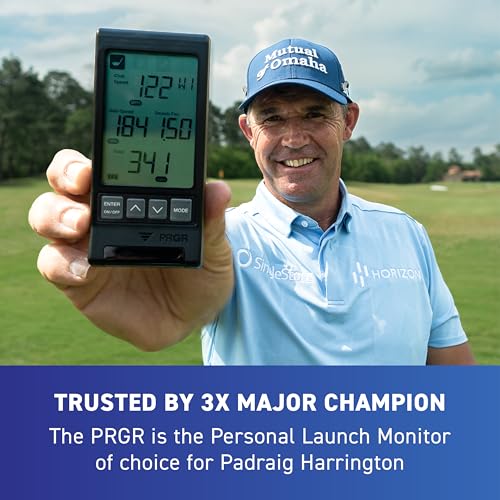
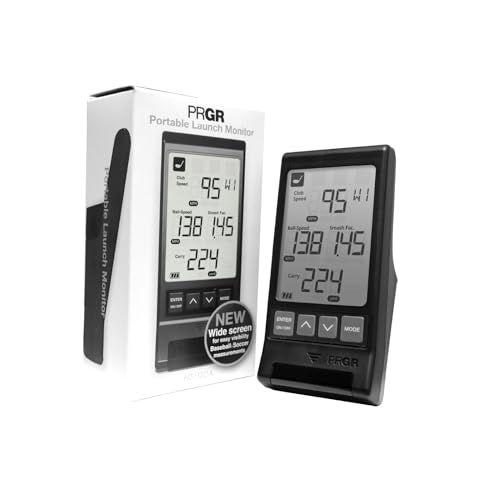
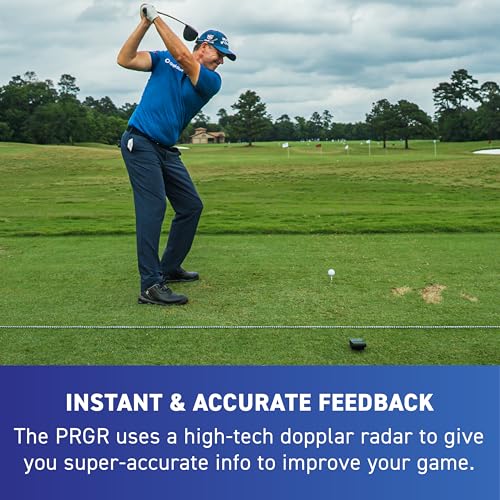
The PRGR HS 130-A is the ultimate speed trainer. It measures club head speed with or without a ball, something most radar-based units can’t do, and that makes it ideal for overspeed training, tempo drills, or rehab work. It runs on AAA batteries, has no app, and stores 500 swings. Owners love its simplicity and reliability, especially indoors where space or tech setup is limited. Pádraig Harrington uses it, and that endorsement speaks to its no-nonsense effectiveness.
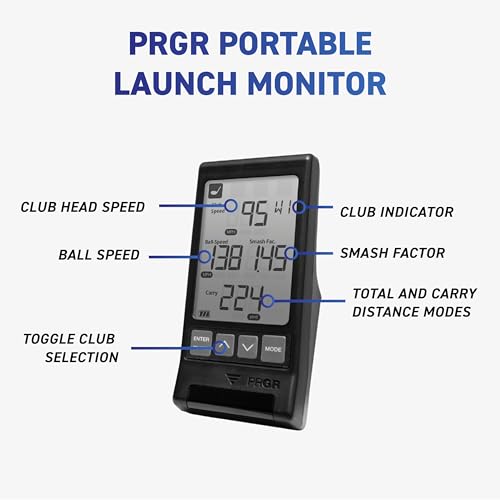
It tracks basic data: club speed, ball speed, smash factor, carry, and total distance. No spin, no launch angle, no app syncing. But for pure speed development, it’s hard to beat. Compared to the Voice Caddie SC200Plus, it’s slightly more accurate and durable. If you’re doing daily speed work or multi-sport training (it works for tennis, baseball, etc), this is the tool to have.
Product photos

Swinora Golf Launch Monitor
Strengths
- No subscription
- Environmental sensors
- Detailed metrics
Trade-offs
- Strict indoor space requirement
- App can lag
- Metal body blocks phone signal if mispositioned
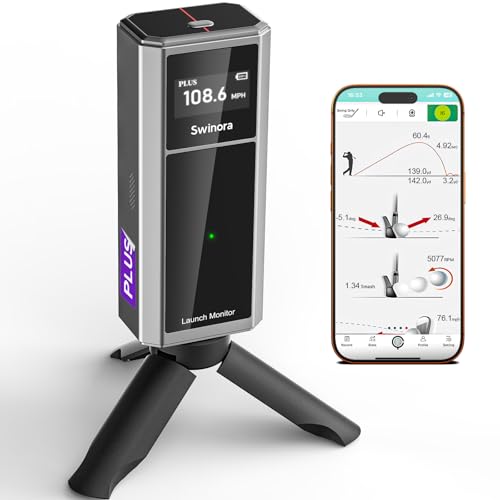
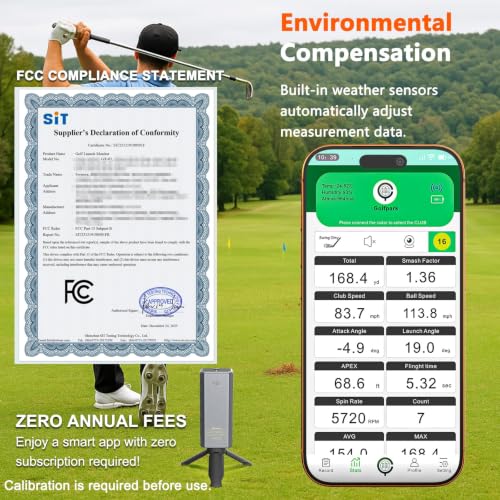
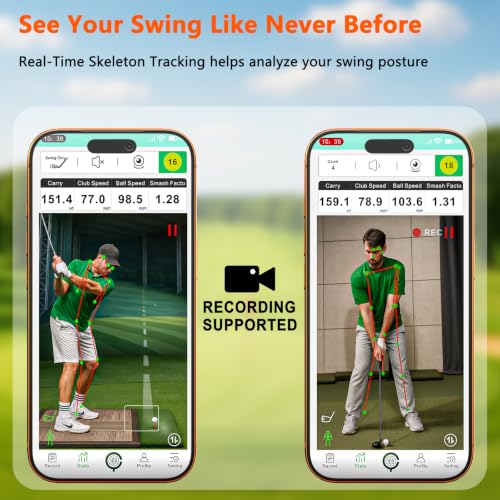
Swinora makes a strong case for value. It delivers 13 metrics, including attack angle, spin rate, and clubface data, without demanding a subscription, which is rare at this price. The environmental sensors (temperature, humidity, pressure) automatically adjust readings, and owners say this improves consistency, especially when switching between indoor and outdoor use. The app is fully unlocked from day one, and the multi-angle video review with trajectory overlay is a standout for self-coaching.
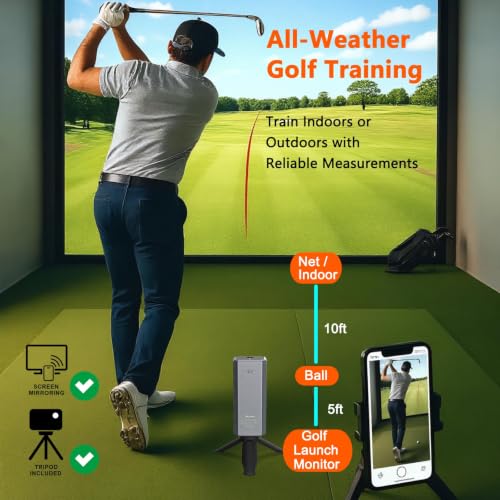
The trade-off is space: indoor use requires 15 feet of room, with the unit placed 5 feet behind the ball. That’s stricter than some rivals. Compared to the PRGR or Voice Caddie, it’s more complex but far more detailed. For the golfer who wants full data without recurring fees, Swinora hits a sweet spot. I’d pick it over similarly priced units that lock features behind paywalls.
Product photos
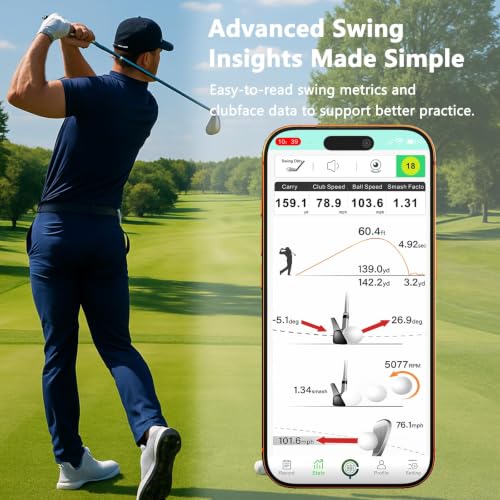
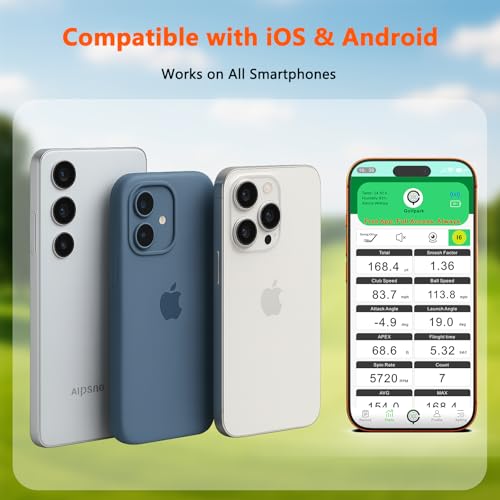
SC4 PRO Golf Launch Monitor

Strengths
- Built-in screen
- No subscription
- E6 Connect included
Trade-offs
- Bulky design
- Higher price
- Steeper learning curve
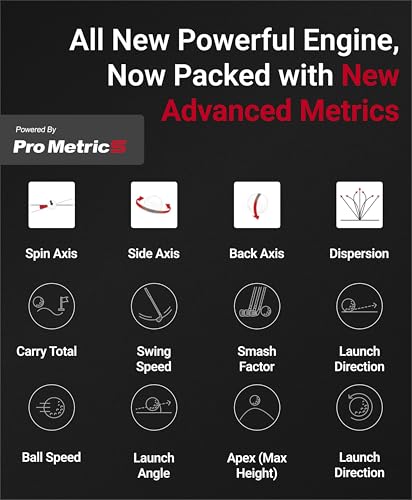
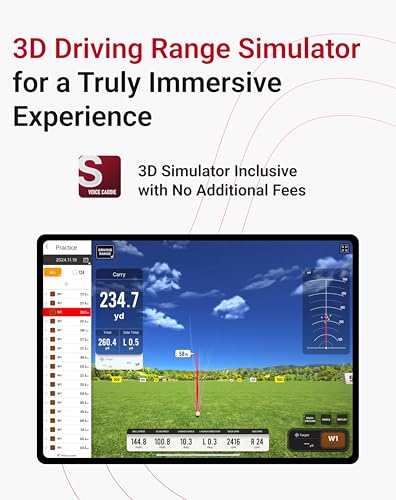
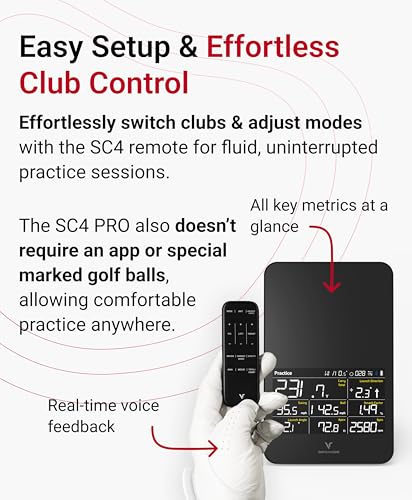
If you’re building a home simulator, the SC4 PRO deserves your attention. It runs on the Prometrics engine, which powers many pro-level systems, and owners report impressive ball flight accuracy indoors. The built-in screen and voice output mean you don’t have to rely on your phone, and the inclusion of E6 Connect and a 3D driving range out of the box is a major plus. You can play virtual rounds on thousands of courses, and the setup works with standard golf balls, no special markings needed.
It’s one of the few units that truly functions as a standalone simulator. Compared to the Garmin R10, it offers deeper simulation without a subscription. But it’s also bulkier and less portable. For weekend warriors turning a garage into a personal golf lab, this is the kind of investment that pays off. Just know it’s overkill if you only want range feedback.
Product photos

Arccos Smart Sensors GEN 4
Strengths
- Automatic shot logging
- AI caddie advice
- Strokes gained analytics
Trade-offs
- Annual fee after first year
- No swing metrics
- Requires phone on course
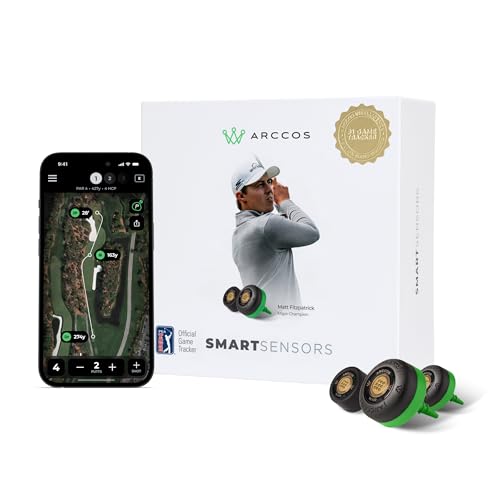
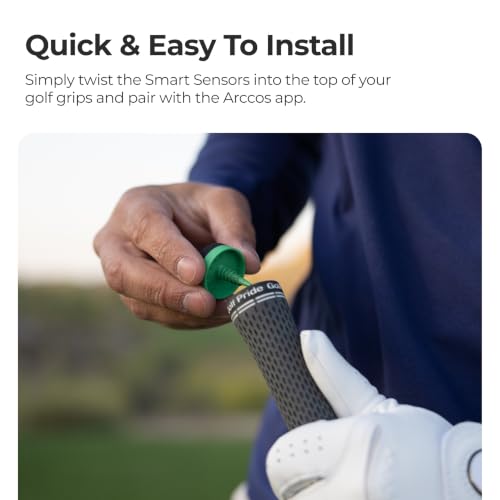
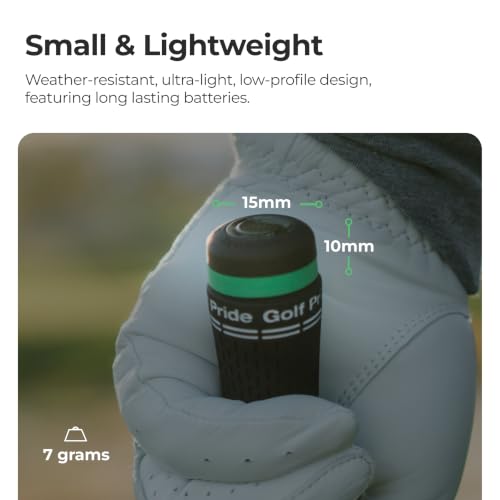
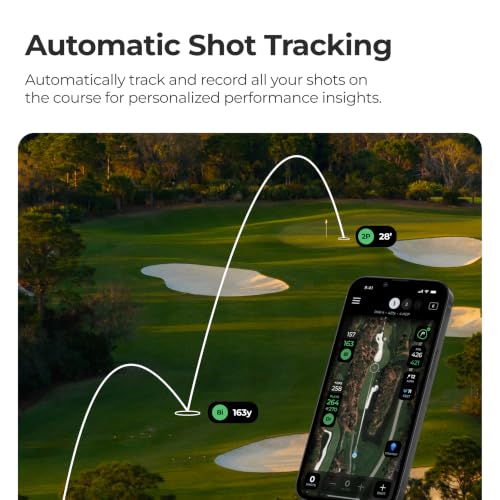
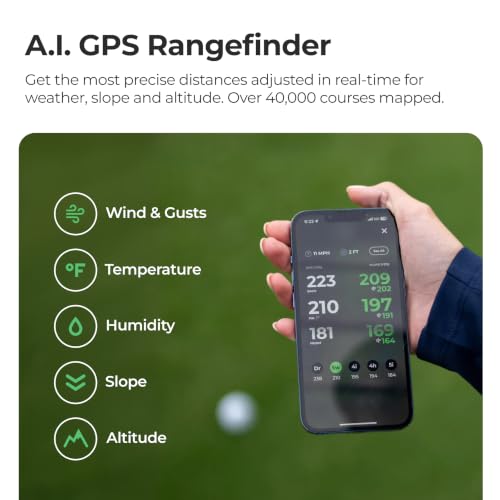
Arccos is in a category of its own: automatic shot tracking on the course. Once installed, the sensors log every shot, track distances, and feed strokes-gained analytics into an AI-powered app that gives real-time club recommendations. Owners consistently say it changes how they play, knowing their true yardages and weaknesses leads to smarter decisions. The A.I. caddie feature, which suggests clubs based on wind, slope, and conditions, is surprisingly accurate and used by pros like Matt Fitzpatrick.
It doesn’t replace a launch monitor, no swing metrics, no indoor use, but as a course performance tool, it’s unmatched. The free sensor renewal program is a huge perk, letting you expand or replace clubs every year. Compared to the Garmin CT10, it’s more analytics-focused and platform-agnostic (works with iOS and Android). If you want to lower your scores, not just practice harder, Arccos is the better long-term play.
Product photos

Garmin Approach CT10 Sensor Set
Strengths
- Automatic shot tracking
- Strokes gained analysis
- Seamless watch pairing
Trade-offs
- No ball flight data
- Requires Garmin watch
- Limited standalone use
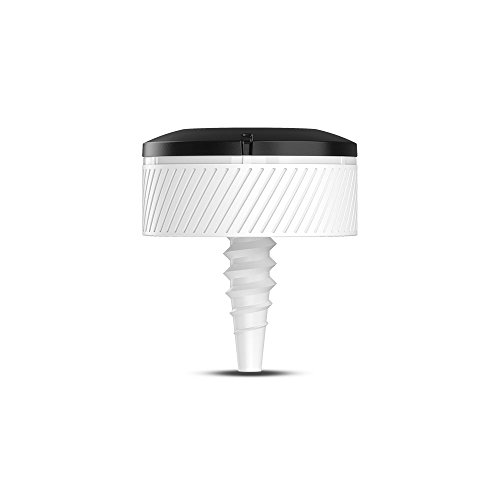
The CT10 isn’t a launch monitor, it’s a club-tracking system, and that distinction matters. If your goal is automatic shot logging without lifting a finger, this is one of the most seamless setups available. Paired with a compatible Garmin watch, it tracks every stroke, records club usage, and feeds strokes-gained data into the Garmin Golf app. Owners rave about how effortlessly it logs rounds and builds long-term stats, especially fairway accuracy and proximity to the pin by club. The real power here is in the analytics, not raw swing metrics.
It doesn’t measure ball speed or launch angle, so don’t expect launch monitor-level detail. But for players serious about course management and performance trends, the CT10 delivers pro-level insights. Compared to Arccos, it’s more tightly integrated with Garmin’s robust watch ecosystem, though it lacks AI caddie features. If you already wear a Garmin on the course, this feels like a natural upgrade.
Product photos


How We Evaluated golf swing trackers
Rather than a hands-on lab test, this selection is a research-led comparison of specifications and owner feedback. I dove into the details of each device – looking at stated accuracy for key metrics like clubhead speed and ball spin, and the features offered within their companion apps. We then weighed those specs against what golfers are actually saying in online reviews, paying close attention to reported consistency and ease of use. Finally, my experience with golf technology helped me assess which features truly translate to on-course improvement.
For golf swing trackers, accuracy and data presentation were paramount. Reliable clubhead speed and ball speed readings are essential for understanding swing mechanics, and clear, actionable data within the app is crucial for improvement. Equally important was versatility – the ability to use the tracker both indoors and outdoors, and compatibility with a range of skill levels. We prioritized models offering a good balance of these factors, recognizing that a high price tag doesn’t always equal the best value.
Specifications reliably tell you what could be possible, but owner feedback reveals what actually happens in practice. I gave significant weight to reviews discussing real-world accuracy and consistency; a device boasting pinpoint precision is less useful if it delivers wildly varying numbers. Reputation – particularly among serious golfers and those actively using golf swing analysis tools – also factored in heavily. For refining your swing, considering the right swing trainers can complement the data provided by a launch monitor.
Choosing The Right golf swing trackers
Picking the right golf swing tracker can feel overwhelming, given the options available. I’ve spent years advising golfers on how to improve their game and, in my experience, a data-driven approach is often the fastest path to lower scores.
A quality golf swing tracker provides accurate metrics like clubhead speed, ball speed, launch angle, and spin rate. Look for models with reliable sensors (Doppler radar is common), clear data presentation via a smartphone app, and the ability to track key stats over time. Consider your skill level and what you hope to gain – precise measurements are crucial, but so is ease of use and relevant feedback.
Understanding Your Data Needs
The first step is figuring out what you want to improve. Some trackers focus on raw speed, while others offer a more holistic view of your swing. If you’re primarily concerned with increasing distance, a device like the PRGR HS 130-A, which excels at clubhead speed measurement even without hitting a ball, might be a good fit. However, if you’re looking for detailed shot analysis and course management tools, you’ll want something more thorough. Don’t fall into the trap of needing every metric; focus on the 2-3 that directly impact your biggest weaknesses.
Consistency and Accuracy: The Radar Tech
Accuracy isn’t everything, but it’s certainly essential. Many trackers use Doppler radar technology, but the quality of that radar, and how well it’s calibrated, varies considerably. Cheaper units may be prone to inconsistencies, especially indoors. For reliable data, look for models with built-in environmental sensors (like the Swinora Golf Launch Monitor) that automatically adjust for temperature, humidity, and barometric pressure. These adjustments help ensure your stats are comparable regardless of the conditions.
- Consider the space needed for indoor use. Some trackers require a surprisingly long flight path to capture accurate data.
- Look for user reviews specifically mentioning accuracy and consistency. Be wary of overly positive or generic feedback.
- A solid warranty and responsive customer support can give you peace of mind if you encounter issues with calibration or data readings.
A consistent reading is more valuable than a precise one. It’s better to know your average club speed is 95 mph, even if it’s off by a mile or two, than to get wildly fluctuating numbers.
Budget and Usability: Finding the Right Fit
Price points range dramatically, from under $100 to over $500. While more expensive models often boast greater accuracy and features, there are excellent budget-friendly options available. The Voice Caddie SC200Plus is a good example of a tracker that provides useful data without breaking the bank. However, consider the ongoing costs too. Some trackers require a subscription for full access to features, while others, like the Arccos Smart Sensors GEN 4, have annual sensor renewal programs. Also, think about how easily the tracker integrates with your existing setup. If you already use a Garmin golf watch, the Garmin Approach CT10 Sensor Set might be the most convenient choice. For those looking to refine their swing with more in-depth tools, explore swing analyzers or golf swing analyzers. If you are looking for more ways to practice, consider looking into swing aids and best swing training aids to help improve your game.
Golf Swing Trackers Compared
Here’s a comparison of key specifications for popular golf swing trackers to help you choose the right one.
| Product Name | Accuracy (Club Speed) | Accuracy (Ball Speed) | Metrics Tracked | App Required | Price Point |
|---|---|---|---|---|---|
| Garmin Approach R10 | +/- 3 mph | +/- 1 mph | Club/Ball Speed, Launch Angle, Spin | Yes | Mid-Range |
| Rapsodo Mobile Launch Monitor | N/A | N/A | Ball Speed, Carry Distance, Launch Angle | Yes (iOS) | Mid-Range |
| Voice Caddie SC200Plus | N/A | N/A | Swing Speed, Launch Angle | Yes | Budget |
| PRGR HS 130-A | N/A | N/A | Club/Ball Speed, Smash Factor | No | Budget |
| Swinora Golf Launch Monitor | N/A | N/A | Attack Angle, Launch Angle, Spin Rate | Yes | Mid-Range |
| SC4 PRO Golf Launch Monitor | N/A | N/A | Ball/Club Speed, Launch Angle | Yes | High-End |
| Arccos Smart Sensors GEN 4 | N/A | N/A | Strokes Gained, Distances, Stats | Yes | High-End |
| Garmin Approach CT10 Sensor Set | N/A | N/A | Shot Tracking, Distances | Yes | Accessory |
Frequently Asked Questions
What level of accuracy should I expect from a golf swing tracker?
Generally, you should look for a clubhead speed accuracy within +/- 3 mph and ball speed within +/- 1 mph, though this varies by price point. Keep in mind that consistent readings are more valuable than absolute precision; a reliable average is more useful for identifying trends.
Do I need a smartphone to use most golf swing trackers?
Yes, most golf swing trackers require a smartphone and a dedicated app to display data and track your progress. However, the PRGR HS 130-A is an exception, offering a basic display on the device itself, making it useful if you prefer not to rely on your phone during practice.
Can I use a golf swing tracker indoors?
Many trackers can be used indoors, but space requirements and accuracy can vary. Some, like the Garmin Approach R10, perform well indoors, while others need a longer simulated flight path. For reliable indoor use, consider models with environmental sensors, or explore dedicated swing speed monitors designed for limited space.
What’s the difference between Doppler radar and other tracking technologies?
Doppler radar is the most common technology, measuring speed based on reflected signals. While effective, the quality of the radar affects accuracy. Some trackers combine radar with other sensors to improve precision, and understanding the technology behind swing analysis can help you assess the features to prioritize.
Are there any ongoing costs associated with owning a golf swing tracker?
Some trackers have subscription fees for full access to app features (like advanced analytics or cloud storage), while others, like Arccos, require periodic sensor replacement or renewal. Be sure to factor these potential costs into your budget when comparing models, as they can add up over time.
The Bottom Line
Ultimately, choosing a golf swing tracker comes down to balancing how much control you want over the data with how much fuss you’re willing to tolerate. For the most thorough and reliable data, the Garmin Approach R10 stands out. It delivers a wealth of metrics with consistent accuracy, making it a strong choice for serious players looking to pinpoint areas for improvement.
If you’re on a tighter budget or simply want a device for quick practice sessions, the PRGR HS 130-A is an excellent option. For those seeking a versatile system that integrates easily with existing gear, the Arccos Smart Sensors GEN 4 provides detailed on-course stats, while golfers seeking golf trackers might also look at the Garmin Approach CT10 Sensor Set. And for those focused on pure speed work, exploring swing speed radars may be worthwhile.
Don’t get lost in the pursuit of perfect specs. The most important thing is to choose a tracker you’ll actually use, and to focus on understanding the fundamentals – a solid grip, proper alignment, and a consistent swing plane – because those are the building blocks of a great game, no matter what the device says.
